Introduction
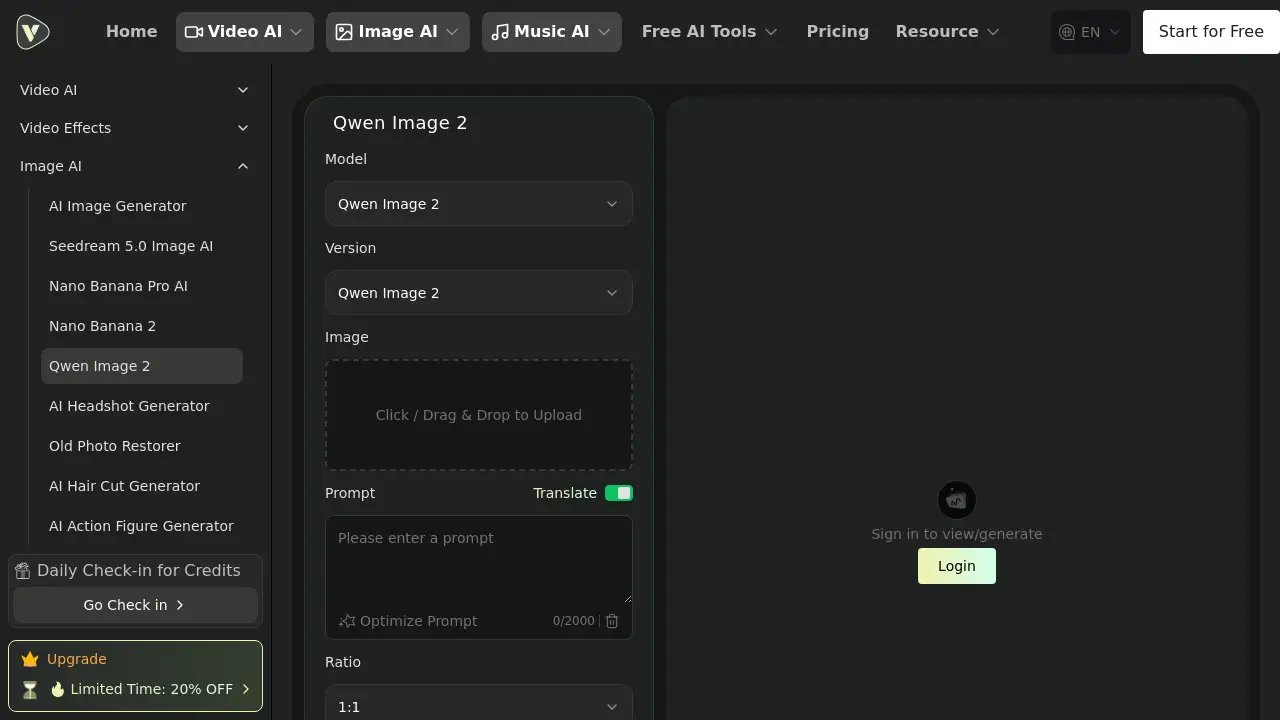
A comprehensive AI image editor and generator platform, Nano Banana 2, offers powerful tools for transforming and enhancing photos.
What is nano-banana2.art?
Nano Banana 2 is an advanced online platform powered by artificial intelligence that simplifies complex image editing tasks. It solves the problem of requiring expensive software like Photoshop or specialized skills to perform professional-grade edits. The platform is designed for anyone who needs to quickly enhance photos, remove backgrounds, upscale images, or generate creative AI art. It matters because it makes sophisticated AI image editing and AI art generation accessible to a wide audience, from social media enthusiasts to small business owners, by automating processes that traditionally take significant time and expertise.
Key Features of nano-banana2.art
AI-Powered Background Removal
This tool instantly and precisely removes backgrounds from images using smart object detection, ideal for product photos or creating clean cutouts.
AI Image Upscaling
Enhance the resolution and quality of low-resolution photos automatically, adding detail and clarity without pixelation.
Intelligent Object Editing
Remove unwanted objects or people from photos seamlessly, with AI filling in the background intelligently for a natural result.
Professional AI Effects Suite
Apply creative transformations like turning photos into Studio Ghibli-style anime art or Pixar-style 3D animations with a single click.
Smart Resize & Crop
Reframe images using AI-powered suggestions for optimal composition or resize them for different platforms while maintaining quality.
Style Transfer & Enhancement
Apply artistic styles or improve photo realism by adjusting lighting, textures, and details through advanced AI algorithms.
Use Cases for nano-banana2.art
E-commerce Product Listings
Create clean, professional product images with transparent backgrounds quickly to improve online store presentation and sales.
Social Media Content Creation
Generate eye-catching graphics, enhance personal photos, and apply trendy AI art filters to stand out on platforms like Instagram or TikTok.
Professional Profile Enhancement
Create polished headshots for LinkedIn or resumes by improving lighting, sharpness, and overall quality with AI enhancement tools.
Creative Art Projects
Experiment with AI art generation and style transfer effects to produce unique digital artwork, illustrations, or conceptual visuals.
Photo Restoration & Enhancement
Revive old, blurry, or damaged family photos by upscaling resolution, removing scratches, and improving overall color and detail.
How to Use nano-banana2.art
- Visit the Platform: Go to the official website at nano-banana2.art.
- Choose Your Tool: Navigate to the tools section and select the desired function, such as "Background Remover," "AI Upscaler," or a specific creative effect.
- Upload Your Image: Click to upload the photo or image you want to edit from your device.
- Apply AI Processing: The platform's AI will automatically process the image. For some tools, you may be able to adjust settings or provide a text prompt.
- Download the Result: Once processing is complete, review the result and download the edited image to your computer.
Target Audience for nano-banana2.art
- Social media managers and content creators
- Small business owners and e-commerce entrepreneurs
- Bloggers, marketers, and digital agencies
- Photographers and hobbyists looking for quick edits
- Artists and designers exploring AI-assisted creation
- Individuals preparing professional documents or portfolios
Is nano-banana2.art Free?
The platform offers a free tier for new users to try its core features. According to the homepage, new users receive credits to perform several edits at no cost. For ongoing or professional use, there is a paid subscription plan. Detailed pricing and feature comparisons for different tiers are available on the official pricing page.
| Plan | Price | Key Features |
|---|---|---|
| Free Trial | $0 | Limited credits for 2-3 image edits, access to basic tools. |
| Pro Plan | Information on Pricing Page | Likely includes higher credit limits, access to all AI tools and effects, faster processing, and commercial usage rights. |
nano-banana2.art's Pros and Cons
| Aspect | Pros | Cons |
|---|---|---|
| Ease of Use | Intuitive interface requiring no prior editing skills; processes are automated. | Advanced fine-tuning controls may be limited compared to professional desktop software. |
| Speed & Efficiency | Delivers results in seconds for tasks like background removal, drastically saving time. | Processing time for complex operations like high-resolution upscaling may take longer. |
| Feature Set | All-in-one suite covering editing, enhancement, generation, and creative effects. | The breadth of tools might be overwhelming for users seeking only one specific function. |
| Accessibility | Web-based platform accessible from any device with a browser; offers a valuable free tier. | Requires a stable internet connection for uploading and processing images. |
Frequently Asked Questions about nano-banana2.art
What kind of images can I edit with Nano Banana 2?
The platform supports common image formats like JPG, PNG, and WEBP. It is suitable for a wide range of images, including portraits, product photos, landscapes, and digital art. The AI tools work best with clear, well-lit photos for optimal object detection and enhancement results.
How does the AI background remover work?
The background remover uses a deep learning model trained to distinguish between the main subject (like a person or product) and the background. It automatically creates a precise mask around the subject, allowing for instant removal. Users can often fine-tune the edges for a cleaner cutout.
Can I use the edited images for commercial purposes?
According to the platform's FAQ, images edited with Nano Banana 2 can be used for commercial purposes. This makes it suitable for business use cases like marketing materials, product listings, and client work. Users should review the specific terms of service for the latest policy details.
Is my data private and secure on this platform?
The platform states that it employs security measures like encryption for uploads and does not use user photos to train its AI models. Processed images are typically deleted from servers after a short period. For maximum privacy, users handling sensitive images should consult the full privacy policy.
What is the difference between image upscaling and enhancement?
AI image upscaling specifically increases the resolution and dimensions of a photo, making it larger while attempting to generate new, plausible details. AI image enhancement focuses on improving the existing quality of a photo by adjusting factors like sharpness, contrast, noise reduction, and color balance without necessarily changing its size.
Do I need to create an account to use the free tools?
While some basic functions might be accessible without an account, creating a free account is typically required to receive the initial credits, save processing history, and access the full suite of tools. The sign-up process is straightforward and does not require a credit card for the trial.
nano-banana2.art Tags
AI image editor, AI art generator, background remover, photo upscaler, AI photo enhancer, free image editing, online photo editor, AI effects, style transfer, object removal, professional headshot creator, AI tools