Introduction
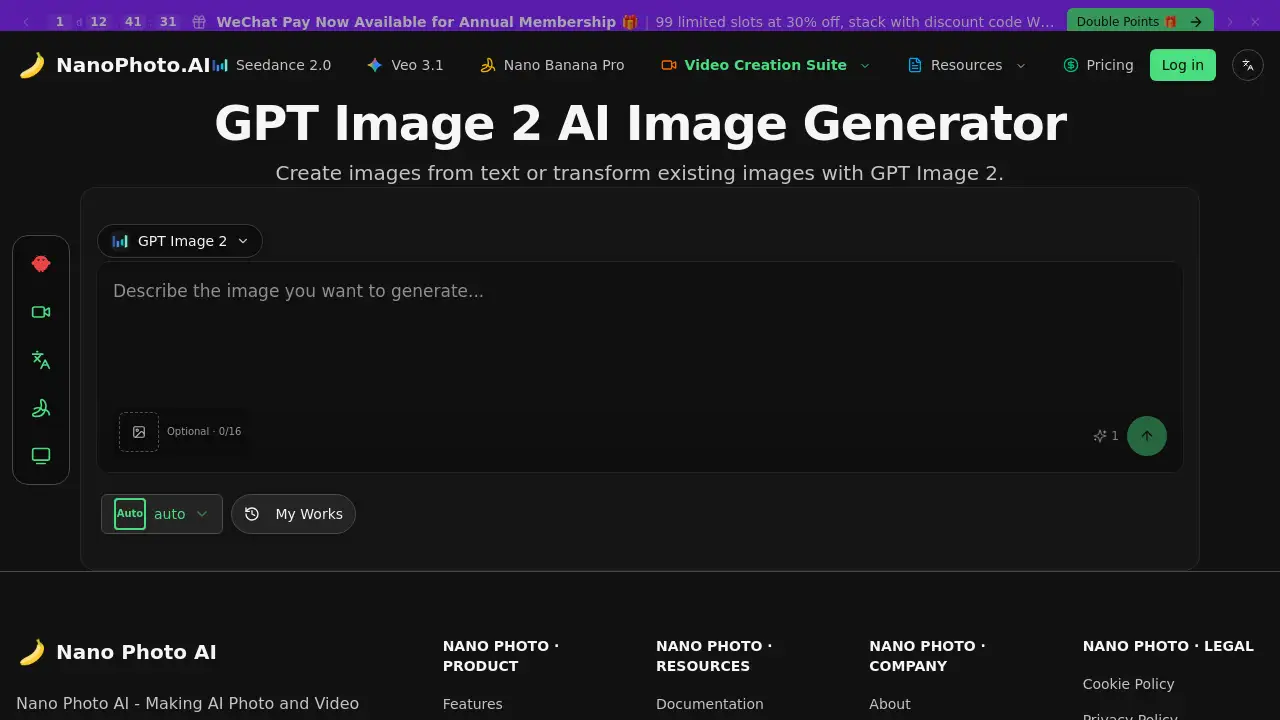
GPT Image 2 AI Image Generator is an advanced tool for creating and transforming images with artificial intelligence.
What is gpt image 2?
GPT Image 2 is a sophisticated AI image generator developed by NanoPhoto.AI. This tool allows users to create images from text descriptions or modify and transform existing pictures using AI technology. It solves the problem of needing artistic skill or expensive software to generate high-quality, custom visuals. GPT Image 2 is suitable for a wide range of users, from content creators and marketers to designers and hobbyists, who need quick and efficient visual assets. Its ability to interpret text and images makes it a versatile tool for bringing creative ideas to life.
Key Features of gpt image 2
Text-to-Image Creation
Users can describe any scene, object, or concept in words, and the AI image generator will produce a corresponding visual, making it easy to create images from text.
Image Transformation
This feature allows for the modification of existing images, enabling style changes, object addition or removal, and other creative edits using AI.
Simple and Efficient Interface
The platform is designed to be user-friendly, focusing on making AI photo and video editing simple and accessible for users of all skill levels.
Integration with NanoPhoto Ecosystem
GPT Image 2 is part of a broader suite of tools from NanoPhoto AI, which includes resources for video creation and prompt generation.
Use Cases for gpt image 2
Social Media Content Creation
Generate unique and engaging visuals for posts, stories, and ads to capture audience attention on platforms like Instagram and Facebook.
Marketing and Advertising Material
Quickly produce concept art, product mock-ups, or thematic visuals for campaigns, TV commercials (TVC), and advertisements (AD).
Blog and Article Illustration
Create images from text to provide custom illustrations that perfectly match the content of blog posts or online articles.
Creative Brainstorming and Prototyping
Visualize ideas for characters, scenes, or designs during the early stages of creative projects, from cartoons to performance concepts.
How to Use gpt image 2
Using GPT Image 2 is a straightforward process:
- Navigate to the GPT Image 2 page on the NanoPhoto.AI website.
- Choose your mode: either enter a text prompt to create images from text or upload an existing image to transform.
- Adjust any available settings, such as style or detail level, according to your needs.
- Initiate the generation process and wait for the AI image generator to produce your result.
- Review, download, or further edit your generated image.
Target Audience for gpt image 2
- Content Creators and Social Media Managers
- Digital Marketers and Advertisers
- Graphic Designers and Artists
- Bloggers and Writers
- Hobbyists and enthusiasts interested in AI technology
Is gpt image 2 Free?
Specific pricing details for GPT Image 2 are not explicitly listed on the provided page. However, NanoPhoto.AI offers various membership plans. The homepage mentions an annual membership promotion. For accurate and current pricing, including any free tiers or trial options, it is recommended to visit the official NanoPhoto.AI Pricing page directly.
gpt image 2's Pros and Cons
| Aspect | Pros | Cons |
|---|---|---|
| Ease of Use | User-friendly interface designed for simplicity. | Advanced creative control may be limited compared to professional software. |
| Speed & Efficiency | Generates images rapidly from text prompts. | Output quality can vary depending on the complexity of the prompt. |
| Versatility | Useful for both creation from scratch and editing existing images. | Requires an internet connection and access to the platform. |
| Innovation | Leverages cutting-edge AI for image generation. | As a cloud-based tool, it depends on the service's ongoing availability. |
Frequently Asked Questions about gpt image 2
What is GPT Image 2?
GPT Image 2 is an AI image generator by NanoPhoto.AI that creates new pictures from written descriptions or alters existing images using artificial intelligence.
Do I need design skills to use GPT Image 2?
No, one of the key goals of the platform is to make AI photo editing simple and efficient for users without any formal design background.
Can I use GPT Image 2 for commercial projects?
Users should review the platform's Terms of Service for specific licensing details regarding commercial use of images generated with the tool.
What kind of images can I create with GPT Image 2?
You can create images from text covering a wide range of themes, including animals, cartoons, figures, infographics, and concepts for ads or TV commercials.
Is there a free version of GPT Image 2?
For the most current information on free trials or freemium plans, please check the official Pricing page on the NanoPhoto.AI website.
How does GPT Image 2 differ from other AI art generators?
GPT Image 2 is integrated into the NanoPhoto AI ecosystem, which may offer unique workflows and tools tailored for specific creative tasks like video-related prompts and resources.
gpt image 2 Tags
AI image generator, GPT Image 2, create images from text, NanoPhoto AI, AI photo editing, text to image, image transformation, AI art generator, digital content creation, marketing visuals, social media images, AI design tool