Introduction
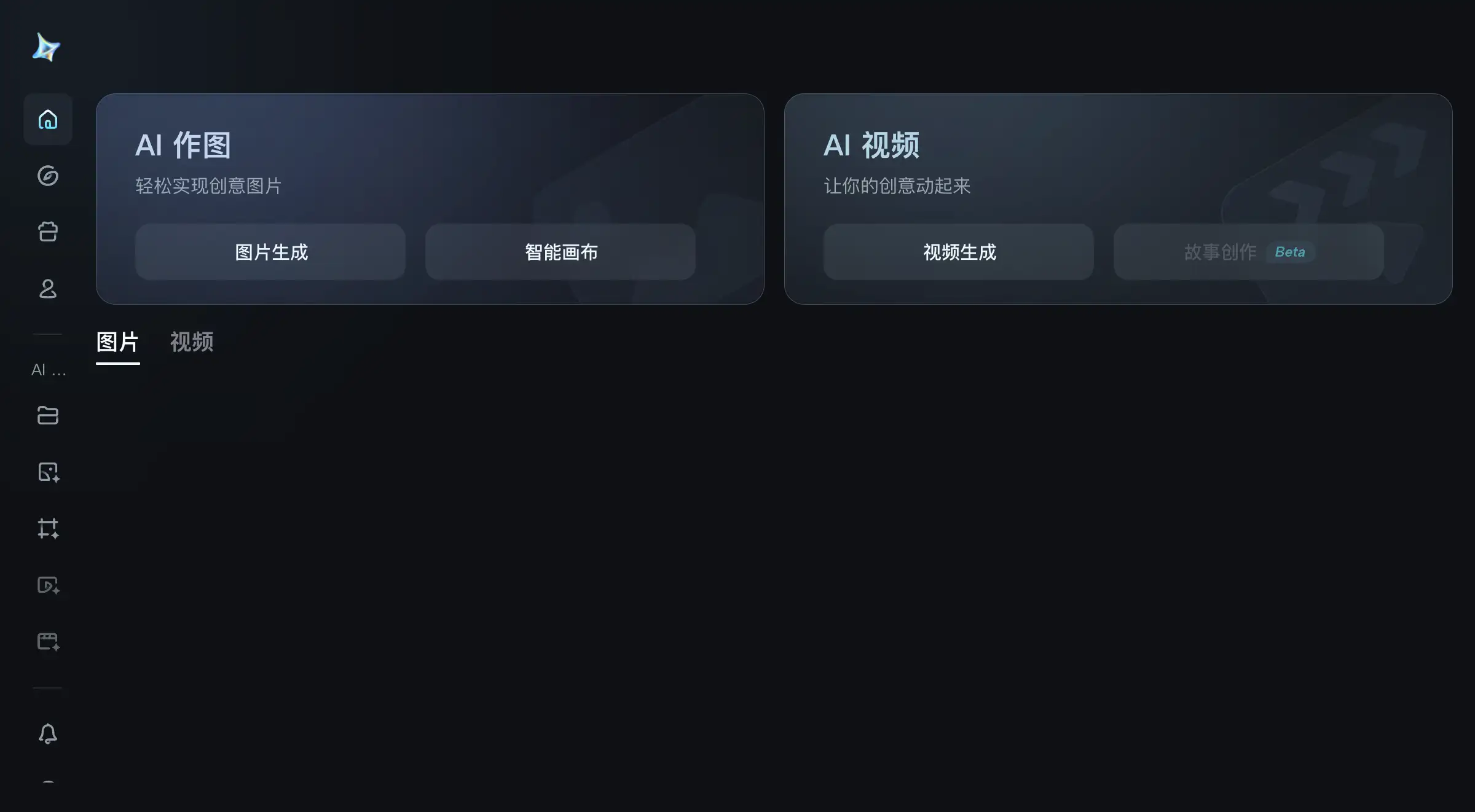
An intelligent image generation and editing tool powered by advanced AI.
What is AI Image Editor?
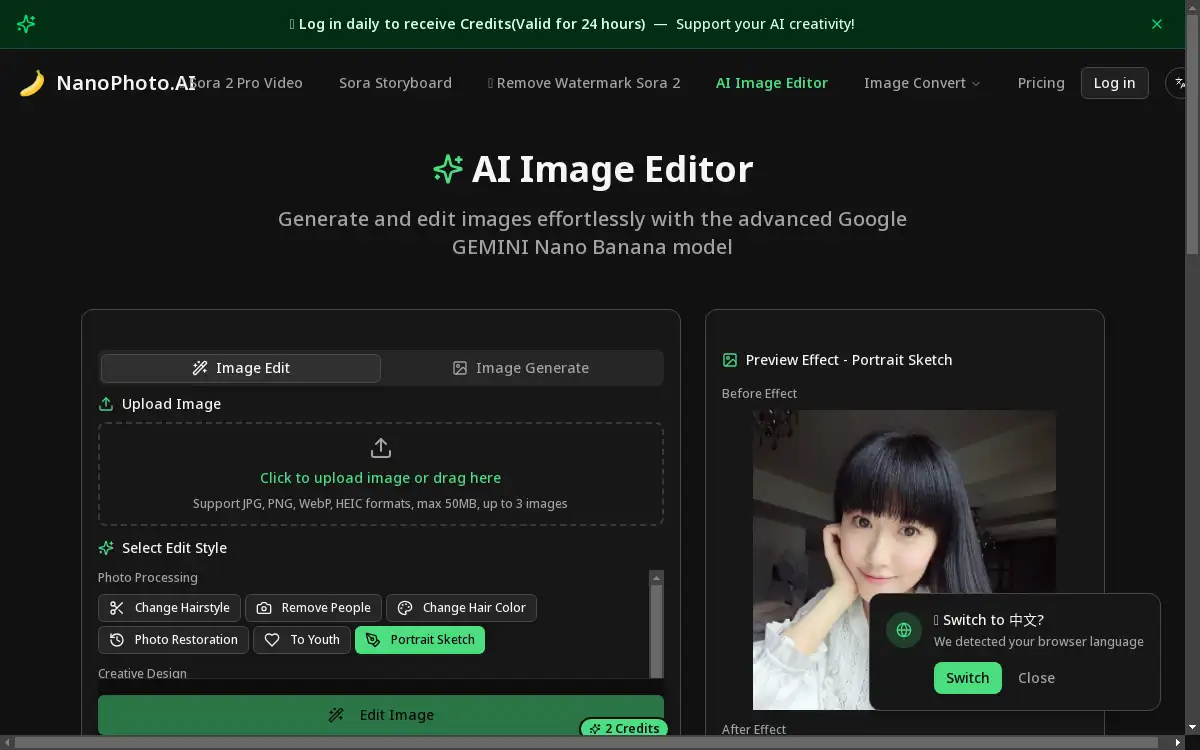
The AI Image Editor from NanoPhoto.ai is an intelligent image generation and editing tool designed to simplify and enhance the process of creating and modifying images. It leverages the power of the Google GEMINI Nano Banana model, along with other advanced AI models, to provide users with professional-grade editing capabilities without requiring extensive technical skills or design experience. This tool addresses the common challenges faced by individuals and professionals who need high-quality visual content but lack the time or expertise to use complex software like Photoshop. It is suitable for a wide range of users, from social media managers and content creators to photographers and small business owners, making sophisticated image editing accessible and efficient. The significance of this AI Image Editor lies in its ability to democratize professional image generation and editing, allowing anyone to produce stunning visuals with minimal effort.
Key Features of AI Image Editor
Multiple AI Model Support
The editor integrates several advanced AI models including Replicate, OpenAI DALL-E, Fireworks, and FAL, giving users flexibility and powerful options for image generation and editing tasks.
High-Quality Output Generation
It consistently produces professional-grade images with exceptional detail and clarity, ensuring that the final results are suitable for both digital and print media.
Intuitive User Interface
The platform is designed with an easy-to-use interface that features smart tag selection and prompt suggestions, making the image editing process straightforward for users of all skill levels.
Versatile Style Selection
Users can choose from a range of curated editing styles such as Photo Processing, Creative Design, AI Costume Change, ID Photos, and Portrait Photography to achieve their desired visual effect.
Flexible Upload Options
The tool supports uploading images in JPG, PNG, WebP, and HEIC formats, with a capacity for up to 3 images at a time and a maximum file size of 50MB each.
Credit-Based System
Operation is facilitated through a transparent credit-based system, allowing users to manage their usage and access the AI-powered features effectively.
Use Cases for AI Image Editor
Social Media Content Creation
Ideal for generating eye-catching graphics and edited photos to enhance engagement on platforms like Instagram, Facebook, and Twitter.
Professional Portrait Enhancement
Perfect for photographers and individuals looking to retouch portrait photography, apply artistic filters, or improve overall image quality for a polished look.
Creative Design Projects
Enables designers and marketers to quickly create unique visual assets, concept art, and marketing materials using AI-driven creative design tools.
ID Photo Generation
Streamlines the creation of standardized identification photos for official documents, visas, and professional profiles with specific formatting requirements.
E-commerce Product Imaging
Useful for online sellers who need to edit product photos, change backgrounds, or generate multiple visual variations for their listings.
Personal Photo Fun
Allows everyday users to have fun with their personal photos by applying AI costume changes, transforming images into sketches, or exploring various artistic styles.
How to Use AI Image Editor
Using the AI Image Editor is a simple, three-step process designed for maximum efficiency.
- Upload Your Image or Select a Style: Start by uploading your image directly onto the platform. The tool supports JPG, PNG, WebP, and HEIC formats. Alternatively, you can browse and select from a list of predefined editing styles like "Portrait Sketch" or "AI Costume Change."
- Describe Your Desired Effect: In the provided text box, enter a description of the editing effect you want the AI to perform. The platform also offers AI-powered prompt suggestions to help you articulate your vision more effectively.
- Generate and Download: Once you have set your parameters, the AI Image Editor processes your request. You can then preview the result and, if satisfied, download the high-quality, professionally edited image to your device.
Target Audience for AI Image Editor
- Social Media Managers and Content Creators
- Professional and Amateur Photographers
- Graphic Designers and Digital Artists
- Marketing Professionals and Small Business Owners
- Bloggers and Website Developers
- General Users seeking easy personal photo editing
Is AI Image Editor Free?
The AI Image Editor operates on a credit-based system. New users typically receive an initial amount of credits to explore the platform's features, which functions as a generous free plan for getting started. This allows users to test the core functionalities, such as basic image generation and editing. For more extensive needs, the service offers affordable premium options where users can purchase additional credits. This model provides flexibility, enabling casual users to access powerful AI editing tools for free in a limited capacity, while power users can unlock higher volume and potentially advanced features through cost-effective credit packages.
Frequently Asked Questions about AI Image Editor
What image formats does the AI Image Editor support?
The editor supports common image formats including JPG, PNG, WebP, and HEIC. You can upload up to 3 images simultaneously, with each file having a maximum size of 50MB.
How does the credit system work for image editing?
The AI Image Editor uses a credit-based system to manage usage. Each image generation or editing task consumes a certain number of credits. Users often start with a free allocation of credits and can purchase more packs as needed for continued use.
Can I use this tool for creating professional ID photos?
Yes, one of the dedicated editing styles is specifically for "ID Photos." This feature is designed to help you generate images that meet the standard requirements for various official documents and professional profiles.
What kind of editing styles are available?
The platform offers a variety of styles to choose from, including but not limited to Photo Processing, Creative Design, AI Costume Change, ID Photos, and Portrait Photography. These are designed to cater to different image generation and editing needs.
Do I need any prior editing experience to use this tool?
No, the AI Image Editor is built with an intuitive interface and easy-to-use features. The inclusion of smart tag selection and prompt suggestions makes it accessible for beginners, while still being powerful enough for professionals.
Which AI models power the image generation?
The tool is powered by the Google GEMINI Nano Banana model and also supports other advanced models like Replicate, OpenAI DALL-E, Fireworks, and FAL, providing a robust and versatile foundation for high-quality output generation.
AI Image Editor Tags
AI Image Editor, image generation, image editing, Google GEMINI Nano Banana, AI photo editor, online image tool, creative design, AI costume change, ID photo maker, portrait photography, AI models, high-quality output, free AI editor, photo processing, digital art