Introduction
NotebookLama is an AI document learning tool that lets users chat with documents, generate flashcards, quizzes, and podcasts in seconds. This review covers its features, pricing, and practical uses for students and researchers.
What is NotebookLama?
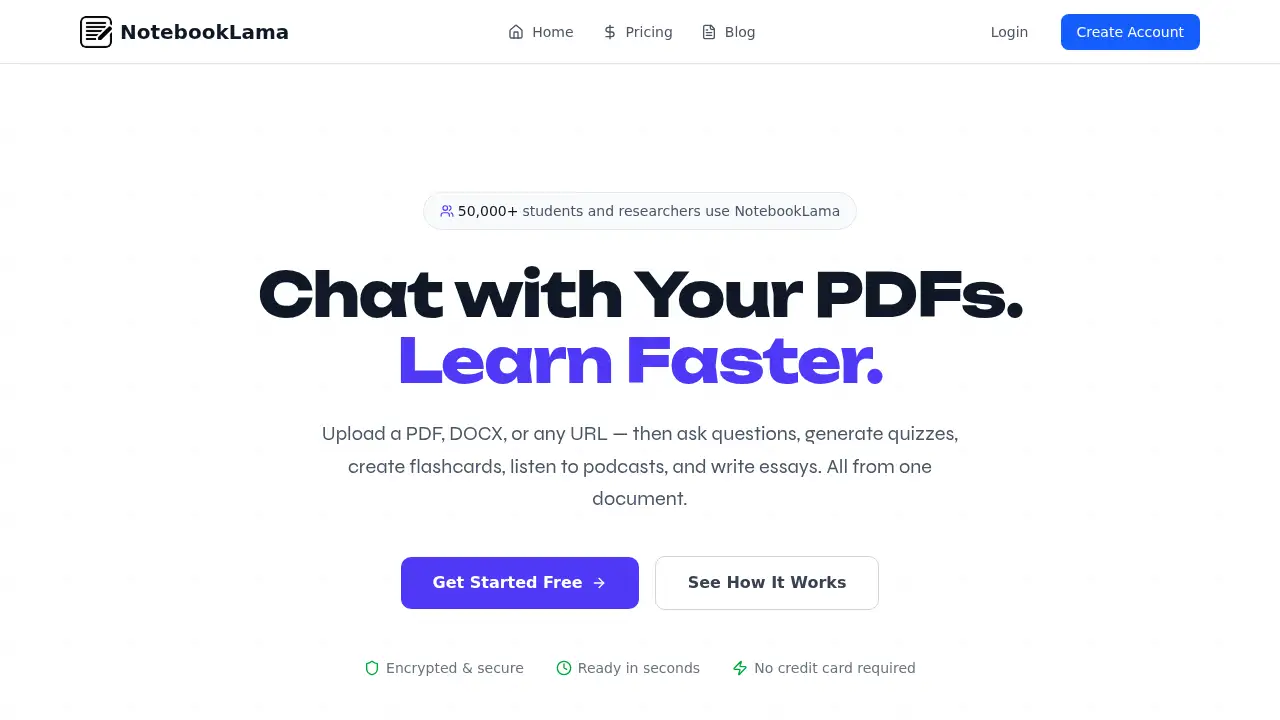
NotebookLama is a web-based AI study assistant that transforms uploaded documents into interactive learning materials. Users can upload PDFs, DOCX files, TXT, Markdown, or any public webpage URL, then ask questions in plain English and receive cited answers. The tool solves a common problem: spending hours rereading long papers, textbooks, or reports to find key information. Instead of manual note-taking, NotebookLama reads every page and builds a searchable knowledge base. It is suitable for students, researchers, legal professionals, and anyone who works with dense documents. The platform matters because it combines document chat, quiz generation, flashcards, podcasts, and essay writing in one place—no switching between apps. Over 50,000 students and researchers already use NotebookLama, according to the homepage. The service is encrypted, requires no credit card for the free plan, and processes documents in seconds.
Key Features of NotebookLama
Chat with Documents
Ask questions in plain English about any uploaded document. NotebookLama returns context-aware answers with page citations, and it supports multi-document conversations with follow-up questions that remember context.
Quiz and Flashcard Generation
Turn any document into an interactive study session. The AI study assistant generates quizzes to test knowledge and creates flashcards tailored to key concepts, helping users review material efficiently.
Podcast Creation
Convert documents into audio podcasts for on-the-go learning. Users can listen anywhere, and transcripts are available for structured review after listening.
Essay Writer and Grader
Generate structured essays from source material, then receive instant grading with feedback on argument quality, structure, and clarity. The tool also checks grammar, style, and academic writing standards.
Document Upload and URL Extraction
Upload PDF, DOC, DOCX, TXT, or Markdown files without conversion. NotebookLama also extracts content from any public webpage and supports batch file processing.
Library Management
Organize study materials into topic-based collections. Combine notes from different sources, search across the entire library, and use AI-powered content categorization to keep everything findable.
Use Cases for NotebookLama
Exam Preparation for Students
Students can upload lecture notes, textbook chapters, or past papers, then generate quizzes and flashcards to test themselves. The AI document learning tool helps identify weak areas without rereading everything.
Research Paper Analysis
Researchers can chat with multiple PDFs at once and get cited answers about methodology, findings, or limitations. This speeds up literature reviews and helps compare sources quickly.
Professional Document Review
Legal professionals, analysts, and consultants can upload contracts, reports, or case files. NotebookLama provides precise answers with source tracking, reducing time spent searching through long documents.
Podcast-Based Learning
Commuters and auditory learners can turn documents into podcasts. Listen to key concepts during a walk or drive, then review transcripts later for deeper understanding.
Essay Drafting and Feedback
Students and writers can generate structured essays from uploaded sources and receive instant grading. This supports academic writing practice and helps refine arguments before submission.
How to Use NotebookLama
- Upload your document – Drag and drop a PDF, DOCX, TXT, or Markdown file, or paste a webpage URL. NotebookLama processes the content in seconds and builds a searchable knowledge base.
- Ask questions or generate materials – Type questions in plain English to get cited answers. Then click to generate quizzes, flashcards, podcasts, or essays based on the actual document content.
- Review and retain – Use flashcards for quick review, take quizzes to test yourself, listen to podcasts on the go, and organize everything in your personal library.
- Combine and search – Group related documents by topic and search across your entire library to find information fast.
Target Audience for NotebookLama
- Students preparing for exams or writing papers
- Researchers analyzing multiple academic sources
- Legal professionals reviewing case files and contracts
- Teachers creating study materials from course content
- Professionals who need quick answers from long reports
- Lifelong learners who prefer audio or interactive review
Is NotebookLama Free?
NotebookLama offers a free plan and a paid subscription. The free plan includes core features with limited uploads; the Pro+ plan unlocks unlimited access. A 7-day free trial is available on paid plans, and no credit card is required for the free tier.
| Plan | Price | Features |
|---|---|---|
| Free | $0/forever | 5 document uploads, AI chat with documents, basic summaries, podcast generation, slides generation, essay writing tools, priority support |
| Pro+ | $14/month | Unlimited documents, chatbot, summary, notes, podcast, slides generation, quiz generation, flashcards, priority support |
Cancel anytime. No hidden fees mentioned on the pricing page.
NotebookLama's Pros and Cons
| Aspect | Pros | Cons |
|---|---|---|
| Pricing | Free plan available; Pro+ at $14/month is affordable for frequent users | Free plan limited to 5 document uploads |
| Features | Combines chat, quizzes, flashcards, podcasts, and essay tools in one platform | Advanced features require a paid subscription |
| Speed | Documents processed in seconds; instant responses | No offline mode mentioned |
| Accuracy | Cited answers with page citations and source tracking | Answer quality depends on document clarity |
| Security | Encrypted and secure according to the homepage | No detailed security certification listed |
Frequently Asked Questions about NotebookLama
What file types can I upload to NotebookLama?
NotebookLama accepts PDF, DOC, DOCX, TXT, and Markdown files. It also extracts content from any public webpage URL, so users can work with web articles and online documents without downloading them first.
Can NotebookLama generate quizzes and flashcards from any document?
Yes, the AI study assistant generates quizzes and flashcards directly from uploaded content. The number of questions or cards depends on document length and complexity, and users can review them in their personal library.
Does NotebookLama offer a free plan?
Yes. The free plan includes 5 document uploads, AI chat with documents, basic summaries, podcast generation, slides generation, and essay writing tools. No credit card is required to start.
How accurate are the cited answers in document chat?
NotebookLama provides context-aware responses with page citations and source tracking. Accuracy depends on the clarity and structure of the uploaded document, but the tool reads every page to return answers based on actual content rather than generic web results.
Can I listen to my documents as podcasts?
Yes. NotebookLama converts documents into audio podcasts that can be listened to anywhere. Transcripts are also available for structured review, making it useful for auditory learners and commuters.
Is my data secure with NotebookLama?
The homepage states that NotebookLama is encrypted and secure. Users should review the official privacy policy for full details on data handling and storage.
NotebookLama Tags
NotebookLama, AI document learning tool, chat with documents, AI study assistant, generate flashcards from PDF, quiz generator from documents, document to podcast, essay writer AI, research paper AI tool, PDF to quiz, study tool for students, document upload AI