Introduction
An open-source desktop GUI for managing local AI sessions, plugins, and workflows.
What is OpenWork?
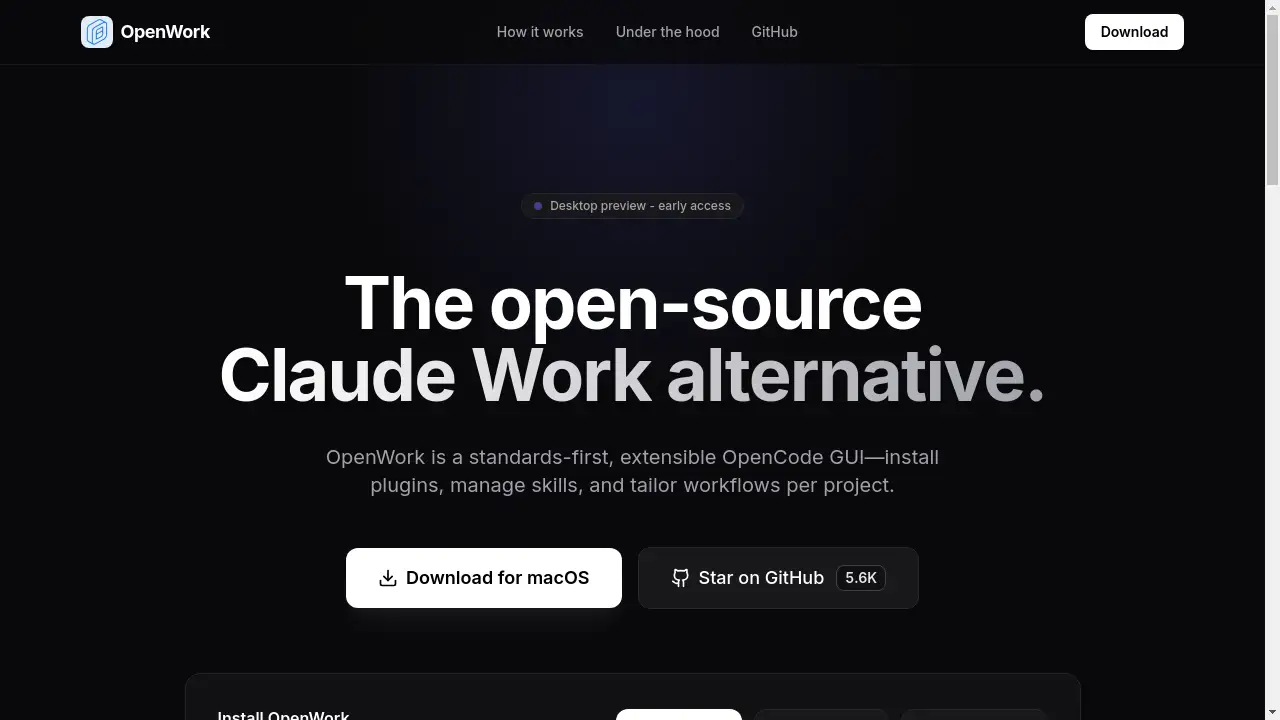
OpenWork is an open-source desktop application designed as an alternative to proprietary AI workbenches like Claude Work. It functions as a standards-first, extensible graphical user interface (GUI) built on OpenCode. The core idea is to give users, particularly developers and technical teams, greater control over their AI-assisted workflows. It addresses the need for privacy, customization, and offline capability by enabling local-first sessions where AI interactions and data remain on the user's machine. Users can tailor their environment by installing plugins and managing skills specific to their projects, moving away from locked-in, cloud-only solutions. This makes OpenWork a compelling tool for those who prioritize data sovereignty and want a modular, project-specific AI assistant platform.
Key Features of OpenWork
Local-First AI Sessions
Run AI models and process prompts directly on your desktop, ensuring data privacy and enabling work without a constant internet connection.
Extensible Plugin Architecture
Install and manage a variety of plugins to extend the core functionality of the OpenWork application, tailoring it to specific development needs.
Centralized Skill Management
Discover, install, and organize different AI skills and workflows from a central location within the OpenCode GUI, applying them per project for efficient task automation.
Cross-Platform Desktop Client
Download and use native, signed builds for macOS, Windows, and Linux, providing a consistent and secure experience across major operating systems.
Standards-First Development
Built on open standards within the OpenCode ecosystem, promoting interoperability and future-proofing your customized AI workflows.
Use Cases for OpenWork
Secure Code Review and Analysis
Developers can use local-first sessions to analyze proprietary codebases with AI assistants without sending sensitive intellectual property to external servers.
Customized Project Workflows
Teams can install specific plugins and skills to create standardized, repeatable AI-powered workflows for tasks like documentation generation, testing, or data formatting within a project.
Offline AI Experimentation
Researchers and hobbyists can experiment with AI prompts and model outputs entirely offline, using OpenWork as a controlled sandbox environment for learning and development.
Building Integrated AI Tools
Tool builders can use the extensible OpenCode GUI platform to develop and test their own plugins and skills in a dedicated desktop environment before wider distribution.
How to Use OpenWork
Using OpenWork is a straightforward process focused on getting the desktop application running and customized.
- Download and Install: Visit the official GitHub releases page and download the native installer for your operating system (macOS DMG, Windows MSI, or Linux AppImage).
- Launch the Application: Open the installed OpenWork desktop client. The interface will present the core OpenCode GUI.
- Explore and Install Skills: Navigate to the skills or plugins management section within the app to browse available additions.
- Configure a Project: Set up a new project workspace and select the specific skills and settings you want to apply for that project's context.
- Begin a Local Session: Start a new local-first session within your project to interact with your configured AI tools privately and offline.
Target Audience for OpenWork
- Software Developers and Engineers seeking private, offline AI assistance for coding tasks.
- AI Researchers and Hobbyists who need a flexible, local environment for experimenting with prompts and models.
- Technical Teams and DevOps professionals looking to standardize and secure AI-augmented workflows across projects.
- Open-Source Enthusiasts and advocates who prefer community-driven, extensible tools over closed-source alternatives.
- Privacy-Conscious Individuals and organizations that must keep AI interactions and data on-premises.
Is OpenWork Free?
Based on available information, OpenWork is a free and open-source software project. There is no mention of paid plans or subscriptions on its homepage. The application can be downloaded directly from its GitHub repository at no cost.
| Plan | Price | Features |
|---|---|---|
| Community | Free | Full access to the open-source desktop client, local-first sessions, plugin system, and skill management. |
For the most current information regarding licensing or future monetization, users should refer to the official OpenWork GitHub repository.
OpenWork's Pros and Cons
| Aspect | Pros | Cons |
|---|---|---|
| Cost & Licensing | Completely free and open-source. | Relies on community support; no official paid support tier. |
| Privacy & Control | Local-first sessions ensure data never leaves your machine. | Requires user to manage their own local environment and resources. |
| Customization | Highly extensible via plugins and a modular skill system. | May have a steeper learning curve for non-technical users to customize. |
| Ecosystem | Built on OpenCode standards, promoting interoperability. | As a newer project, the library of available plugins and skills may be growing. |
| Accessibility | Easy installation via signed desktop builds for major OSes. | Currently in "early access," so features and stability are evolving. |
Frequently Asked Questions about OpenWork
What operating systems does OpenWork support?
OpenWork provides native desktop builds for macOS (including notarized versions), Windows, and Linux, making it accessible to users on all major platforms.
Is an internet connection required to use OpenWork?
A core feature of OpenWork is its support for local-first sessions, which allow you to work offline. However, an internet connection is needed to download the application, install new plugins or skills, and for updates.
How does OpenWork compare to Claude Work?
OpenWork is positioned as an open-source Claude Work alternative. While Claude Work is a proprietary, cloud-based platform, OpenWork focuses on providing a private, extensible, and offline-capable desktop experience powered by the OpenCode ecosystem.
Can I create my own plugins for OpenWork?
Yes. As an extensible OpenCode GUI, OpenWork is designed for developers to build and integrate their own plugins and skills, allowing for deep customization of workflows.
Where can I get support or report issues for OpenWork?
Being an open-source project, support is primarily community-driven through its GitHub repository, where users can report issues, discuss features, and access documentation.
Is my data safe with OpenWork?
Since OpenWork enables local-first sessions, your prompts, conversations, and data are processed on your own computer by default, offering a high degree of privacy and security compared to cloud-based alternatives.
OpenWork Tags
OpenWork, open-source Claude alternative, local-first AI, desktop AI client, OpenCode GUI, AI workflow manager, AI plugins, manage AI skills, offline AI tool, privacy-focused AI, extensible AI platform, AI for developers, cross-platform AI software