Introduction
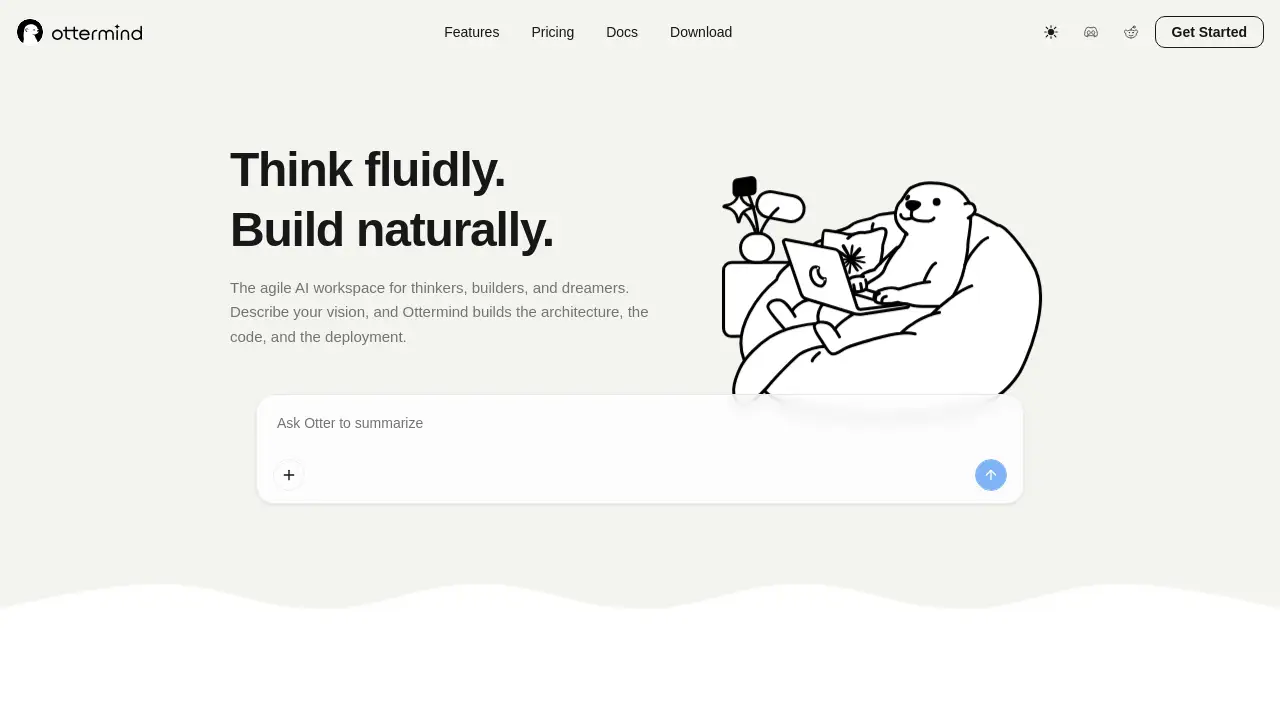
Ottermind is an innovative AI agent platform designed to connect ideas, files, memory, devices, and tools. This review explores how Ottermind AI agents help users plan, build, automate, and deliver real work without constant manual prompting.
What is Ottermind?
Ottermind is a personal AI assistant that moves beyond simple prompting into real collaboration. Instead of breaking tasks into tiny steps, you describe the outcome you want, and Ottermind works through the process with you. It connects your files (from your device or cloud drive), remembers context, and helps carry tasks from planning to completion. The platform works across web, desktop, and mobile, keeping progress and context synced. Ottermind is suitable for professionals, freelancers, and teams who need to automate workflows, manage recurring tasks, and reduce repetitive work. By combining shared context memory with skill-based learning, it aims to turn complex goals into finished deliverables.
Key Features of Ottermind
Work Where Your Files Are
Ottermind lets you use files directly from your device or cloud drive without moving them first, making file access seamless and secure.
From Goals to Finished Work
Describe a goal – Ottermind plans the necessary steps, selects the right tools, and delivers the result, minimizing manual oversight.
Never Repeat Yourself Again
The platform’s shared context memory helps your AI agent learn and remember past details, stopping you from repeating instructions.
Recurring Work, Done Automatically
Schedule a workflow once, and Ottermind keeps it moving automatically, handling repetitive tasks without further input.
Work Across Devices, Run Where It Fits
Start a task on the web, continue on desktop or mobile, and carry progress and context across devices – no loss of momentum.
Learn New Skills, Take on Tougher Work
Ottermind can add skills for the specific tools, files, and workflows you rely on, expanding its capabilities over time.
Use Cases for Ottermind
Automating Weekly Reports
A marketer schedules a weekly performance report. Ottermind pulls data from cloud files, applies the same structure each week, and emails the finished document – no manual copying.
Managing Research Projects
A researcher describes a new topic. Ottermind searches personal notes, compiles relevant files, and drafts a summary, all while keeping the conversation context in memory.
Cross-Device Task Tracking
A freelancer starts a proposal on their laptop, adds notes on mobile during a commute, and finishes on a desktop – Ottermind syncs the entire task list and memory across devices.
Building Custom Workflows
A small business owner needs to process incoming invoices. They teach Ottermind the steps, and it automatically classifies, stores, and notifies the team, handling the repetitive work.
How to Use Ottermind
- Create an Account – Sign up on the Ottermind website or download the app for your device.
- Describe Your Goal – Tell Ottermind what you want to accomplish in simple language, e.g., “Create a weekly status report from these files.”
- Let It Plan – The AI agent analyzes your request, breaks it into steps, and shows you its plan.
- Review and Adjust – Accept the plan or tweak instructions. Ottermind remembers your preferences for future tasks.
- Receive the Result – Once the work is done, you get the output (a file, summary, or action) – and you can schedule it to repeat.
Target Audience for Ottermind
- Freelancers and Solopreneurs – Who need an AI productivity tool to manage multiple projects without remembering every detail.
- Remote Teams – Looking for a cross-device AI assistant that keeps context and tasks in sync across members.
- Knowledge Workers – Researchers, writers, and analysts who work with many files and need an AI agent that remembers context.
- Automation Enthusiasts – Users who want to automate workflows without coding, using a personal AI with shared memory and skill learning.
- Small Business Owners – Who need a reliable AI collaboration tool to handle recurring administrative tasks.
Is Ottermind Free?
Pricing details are not explicitly listed on the Ottermind website. Based on common industry models, there may be a free tier with basic features, and paid plans for advanced capabilities (more storage, custom skills, or team collaboration). For the most accurate pricing, visit the official Ottermind pricing page [insert URL if available]. A free trial is likely available to test the platform before committing.
Ottermind's Pros and Cons
| Aspect | Pros | Cons |
|---|---|---|
| Ease of Use | Simple goal-based setup; no need to micromanage steps | May require initial time to teach custom skills |
| Memory | Shared context memory avoids repeating details | Potential privacy concerns if sensitive data is stored in memory |
| Cross-Device | Seamless sync across web, desktop, and mobile | Heavy tasks may feel slower on mobile |
| Automation | Schedule recurring workflows easily | Complex workflows might need debugging |
| File Handling | Works with local and cloud files without moving them | Limited file format support might be a gap |
| Skill Expansion | Can learn new skills over time | Currently limited to predefined skill sets |
Frequently Asked Questions about Ottermind
What is Ottermind?
Ottermind is an AI agent platform that connects your ideas, files, memory, devices, and tools. It acts as a personal AI assistant that helps you plan, build, automate, and deliver real work by describing outcomes rather than micromanaging steps.
Is Ottermind free to use?
The official website does not display clear pricing. Many personal AI tools offer a free tier with basic features and paid plans for advanced capabilities. You can likely sign up for a free trial to test the platform. Check the Ottermind website for the latest plans.
Does Ottermind work offline?
Ottermind requires an internet connection for most operations, especially when syncing files and accessing cloud drives. However, some features, like viewing previously completed tasks, may be available offline after initial sync. Cross-device context is maintained online.
Can Ottermind connect to cloud drives like Google Drive or Dropbox?
Yes, Ottermind can access files from your cloud drive or local device without moving them first. This makes it easy to use existing documents without uploading them separately. The exact list of supported cloud providers is available in the settings.
How does Ottermind handle memory and privacy?
Ottermind uses shared context memory to remember details across tasks so you don’t have to repeat yourself. The company states it respects user privacy, but as with any AI agent platform, review the privacy policy to understand how your data is stored and used.
Can I schedule tasks to run automatically?
Yes, you can schedule one-time or recurring workflows. For example, a weekly report can be set to run every Monday morning. Ottermind will execute the plan using your files and tools, delivering the result without manual intervention.
Ottermind Tags
Ottermind AI, AI agent platform, personal AI assistant, automate workflows, AI memory, cross-device AI, AI productivity tool, AI collaboration tool, shared context AI, goal-based automation, recurring task automation, AI skill learning