Introduction
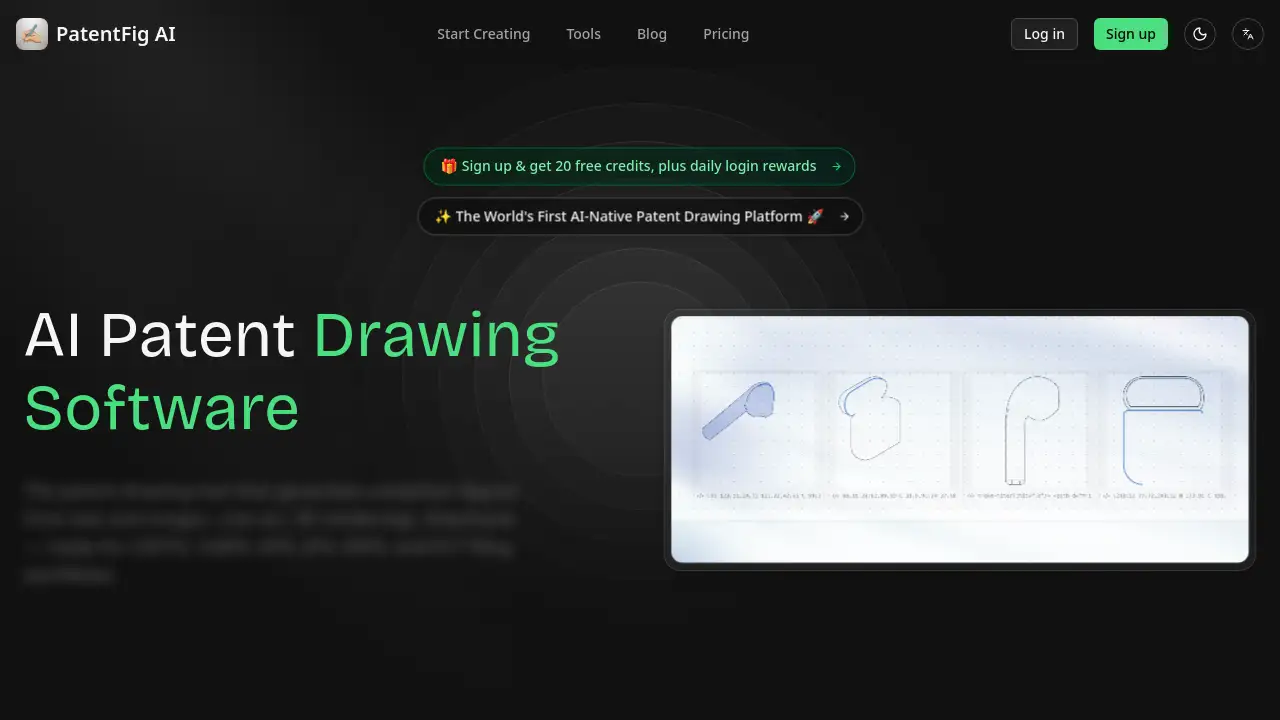
PatentFig AI is an innovative platform that generates USPTO-compliant patent drawings from photos, sketches, or text descriptions. This patent drawing software is a game-changer for IP professionals.
What is PatentFig AI?
PatentFig AI is a specialized AI tool designed to create official patent figures ready for filing with major patent offices, including USPTO, EPO, CNIPA, JPO, KIPO, and PCT. It solves the time-consuming problem of manually drafting patent illustrations from scratch. By accepting various input types such as photos, sketches, or simple text descriptions, it quickly produces clean, labeled line art, 3D renderings, and flowcharts. This AI patent drawing software is particularly suited for patent attorneys, agents, and inventors who need to produce high-quality, compliant figures efficiently. Its importance lies in significantly reducing the drafting cycle, allowing professionals to focus more on the patent's claims and strategy.
Key Features of PatentFig AI
Patent Line Art Generation
Automatically generate clean, labeled line drawings from product photos or 3D models. The AI adds reference numerals and leader lines, following standard patent office conventions for a professional finish.
Multi-Modal Input
Upload reference photos, sketches, CAD screenshots, or just describe your invention in text. This tool understands all input types, making it flexible for any starting material.
Chat-to-Modify
Edit any figure using natural language commands. Saying 'make the arrow thicker' or 'add a cross-section view' applies changes instantly, offering a conversational way to refine patent drawings.
Version Control
Every generation creates a new version (V1, V2) with sub-versions for edits (V1.1, V1.2). Users can compare and revert to any point, ensuring a clear history of the figure's evolution.
Professional Export
Export files in PDF, PNG, SVG, or TIFF at exact patent office specifications. Batch export all views of a figure set with one click, streamlining the final filing step.
Multi-Office Support
Easily switch between formatting workflows for USPTO, CNIPA, EPO, JPO, KIPO, and PCT/WIPO. One set of source figures can generate multiple office-compliant outputs, saving significant time.
Use Cases for PatentFig AI
Rapid First Draft Generation
Patent attorneys can take an inventor's rough sketch or a product photo and quickly turn it into a reviewable first draft using this patent drawing AI. This cuts down the initial drafting time from hours to minutes.
Iterative Design Modification
During patent prosecution, an AI patent drawing tool like this allows for fast figure revisions. An agent can simply ask the AI to 'add a detailed view' or 'change the shading,' enabling quick responses to office actions.
Standardizing Internal Figure Packages
IP operations managers can use the software to standardize figure packages before sending them to outside counsel. This ensures consistency across all patent applications within a portfolio.
Processing Rough Client Materials
Boutique IP firms can take unusable client photos and turn them into cleaner, filing-ready figure drafts. This prevents communication breakdowns and keeps the patent process moving forward.
How to Use PatentFig AI
Using an AI patent drawing tool like PatentFig AI is a straightforward process:
- Describe or Upload: Start by entering a text description of your invention or by uploading a reference image, sketch, or photo.
- Choose Views: Select the specific views you need, such as front, top, side, or a 3D perspective.
- Generate: The AI will automatically generate the requested patent drawings, adding reference numerals and leader lines.
- Edit (Optional): Use the 'Chat-to-Modify' feature to refine the figure using natural language commands.
- Export: Download the final, office-compliant figures in your preferred format (PDF, PNG, SVG, or TIFF) for direct filing.
Target Audience for PatentFig AI
- Patent Attorneys: For drafting and amending patent figures efficiently.
- Patent Agents: For generating high-volume, compliant drawings.
- IP Operations Managers: For standardizing figure packages across a firm.
- Independent Inventors: For creating professional figures without a drafting team.
- In-House Counsel: For preparing initial drafts before sending to outside firms.
- Design Patent Professionals: For creating consistent multi-view drawings.
Is PatentFig AI Free?
Yes, PatentFig AI offers a free tier with 20 monthly credits (approximately 2 figures) for first-time users to evaluate the full workflow. The paid plans provide significantly more credits and features.
| Plan | Price | Key Features |
|---|---|---|
| Free | $0/month | 20 credits, line art, multi-view workflow, basic exports |
| Basic | $20/month | 500 credits, multi-project workflow, version timeline |
| Pro | $40/month | 1500 credits, faster iteration, large figure-set review |
| Enterprise | $80/month | 4000 credits, team-scale generation, portfolio-level consistency |
PatentFig AI's Pros and Cons
| Aspect | Pros | Cons |
|---|---|---|
| Efficiency | Drastically reduces time to create first drafts. | May not replace final, manual QC for complex cases. |
| Features | Very flexible input (text, photo, sketch) and output (PDF, SVG). | The 'Chat-to-Modify' feature may have a slight learning curve to get precise results. |
| Accuracy | Produces consistent, office-compliant figures (USPTO, EPO). | AI might misinterpret vague descriptions, requiring user adjustment. |
| Integration | Offers version control and project management, which is excellent for workflows. | No direct integration with common docketing software is mentioned. |
Frequently Asked Questions about PatentFig AI
Is PatentFig AI compliant with USPTO standards?
Yes, the primary feature of this patent drawing software is to generate figures that are compliant with USPTO, EPO, CNIPA, and other major patent office standards, including line art, numbering, and leader lines.
Can I use a photo of my prototype?
Absolutely. One of the core strengths of this AI patent drawing tool is its ability to accept reference photos, sketches, and CAD screenshots as input and convert them into compliant line art.
How does PatentFig AI ensure my invention drawings are confidential?
PatentFig AI is built with a strong focus on confidentiality. It states that user prompts, uploads, and generated figures are never used to train the AI models. All data is encrypted in transit and at rest.
What is the free trial like?
The Free plan provides 20 credits per month, which allows for the creation of about two complete figures. This is sufficient to test the full workflow of the patent drawing software without needing a credit card.
Can my team collaborate on projects?
Yes, the Pro and Enterprise plans are designed for firm-level throughput and team-scale generation. The tool includes project management features to organize figures by patent application for team review.
What file formats can I export my patent drawings in?
You can export your final patent drawings in PDF, PNG, SVG, or TIFF formats. All exports are generated to meet the exact specifications required by patent offices.
PatentFig AI Tags
PatentFig AI, AI patent drawing software, patent drawings, USPTO patent figures, patent illustration tool, patent figure generator, patent line art, AI for patents, intellectual property software, patent drafting tool, patent figure creation.