Introduction
An AI image generator that creates professional visuals through simple conversation.
What is AI Image Generator?
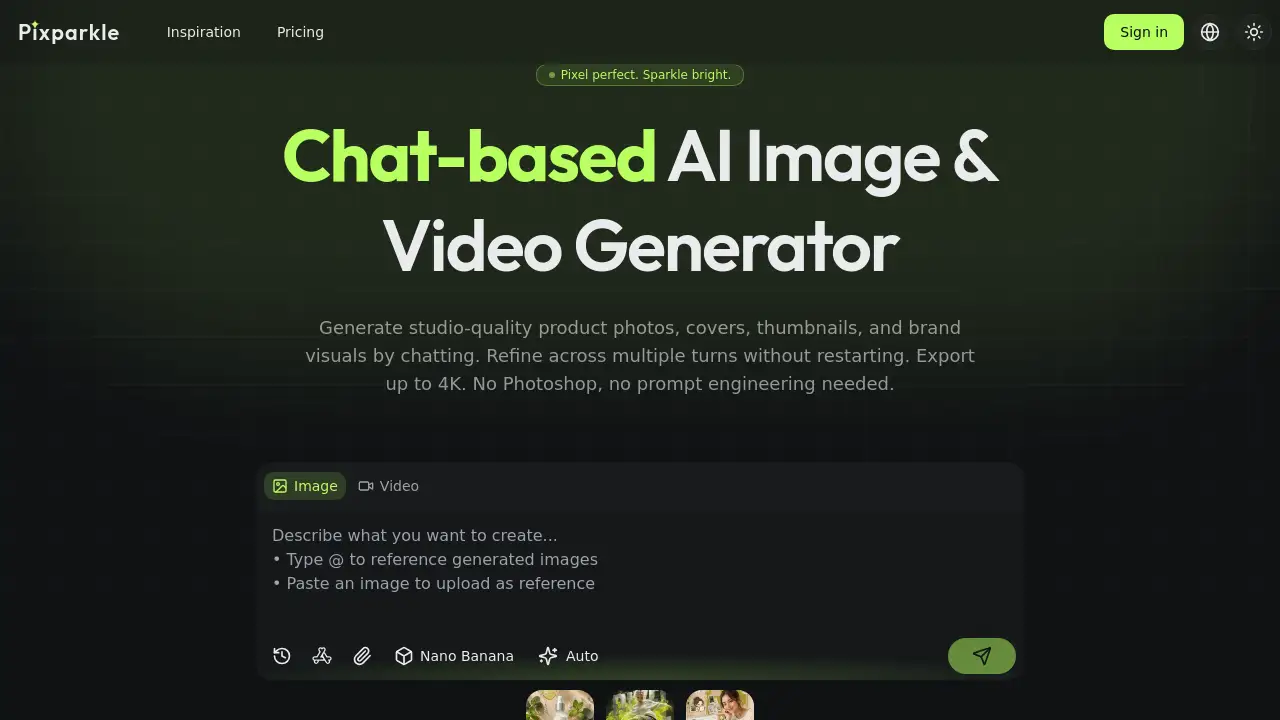
The AI Image Generator from Pixparkle is a tool designed to create high-quality images and videos using a conversational, chat-based interface. It addresses a common pain point in digital content creation: the time, cost, and technical skill required to produce professional visuals. Instead of learning complex prompt engineering or using software like Photoshop, users can describe their vision in plain English, refine the results through dialogue, and export studio-quality assets up to 4K resolution. This AI image generator is particularly suitable for content creators, e-commerce sellers, and social media managers who need to produce a high volume of on-brand visuals quickly and efficiently.
Key Features of AI Image Generator
Chat-Based Interface
Users describe their desired image in plain language and refine it through a natural conversation, eliminating the need for complex prompt syntax or starting over for each edit.
Multi-Turn Editing
Every refinement, like adjusting lighting or composition, builds on the previous image without regenerating from scratch, ensuring consistent quality throughout the creative process.
Text and Image-to-Image Generation
The AI image generator can create visuals from a text description or modify an existing uploaded photo by changing backgrounds, lighting, or styles while preserving key details.
4K Resolution Export
Final images can be downloaded in resolutions up to 4K (3840x2160), making them suitable for high-quality prints, large-format marketing materials, and digital displays.
Character and Style Consistency
The tool can maintain the identity of a character, face, or product style across multiple different scenes and assets, which is crucial for brand consistency.
Integrated Image-to-Video
Users can generate a short marketing video from an AI-generated image within the same chat session, streamlining the workflow for creating dynamic social media content.
Use Cases for AI Image Generator
E-Commerce Product Photography
Sellers can upload a basic product photo and generate listing-ready images with white backgrounds, lifestyle settings, or seasonal themes in minutes, replacing expensive studio shoots.
Social Media Content Creation
Creators can produce a week's worth of platform-specific content (like Reels, Instagram posts, and X banners) from a single visual, with brand elements locked across all formats.
YouTube Thumbnail Design
Content creators can rapidly ideate, refine, and export multiple high-click-through-rate thumbnail variants through simple chat commands, drastically reducing production time.
Marketing and Brand Asset Development
Brands can quickly generate campaign visuals, packaging mockups, and advertising materials while ensuring typography and colors remain perfectly consistent.
How to Use AI Image Generator
Using Pixparkle's AI image generator is a straightforward, four-step process:
- Describe: In the chat interface, type what you need in plain English. For example, "a product shot of a blue sneaker on a marble floor with dramatic lighting."
- Generate: The AI processes your request and returns an initial image. You can choose from different AI models based on your need for speed or quality.
- Refine: Reply in the chat with further instructions, like "make the blue brighter" or "add a shadow." The AI remembers the context and applies changes cumulatively.
- Export: Once satisfied, download your final image in your chosen resolution, up to 4K, directly from the platform.
Target Audience for AI Image Generator
- Content Creators & YouTubers: Who need to produce engaging thumbnails and channel art quickly.
- E-Commerce Sellers & Small Businesses: Looking to create professional product photos without the cost of a photographer.
- Social Media Managers & Marketers: Responsible for producing consistent, high-volume visual content across multiple platforms.
- Startups and Brands: Needing to develop a visual identity and marketing assets with limited design resources.
Is AI Image Generator Free?
Pixparkle offers a free tier to start, with paid plans for higher-volume users. The available plan based on the reference information is:
| Plan | Price | Key Features |
|---|---|---|
| Pro (Most Popular) | $29.9/month (billed yearly) or monthly | 1600 credits per month, best credit rate for high-volume production, ideal for product catalogs and social content libraries. |
Users can begin with 10 free credits without a credit card. All plans include commercial use rights and access to multiple AI models.
AI Image Generator's Pros and Cons
| Aspect | Pros | Cons |
|---|---|---|
| Ease of Use | No prompt engineering or design software skills required; intuitive chat interface. | May lack the granular, manual control of professional software like Photoshop. |
| Efficiency & Cost | Dramatically reduces time and cost per image compared to traditional methods like studio photography. | Ongoing subscription cost for high-volume users, unlike a one-time software purchase. |
| Workflow & Features | Unique multi-turn editing preserves quality; integrated image-to-video generation in one chat. | Performance and output depend on the underlying AI models, which may have occasional inconsistencies. |
| Output Quality | Supports high-resolution 4K exports and accurate multilingual text rendering. | The highest-quality outputs and resolutions are gated behind the paid plan. |
Frequently Asked Questions about AI Image Generator
How does the chat-based AI image generator work?
You interact with the tool like a conversation. Describe your image idea, and the AI generates it. If you want changes, you simply type feedback (e.g., "more contrast"), and the AI refines the existing image based on the entire chat history, not just the last command.
Can I generate images from an existing photo?
Yes. The AI image generator supports image-to-image generation. You can upload a photo and instruct the AI to modify it—for example, to swap the background, change the lighting, or restyle the product—while keeping other elements intact.
What is the maximum resolution for exported images?
The tool can export images up to 4K resolution (3840x2160), which is suitable for professional uses like large prints, product packaging, and high-definition digital displays.
How is Pixparkle different from Midjourney or DALL-E?
The core difference is the conversational, multi-turn interface. While others are single-prompt tools, Pixparkle allows for iterative refinement in a chat without starting over. It also offers integrated image-to-video generation and access to multiple AI models in one subscription.
Does it handle text in languages like Chinese or Japanese well?
Yes. One of the highlighted strengths is accurate multilingual text rendering. The AI image generator can cleanly render Chinese characters, Japanese kana/kanji, and Korean hangul within images, which is essential for global marketing and content.
Are the images generated free for commercial use?
Yes, images generated on Pixparkle include commercial use rights on all plans, including the free trial. There are no additional licensing fees or watermarks on downloaded images.
AI Image Generator Tags
AI image generator, AI image creation, chat-based AI, generate images from text, product photo generator, thumbnail maker, social media content creator, image to video AI, 4K AI images, multi-turn editing, e-commerce visuals, brand asset generator