Introduction
Plainpaper review: an AI marketing canvas for teams.
A Plainpaper review shows how a team can run marketing campaigns with an AI agent on a shared visual canvas. Instead of switching between chat apps, docs, and whiteboards, marketers open a Plainpaper board, connect Claude or ChatGPT, and watch the agent write research, emails, and ad creative as cards. This Plainpaper review looks at the canvas, the playbook library, and the approval flow. Anyone searching for a Plainpaper review should know one important fact: Plainpaper’s board remembers, the agent reads it back, and nothing ships until a human approves.
What is Plainpaper?
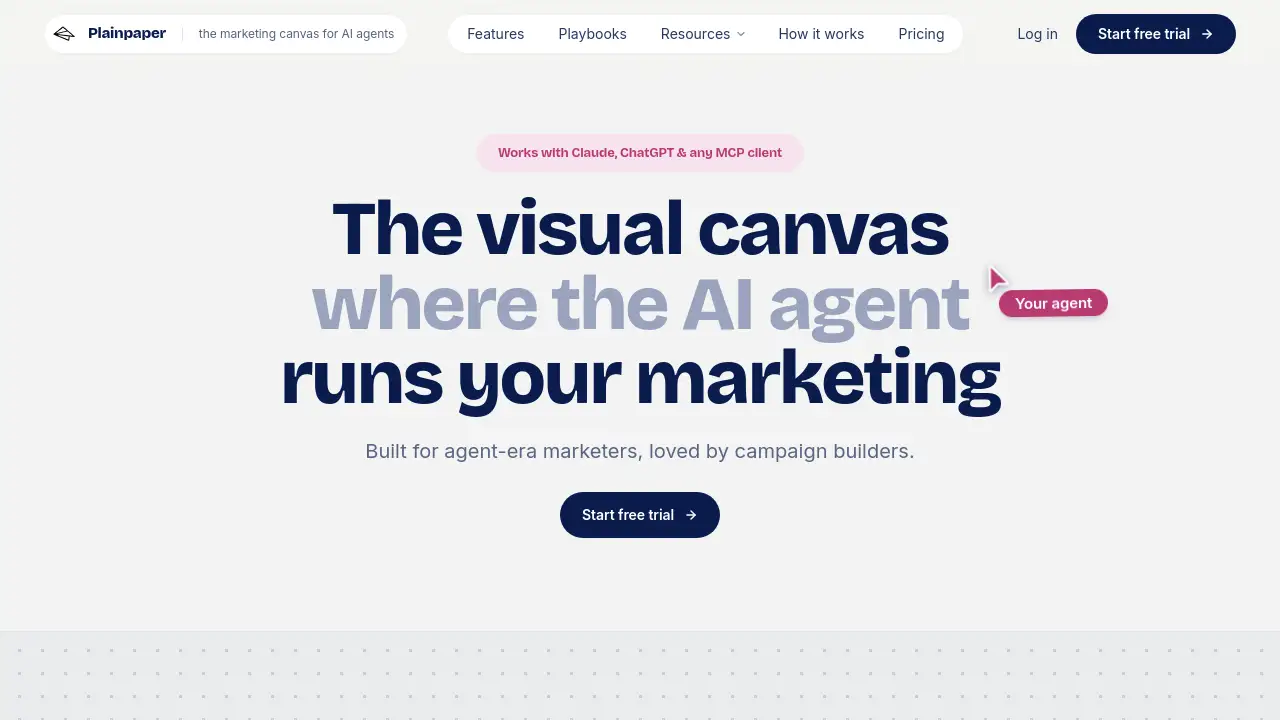
Plainpaper is a visual workspace for marketing campaign work. It connects to Claude, ChatGPT, Cowork, or any MCP client. On a Plainpaper canvas, the AI agent becomes a teammate that drafts cards instead of chat replies. Cards represent briefs, audiences, insights, emails, ads, and results. The result is an AI marketing canvas that moves a campaign from research to publish-ready creative.
This Plainpaper review finds two core ideas. First, the agent does the work. Second, the human stays in control. The board is a persistent memory. A user can close the tab, return the next week, and the agent rehydrates the campaign from what is already on the board. The board can also brief the agent on the team’s process, deliverables, and voice. That makes output specific and shippable, not generic.
The tool suits anyone who plans, writes, or approves marketing campaigns. It matters because campaigns often scatter across an email service provider, an ads manager, and a shared drive. Plainpaper keeps every asset on one board. The whole campaign is visible in a single look.
Key Features of Plainpaper
Visual Canvas with Typed Cards
Text cards hold thinking, and preview cards hold output. Users can flip a card to see the actual email or ad rendered as it will run. This keeps strategy and creative on one surface.
Bring Your Own Agent
Connect Claude, ChatGPT, Cowork, or any MCP client. The chosen model writes the cards, and Plainpaper never wraps, resells, or proxies a model. Users do not pay an extra margin for an LLM.
Real-Time Agent Writing
The agent drops research, drafts, and results straight onto the board. There is no copy-paste between chat and document. Users watch the cursor move and cards appear in real time.
Persistent Campaign Memory
The canvas remembers. Close the tab and come back later. The agent reads the board to pick up where the work left off. This turns a whiteboard into working memory for marketing teams.
Approval Before Shipping
Emails and ad creatives land as finished, uploadable assets. Review each asset next to the audience and the insight that shaped it. Nothing ships until the user approves.
Brand Voice and Anti-AI Language
Set tone, brand rules, and the “Prevent AI language” preset once. The agent applies these rules before writing the first word, so copy sounds like the brand, not like a generic AI.
Playbook Library
Proven playbooks cover ecommerce campaigns, Black Friday, product launches, welcome series, paid social, and AI search visibility. Users can also build a custom board from scratch.
Draft and Asset Vault
Work-in-progress and production-ready content sit side by side. On approval, the agent can pull the asset and ship it through the destination’s own tools.
Use Cases for Plainpaper
Ecommerce Campaigns
On Plainpaper, teams can use the end-to-end campaign playbook to brief research, define the audience, build strategy, create emails, launch, and measure.
Product Launches
A Plainpaper product launch board helps teams position the product, gather proof, write a dated sequence, launch, and then measure whether the launch landed.
Content Calendars
Use a content calendar template to decide content pillars once, assign every slot, and approve posts before the month starts.
Paid Social Experiments
Run paid social as a series of decided experiments, with one hypothesis per test and a written rule for calling it before spend starts.
AI Search Visibility Audits
Freeze buyer questions, record how AI engines answer them, fix gaps, and re-run the same audit to prove movement.
How to Use Plainpaper
Using Plainpaper takes only a few minutes:
- Connect your agent. On claude.ai, sign in with OAuth. In Claude Desktop, Claude Code, ChatGPT, or Cowork, mint a workspace token and paste it in.
- Pick a playbook or open a blank board. Tell the agent what campaign you are running.
- Give direction. Watch the agent write research, audiences, emails, and creative as typed cards in real time.
- Review finished assets. Flip preview cards and check emails and ad creative against the brief.
- Approve what is ready. The agent publishes through each channel’s own tools, and Result cards feed the next campaign.
Target Audience for Plainpaper
- Marketing teams
- Ecommerce campaign builders
- Content and social media teams
- Product launch managers
- Paid media specialists
- Solo marketers and consultants
- Agencies that manage multiple client campaigns
Is Plainpaper Free?
Plainpaper offers a free trial from the homepage. The pricing section says plans differ in how many workspaces and people they cover. On Plainpaper, the exact price depends on the plan a user chooses. For the latest prices, users should check the official pricing page.
| Plan | Price | Features |
|---|---|---|
| Free trial | $0 | Connect an agent, use a visual canvas, access playbooks, create cards |
| Paid plans | See website | More workspaces and seats, full campaign publishing workflow |
Plainpaper's Pros and Cons
| Aspect | Pros | Cons |
|---|---|---|
| Workflow | Combines strategy and creative on one board | Requires an MCP client or Claude/ChatGPT connection |
| AI flexibility | Bring your own model through MCP | Some non-Claude setup is needed |
| Control | Approve every asset before publishing | Not a replacement for an ESP or ads manager |
| Memory | Board persists between sessions | New users may need time to learn playbooks |
| Pricing | Free trial available | Paid pricing is not listed openly |
Frequently Asked Questions about Plainpaper
Does Plainpaper replace ChatGPT or Claude?
No. Plainpaper connects to the AI tool a team already uses. It is an AI marketing canvas that guides the agent, not a new AI model.
What MCP clients work with Plainpaper?
Plainpaper works with Claude, ChatGPT, Cowork, and any MCP client. Users connect through OAuth on claude.ai or by pasting a workspace token in desktop tools.
Do I need coding skills to use Plainpaper?
No. The workflow uses visual cards, playbooks, and chat. The setup only involves OAuth or a token, and that takes about two minutes.
Can I approve assets before they ship?
Yes. Emails and ad creative appear as finished, uploadable assets. Review them next to the audience and insight that shaped them, and then approve.
Does Plainpaper store my marketing platform credentials?
No. Plainpaper holds the assets and the rationale, but never the user’s credentials. Publishing happens through each destination’s own tools.
Is Plainpaper really free?
Plainpaper’s free trial is available to start. After that, paid plans depend on how many workspaces and people the team needs. Exact details are on the official pricing page.
Plainpaper Tags
Plainpaper review, AI marketing canvas, AI agent marketing, visual canvas for campaigns, MCP client, Claude marketing workflow, ChatGPT marketing, marketing campaigns, campaign playbooks, email approval workflow, ad creative approval, Plainpaper playbooks