Introduction
Potto AI makes AI motion graphics and images.
What is Potto AI?
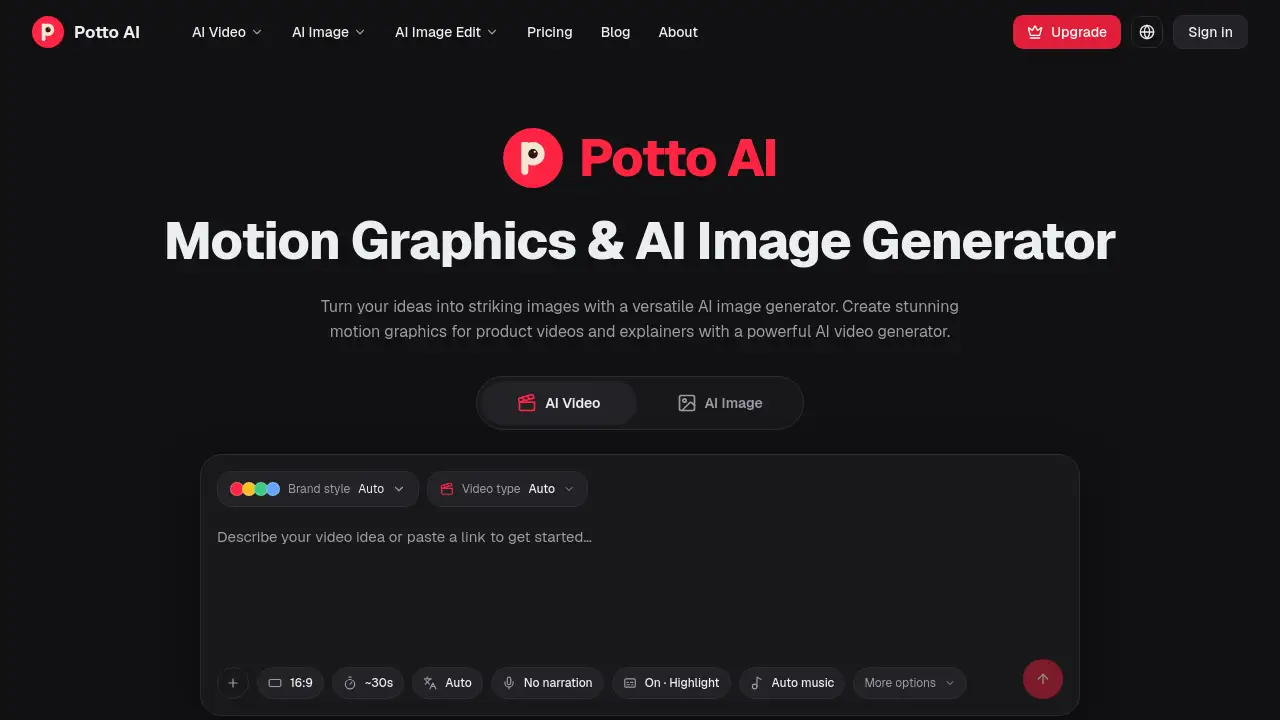
Potto AI is a web-based creative tool for making AI motion graphics, product videos, explainers, and AI images. It solves the problem of turning rough ideas, screenshots, articles, or simple descriptions into visual stories without requiring advanced motion-design software. Potto AI combines an AI motion graphics generator, an AI video generator, and an AI image generator in one place. Users can start with real material, review a proposed storyboard, refine scenes, and export motion graphics as an MP4. This matters for marketers, founders, creators, educators, and small teams that need clear visuals quickly but still want control over the final message. Potto AI supports wide, vertical, and square formats, so the same idea can fit a feed, a presentation, or a product page. The platform is designed for practical storytelling rather than complex animation timelines. Potto AI also lets users compare a still frame with the same composition in motion, helping them judge timing, emphasis, and readability before sharing.
Key Features of Potto AI
AI Motion Graphics Generator
Potto AI's AI motion graphics generator combines moving text, shapes, screenshots, and illustrations into sequences for product stories and explainers. It supports 9:16, 16:9, and 1:1 formats so users can adapt one idea to different screens.
AI Video Generator and Storyboard Creation
The AI video generator proposes a storyboard for product videos and explainers. Users can review each scene, refine the message, and export the final motion graphics as an MP4.
AI Image Generator
Potto AI includes an AI image generator for campaign visuals, character concepts, illustrations, and photo-style scenes. Users can begin with a description or an existing image, then shape the result around the work they want to share.
Format Flexibility
Potto AI supports wide, vertical, and square canvases for launches, product spotlights, social feeds, and explainers. This helps users choose a layout that matches the viewing context instead of forcing one format everywhere.
Style Presets and Scene Editing
Potto AI offers style presets that users can preview with their own screenshots, scene text, and brand colors. The editor allows adjustments to available text, visuals, and settings while keeping the sequence visually consistent.
Still-to-Story Preview
Potto AI lets users see a still frame and then play the same composition to understand how motion adds order, emphasis, and time. This feature helps users remove distracting movement or extend a scene when text needs more reading time.
Use Cases for Potto AI
Product Stories for Social Feeds
Create vertical AI motion graphics that lead with one idea and bring the product into focus on a small screen. Potto AI helps keep the subject easy to follow in a feed.
Product Launches and Feature Announcements
Use wide or square product videos to introduce a change, show a focused screenshot, and close with a clear next step. Potto AI can turn a feature update into a readable visual sequence.
Explainer Videos
Turn a topic or article into an explainer with narration, illustrations, and text scenes. Potto AI's AI motion graphics generator helps guide attention through the argument and supports factual review before sharing.
AI Image Creation for Campaigns
Generate visuals for campaigns, characters, illustrations, or photo-style scenes with the AI image generator. Potto AI can help users explore visual directions from a prompt or an existing image.
Short Tips and Educational Content
Turn a practical idea into a short motion graphics sequence with a headline, image, and number when the source material supports it. Potto AI works well for compact educational posts and social tips.
Presentation and Article Companions
Use square explainers as companions to articles, presentations, or social posts. Potto AI encourages a single subject rather than a dense montage, which can make complex points easier to remember.
How to Use Potto AI
- Start with something real: Add product screenshots and a description, or begin an explainer with a topic or article. Tell Potto AI what the audience should understand and which idea matters most.
- Shape the story: Review the proposed AI motion graphics storyboard before moving on. Put the strongest idea near the beginning, shorten lines that compete with the picture, and check factual claims.
- Preview and refine: Watch the AI motion graphics scenes together and adjust available text, visuals, and settings. Check small-screen readability, awkward transitions, and whether the ending follows from the opening.
- Export the final video: Preview the complete sequence, then export the motion graphics as an MP4. Choose the workflow that matches the material, whether it is a product video or a narrated explainer.
Target Audience for Potto AI
- Product marketers and growth teams
- Startup founders and small business owners
- Content creators and social media managers
- Educators and explainer video producers
- Designers and editors who need quick motion graphics
- Teams creating AI images for campaigns or visual concepts
Is Potto AI Free?
The reference information does not list Potto AI pricing, free plan details, or trial availability. The homepage describes creation, storyboard review, refinement, and MP4 export features, but it does not provide a public pricing table. Users should check the official Potto AI website for current pricing, plan limits, and any available trial.
Potto AI's Pros and Cons
| Aspect | Pros | Cons |
|---|---|---|
| Features | Combines AI motion graphics, product videos, explainers, and AI images | Advanced custom motion-design timelines are not implied |
| Workflow | Proposes a storyboard, supports scene review, and exports MP4 | Users must still check scripts and factual claims |
| Formats | Supports wide, vertical, and square video | Small interface text may need careful preview |
| Audience | Useful for marketers, creators, educators, and small teams | May not replace dedicated motion-design software for every project |
Frequently Asked Questions about Potto AI
What is Potto AI used for?
Potto AI is used to create AI motion graphics, product videos, explainers, and AI images. It helps turn ideas, screenshots, topics, or articles into visual sequences and MP4 exports.
Does Potto AI have an AI motion graphics generator?
Yes. Potto AI offers an AI motion graphics generator that combines moving text, shapes, screenshots, and illustrations. It supports product stories and explainers in wide, vertical, and square formats.
Can Potto AI create product videos and explainer videos?
Yes. The AI video generator proposes a storyboard for product videos and explainers. Users can review scenes, refine the message, and export motion graphics as MP4.
Can users generate images with Potto AI?
Yes. Potto AI includes an AI image generator for campaign visuals, character concepts, illustrations, and photo-style scenes. Users can start with a description or an existing image.
Is Potto AI free?
The reference information does not list Potto AI pricing or free plan details. Users should check the official website for current pricing, trial availability, and plan limits.
Who should use Potto AI?
Potto AI suits product marketers, founders, content creators, educators, designers, and small teams. It is helpful for anyone who needs AI motion graphics, product videos, explainers, or AI images without a full motion-design timeline.
Potto AI Tags
Potto AI, AI motion graphics, AI motion graphics generator, AI video generator, AI image generator, product videos, explainer videos, motion graphics maker, AI product video, AI images, create motion graphics, Potto AI review