Introduction
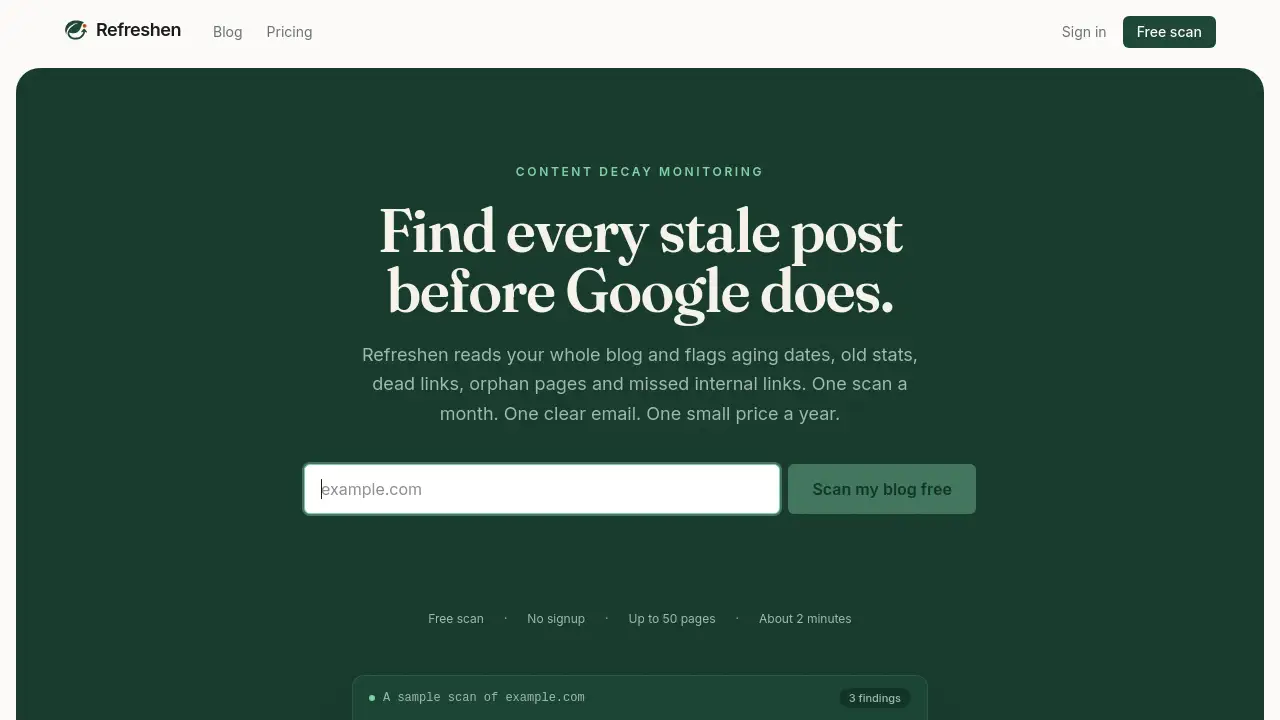
Refreshen is a specialized tool for content decay monitoring. It scans blogs to find stale year references, broken links, missing internal links, and outdated facts. Designed for content teams and solo bloggers, Refreshen provides a monthly report so you can fix issues before Google and AI assistants penalize your pages. Unlike auto-rewriting tools, Refreshen only reports — never edits your content. This makes it a safe, reliable choice for maintaining fresh, trustworthy posts.
What is Refreshen?
Refreshen is a content decay monitoring service that helps website owners discover and fix outdated content. Every month, it scans your entire blog (up to 2,500+ pages depending on plan) and flags issues like stale year dates, old statistics, broken outbound links, orphan pages with zero internal links, and missed internal linking opportunities. The result is a plain-English email report grouped by severity, so you know exactly which posts need attention.
Why does this matter? Search engines and AI assistants prefer fresh content. A post titled “Best X for 2024” in 2026 loses ranking and citation value. Refreshen catches these stale content indicators before they hurt your traffic. The tool is suitable for any blog that relies on organic search — from personal sites to large content teams.
Key Features of Refreshen
Stale Date Detection
Refreshen scans your page titles and body text for year references that have slipped into the past. If your title still says “2024” and it’s now 2026, you’ll get a clear notification.
Aging Statistic Flagging
The tool reads the body of each post, not just headers. Any figure or fact from a past year (e.g., “adoption hit 40% in 2019”) is highlighted as potentially outdated.
Broken Link Finder
Internal and external outbound links that return 404 errors are caught before your readers or search crawlers run into them. This keeps user experience and SEO signals healthy.
Orphan Page Detection
Posts that have zero internal links pointing to them are surfaced. These orphan pages rarely get crawled or ranked, and Refreshen helps you identify them for easy fixing.
Internal Link Opportunity Suggestions
The tool identifies where you already wrote perfect anchor text and shows exactly where to add a link to improve site structure and page authority.
Monthly Plain-English Email
After each scan, you receive one email with issues grouped by severity (high, medium, low). No dashboards to check — the report comes to you.
Use Cases for Refreshen
Maintaining Evergreen Blog Posts
A blog post about “Best CRM tools for 2024” can be updated to “2026” with Refreshen’s detection. Bump the date, keep the URL and backlinks, and regain ranking.
Auditing a Large Content Archive
Teams with hundreds of posts can use Refreshen to find aging statistics and broken links without manually checking each page. The content decay monitoring report prioritizes urgent fixes.
Preparing Content for AI Assistants
AI chatbots prefer fresh sources. Refreshen helps you identify stale facts so your content remains cite-worthy, improving visibility in AI-generated answers.
How to Use Refreshen
- Paste your domain into the free scan box. Refreshen auto-detects your sitemap and lets you select which path patterns to monitor (e.g.,
/blog/*). - Choose a plan (Starter, Pro, or Max) based on your page count. Each plan runs a monthly scan.
- Receive the monthly email with a grouped list of stale content issues sorted by severity.
- Fix issues manually or export the AI-ready JSON report to an assistant like Claude or ChatGPT. Your AI proposes edits, and you approve them — nothing is auto-published.
- Dismiss or track resolved items. Next month’s scan will check again.
Target Audience for Refreshen
- Solo bloggers who maintain a small site and want to catch stale dates quickly.
- Content marketing teams managing dozens or hundreds of posts across a single blog.
- SEO specialists looking for a reliable broken link checker and stale content detection tool without auto-rewrite risk.
- Agencies that oversee multiple client blogs (each blog is billed separately with its own tier).
- Technical writers who maintain documentation sites with frequent version updates.
Is Refreshen Free?
Refreshen offers a free scan of up to 50 pages – no signup required. For ongoing monthly scans, paid plans start at $29/year. Here is the pricing summary from the official site:
| Plan | Price | Page Limit | Best For |
|---|---|---|---|
| Starter | $29/year | Up to 500 pages | Personal blog or small site |
| Pro | $69/year | Up to 2,500 pages | Content team with established archive |
| Max | $99/year | 2,500+ pages | Large archive too big to check by hand |
All plans include monthly scans, stale date detection, broken link checking, orphan page identification, and plain-English email reports.
Refreshen's Pros and Cons
| Aspect | Pros | Cons |
|---|---|---|
| Pricing | Very affordable – starts at $2.42/month | Not free beyond the initial 50-page scan |
| Ease of Use | No installation – works from sitemap; simple email report | No real-time dashboard (only monthly email) |
| Features | Detects hidden issues like orphan pages and aging stats | Cannot auto-fix or rewrite content (intentional design) |
| Scalability | Supports up to 2,500+ pages, multiple blogs (separate billing) | One blog per plan – need separate purchase for each site |
| Data Privacy | Never edits content; respects robots.txt | Cannot scan unpublished or behind-auth content |
Frequently Asked Questions about Refreshen
Will Refreshen slow down my site?
No. RefreshenBot rate-limits at one request per second per domain and honours Crawl-delay in your robots.txt. A 50-post scan finishes in about two minutes.
Do I need to install anything?
No. Refreshen works from your public sitemap. No JavaScript snippet, DNS change, or CMS plugin required.
How do I block Refreshen from scanning my site?
Add User-agent: RefreshenBot and Disallow: / to your robots.txt. Refreshen honours it on the next scan and notifies the account holder.
Does Refreshen scan unpublished or draft content?
No. Only URLs present in your sitemap and allowed by robots.txt are scanned. Drafts behind authentication are unreachable.
Will Refreshen auto-edit my blog posts?
Never. Refreshen is a content decay monitoring tool that reports issues – it never rewrites, reposts, or auto-edits anything. You decide what to fix.
Can I monitor more than one blog with one account?
Yes. Pricing is per blog. You can add multiple blogs to one account, each with its own tier based on page count. One login, separate scans and reports.
Refreshen Tags
content decay monitoring, stale content detection, broken link checker, SEO content audit, orphan page finder, internal link opportunities, outdated statistics detection, blog freshness tool, monthly content scan, AI-ready export, Refreshen reviews, website maintenance tool