Introduction
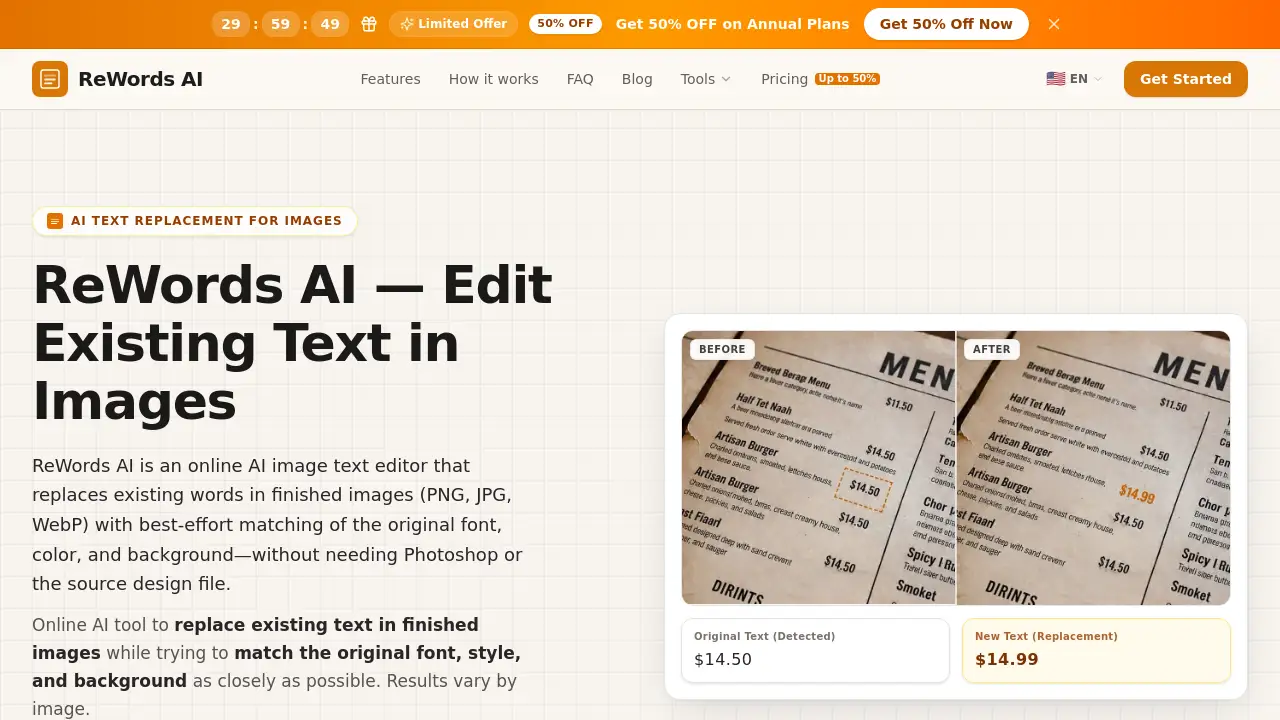
reword ai is an online AI image text editor that allows users to replace text in image files without Photoshop. It works directly in the browser, helping edit text in image files while trying to match original font, color, and background. This makes quick typo fixes, translations, and mockup updates much easier for anyone.
What is reword ai?
reword ai is a web-based tool designed to replace existing text in finished images such as PNG, JPG, and WebP files. Instead of rebuilding a design from scratch, users select the text area, type new words, and the tool generates a revised image. The main goal is to edit text in image content while preserving the surrounding design as naturally as possible.
This product is suitable for marketers, designers, e-commerce sellers, and content creators who often need to update dates, prices, labels, or headlines in existing graphics. It matters because traditional editing tools require source files, matching fonts, and manual background repair. reword ai reduces that workload by using AI to rebuild the area around the replaced text. However, results depend on image quality, background texture, and text complexity.
Key Features of reword ai
Upload and Select Text
Users can drop a PNG, JPG, or WebP image into the workspace and select detected text boxes or draw a custom area around missed words.
AI-Powered Text Replacement
The tool replaces the selected text with new words and tries to match the original style as closely as possible. This makes it easy to change one number or phrase without leaving the browser.
Font and Style Matching
reword ai analyzes the original characters and attempts to match font, size, color, and spacing. For clear text on simple backgrounds, the alignment with the original design is often convincing.
Background Rebuilding
Instead of simply placing a new text layer on top, reword ai rebuilds the selected area so the replacement blends into the image. This reduces the need to manually erase old text or repair backgrounds.
Free Trial and Cross-Device Access
New users can try a free image edit after signing in. The tool works on desktop and mobile, allowing quick updates from almost anywhere.
Use Cases for reword ai
Screenshots and Chats
Fix a typo or update a number in a screenshot without recapturing the entire screen. This saves time for support teams, writers, and UI designers.
Posters and Flyers
Change dates, prices, or headlines on a finished design even if the source file is missing. reword ai helps marketing teams move quickly when a promotion changes at the last minute.
Product and E-commerce Photos
Update labels, pricing badges, or packaging text for new markets. Localizing product images no longer requires a full photoshoot or a complex design session.
Memes and Social Graphics
Swap captions on meme templates or update text in social media images for Instagram, TikTok, and YouTube. This keeps the original visual style while refreshing the message.
AI-Generated Images
Correct misspelled or distorted words inside AI-generated visuals. reword ai can be used as a companion tool for image generation workflows.
How to Use reword ai
Using reword ai is simple and takes only a few steps:
- Upload a PNG, JPG, or WebP image into the workspace.
- Select the text by clicking on detected text or drawing a box around missed words.
- Enter the replacement text and generate the edit.
- Download the revised image and use it in your project.
The whole process happens online, so there is no software installation. Users only need to sign in and upload a finished image.
Target Audience for reword ai
- Marketing and advertising teams
- E-commerce sellers and product managers
- Graphic designers who need quick fixes
- Content creators and social media managers
- UI/UX designers working with mockups
- Translation and localization specialists
- Casual users who edit screenshots at work
Is reword ai Free?
reword ai gives new users a free image edit after signing in. There is no credit card required for the trial. Additional edits use credits, while 2K and 4K resolution rendering is available as a subscription benefit. For exact pricing details, users should check the official pricing section on the reword ai website.
| Plan | Price | Features |
|---|---|---|
| Free Trial | $0 | One free image edit after sign-in |
| Credit Pack | Varies | Additional edits for occasional use |
| Subscription | Varies | More credits, 2K/4K resolution benefits |
reword ai's Pros and Cons
| Aspect | Pros | Cons |
|---|---|---|
| Ease of Use | Simple upload, select, replace workflow | Output quality depends on image complexity |
| Font Matching | Tries to match original font and style automatically | Handwritten or curved text may vary |
| Workflow | No source files or Photoshop needed | Credits required after the free trial |
| Cross-Device | Works in a browser on desktop and mobile | Requires internet connection |
| Output Control | Rebuilds background around text | Users should review results before publishing |
Frequently Asked Questions about reword ai
How to replace text in an image online?
Upload an image to reword ai, select the text you want to change, enter the replacement, and generate a revised image. The tool tries to match the original style as closely as possible based on the image content.
Can reword ai match the font style in the image?
Yes, reword ai analyzes the original text and aims to match its font, size, color, and surrounding style. Results vary with image quality, background texture, and text complexity, so it is best to review the output before publishing.
Is there a free way to try edit text in image?
New users can try a free image edit after signing in. No credit card is required for the trial. After that, additional edits require credits or a subscription.
Does reword ai work with handwritten text or complex backgrounds?
It can sometimes handle handwritten, curved, or complex text areas, but results are not guaranteed. Clear text with enough surrounding context usually works best.
How is reword ai different from Photoshop or Canva?
Traditional editors often require manual erasing, background repair, and font matching. reword ai rebuilds the selected area so the edited text fits the original design more naturally, which makes it a more focused tool for text replacement tasks.
Is my data safe when I upload images to reword ai?
Uploaded images are processed to generate the requested edit, and this may involve third-party AI and storage providers. Users should check the Privacy Policy on the official website for current details about data handling and retention.
reword ai Tags
reword ai, replace text in image, edit text in image, AI image text editor, online text replacement, match original font, image text changer, typo fix screenshot, rewords ai review, text editing online, background rebuild AI