Introduction
A comprehensive directory for comparing SaaS tools, web apps, and digital products.
What is SaaS Scanner?
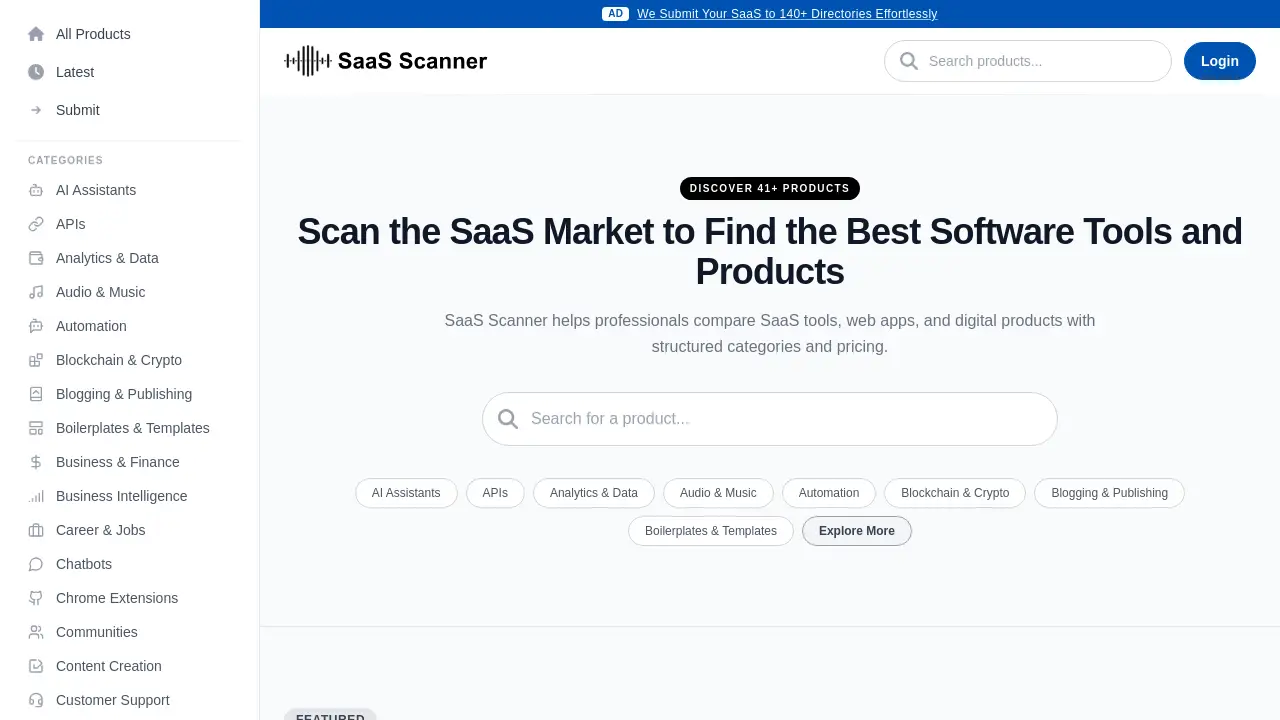
In today's fast-paced digital environment, finding the right software can be a daunting task. The SaaS market is saturated with thousands of tools, each promising unique benefits. SaaS Scanner is a specialized platform designed to simplify this process. It serves as a structured SaaS directory and comparison tool, helping professionals efficiently scan the market to find the best software tools for their specific needs. The platform organizes a wide array of web apps and digital products into clear categories, providing essential information like pricing to aid in informed decision-making. This makes it an invaluable resource for anyone looking to compare SaaS tools without spending hours on scattered research.
Key Features of SaaS Scanner
Structured Product Categories
The platform organizes thousands of software tools into over 50 distinct categories, such as AI Assistants, Marketing, Productivity, and Web Development, making it easy to browse by function.
Detailed Product Listings
Each listed product includes a concise description, its category, and clear pricing tags (like Free, Freemium, or Paid), providing the key details needed for initial SaaS comparison.
"Recently Scanned" Updates
A dedicated section showcases newly added and updated digital products, helping users stay informed about the latest tools and web apps entering the market.
Featured Products Section
Curated highlights draw attention to notable or popular tools, offering a starting point for users beginning their search for the best software tools.
Submission Portal
The platform allows creators to submit their own products for listing, which helps keep the SaaS directory current and comprehensive with fresh options.
Use Cases for SaaS Scanner
Researching New Business Software
A business owner or manager can use SaaS Scanner to efficiently research and compare SaaS tools for needs like customer support, project management, or analytics before making a purchase.
Discovering Tools for Specific Projects
Developers, designers, or marketers can browse specific categories like Dev Tools, Design Tools, or SEO to find specialized web apps that fit the technical requirements of a new project.
Market Analysis for Product Creators
Founders and product managers can scan the platform to analyze competitors, understand market positioning, and identify trends within their own software tools category.
Staying Updated on Industry Trends
Professionals can regularly check the "Latest" and "Recently Scanned" sections to discover emerging digital products and innovative solutions in their field.
How to Use SaaS Scanner
Using SaaS Scanner to find the right tool is a straightforward process.
- Visit the Website: Navigate to the SaaS Scanner homepage.
- Browse or Search: You can either scroll through the featured and recently added products or use the search function. Alternatively, explore the extensive list of categories to narrow down your search to a specific type of software tool, like "Automation" or "Content Creation."
- Review Listings: Click on any product card to presumably view more detailed information. Each listing provides a description, category, and pricing model to help you compare SaaS tools at a glance.
- Explore Further: For the most current options, visit the "Latest" page. If you have a product to contribute, you can use the "Submit" page to suggest it for inclusion in the directory.
Target Audience for SaaS Scanner
- Business Professionals and Managers seeking software solutions for their teams.
- Startup Founders and Entrepreneurs researching tools for operations and growth.
- Developers, Designers, and Marketers looking for specialized web apps and digital products.
- IT and Procurement Specialists responsible for evaluating and purchasing business software.
- Product Creators and SaaS Developers wanting to list their product or analyze the competitive landscape.
Is SaaS Scanner Free?
Based on the available reference information, SaaS Scanner appears to be a free-to-use directory for visitors browsing and comparing products. There is no indication of a subscription fee for accessing the platform's core comparison and listing features. The platform itself categorizes listed products with pricing tags such as "Free," "Freemium," and "Paid," which refer to the cost of the listed software tools, not the use of SaaS Scanner. Product creators likely use the free "Submit" feature to list their tools.
| Plan | Price | Key Features |
|---|---|---|
| Visitor Access | Free | Browse all categories, view product listings, compare pricing, use search functionality. |
SaaS Scanner's Pros and Cons
| Aspect | Pros | Cons |
|---|---|---|
| Usability | Intuitive, category-based browsing makes it easy to find tools. | Limited detail visible on initial cards; requires clicking through for in-depth analysis. |
| Scope | Covers a very wide range of categories and digital products. | The depth of information per tool (like user reviews or feature breakdowns) is not detailed in the provided reference. |
| Currency | "Recently Scanned" section helps highlight new and updated web apps. | The total number of listed products ("41+") may seem limited compared to larger, established software directories. |
| Value | Provides a completely free service for SaaS comparison and discovery. | As a free directory, the comprehensiveness and update frequency rely on community and owner submissions. |
Frequently Asked Questions about SaaS Scanner
What is the main purpose of SaaS Scanner?
The main purpose of SaaS Scanner is to help professionals and businesses efficiently discover, compare SaaS tools, and evaluate web apps across a structured directory to find the best software for their needs.
Is there a cost to use SaaS Scanner?
No, using SaaS Scanner to browse categories, search for products, and compare pricing appears to be completely free for all users.
How often is the SaaS directory updated?
The platform has a "Latest" page and a "Recently Scanned" section, indicating regular updates. The update frequency depends on new product submissions and the platform's own scanning processes.
Can I add my software product to SaaS Scanner?
Yes. The platform provides a "Submit" page where creators can suggest their digital products or software tools for inclusion in the directory, helping to keep the listings current.
How does SaaS Scanner compare to other software directories?
SaaS Scanner focuses on a clean, category-driven structure for SaaS comparison. While larger directories might have more listings or user reviews, this platform offers a streamlined approach to scanning the market for specific tool types.
What kind of information is provided for each listed tool?
Based on the reference, each product card shows a name, brief description, category, and pricing model (Free, Freemium, Paid). More detailed information is likely available on the individual product page.
SaaS Scanner Tags
SaaS comparison, compare SaaS tools, SaaS directory, software tools directory, find business software, web apps, digital products, software discovery, product hunt alternative, SaaS market research, best software tools, tech directory