Introduction
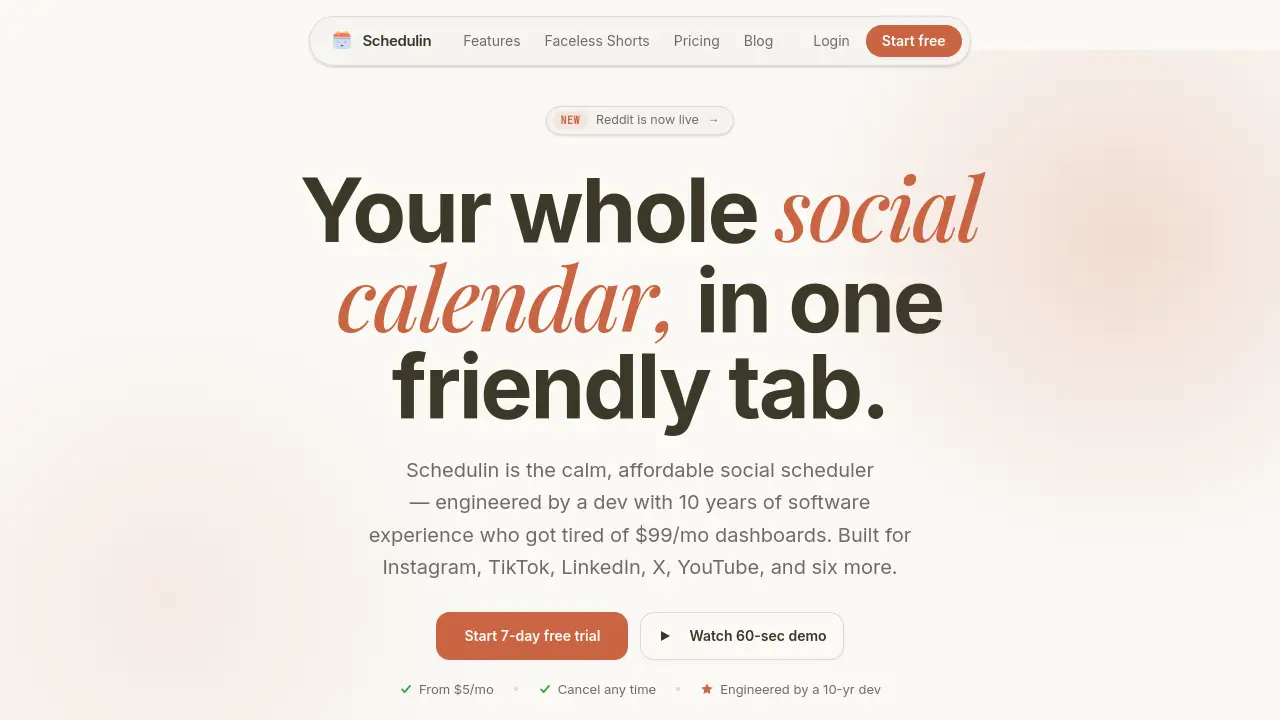
Schedulin is a calm, affordable social media scheduler built for creators and small teams who want to post across TikTok, Instagram, LinkedIn, X, YouTube, and more without paying high monthly fees. Created by a developer with 10 years of experience, this scheduler focuses on simplicity and genuine value. Starting at just $5 per month with a 7-day free trial, Schedulin offers AI-generated captions, calendar drag-and-drop, and support for 11 networks. It is designed to be the most peaceful tab in your browser.
What is Schedulin?
Schedulin is a social media scheduling tool that helps users plan, create, and publish content across over a dozen platforms from a single dashboard. Unlike many expensive enterprise tools, Schedulin is built for real people — solo creators, small business owners, and small agencies — who need an affordable scheduler without unnecessary bloat. The tool solves the common pain of rewriting captions for each platform, re-uploading videos, and juggling multiple tabs. With Schedulin, you can schedule posts in one click, use AI to generate platform-tuned captions, and manage all your social accounts from one calm interface. It currently supports TikTok, Instagram, LinkedIn, Twitter/X, YouTube, Pinterest, Threads, Bluesky, Reddit, and more.
The product matters because it addresses a clear gap: most social media schedulers either cost $99/month or require a long onboarding call. Schedulin offers a developer-built, straightforward alternative that is both affordable and easy to use. It’s particularly suited for anyone who values simplicity and transparency in their scheduling tool.
Key Features of Schedulin
AI Captions per Platform
With one prompt, Schedulin generates up to nine tuned drafts. Captions are auto-trimmed for X, hashtagged for Instagram, and polished for LinkedIn — saving time and effort.
Calendar Drag and Drop
The visual calendar lets you drag and drop posts to reschedule within seconds. This feature is especially useful for creators who plan content visually.
Support for 11 Networks
Schedulin connects to TikTok, Instagram, LinkedIn, X, YouTube, Pinterest, Threads, Bluesky, Reddit, and more. No other affordable scheduler covers this many platforms.
Unlimited Posts on All Plans
Every plan — including the $5 Starter plan — allows unlimited posting. There is no cap on how many posts you can schedule.
Team Collaboration
The Creator plan (up to 3 members) and Pro plan (up to 10 members) let you work with a team, making it suitable for small agencies or growing brands.
White-Label Reports
Professional-looking reports are included even on the Starter plan, allowing you to share performance data with clients without showing Schedulin branding.
Priority Support
Higher-tier plans include priority support from the same developer who built the tool. This means fast, personal responses – not a chatbot.
Use Cases for Schedulin
Scheduling TikTok and Instagram Content
A creator can upload a video once, use Schedulin’s AI to rewrite the caption for TikTok style (short, trendy) and Instagram style (longer with hashtags), and schedule both posts simultaneously.
Cross-Posting to LinkedIn and X
Professionals can schedule the same article or update for LinkedIn (polished, professional tone) and X (short, direct) without manually rewriting.
Running a Multi-Client Agency
A small agency can use the Pro plan to manage unlimited client accounts, assign team members to different social profiles, and generate white-label reports for each client.
Batch Content Planning for YouTube and Pinterest
Schedulin’s calendar view allows a YouTuber or Pinterest strategist to plan a month’s worth of pins and video promotions in one sitting, then drag to adjust timing.
Maintaining a Consistent Posting Schedule
Individuals who want to post daily but lack time can schedule a week of content in one session, ensuring a steady presence without daily stress.
How to Use Schedulin
Using Schedulin is straightforward. Follow these steps:
- Sign up for a free 7-day trial at schedulin.app. No credit card is required for the trial.
- Connect your social accounts — up to 3 on the Starter plan, or more on higher plans. Choose from TikTok, Instagram, LinkedIn, X, YouTube, and others.
- Create a post by uploading media (image or video) and writing a caption. Use the AI caption prompt to auto-generate platform-specific draft versions.
- Drag and drop the post onto the calendar at your preferred date and time.
- Review and schedule — Schedulin will automatically publish your content on each connected platform at the set time. You can also set queues for recurring posts.
That’s it. The entire process from caption to scheduled post can take less than 60 seconds.
Target Audience for Schedulin
- Freelance content creators who need a simple, affordable scheduler for multiple platforms.
- Small business owners managing their own social media without a dedicated team.
- Social media managers handling multiple accounts for clients but working on a budget.
- Digital agencies with a few clients who need team collaboration and white-label reporting.
- Solo entrepreneurs who want to maintain a consistent posting schedule without learning complex software.
Is Schedulin Free?
Schedulin does not have a permanent free plan, but it offers a 7-day free trial on all plans. No credit card is required to start the trial. After the trial, you choose a paid plan:
| Plan | Price | Connected Accounts | Team Members | AI Captions | All Networks | White-Label Reports | Priority Support |
|---|---|---|---|---|---|---|---|
| Starter | $5/month | 3 | 1 | Included | Yes | Yes | No |
| Creator | $10/month | Up to 12 | Up to 3 | Included | Yes | Yes | Yes |
| Pro | $20/month | Unlimited | Up to 10 | Included | Yes | Yes | Yes |
All plans include unlimited posts, calendar and queues, and the ability to cancel at any time with one click.
Schedulin's Pros and Cons
| Aspect | Pros | Cons |
|---|---|---|
| Pricing | Very affordable starting at $5/month; no hidden fees. | No permanent free plan; only a 7-day trial. |
| Features | AI captions integrated into all plans; unlimited posting. | Starter plan limited to 3 accounts; no analytics beyond reports. |
| Ease of Use | Simple drag-and-drop calendar; setup takes under 5 minutes. | No mobile app (web-based only at launch). |
| Support | Personal support from the developer on higher plans. | Live chat or phone support not mentioned. |
| Platform Coverage | Supports 11 networks including Bluesky, Threads, Reddit. | Does not support Facebook (as per current info). |
Frequently Asked Questions about Schedulin
Is Schedulin completely free to use?
No, but there is a 7-day free trial with no credit card required. After the trial, you can choose a paid plan starting at $5 per month. There is no free forever tier.
Which social networks does Schedulin support?
Schedulin supports TikTok, Instagram, LinkedIn, X (Twitter), YouTube, Pinterest, Threads, Bluesky, Reddit, and more – 11 networks in total.
Can I schedule posts on TikTok with Schedulin?
Yes, TikTok is fully supported. You can upload a video, use the AI caption generator to create a TikTok-specific caption, and schedule it to post automatically.
How many team members can I add?
The Starter plan allows 1 member (you). The Creator plan allows up to 3 team members, and the Pro plan allows up to 10 team members.
Can I cancel my subscription anytime?
Yes, you can cancel with one click from your dashboard. There are no long-term contracts or cancellation fees.
Does Schedulin include AI caption generation?
Yes, AI captions are included in all plans. The tool generates up to nine tuned drafts per prompt, matching the tone and format of each platform (e.g., hashtags for Instagram, short text for X).
Schedulin Tags
Schedulin, social media scheduler, affordable scheduler, AI captions, TikTok scheduler, Instagram scheduler, LinkedIn scheduler, X scheduler, YouTube scheduler, Pinterest scheduler, content scheduling tool, calm scheduler, small business social media tool, creator tool, team social media management