Introduction
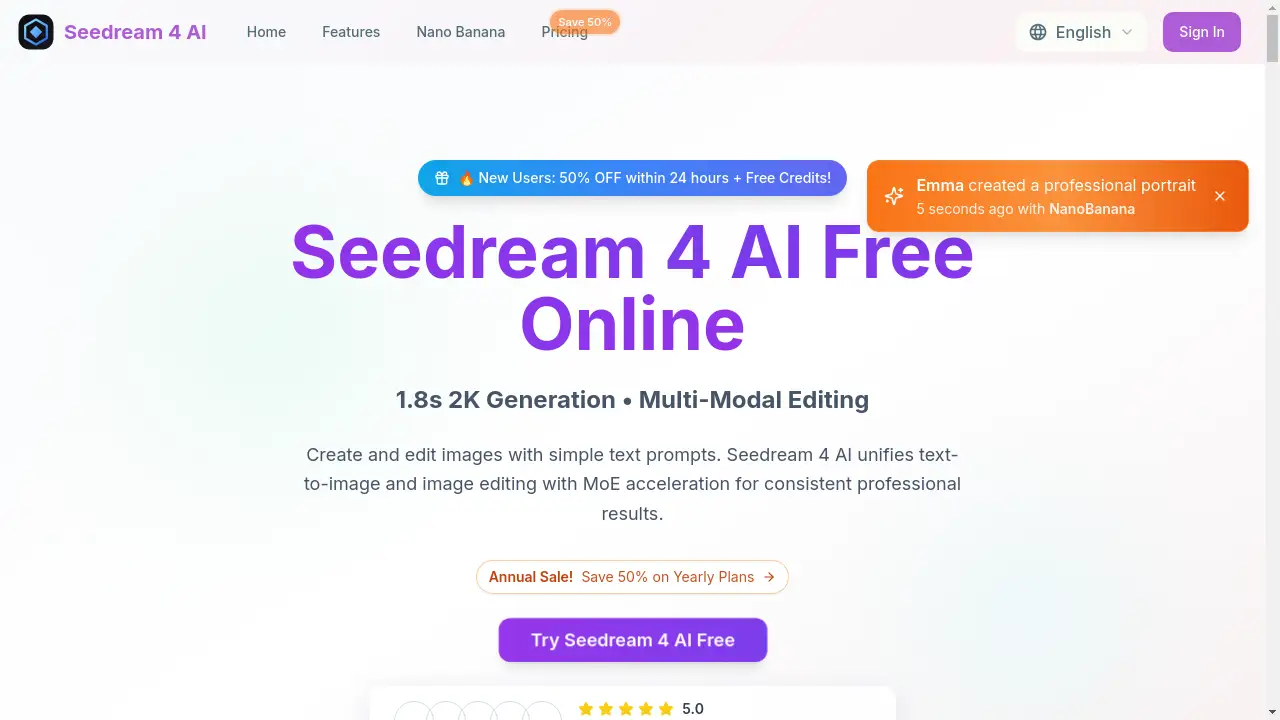
Seedream 4 AI is a free online tool that delivers ultra-fast text-to-image generation and precise AI image editing.
What is Seedream 4.0?
Seedream 4.0, also referred to as Seedream 4 AI, is an advanced artificial intelligence platform designed for creating and editing images. It solves the problem of needing complex software or design skills to produce high-quality visual content. By using simple text prompts, users can generate original 2K resolution images from scratch or make detailed edits to existing photos. This tool is suitable for a wide range of users, from hobbyists exploring AI image generation to professionals needing quick, professional-quality visuals for projects. Its significance lies in making powerful AI image editing and creation accessible, fast, and remarkably user-friendly.
Key Features of Seedream 4.0
Ultra-Fast 1.8-Second Generation
The platform leverages MoE acceleration technology to produce stunning 2K images in approximately 1.8 seconds, significantly speeding up the creative workflow.
Text-to-Image and AI Editing Unification
Seedream 4 AI seamlessly integrates both text-to-image creation and advanced image editing capabilities into a single, streamlined interface, eliminating the need for multiple tools.
Multi-Reference Control and Batch Generation
Users can guide the AI using multiple reference points for more precise outcomes and generate multiple images at once, which is ideal for exploring variations or creating content in bulk.
High-Quality 2K Resolution Output
Every generated or edited image is delivered in native 2K resolution, ensuring sharp, detailed results suitable for both digital and print media without requiring additional upscaling.
Natural Language Interface
The platform allows users to edit images using intuitive, simple text prompts like “add a tattoo” or “change background to neon city,” making advanced editing accessible to everyone.
Diverse Artistic Style Transfer
Seedream 4 AI can transform images into various artistic styles—such as photorealistic, anime, or oil painting—while intelligently preserving the original composition and key elements.
Use Cases for Seedream 4.0
Social Media Content Creation
Quickly generate unique, eye-catching visuals and edit product photos for posts, stories, and ads without any graphic design experience.
Concept Art and Storyboarding
Artists and writers can rapidly visualize characters, scenes, and ideas from textual descriptions, accelerating the pre-production process for games, films, and books.
Marketing and Advertising Material
Create professional-quality banners, website graphics, and promotional images on demand, tailored to specific campaign themes and styles.
Personal Photo Enhancement
Easily retouch personal photos, apply artistic filters, change backgrounds, or add imaginative elements to family portraits and travel pictures.
E-commerce Product Visualization
Generate lifestyle images for products or edit existing product photos to highlight features, change colors, or place items in different settings.
How to Use Seedream 4.0
Using Seedream 4 AI is a straightforward, three-step process:
- Upload an Image or Start Fresh: Navigate to the Seedream 4 AI website. You can either upload a JPG, PNG, or WEBP image you wish to edit or start with a blank canvas for pure text-to-image generation.
- Describe Your Vision: In the prompt box, type a detailed description of the image you want to create or the edits you want to make. Be specific about colors, style, composition, and mood for the best AI image generation results.
- Generate and Download: Click the generate button. Seedream 4 AI will process your request in seconds and present the 2K resolution result. You can then download the high-quality image instantly.
Target Audience for Seedream 4.0
- Digital Content Creators and Social Media Managers
- Graphic Designers and Artists seeking rapid prototyping
- Marketing Professionals and Small Business Owners
- Writers and Storytellers needing visual aids
- Hobbyists and enthusiasts interested in AI image editing
- E-commerce sellers requiring product visuals
Is Seedream 4.0 Free?
Seedream 4 AI offers a free tier to start, along with paid plans for higher-volume users. The pricing is structured on a credit system. According to the official website, annual plans are currently offered at a 50% discount.
| Plan | Price (Billed Annually) | Key Features |
|---|---|---|
| Basic | $4.9/month ($9.9 regular) | 600 credits/year (50/month), AI image generation, unlimited downloads, image history, commercial license. |
| Pro (Most Popular) | $9.9/month ($19.9 regular) | 2400 credits/year (200/month), all Basic features with a lower cost per credit. |
| Enterprise | $19.9/month ($39.9 regular) | 7200 credits/year (600/month), designed for high-volume team or business use. |
Users can begin with free credits to test the platform before choosing a plan.
Seedream 4.0's Pros and Cons
| Aspect | Pros | Cons |
|---|---|---|
| Speed & Performance | Exceptionally fast 1.8-second 2K generation; efficient workflow. | Generation can take 1-3 minutes during peak times or for complex tasks. |
| Ease of Use | Intuitive natural language interface; no design skills needed. | Optimal results require learning how to craft effective text prompts. |
| Pricing & Access | Free tier available; straightforward credit system; no sign-up required for trial. | High-volume commercial users may find credit costs accumulate. |
| Output Quality | Native 2K resolution output; supports professional-quality results. | Output style and fidelity depend on the precision of the user's prompt. |
| Features | Unifies text-to-image and editing; offers batch generation and style transfer. | Advanced control features like manual layers or brushes are not present. |
Frequently Asked Questions about Seedream 4.0
Is Seedream 4 AI really free to use?
Yes, Seedream 4 AI offers a free starting tier with credits, allowing users to test the core AI image generation and editing features before committing to a paid plan.
What image formats does Seedream 4 AI support for upload?
The platform supports common image formats including JPG, PNG, and WEBP. Uploaded files must be under 10MB in size.
Can I use the images I create for commercial purposes?
According to the website, all paid plans include a Commercial Use License, granting permission to use the generated images for commercial projects. Users should review the specific terms of their plan.
How does the 1.8-second generation time work?
The 1.8-second 2K generation is an optimal benchmark achieved through MoE acceleration technology. Actual generation times may vary slightly based on server load and prompt complexity, but it remains among the fastest available tools.
What is the difference between the Basic and Pro plans?
The main differences are the volume of credits provided per year and the effective cost per credit. The Pro plan offers more credits at a lower per-credit price, making it more cost-effective for frequent users and professionals.
Do I need to create an account to use Seedream 4 AI?
No, one of the highlighted features is "No Sign-up" for getting started. You can access the tool and use initial free credits without registration, though creating an account may be required to save history or purchase a plan.
Seedream 4.0 Tags
Seedream 4 AI, AI image generator, text to image, free AI art generator, online image editor, 2K image generation, fast AI editing, AI photo editor, create images from text, AI design tool, no sign-up AI, batch image generation