Introduction
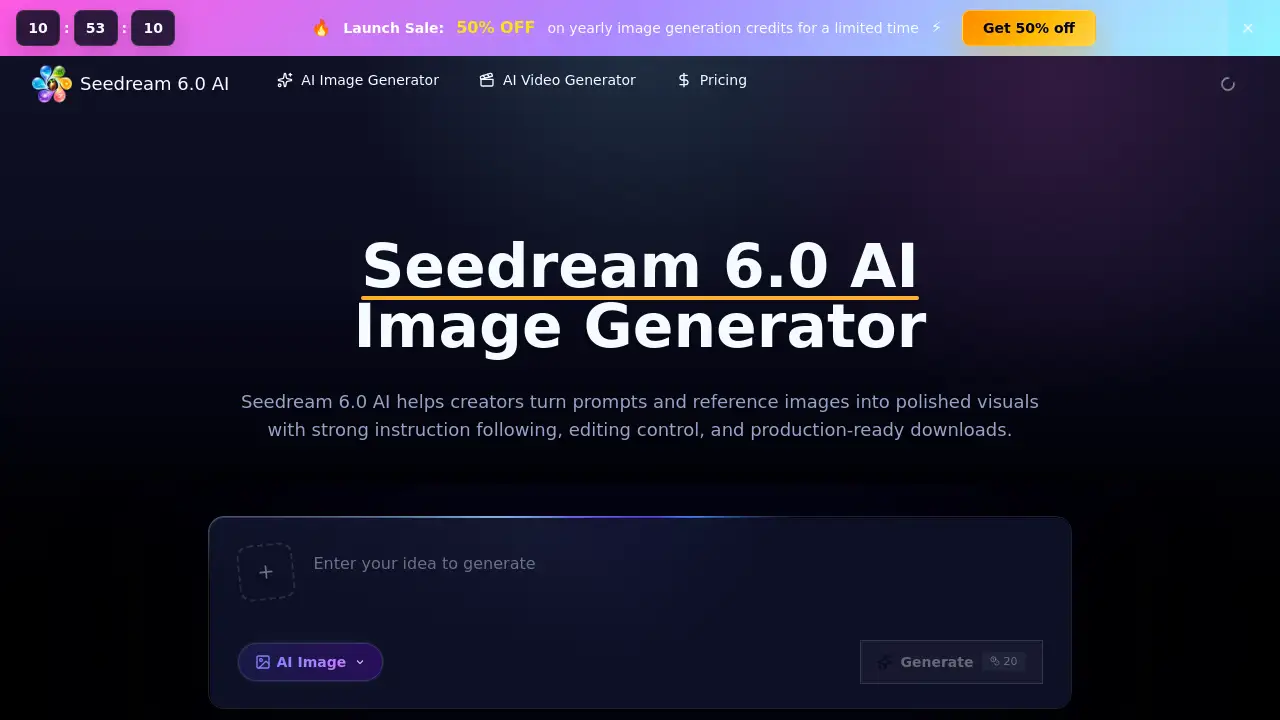
Seedream 6.0 AI is an advanced AI image generator that transforms text prompts and reference images into high-quality visuals for creative and professional projects.
What is Seedream 6.0 AI?
Seedream 6.0 AI is a specialized web-based workspace designed for generating, editing, and refining images using artificial intelligence. This tool addresses the common challenge of translating abstract ideas or rough concepts into polished, production-ready visuals without requiring extensive design skills. It is suitable for anyone needing to quickly create or iterate on images, from individual creators to marketing teams. The platform stands out by focusing on strong instruction following and offering users practical control over the generation process through detailed prompts and reference images. This makes it a valuable asset for accelerating visual content creation across various industries.
Key Features of Seedream 6.0 AI
Prompt-to-Image Creation
This core feature allows users to turn detailed text descriptions—covering subjects, settings, materials, and lighting—into high-quality image drafts with remarkable accuracy.
Reference Image Control
Users can upload a reference image to guide the AI on specific elements like subject identity, layout, color palette, or overall composition, making revisions and iterations more straightforward.
Natural Language Editing
The platform supports in-context editing using plain English instructions, enabling users to request additions, removals, replacements, or stylistic changes to an existing generated image.
Multi-Reference Workflow
For complex projects, multiple reference images can be combined to control different aspects, such as character poses, product details, and mood boards, all within an organized workspace.
Model Consistency
The underlying Seedream 6.0 model is designed to maintain visual consistency across a series of related images, which is crucial for projects like character design, brand campaigns, or product catalogs.
Team Collaboration Tools
The workspace is built to support teams, allowing multiple users to explore concepts, compare visual directions, and prepare assets for production workflows like ecommerce or advertising.
Use Cases for Seedream 6.0 AI
Ecommerce Product Imagery
Quickly generate and test different product layouts, angles, and settings for online stores, speeding up the catalog creation process.
Advertising Campaign Concepts
Develop and compare multiple visual concepts for ad campaigns before committing to expensive photo shoots or illustration work.
Social Media Graphics
Create tailored graphics for different social media platforms (square, vertical, horizontal) from a single prompt or concept.
Game and Concept Art
Turn loose worldbuilding notes or character ideas into clear, consistent concept art frames and environment thumbnails for game development.
App and Web Mockups
Generate realistic or stylized mockups for user interfaces, app screens, and website layouts during the design review phase.
Editorial and Pitch Visuals
Produce compelling images for articles, presentations, and pitch decks to enhance storytelling and communication.
How to Use Seedream 6.0 AI
- Enter Your Prompt: Start by writing a clear text description of the image you want. Optionally, upload a reference image for more control.
- Choose Parameters: Select practical output settings like aspect ratio, image size, and style direction to match your project's requirements.
- Generate and Review: Click the generate button and review the resulting image draft after a short processing time.
- Refine or Download: If needed, use natural language commands to edit the image or adjust your prompt. Finally, download the finished visual in HD quality.
Target Audience for Seedream 6.0 AI
- Marketing Professionals and Ad Agencies
- Ecommerce Managers and Store Owners
- Game Developers and Concept Artists
- Graphic Designers and Illustrators
- Content Creators and Social Media Managers
- Startup Founders and Product Managers
- Writers and Publishers needing visual assets
Is Seedream 6.0 AI Free?
The platform operates on a credit-based system. Users can test the Seedream 6.0 AI Image Generator with a free trial that provides initial credits. For continued use, credits are consumed per generation based on image settings and quality. Subscription plans (monthly or yearly) and pay-as-you-go credit packs are available. For the most current and detailed pricing, users should visit the official Seedream 6.0 AI pricing page.
Seedream 6.0 AI's Pros and Cons
| Aspect | Pros | Cons |
|---|---|---|
| Ease of Use | Intuitive browser workspace; editing via plain English commands. | Can have a learning curve for mastering optimal prompt engineering. |
| Control & Consistency | Excellent instruction following and model consistency for series. | Output quality can vary with overly complex or ambiguous prompts. |
| Workflow Integration | Great for team-based visual planning and pre-production workflows. | Credit system may be costly for individuals needing very high volume. |
| Speed | Dramatically faster than traditional asset creation methods. | Generation time and credit cost increase with higher quality/resolution settings. |
Frequently Asked Questions about Seedream 6.0 AI
What can I create with Seedream 6.0 AI?
You can create a wide range of visuals, including product images, advertising concepts, social media graphics, character art, editorial illustrations, app mockups, and storyboards.
How is Seedream 6 AI different from other AI image generators?
Seedream 6 AI differentiates itself with a strong focus on following detailed instructions, utilizing reference images for precise control, offering in-context editing, and maintaining visual consistency—features tailored for practical, production-oriented workflows.
Can I use my own images as a reference?
Yes, the Seedream 6.0 AI Image Generator allows you to upload reference images to guide the AI on specific elements like subject, composition, color, or style, giving you greater creative control.
Who should use the Seedream 6.0 AI Image Generator?
It is ideal for designers, marketers, ecommerce teams, concept artists, founders, and agencies who need to produce high-quality visual drafts and concepts quickly and iteratively.
How do credits work?
Credits are consumed each time you generate or significantly edit an image. The number of credits used depends on factors like output resolution and quality. Credits can be purchased via subscription plans or pay-as-you-go packs.
Is this the official ByteDance Seedream website?
No, this site is an independent workspace that provides access to Seedream 6.0 generation workflows and is not the official model page from ByteDance.
Seedream 6.0 AI Tags
Seedream 6.0 AI, AI image generator, text to image, reference image control, image editing AI, Seedream 6.0 model, create images from text, production-ready visuals, concept art generator, ecommerce image tool, marketing visual creator, team collaboration AI