Introduction
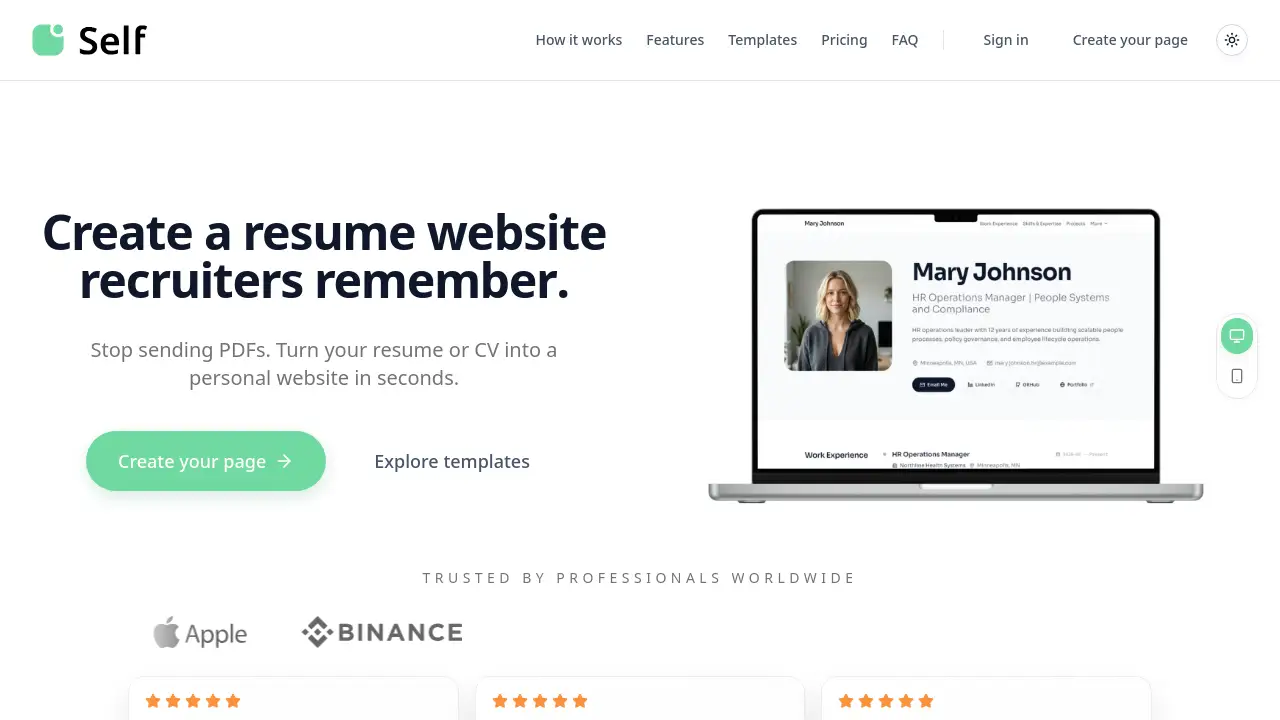
A resume website builder like Self (self.cv) helps professionals turn their CV into a polished personal page in seconds, leaving static PDFs behind. This tool makes an online presence simple and effective for job seekers.
What is Self (self.cv)?
Self (self.cv) is an online platform that converts resumes, CVs, or LinkedIn profiles into a fully responsive personal website for resume use. Instead of sending attachments that often get ignored, users get a live link they can share with recruiters. The service parses uploaded documents—PDF, image, or text—and automatically builds a clean, mobile-friendly layout. It is designed for anyone who wants a professional online identity without learning web design. With AI editing, analytics, and optional custom domains, Self makes a career website both quick to launch and easy to maintain.
Key Features of Self (self.cv)
Instant Resume to Website Conversion
Upload a PDF, image, or even a rough draft, and Self generates a polished online CV in under a minute. The system reads the content and structures it into a professional layout.
AI-Powered Editing
After the initial generation, users can make changes using a simple prompt. The AI adjusts text, sections, or design without manual coding, saving time for busy professionals.
Built-in Analytics
Pro users see who visited their page, when, and how much they scrolled. This data helps prepare for interviews by understanding recruiter engagement with the professional portfolio website.
Custom Domain Support
On Pro and Team plans, a personal domain (e.g., yourname.com) can be connected. This strengthens branding and makes the personal website for resume appear more credible.
Multiple Template Styles
Over a dozen templates are available, ranging from minimalistic to creative. Each is designed by UI/UX experts and can be previewed live before choosing.
Social Sharing Cards
After publishing, users can create digital cards and QR codes to share on LinkedIn, email, or networking events. These make the career website stand out in messages.
Use Cases for Self (self.cv)
Job Seekers Creating a Professional Portfolio
A candidate can turn a standard CV into an interactive online CV that hiring managers can browse on any device. The analytics feature also shows when a recruiter reads the page.
Freelancers Showcasing Work Samples
Freelancers use Self to combine a resume with project images, videos, and links. The professional portfolio website replaces multiple scattered links with one central page.
Career Coaches Managing Multiple Clients
Coaches on the Team plan can create and manage several personal website for resume pages under one account, each with its own custom domain and branding.
How to Use Self (self.cv)
- Upload your resume – Go to self.cv and upload a PDF, image, or text file, or import your LinkedIn profile directly.
- Generate your website – The platform parses the content and builds a responsive layout within seconds.
- Edit with AI – Use the chat prompt to adjust descriptions, add sections, or change the tone of your resume website.
- Choose a template – Browse styles (Minimalistic, Charcoal, Bento, etc.) and select one that fits your profession.
- Publish and share – Claim a free subdomain (you.self.cv) and share the link. For Pro, connect a custom domain.
Target Audience for Self (self.cv)
- Job seekers and recent graduates looking for a modern online CV
- Freelancers and consultants needing a professional portfolio website
- Career coaches and recruitment agencies managing multiple profiles
- Professionals transitioning industries who want to rebrand their career website
- Students building a first digital presence with minimal effort
Is Self (self.cv) Free?
Yes, Self offers a free plan with basic features. Paid plans unlock advanced tools. The pricing is as follows:
| Plan | Price | Key Features |
|---|---|---|
| Free | $0/mo | One hosted page (you.self.cv), free templates, social sharing cards, Powered by Self badge |
| Pro | $2.99/mo (yearly) | All templates, custom domain, full SEO controls, analytics, AI edits (20/day), remove badge |
| Team | $14.99/mo (yearly) | Everything in Pro, up to 50 saved pages, 8 live hosted pages, priority support |
Pricing is based on yearly billing; monthly options are also available.
Self (self.cv)'s Pros and Cons
| Aspect | Pros | Cons |
|---|---|---|
| Ease of Use | Generates a resume website in under a minute from any file type | AI may misinterpret some sections; manual review needed |
| Features | Built-in analytics and AI editing save time | Advanced analytics only on paid plans |
| Templates | Multiple professional and creative styles to choose from | Full template access requires Pro upgrade |
| Pricing | Free plan is functional and includes hosting | Free plan has a required badge and limits AI edits |
| Custom Domain | Supported on Pro/Team for a branded personal website for resume | Setup requires adding DNS records, which may be technical for some |
Frequently Asked Questions about Self (self.cv)
How quickly can I launch my resume website?
If your resume is ready, Self can generate a preview in under a minute. After reviewing and editing, you can publish your online CV immediately.
Do I need an account to try Self (self.cv)?
No. You can generate a preview without signing up. An account is only needed when you want to publish your career website live.
Can I edit my personal website for resume after publishing?
Yes. You can continue editing content, switching templates, or updating designs at any time. Changes go live after republishing.
What does the free plan include?
The free plan provides one hosted page at you.self.cv, access to free templates, social sharing cards, and full content control. A “Powered by Self” badge appears on the page.
When should I upgrade to Pro?
Upgrade to Pro if you need custom domains, detailed analytics, AI editing, full template access, and the ability to remove the badge. It’s ideal for building a strong professional portfolio website.
Will AI change details from my resume?
Self uses AI to structure and improve your page, but you have final control. Always review the output and edit anything that seems inaccurate.
Self (self.cv) Tags
resume website builder, personal website for resume, online CV, professional portfolio website, career website, AI resume builder, resume to website, personal branding tool, job search websites, digital CV, portfolio website generator, self.cv