Introduction
Skipbox is a hosted GitHub Actions runner with flat pricing.
What is Skipbox?
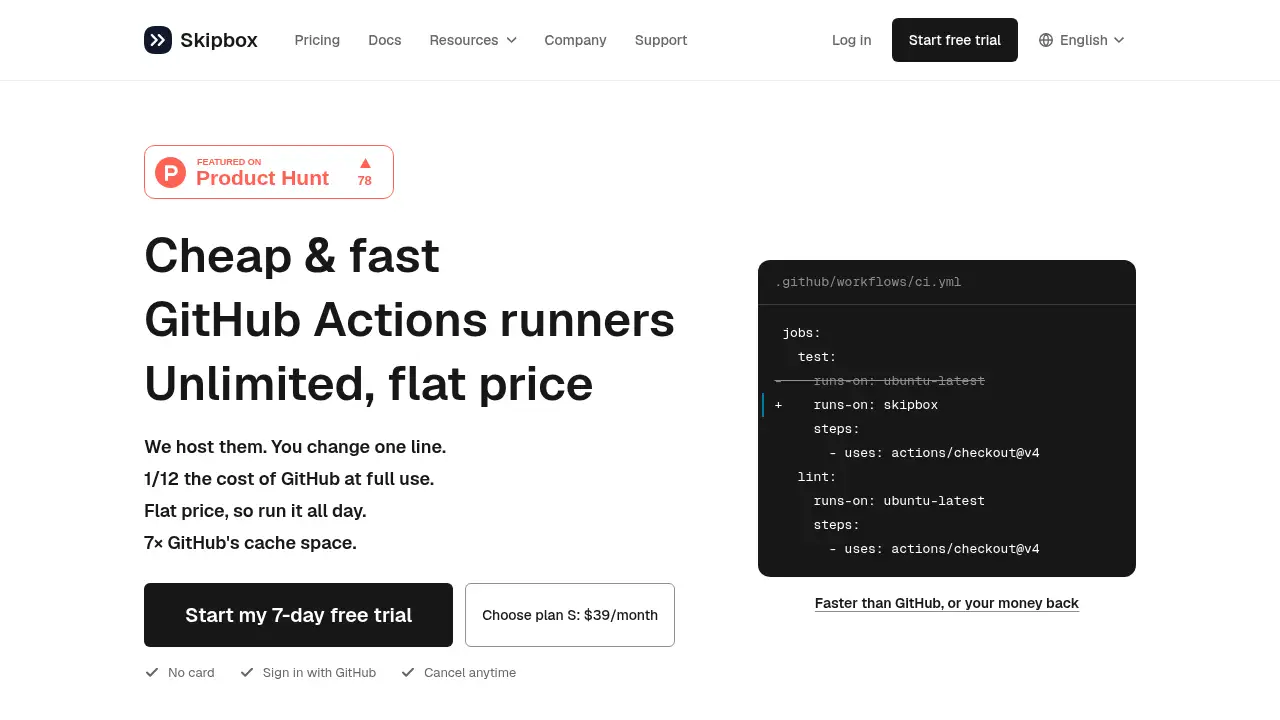
Skipbox is a hosted GitHub Actions runner service that provides a dedicated, warm virtual machine for a GitHub organization or personal account. Instead of paying per minute for GitHub-hosted runners, users pay a flat monthly price and get unlimited CI/CD minutes on a machine that stays ready between jobs. The service solves two common problems: unpredictable GitHub Actions bills and slow pipeline starts caused by empty, on-demand runners. It is suitable for teams and solo developers who run tests, builds, Docker workflows, or browser tests often enough that per-minute costs and cache misses become a bottleneck. By changing one runs-on line, most workflows can use Skipbox as a drop-in GitHub Actions runner while keeping package caches and Docker layers between jobs.
Key Features of Skipbox
Dedicated Warm Runner for Your Account
Skipbox hosts a VM for one account alone and keeps it running between jobs. This dedicated runner avoids the cold-start problem of on-demand machines and gives each job a familiar Ubuntu 24.04 x64 environment.
Persistent GitHub Actions Cache
The service keeps Docker images, BuildKit cache, package caches for npm, pip, Go, Gradle, and Cargo, plus tool caches and node_modules between jobs. With at least 7× GitHub’s default cache space, a GitHub Actions cache miss becomes far less common.
Unlimited Minutes at a Flat Price
Skipbox offers unlimited minutes on every plan, so CI/CD usage does not create surprise charges. The flat price model makes it easier to run pipelines all day, especially when AI-assisted development increases the number of CI runs each month.
Credentials Wiped After Every Job
After each job, Skipbox wipes runner credentials, Git credentials in the checkout, credential files such as ~/.npmrc, and the runner user’s processes and containers. This security step helps protect sensitive data while still keeping build caches for the next job.
Fast Start and Run Speeds
Because the machine stays warm, Skipbox can deliver faster start and run speeds than on-demand runners. The service reports measured improvements of 4.6×, 5×, and 17.6× faster on several open-source CI jobs, and it offers a money-back guarantee if it is not faster than GitHub.
Health Checks and Automatic Recovery
Skipbox performs a health check after every job and rebuilds the machine image automatically when needed. This helps the hosted runner recover from errors and stay current without manual maintenance.
Use Cases for Skipbox
Cutting GitHub Actions Costs
Teams that run thousands of CI minutes per month can replace per-minute billing with a flat monthly price. At full use, Skipbox states its price is about 1/12 of GitHub’s and 1/8 of Blacksmith’s for comparable resources.
Speeding Up CI/CD Pipelines
Projects with heavy dependency installs, Docker builds, or browser tests benefit from a warm runner and persistent cache. A faster CI/CD pipeline means shorter feedback loops for developers and fewer waiting periods between commits.
Running Browser Tests and Heavy Builds
The M and L plans provide more vCPU, memory, disk, and concurrent jobs for browser tests, large builds, and high-concurrency workflows. The runner image includes Chrome, chromedriver, xvfb, and libraries needed by Playwright’s browsers.
Keeping Cache Across Jobs
Skipbox is useful for repositories that struggle with GitHub Actions cache limits, branch-scoped caches, and seven-day expiry. The dedicated runner keeps package and build caches on disk, so repeated jobs can skip fetching and rebuilding dependencies.
Managing Fork Pull Requests Securely
Code from people without write access, such as pull requests from forks, runs on a throwaway VM that can read caches but cannot change them. This gives open-source maintainers a safer way to use a hosted runner for public repositories.
How to Use Skipbox
- Sign in with GitHub and install the Skipbox app on a GitHub organization or personal account.
- Pick one job in a workflow and change its
runs-onvalue toskipbox. - Push the workflow change and let the job run on the hosted GitHub Actions runner.
- Review the first run, then move more jobs to Skipbox labels such as
skipbox-8x16orskipbox-16x32when larger machines are needed. - Choose a plan based on concurrency and machine size, or start with the 7-day free trial before committing.
Target Audience for Skipbox
- GitHub organizations with frequent CI/CD runs
- Personal account developers who want predictable CI costs
- Teams spending too much on GitHub Actions minutes
- Projects that rely on Docker, package caches, or browser tests
- Open-source maintainers running public repository workflows
- Engineering teams looking for a self-hosted runner alternative without server maintenance
Is Skipbox Free?
Skipbox offers a 7-day free trial with no card. Paid plans are billed monthly in US dollars, with a yearly option priced at 10 months. All plans include unlimited minutes and no usage charges.
| Plan | Price | Features |
|---|---|---|
| S | $39/month | 4 vCPU, 16 GB RAM, 80 GB disk, 70 GB cache space, 1 concurrent job, unlimited minutes |
| M | $79/month | 8 vCPU, 16 GB RAM, 160 GB disk, 2 concurrent jobs, unlimited minutes |
| L | $149/month | 16 vCPU, 32 GB RAM, 320 GB disk, 4 concurrent jobs, unlimited minutes |
Yearly pricing is $390 for S, $790 for M, and $1,490 for L. Skipbox states that extra jobs wait their turn rather than creating overage charges.
Skipbox's Pros and Cons
| Aspect | Pros | Cons |
|---|---|---|
| Pricing | Flat monthly price with unlimited minutes; no usage surprises | Higher entry cost than GitHub’s included minutes for very light users |
| Performance | Warm machine, persistent cache, and faster CI runs | Speed gains depend on the workflow and cache usage |
| Features | 7× GitHub’s cache space, Docker and package cache retention, health checks | Focused on Ubuntu 24.04 x64 runners |
| Security | Credentials wiped after each job; fork PRs run on throwaway VMs | Teams needing Windows or macOS runners may need another solution |
| Setup | One-line runs-on change for many workflows | Concurrency is limited by plan |
Frequently Asked Questions about Skipbox
Will my existing GitHub Actions workflows run unchanged?
Most workflows do. Skipbox runs jobs on Ubuntu 24.04 x64 with common tools such as Docker, Buildx, Compose, Node 22, Python 3.12, Java 17, Rust, Chrome, Git, and build-essential. Workflows that install extra tools with setup actions or apt-get can usually keep their steps.
Are the minutes really unlimited?
Yes. Skipbox plans cost $39, $79, or $149 per month with no usage charges. If more jobs run than the plan’s concurrency allows, extra jobs wait rather than creating additional minute fees.
How does Skipbox keep caches between jobs?
Because the VM is dedicated and stays warm, Skipbox keeps Docker layers, BuildKit cache, package manager caches, tool caches, and some build outputs on disk. The S plan reserves 70 GB of its 80 GB disk for caches, which is at least 7× GitHub’s default cache space.
Is Skipbox secure for pull requests from forks?
Yes, according to the service’s documentation. Fork pull requests run on a fresh VM that can read caches but cannot modify them, while the warm machine for the account runs only the team’s code. Skipbox also wipes credentials after every job.
Can I use Skipbox for public repositories?
Yes. Skipbox supports both public and private repositories on GitHub organizations and personal accounts.
Does Skipbox offer a free trial?
Yes. Skipbox offers a 7-day free trial with no card, so users can test the hosted GitHub Actions runner before choosing a paid plan.
Skipbox Tags
Skipbox, GitHub Actions runner, hosted GitHub Actions runner, unlimited GitHub Actions minutes, flat price CI, GitHub Actions cache, self-hosted runner alternative, faster CI/CD, GitHub Actions pricing, dedicated runner, CI/CD cost savings, Ubuntu 24.04 runner.