Introduction
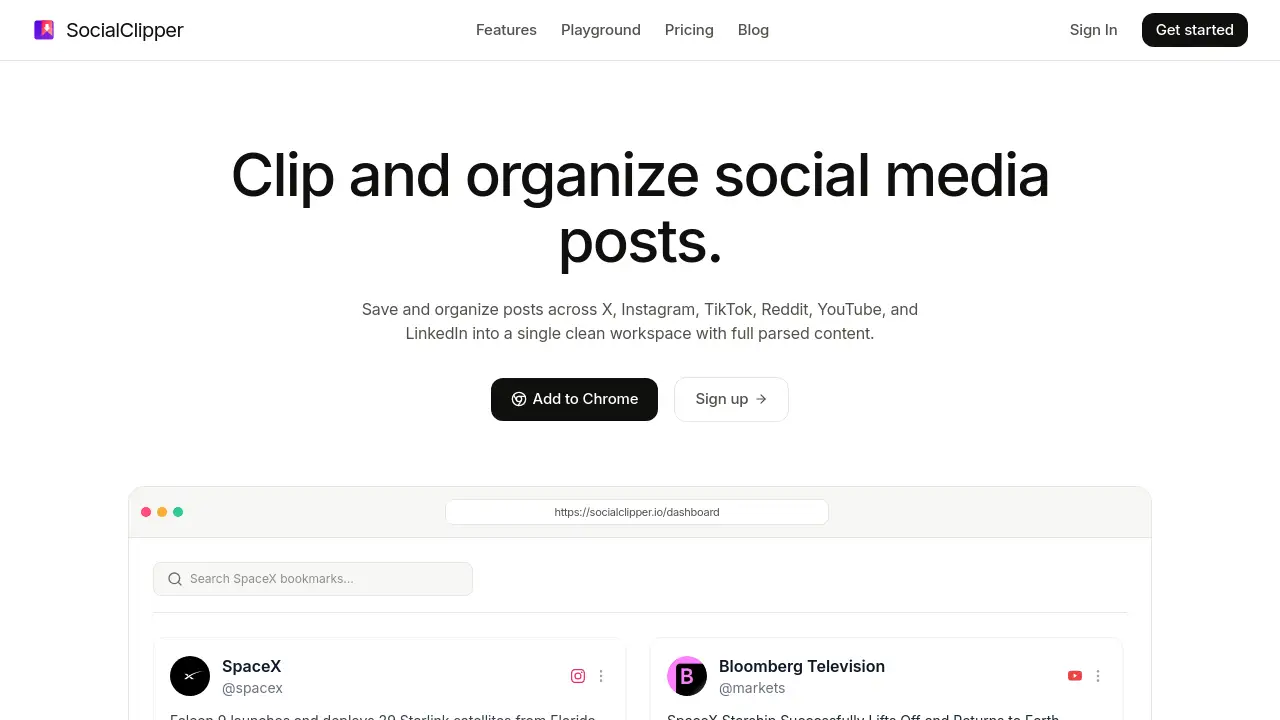
SocialClipper is a Chrome extension that lets you save and organize social media posts from multiple platforms into one clean workspace, preserving full content and media. This tool solves the problem of managing scattered bookmarks and broken links.
What is SocialClipper?
SocialClipper is a content curation tool designed for anyone who regularly collects posts from social platforms like X, Instagram, TikTok, Reddit, YouTube, and LinkedIn. Instead of relying on native bookmarks that can disappear or break, SocialClipper extracts the complete post including images, videos, text, and replies and stores them in a unified library. Users can tag, search, and annotate saved posts, making it easy to build a personal archive of inspiration, research, or market intelligence. This social media post organizer is especially useful for content creators, marketers, researchers, and social media managers who need a reliable way to save social media posts for later reference. The tool works as a browser extension, so saving content is quick and seamless.
Key Features of SocialClipper
Unified Social Hub
Gather posts from TikTok, Instagram, Reddit, X, YouTube, and LinkedIn into a single workspace. Sort, filter, and search your entire library in real time.
Full-Content Saves
Capture complete posts with original images, videos, formatted text, and replies. Your bookmarks never expire or turn into broken links.
Effortless Tagging & Search
Organize your curated library with quick tags, custom folders, and a fast global search that finds keywords instantly.
Personal Curation Notes
Annotate individual bookmarks or compile thoughts into label-specific notebooks. Save commentary, tags, and context directly alongside saved posts.
Use Cases for SocialClipper
Content Creator Research
Save inspiring posts from multiple platforms to analyze trends, gather visual references, and plan content strategies without losing context.
Market Research and Competitor Analysis
Collect posts from competitors or industry leaders to track messaging, product launches, and audience engagement over time.
Social Media Management
Curate user-generated content or brand mentions across platforms for repurposing, reporting, or internal review.
Academic or Journalistic Research
Archive social media discussions, threads, and multimedia for citations, timelines, or data analysis.
How to Use SocialClipper
- Install the Chrome Extension from the Chrome Web Store and create a free account on the SocialClipper website.
- Browse any supported platform (X, Instagram, TikTok, Reddit, YouTube, LinkedIn) and click the toolbar icon to save the current post.
- Organize your saved posts by adding tags, creating folders, or writing notes from your dashboard.
- Search and filter your library to quickly find specific content by keywords, platforms, or tags.
- Export or share bookmarks as needed (the tool currently supports viewing and managing within the dashboard).
Target Audience for SocialClipper
- Content creators and influencers
- Social media managers and community managers
- Digital marketers and brand strategists
- Researchers and journalists
- Designers seeking visual inspiration
- Anyone who frequently saves social media posts for future reference
Is SocialClipper Free?
SocialClipper offers a single premium plan with a 7-day free trial. No free tier is mentioned, but the trial allows full feature access.
| Plan | Price | Features |
|---|---|---|
| 7-Day Free Trial | $0 | Full access to premium features |
| Premium Plan | $4.99/month | Unlimited bookmarks, full Chrome extension, masonry gallery, support for all 6 platforms |
Pricing is subject to change. Visit the official SocialClipper website for the most current details.
SocialClipper's Pros and Cons
| Aspect | Pros | Cons |
|---|---|---|
| Pricing | Affordable at $4.99/month; 7-day free trial available | No permanent free tier; only one plan option |
| Features | Supports six major social platforms; full-content saves with media and replies | No export to third-party tools mentioned; browser extension only |
| Ease of Use | Simple one-click save; intuitive tagging and search | Requires Chrome browser; no mobile app |
| Reliability | No broken links – content stays intact | Relies on extension being active; limited offline access |
Frequently Asked Questions about SocialClipper
What platforms does SocialClipper support?
SocialClipper currently supports X (Twitter), Instagram, TikTok, Reddit, YouTube, and LinkedIn. Users can save posts from all these platforms into a single workspace.
Does SocialClipper work on mobile devices?
SocialClipper is a Chrome extension, so it works on desktop Chrome browsers. There is no dedicated mobile app at this time, but you can use it on Chrome for Android if you install the extension.
Can I export my saved posts from SocialClipper?
The tool focuses on in-dashboard management. Export options were not detailed in the reference information, but users can view, search, and filter all saved content within the workspace.
Is there a limit on how many posts I can save?
The Premium Plan offers unlimited bookmarks. No cap is mentioned for the free trial period, but the trial likely includes full features.
How does SocialClipper handle broken links?
SocialClipper captures the full content of each post at the time of saving, including images, videos, text, and replies. This means even if the original post is deleted or edited, your saved version remains intact.
Is my data safe with SocialClipper?
SocialClipper stores your saved posts in a personal workspace linked to your account. As with any cloud-based tool, users should review the privacy policy for details on data handling.
SocialClipper Tags
SocialClipper review, social media post organizer, save social media posts, content curation tool, Chrome extension for social media, bookmark social media content, social media workspace, post saver tool, X Instagram TikTok saver, Reddit YouTube LinkedIn bookmarking, social media archive, digital curation