Introduction
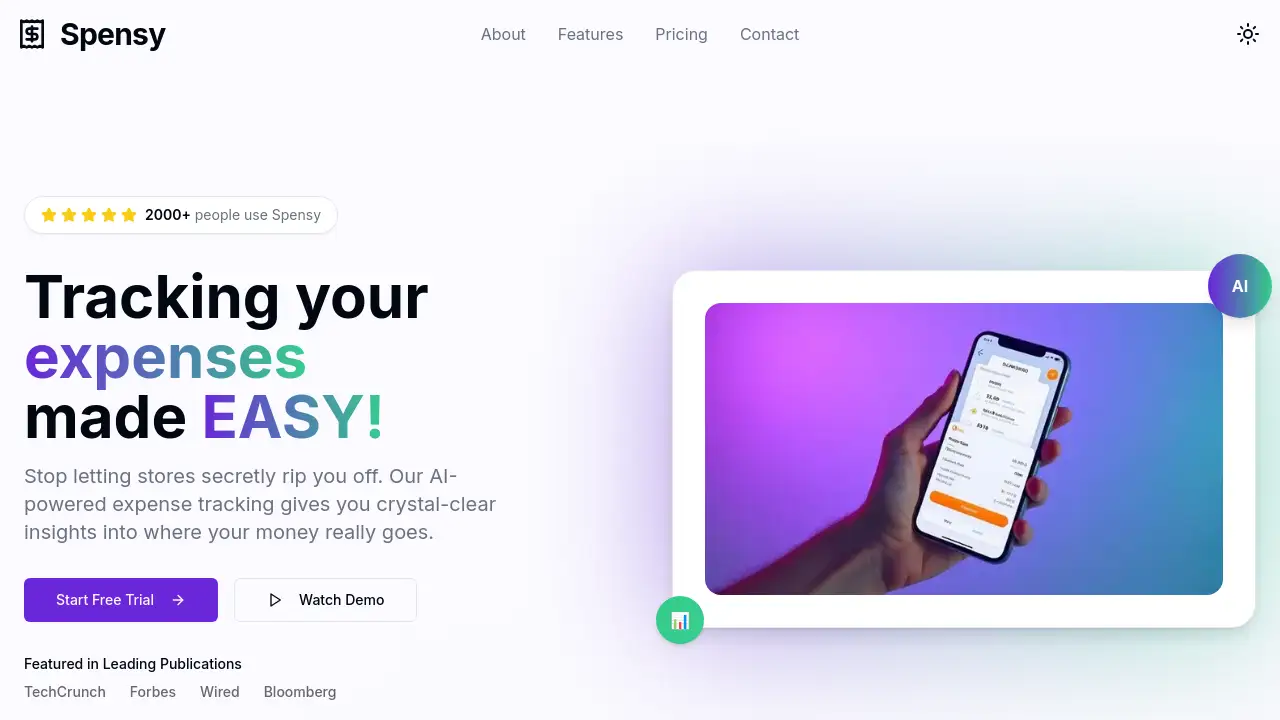
Spensy is an AI-powered expense tracking app designed to simplify personal and business finance management.
What is Spensy?
Spensy is a modern expense tracking application that leverages artificial intelligence to automate the tedious process of monitoring personal and business finances. It solves the common problem of losing track of spending by automatically categorizing expenses, providing deep insights into financial habits, and offering actionable recommendations. This app is suitable for anyone looking to gain control over their finances, from individuals wanting to stick to a budget to freelancers and small business owners needing to manage operational costs efficiently. By replacing manual data entry with smart automation, Spensy helps users save time, identify wasteful spending, and ultimately achieve their financial goals with greater clarity.
Key Features of Spensy
Smart Receipt Scanning
Users can simply take a photo of a receipt, and Spensy's AI will instantly extract the details and categorize the expense with high accuracy, eliminating manual entry.
AI-Powered Insights
The app analyzes spending patterns to uncover hidden trends and delivers personalized, actionable recommendations to help users save money each month.
Real-Time Analytics
A comprehensive dashboard provides beautiful, real-time charts and visuals that allow users to watch their spending habits and financial health evolve as they make transactions.
Bank-Level Security
All financial data is protected with military-grade encryption, ensuring user information is kept private and never shared with third parties.
Multi-Platform Sync
Spensy works seamlessly across iOS, Android, and web platforms, with all expense data syncing instantly between a user's devices.
Fast Expense Logging
The app is designed for speed, allowing users to add expenses in seconds with minimal taps, making consistent tracking effortless.
Use Cases for Spensy
For Freelancers and Independent Contractors
Freelancers can use Spensy to effortlessly track business expenses, scan client receipts, and simplify their accounting and tax preparation processes.
For Budget-Conscious Individuals
Individuals aiming to save money or get out of debt can utilize the AI-powered insights to identify unnecessary subscriptions and discretionary spending leaks.
For Small Business Owners
Small business owners can monitor company expenditures in real-time, set alerts for budget categories, and gain a clear overview of operational costs.
For Frequent Travelers
Those who travel for work or leisure can easily capture receipts on the go and have all travel expenses automatically organized and categorized.
How to Use Spensy
Using the Spensy expense tracker is a straightforward process designed for immediate productivity.
- Download and Sign Up: Download the Spensy app from the iOS App Store or Google Play Store, or visit the web app. Create an account to get started.
- Connect Accounts or Add Manually: For automatic tracking, users can securely connect bank or credit card accounts. Alternatively, they can start by adding expenses manually.
- Scan Receipts: For one-off purchases, use the smart receipt scanning feature by taking a photo of any paper or digital receipt for instant logging.
- Review and Analyze: Regularly check the dashboard to review spending categories, examine AI-generated insights, and view personalized recommendations for saving money.
- Set Budgets and Alerts: Configure monthly budgets for different spending categories and enable smart spending alerts to get notified before overspending.
Target Audience for Spensy
- Individuals seeking to create and maintain a personal budget.
- Freelancers, consultants, and gig economy workers who need to track business expenses.
- Small business owners and startup founders managing company finances.
- Teams and employees who require a system for reporting reimbursable expenses.
- Anyone frustrated with manual spreadsheets and looking for an automated financial overview.
Is Spensy Free?
Spensy operates on a subscription model with two main plans. The following table outlines the available options:
| Plan | Price (Billed Annually) | Key Features |
|---|---|---|
| Basic | $4.75 per month ($57.00/year) | Up to 50 receipts per month, automatic AI categorization, CSV export, detailed reports, custom categories, email support. |
| Pro | $8.25 per month ($99.00/year) | Everything in Basic, plus unlimited receipts, advanced analytics, ability to upload full account statements, priority email support, and early access to new features. |
The app does not offer a permanent free plan. Annual billing provides savings of 18% compared to the monthly rate.
Spensy's Pros and Cons
| Aspect | Pros | Cons |
|---|---|---|
| Technology & Usability | AI-powered categorization is highly accurate and saves significant time. Intuitive, multi-platform design. | Advanced features are locked behind the higher-tier Pro plan. |
| Security & Data | Employs bank-level, military-grade encryption for data security. | No mention of a free forever plan for basic users. |
| Value & Pricing | Can quickly identify savings that outweigh the subscription cost. Plans are straightforward. | The receipt limit on the Basic plan may be restrictive for active business users. |
| Functionality | Smart receipt scanning and real-time analytics provide immediate, actionable financial insights. | Primarily focused on tracking and insights, not full-service accounting or investment management. |
Frequently Asked Questions about Spensy
Is my financial data safe with Spensy?
Yes. Spensy uses bank-level, military-grade encryption to protect all user data. The company states that it never shares personal financial data with third parties.
Does Spensy offer a free trial?
The reference information indicates Spensy is available exclusively to paid subscribers. Users should check the official website for any current trial offers or promotional periods for new users.
What happens if I exceed 50 receipts on the Basic plan?
The Basic plan includes up to 50 smart receipt scans per month. If you exceed this limit, you would likely need to upgrade to the Pro plan for unlimited receipt scanning or manually enter additional expenses.
Can I use Spensy on both my phone and computer?
Absolutely. Spensy is designed for multi-platform use, with dedicated apps for iOS and Android and a web application. All data syncs seamlessly across devices.
How does the AI-powered categorization work?
The AI analyzes transaction details from connected accounts or scanned receipts and automatically assigns them to spending categories (e.g., groceries, dining, transportation). It learns from user corrections to improve accuracy over time.
Can I cancel my subscription at any time?
Yes, Spensy states that users can cancel their subscription anytime. The reference information also notes that users are able to use the app and access their data even after cancellation.
Spensy Tags
expense tracking app, AI-powered expense tracker, smart receipt scanning, budget management app, personal finance software, AI spending insights, track expenses automatically, financial goals app, receipt scanner app, small business expense tracker, save money app, real-time spending analytics