Introduction
superbot AI agent automates computer tasks.
What is superbot?
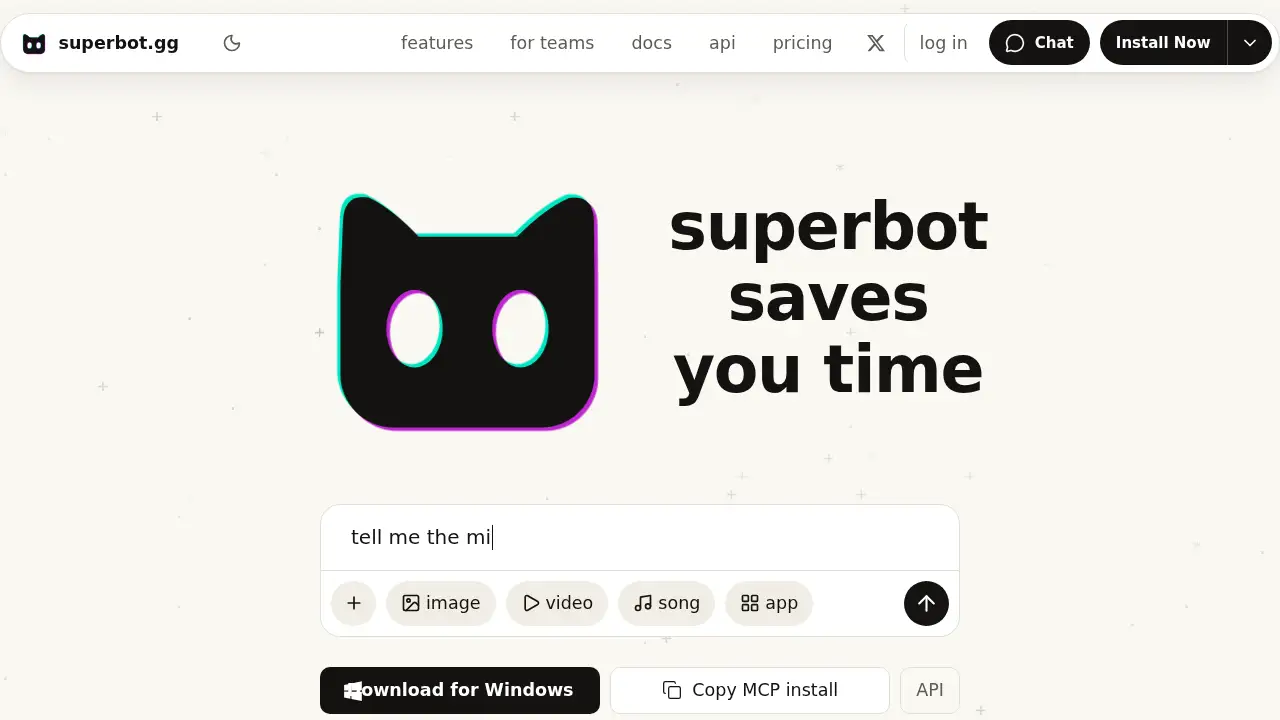
superbot is an AI agent designed to do things on a computer for you. Instead of only answering questions in a chat window, it can open apps, browse the web, work through multi-step computer tasks, and run recurring tasks on a schedule across all your devices. The product is aimed at people who want practical automation without building a custom workflow from scratch.
The main idea is simple: describe what you need, and superbot works through the steps. It also creates pictures, video, songs, 3D models, and apps in one chat, and it can browse the web for research. For developers, superbot offers MCP setup, API access, and relay options for use with existing AI tools. This makes it both a personal AI agent and a flexible automation layer for technical workflows.
Key Features of superbot
Computer Task Automation
Ask superbot to complete computer tasks in plain language. It can open the computer, work through steps such as searching for flights, and let you watch progress from your phone.
Scheduled Recurring Tasks
Set superbot to run recurring tasks on a schedule. This helps automate routine work and keeps repetitive jobs moving across all your devices.
Cross-Device Access
Use one AI agent on macOS, Windows, Linux, or the web. You can start a task on one device and follow progress from another.
One-Chat Media Creation
Generate pictures, video, songs, 3D models, and apps in a single chat. Ask for changes in the same thread so the whole project stays together.
Web Browsing and Research
Let superbot browse the web for research, comparisons, and multi-step questions. This is useful when a task needs current information rather than a simple chat reply.
Developer Integrations and MCP
Connect superbot to tools such as Claude Code, Cursor, VS Code, ChatGPT desktop, Gemini CLI, and others through MCP. The site also lists API and relay options for custom setups.
Use Cases for superbot
Personal Productivity Automation
Use superbot to handle computer tasks such as drafting notes, checking information, or managing routine actions. Scheduled recurring tasks can reduce manual follow-up.
Research and Travel Planning
Ask superbot to browse the web, compare options, and search for flights. It can work through several steps while you watch from another device.
Content and Prototype Creation
Create images, short videos, songs, 3D models, or app prototypes in one chat. This suits creators who want a single AI agent for several media formats.
Developer Workflow Support
Connect superbot to coding assistants through MCP, or use the API and relay options. Developers can use it as an AI agent inside existing tools rather than switching to a separate workflow.
Remote Work and Cross-Device Tasks
Start a task remotely and monitor it from your phone. superbot is built for users who want automation across all your devices without being tied to one screen.
How to Use superbot
- Open superbot.gg/chat to try the web chat, which the site says needs no account.
- Download the app for macOS, Windows, or Linux, or use the terminal install command if you prefer a command-line setup.
- Ask the superbot AI agent to complete a task, such as browsing the web, opening a computer app, or drafting content.
- Watch progress from your phone or another device when superbot is working on your computer.
- Schedule recurring tasks, or connect MCP, API, or relay options if you use your own AI harness.
Target Audience for superbot
- Individuals who want personal automation for computer tasks
- Remote workers and freelancers managing routine digital work
- Developers using Cursor, Claude Code, VS Code, or similar tools
- Content creators making images, video, songs, 3D models, or app ideas
- Researchers and analysts who need web browsing and multi-step research
- Small teams exploring an AI agent for shared workflows
Is superbot Free?
superbot offers a free web chat with no account needed, according to the site. Paid plans add more usage and are listed at three price points. Pricing and included usage can change, so check the official pricing page before choosing a plan.
| Plan | Price | Features |
|---|---|---|
| Free web chat | $0 | Chat on the web with no account needed; a way to try superbot before paying. |
| Plus | $20/month | The site lists about 250M included tokens and roughly $500 of API usage at superbot model rates. |
| Pro | $100/month | The site lists about 1.5B included tokens and roughly $3,000 of API usage. |
| Max | $200/month | The site lists about 4B included tokens and roughly $8,000 of API usage. |
superbot's Pros and Cons
| Aspect | Pros | Cons |
|---|---|---|
| Pricing | Free web chat plus tiered paid plans | Higher tiers are costly for casual users |
| Features | Broad AI agent with computer use, scheduling, media generation, and integrations | Some advanced setups may require technical comfort |
| Access | Works across devices and supports macOS, Windows, Linux, and web chat | Feature availability may vary by platform |
| Transparency | Public docs, pricing, and benchmark notes are available | Benchmark figures are described as preliminary internal tests |
Frequently Asked Questions about superbot
What is superbot AI agent?
superbot is an AI agent that can perform computer tasks, browse the web, create media, and run recurring tasks on a schedule across devices. It is positioned as a practical automation assistant rather than only a chat tool.
Is superbot free to try?
Yes. The web chat at superbot.gg/chat is free and needs no account, according to the site. Paid plans for more usage start at $20 per month.
Can superbot control my computer?
superbot is designed to use your computer to complete tasks you describe. Because this involves access to your machine, users should review permissions and only grant access they are comfortable with.
Does superbot work on macOS, Windows, and Linux?
Yes. Download options are listed for macOS, Windows, and Linux, along with terminal install commands for macOS/Linux and PowerShell for Windows.
Can superbot run recurring tasks automatically?
Yes. The product description says superbot runs recurring tasks on a schedule across all your devices, which is useful for routine automation.
Does superbot integrate with developer tools?
Yes. superbot lists setup options for tools such as Claude Code, Cursor, VS Code, ChatGPT desktop, Gemini CLI, and others, plus MCP, API, and relay options for custom workflows.
superbot Tags
superbot, superbot AI agent, AI agent, computer automation AI, recurring task automation, AI agent across devices, AI computer use, MCP AI agent, AI media generation, AI productivity tool, superbot review, AI task scheduler