Introduction
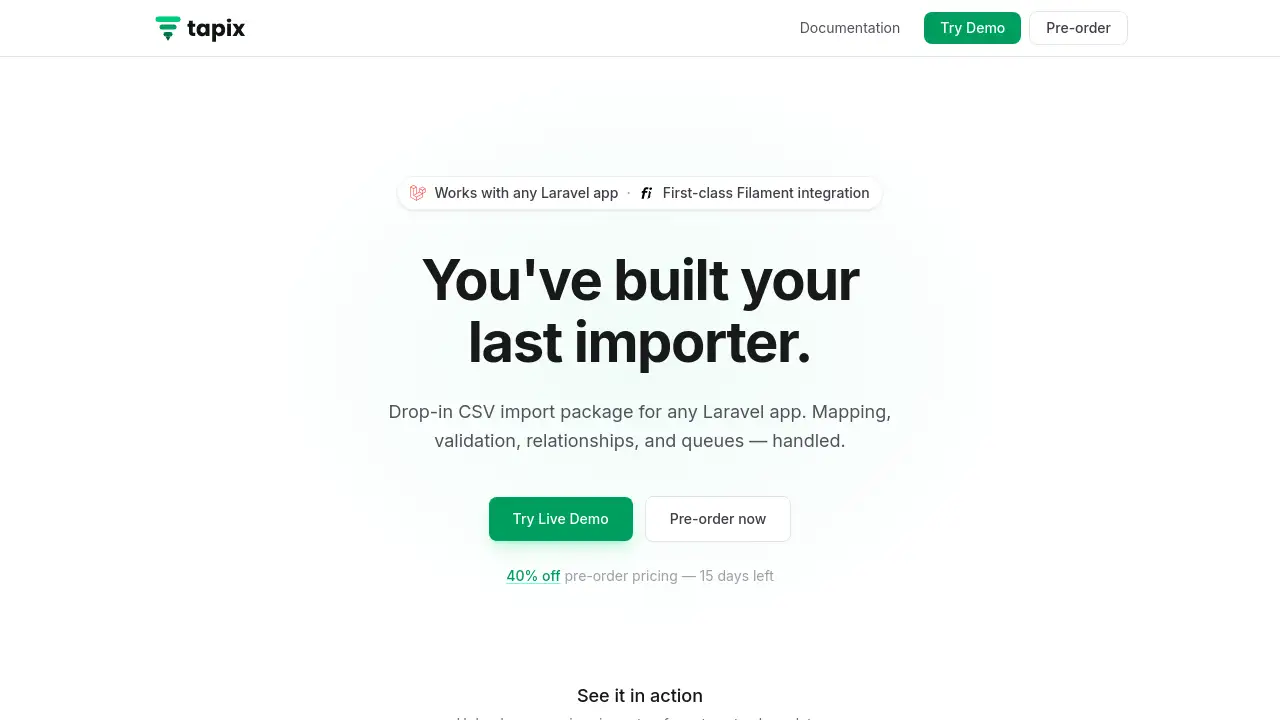
A first-class CSV and Excel import wizard for Laravel applications with seamless Filament integration.
What is Tapix?
Tapix is a dedicated CSV and Excel import package designed specifically for Laravel applications. It solves the common and tedious problem of building data import functionalities from scratch. Instead of writing repetitive code to handle file uploads, map columns to database fields, validate data, and process relationships, developers can integrate Tapix to manage these tasks through a streamlined, four-step wizard. The tool is particularly suitable for Laravel developers building admin panels, internal tools, or customer-facing applications that require reliable data import features. Its significance lies in dramatically reducing development time, minimizing errors, and providing a professional, user-friendly import experience. With first-class integration for the popular Filament admin panel, as well as support for any Livewire or Blade application, Tapix offers a flexible solution for importing clean data into any Laravel app.
Key Features of Tapix
Smart Column Mapping
Tapix automatically reads CSV headers and intelligently suggests matches to your Eloquent model's fields, allowing end-users to simply confirm or adjust the mapping without requiring any manual mapping code from the developer.
Inline Validation
The package surfaces data validation errors directly within the import review step, enabling users to identify and fix issues like incorrect email formats or missing required fields before the import process even begins.
Relationship Linking
Tapix handles complex Eloquent relationships like BelongsTo or MorphToMany, automatically resolving CSV values like a company name to existing database records or creating new ones as needed.
Queue Processing
For handling large datasets, Tapix uses Laravel's queue system to process imports in the background with chunked batches, complete with a live progress indicator, ensuring stability whether importing 100 or 100,000 rows.
Multi-Tenancy Support
Built-in scoping for teams and tenants ensures that data imports are correctly isolated, and this context is maintained automatically through the queued job processing.
First-class Filament Integration
While it works with any Livewire or Blade app, Tapix is designed as a drop-in solution for Filament PHP, providing a native, seamless experience within the Filament admin ecosystem.
Use Cases for Tapix
Migrating Legacy CRM Data
Agencies can use Tapix to help clients seamlessly migrate customer and contact data from old spreadsheets or legacy systems into a new Laravel-based CRM application.
E-commerce Inventory Updates
Store administrators can regularly upload CSV files from suppliers to update product inventories, prices, and stock levels directly through their admin dashboard.
User Onboarding and Bulk Registration
SaaS applications can allow administrators to import batches of new users or customers from a list, automatically creating accounts and assigning them to the correct team or plan.
Back-office Data Management
Internal tools for data entry teams can leverage Tapix's validation and review steps to ensure high data quality when importing financial records, survey results, or operational logs.
How to Use Tapix
Getting started with the Laravel import wizard involves a few straightforward steps:
- Install the Package: Add the Tapix package to your Laravel project via Composer.
- Create an Importer Class: Define a new importer class (e.g.,
ContactImporter). In itsfields()method, specify the import fields, validation rules, and relationships. - Integrate the Component: Use the provided Tapix Livewire component in your Filament panel, Livewire component, or Blade view. The component will render the full four-step upload interface.
- Run the Import: Users can then upload a file, map columns, review data with validation feedback, and start the import, which can be processed in the background via queues.
Target Audience for Tapix
- Laravel Developers building applications that require any form of data import functionality.
- Filament PHP Users who want a native, pre-built solution for importing CSV and Excel files into their admin panels.
- Development Agencies that need a reliable, reusable import tool for multiple client projects.
- SaaS Companies with multi-tenant applications that require secure, scoped data import features for their customers.
Is Tapix Free?
Tapix is a commercial package with a pre-order discount currently available. It operates on a yearly subscription model with different tiers based on the number of deployment domains.
| Plan | Price (Pre-order/Regular) | Key Features |
|---|---|---|
| Solo | $59/year ($99/year) | 1 domain, all features, community support. |
| Pro | $119/year ($199/year) | Up to 5 domains, priority email support. |
| Business | $179/year ($299/year) | Unlimited domains, priority support. |
| Lifetime | One-time payment | Unlimited domains, lifetime updates, priority support. |
A limited number of lifetime licenses were offered. The license includes source code access, and updates are provided while subscribed. A 7-day refund policy is in place.
Tapix's Pros and Cons
| Aspect | Pros | Cons |
|---|---|---|
| Development Speed | Eliminates the need to write and maintain custom import code, saving significant time. | Requires familiarity with Laravel and, for best results, Filament. |
| User Experience | Provides a clean, guided 4-step wizard with inline validation for end-users. | The interface is developer-integrated; non-technical users still rely on devs to set it up. |
| Functionality | Covers complex needs like relationship handling and background queue processing out-of-the-box. | As a paid package, it adds to project costs compared to a basic, self-built solution. |
| Integration | Offers first-class, drop-in integration for Filament, a leading Laravel admin panel. | For non-Filament projects, integration, while supported, may require more configuration. |
Frequently Asked Questions about Tapix
Does Tapix work with the latest version of Filament?
Yes, Tapix is built with first-class Filament integration and is maintained to be compatible with recent stable versions of Filament PHP.
Is there a free trial or a demo?
The product page does not mention a free trial. However, interested users can review the code examples and feature descriptions on the website to evaluate its suitability. The refund policy also allows for a risk-free purchase within the first 7 days.
What happens if I cancel my subscription?
If you cancel, you retain permanent access to the source code you downloaded. However, you will no longer receive future updates or priority support.
Can Tapix handle very large CSV files?
Yes, through its queue processing feature. Tapix uses chunked batches in Laravel queues, which allows it to handle imports of tens or hundreds of thousands of rows without timing out, making it suitable for large file imports.
Does it support Excel files as well as CSV?
Yes, based on the product description, Tapix supports both CSV and Excel file imports for the Laravel application.
Can I use Tapix in multiple projects?
Yes, but the number of projects (domains) depends on your license tier. The Solo plan covers 1 domain, the Pro plan covers up to 5, and the Business plan offers unlimited domains.
Tapix Tags
Tapix, Laravel CSV import, Excel import Laravel, Filament import, Laravel import wizard, data import package, queue processing Laravel, relationship import, smart column mapping, Filament integration, Laravel package, admin panel tools