Introduction
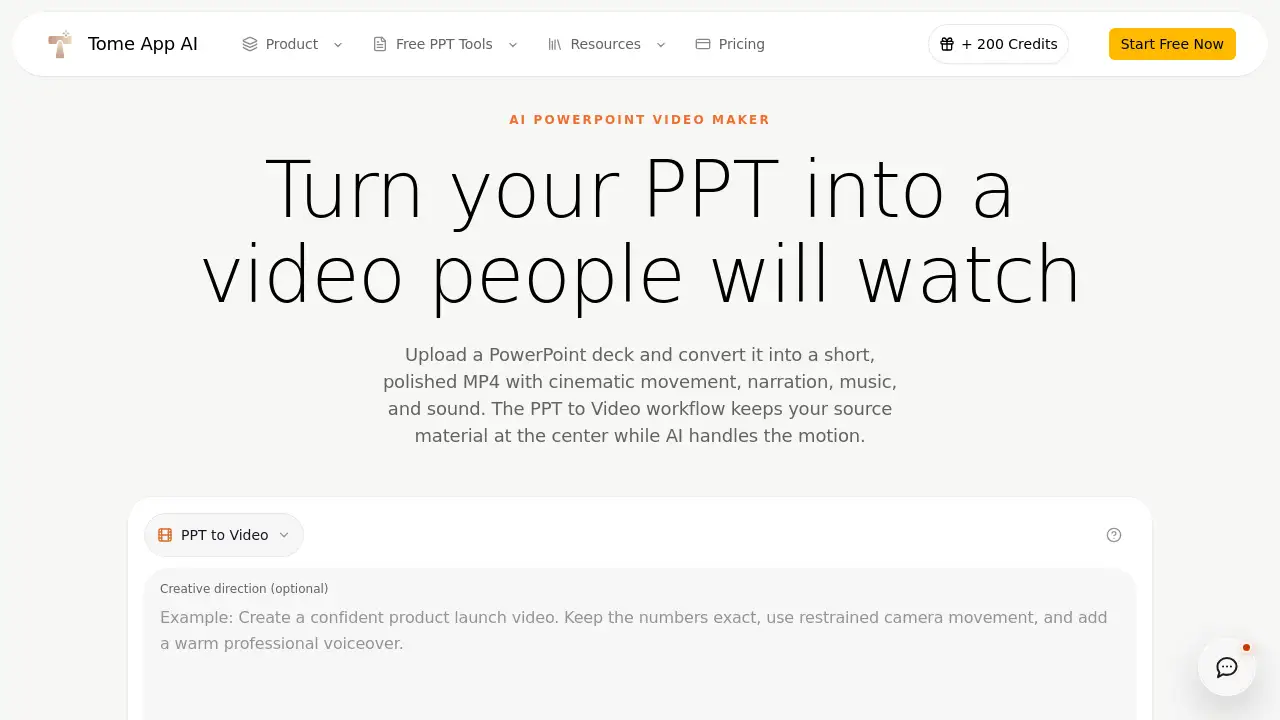
For anyone looking for a simple way to convert PPT to video, TomeApp PPT to Video is an online AI PowerPoint video maker that turns uploaded slides into a short MP4. It adds cinematic motion, narration, music, and sound while keeping the original deck as source material.
What is TomeApp PPT to Video?
TomeApp PPT to Video is an online tool for turning PowerPoint decks into polished MP4 clips. When a user uploads a PPT or PPTX file, the service analyzes slide order, text, visuals, and intent, then generates a separate video sequence instead of keeping each slide frozen onscreen. Unlike a basic slideshow export, this PowerPoint to video converter plans natural movement between sections. The result is an AI presentation video maker: it handles motion, pacing, narration, background music, and output format in a single workflow.
This matters because many teams finish a deck, then still face recording and editing work. A reliable PPT to video converter can remove that extra work. Marketers, educators, product managers, and executives can also use this online PPT to MP4 tool to avoid recording voiceovers or editing slides frame by frame.
Key Features of TomeApp PPT to Video
Each feature focuses on one goal: make PowerPoint to video feel automatic while respecting the deck’s original message.
Deck-aware sequencing
The AI model reads the uploaded PowerPoint file and understands slide order, text, visuals, and overall intent. This helps the product plan a connected PPT to video sequence instead of producing a plain timed slideshow.
Native audio generation
Keep sound enabled to request narration, background music, and effects in the same generation. If the user needs a silent MP4 or wants to finish audio elsewhere, the sound option can be switched off.
Format controls
Choose landscape, square, or portrait output for websites, meetings, social channels, and digital displays. Users can also pick 480P, 720P, or 1080P, which makes the same PPT to video workflow flexible for different publishing platforms.
Tracked async result
Video rendering normally takes several minutes. The Sender polls one accepted task every 15 seconds instead of creating duplicate PPT to video jobs, and it reports provider failures clearly.
File-size and slide limits
The tool accepts PPT and PPTX files up to 50MB and up to 50 presentation slides. The output is a 5–30 second MP4, so the product is designed for short, shareable stories rather than long-form recordings.
Creative direction
Users can add a short direction about audience, pace, voice, visual treatment, or call to action. This makes PowerPoint to video generation feel less generic and closer to the intended message.
Use Cases for TomeApp PPT to Video
These use cases show how PowerPoint to video can give an approved deck a second life.
Product launches
A release deck can become a concise product story for a landing page, launch post, sales handoff, or event screen. Teams can use the same PPT to video method to keep messaging consistent.
Training and education
Lessons, onboarding decks, and internal processes can be turned into short videos that people replay without opening PowerPoint. A quick PPT to video conversion helps when employees need the same instruction in a consistent format.
Executive updates
Quarterly reviews, strategy decks, and company updates can be adapted into shareable briefings. This use case matters because the original source remains visible, so leadership can approve a PPT to video cut before it reaches the team.
Social cutdowns
Portrait or square motion pieces can be created directly from an existing presentation. Marketers should review the crop, pacing, captions, and factual accuracy before publishing this PPT to video output on social channels.
How to Use TomeApp PPT to Video
- Upload the deck. Choose a PPT or PPTX presentation up to 50MB. TomeApp validates the format and stores the source at an object URL.
- Direct the edit. Set duration, resolution, aspect ratio, and sound. Add a short creative direction for audience, pace, voice, visual treatment, or call to action.
- Generate the video. The PPT to video Sender creates one accepted async task and keeps checking the result every 15 seconds.
- Review the MP4. Watch the final file with sound, check the facts and visual details, then download the finished MP4.
The result is a practical PowerPoint to video workflow for people who do not want to edit from scratch.
Target Audience for TomeApp PPT to Video
- Marketing and product teams that want to move from a slide deck to a product video without rebuilding content.
- Educators and trainers who need short explainer videos for lessons and onboarding modules.
- Executives and team leaders preparing internal updates or investor briefings.
- Social media and content teams that need portrait or square MP4 clips for social platforms.
- Sales professionals who need a short follow-up video after a proposal or pitch.
- Agencies and freelancers that need an AI PowerPoint video maker for client work, or that offer PPT to video services as a package.
Is TomeApp PPT to Video Free?
At the time of writing, no free plan is listed for the PPT to video workflow. The product uses a credit system for PowerPoint to video creation. Each PPT to video generation costs 500 credits, regardless of the selected duration or resolution. If a provider task fails, the credit refund is handled automatically so overlapping checks do not refund the same job twice.
| Plan | Price | Features |
|---|---|---|
| Credit-based | 500 credits per PPT to video generation | PPT/PPTX up to 50MB, up to 50 slides, 5–30 second MP4, AI motion, sound controls, multiple resolutions and formats |
Users should check the current credit price on TomeApp’s website before starting a project.
TomeApp PPT to Video’s Pros and Cons
| Aspect | Pros | Cons |
|---|---|---|
| Pricing | Fixed 500-credit cost per PPT to video generation is predictable. | No free plan or clear dollar pricing is listed in the available information. |
| Features | AI creates motion, narration, music, and effects from an uploaded deck. | Output is limited to 5–30 seconds, 50MB files, and 50 slides. |
| Ease of use | Three clear stages and one tracked asynchronous task make the workflow simple. | The final MP4 still needs a careful human review for accuracy. |
| Privacy | Source deletion is requested after a terminal result. | Files pass through TomeApp object storage and Alibaba Cloud, so confidential material is not recommended. |
Frequently Asked Questions about TomeApp PPT to Video
How do I convert PPT to video?
Upload a PPT or PPTX file in the TomeApp PPT to Video Sender, choose duration, resolution, aspect ratio, and sound, then select Generate MP4 video. The page creates one asynchronous task, checks it every 15 seconds, and shows the finished video when rendering succeeds.
Does PPT to Video just record each slide?
No. The AI model reads the uploaded PowerPoint file as reference material and generates a new video sequence. That gives more motion than a timed slideshow, but it also means you should check whether source facts and visuals were represented correctly.
Which PowerPoint formats are supported?
The Sender accepts legacy PPT and modern PPTX files up to 50MB. PPTX files are validated before submission and can contain up to 50 slides, which matches the current provider limit for presentation inputs.
Can generated TomeApp PPT to video include narration and music?
Yes. Sound is enabled by default and can include narration, music, and effects. Turn Generate sound off when you need a silent MP4 or plan to add licensed audio in a separate editor.
How long does PPT to video generation take?
Alibaba Cloud documents Wan video generation as a 1–5 minute asynchronous process. Actual timing varies with queue load, presentation complexity, video duration, and resolution. The Sender keeps checking the accepted task instead of starting a duplicate.
What happens to my uploaded PowerPoint?
The source is uploaded to TomeApp object storage because Wan 3.0 needs a retrievable HTTPS file URL. The Sender requests deletion after a terminal success or failure result. Abandoned jobs depend on the storage operator’s lifecycle policy, so confidential material should be avoided unless the organization approves these services.
TomeApp PPT to Video Tags
PPT to video, convert PPT to video, TomeApp PPT to Video, AI PowerPoint video maker, PowerPoint to video converter, PPT to MP4, AI presentation video maker, online PPT to video, PowerPoint slides to video, MP4 from PowerPoint, presentation to video, AI video generator