Introduction
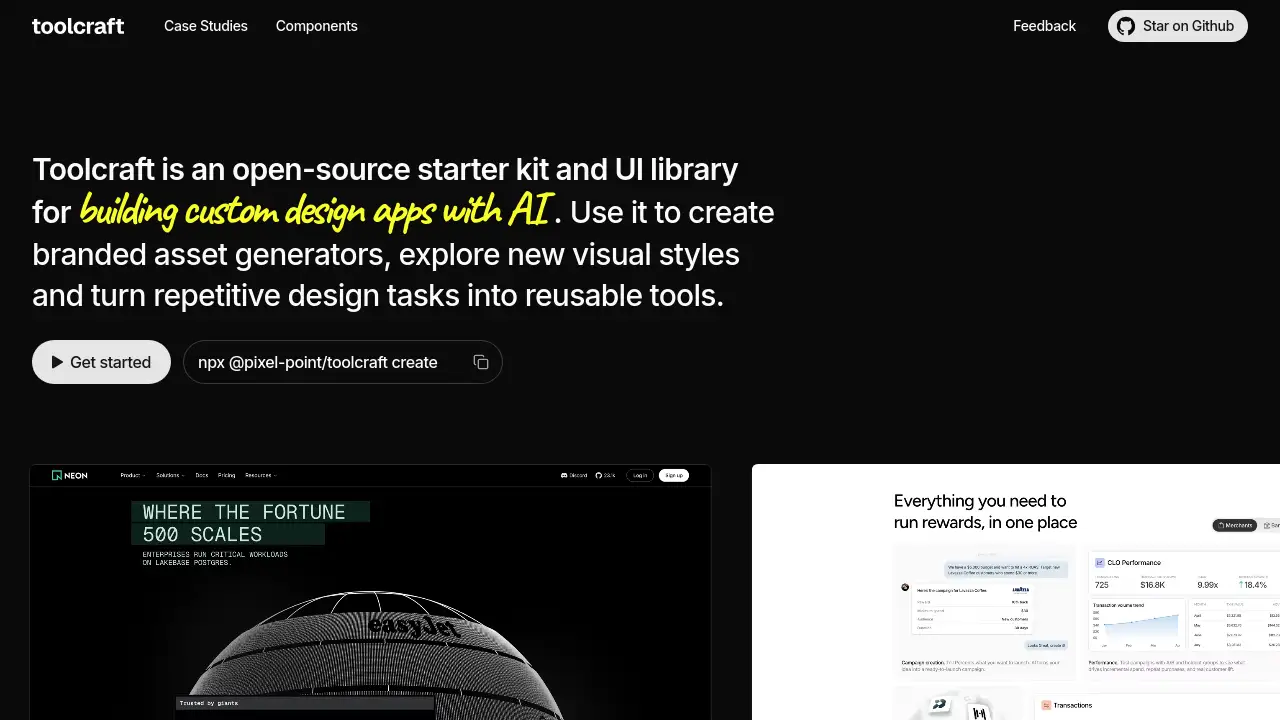
Toolcraft is an open-source starter kit for AI design apps.
What is Toolcraft?
Toolcraft is an open-source starter kit and UI library for building custom design apps with AI. It gives AI agents a ready application architecture, not just isolated components. Instead of asking an AI to generate a design tool from scratch, users start with a working canvas, toolbar, layer system, timeline, and keyframe workflows. This matters for designers, developers, and product teams that want to turn repetitive design tasks into reusable tools. The project works with Codex, Claude, Cursor, or any other AI agent. It is suitable for branded asset generators, visual style exploration, and interactive creative apps. Because Toolcraft is open-source, teams can inspect and adapt the starter kit for their own workflows. The main goal is to help users design the outcome, not the workspace. By combining a UI library with AI instructions, Toolcraft reduces setup time and improves consistency.
Key Features of Toolcraft
Open-Source Starter Kit
Toolcraft provides an open-source starter kit that helps teams scaffold custom design apps with AI. It includes a working project structure so developers and designers can focus on the creative result.
UI Library for Creative Workflows
The built-in UI library includes sliders, panels, timelines, layers, toolbars, color palettes, curves, font pickers, gradients, and vector controls. These components support many creative app workflows without starting from zero.
AI Agent Compatibility
Toolcraft works with Codex, Claude, Cursor, or any other AI agent. This flexibility lets users choose their preferred AI assistant while keeping a consistent application architecture.
Canvas, Timeline, and Keyframes
Toolcraft includes a functional canvas, toolbar, layer system, timeline, and keyframe workflows. These features make it easier to build animation, interactive, and visual editing tools.
Embedded AI Skills
The starter kit includes embedded AI skills, performance instructions, and visual testing rules. These additions help generated creative apps stay more consistent and performant.
Local-First Development
Toolcraft runs as a local development starter, so images and files can stay on the user's computer. This is useful for teams that care about privacy and control over project assets.
Case Studies and Gallery
Toolcraft offers case studies and a gallery with examples like Liquid Metal, Suminagashi Studio, Mesh FX, Brick Mosaic, and Liquid Glass. These examples show how custom design apps can be built for real visual tasks.
Use Cases for Toolcraft
Branded Asset Generators
Teams can build branded asset generators that create on-brand visuals without repeating manual design steps. This turns a recurring design task into a reusable custom design app.
Visual Style Exploration
Designers can explore new visual styles with procedural graphics, WebGL effects, and interactive prototypes. Toolcraft helps AI generate the app structure needed for this kind of experimentation.
Interactive Product Demos
Companies can create interactive product demos for websites, such as carousels, calls to action, and animated sections. These demos can be designed directly in a custom app rather than a static mockup.
Client and Agency Work
Agencies can use Toolcraft to build small design tools for client projects, brand systems, and campaign assets. The open-source starter kit can be adapted to different visual directions.
Website Section Design
Toolcraft case studies include testimonial sections, rotating logo spheres, WebGL image carousels, and footer animations. These examples show how it can support specific website sections.
How to Use Toolcraft
- Run the starter command:
npx @pixel-point/toolcraft create. This sets up the Toolcraft starter kit locally. - Open the generated project in a code editor and review the included UI library and application architecture.
- Connect a supported AI agent, such as Codex, Claude, Cursor, or another AI assistant.
- Use the canvas, toolbar, layers, timeline, and keyframe workflows to build or customize the design app.
- Test the result, refine the components, and publish or share the app according to the project license and hosting setup.
Target Audience for Toolcraft
- Designers who want to turn visual workflows into reusable tools
- Front-end developers building custom design apps with AI
- Creative technologists exploring WebGL, animation, and procedural graphics
- Product teams that need interactive demos and branded asset generators
- Agencies and studios creating client-specific design tools
- Open-source contributors interested in a UI library for creative apps
- AI-assisted builders using Codex, Claude, Cursor, or other AI agents
Is Toolcraft Free?
Toolcraft is described as an open-source starter kit and UI library. That means the core project is generally free to use, inspect, and adapt under its open-source license. Users may still pay for an AI agent subscription if they use Codex, Claude, Cursor, or another paid AI service. No official pricing table is provided in the reference content, so users should check the Toolcraft website for current license and pricing details.
| Plan | Price | Features |
|---|---|---|
| Open-source Toolcraft | $0 | Starter kit, UI library, components, case studies, local development |
| AI agent subscription | Varies | Separate cost from Codex, Claude, Cursor, or another AI provider |
Toolcraft's Pros and Cons
| Aspect | Pros | Cons |
|---|---|---|
| Pricing | Open-source core with no stated license fee | AI agent subscriptions may add ongoing costs |
| Features | Includes canvas, timeline, layers, components, and AI instructions | Users need a local development setup |
| Flexibility | Works with multiple AI agents and supports custom design apps | Requires familiarity with AI-assisted coding workflows |
| Privacy | Local-first development can keep files on the user's computer | Hosting and sharing depend on separate deployment choices |
| Learning curve | Case studies and gallery examples provide guidance | Beginners may need time to understand the application architecture |
Frequently Asked Questions about Toolcraft
What is Toolcraft?
Toolcraft is an open-source starter kit and UI library for building custom design apps with AI. It provides a working app structure, creative components, and instructions for AI agents.
Is Toolcraft free?
The product is described as open-source, so the core starter kit and UI library are free to use under the project license. AI tools like Codex, Claude, or Cursor may require their own paid subscriptions.
Which AI agents can I use with Toolcraft?
Toolcraft works with Codex, Claude, Cursor, or any other AI agent. This makes it flexible for users who already have a preferred AI assistant.
Why use Toolcraft instead of a general design tool?
Toolcraft is not just a static design workspace. It helps users build custom design apps, branded asset generators, and interactive creative tools with AI, which is different from standard interface mockups.
Can I use apps built with Toolcraft for commercial projects?
The homepage positions Toolcraft for client work and reusable design tools, but users should review the open-source license and any AI agent terms before commercial use. This helps confirm that the intended use is allowed.
Does Toolcraft work on Windows, Mac, and Linux?
Toolcraft uses a command-line starter and local development workflow, so it is generally used on systems where Node.js and npm are available. Users should check the official documentation for the latest platform support details.
Toolcraft Tags
Toolcraft, open-source starter kit, UI library, custom design apps, design apps with AI, AI design app builder, creative apps, AI agents, branded asset generators, design tool components, WebGL design tools, open-source UI library