Introduction
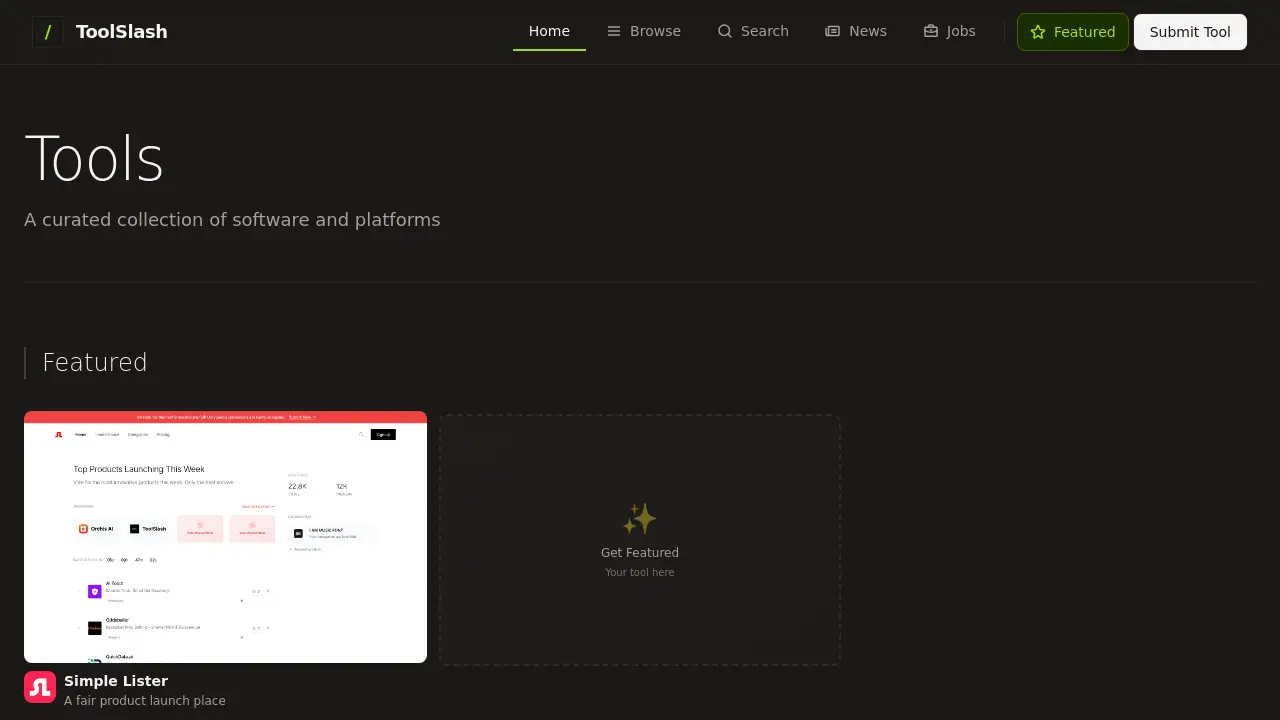
ToolSlash is a curated directory for discovering AI tools, productivity apps, and software.
What is ToolSlash?
ToolSlash is an extensive, curated online platform that serves as a comprehensive directory for discovering software tools. It addresses the common problem of information overload when searching for the right digital tools, offering a single, organized source for users to explore. The platform covers a wide range of categories including AI tools, productivity apps, design software, and developer tools. It is suitable for professionals, entrepreneurs, students, and anyone looking to enhance their digital toolkit with effective solutions. Detailed reviews and daily updates ensure users have access to current and relevant information.
Key Features of ToolSlash
Massive Curated Collection
The platform features over 1000 carefully selected tools and software, providing a vast resource for discovery.
Broad Category Coverage
Users can easily find solutions across key areas like AI tools, productivity apps, and design software.
Detailed Reviews
Each listed tool includes in-depth analysis and insights, helping users make informed decisions.
Daily Updates
The directory is consistently refreshed with new tools and information, ensuring content remains current.
Free Submissions
Tool developers and creators can submit their software for free to be included in the curated collection.
User-Friendly Discovery
The site is designed for easy browsing and searching, allowing users to quickly find relevant tools.
Use Cases for ToolSlash
Finding the Right AI Tool
A marketer can use ToolSlash to compare and find the most suitable AI tool for content generation or data analysis.
Boosting Team Productivity
A project manager can explore productivity apps listed on the platform to streamline team workflows and communication.
Sourcing Design Software
A graphic designer or startup can search for affordable and powerful design software to bring creative projects to life.
Discovering Developer Resources
A software engineer can browse the developer tools section to find new libraries, frameworks, or utilities for their projects.
Researching Software Options
A student or researcher can use the detailed reviews on ToolSlash to understand the pros and cons of different software before committing.
How to Use ToolSlash
- Visit the Website: Go to the ToolSlash homepage at toolslash.com.
- Browse or Search: Explore tools by category (e.g., AI, Productivity, Design) or use the search function for a specific need.
- Review Listings: Click on any tool of interest to read its detailed review and key features.
- Compare and Decide: Use the provided information to compare similar tools and select the best option for your requirements.
- Submit a Tool (Optional): If you have a tool to share, use the free submission feature to add it to the ToolSlash directory.
Target Audience for ToolSlash
- Entrepreneurs and startup founders seeking business software.
- Marketers and content creators looking for AI and automation tools.
- Designers and creatives in need of new design software.
- Developers and engineers searching for utilities and frameworks.
- Project managers and team leaders optimizing productivity apps.
- Students and researchers comparing educational or project software.
Is ToolSlash Free?
Based on the reference information, ToolSlash is presented as a free resource for users to discover tools. The platform also offers free submissions for tool creators. For the most accurate and current details on any potential premium features or plans, users should refer to the official ToolSlash website.
ToolSlash's Pros and Cons
| Aspect | Pros | Cons |
|---|---|---|
| Cost & Access | Free for users to browse; free tool submissions for creators. | Potential for less rigorous vetting due to free submission model. |
| Content & Utility | Huge, curated collection; covers major software categories; includes detailed reviews. | The vast number of tools might be overwhelming for some users. |
| Freshness | Daily updates keep the tool listings current. | Reviews may vary in depth and consistency across different listings. |
Frequently Asked Questions about ToolSlash
Is ToolSlash really free to use?
Yes, ToolSlash is completely free for users to browse, search, and read detailed reviews of the thousands of tools in its directory.
How often is the ToolSlash directory updated?
The platform provides daily updates, meaning new tools are added and information is refreshed regularly to maintain a current software database.
Can I submit my own software to ToolSlash?
Yes, ToolSlash accepts free submissions. Developers and companies can submit their AI tools, productivity apps, or other software for potential inclusion in the curated collection.
What kinds of tools can I find on ToolSlash?
You can discover tools across several key categories, including AI tools, productivity apps, design software, and developer tools, among others.
How are the tools on ToolSlash selected?
The platform describes its listings as a "carefully curated collection," suggesting a selection process, though the specific criteria are not detailed in the provided information.
Does ToolSlash offer affiliate links or paid placements?
The reference information does not specify this. Users should check individual tool listings or the site's disclaimer for information on commercial relationships.
ToolSlash Tags
tool directory, software discovery, AI tools directory, productivity apps finder, design software catalog, developer tools resource, curated software list, free tool submissions, software reviews, best tools 2024, online tool finder, SaaS directory