Introduction
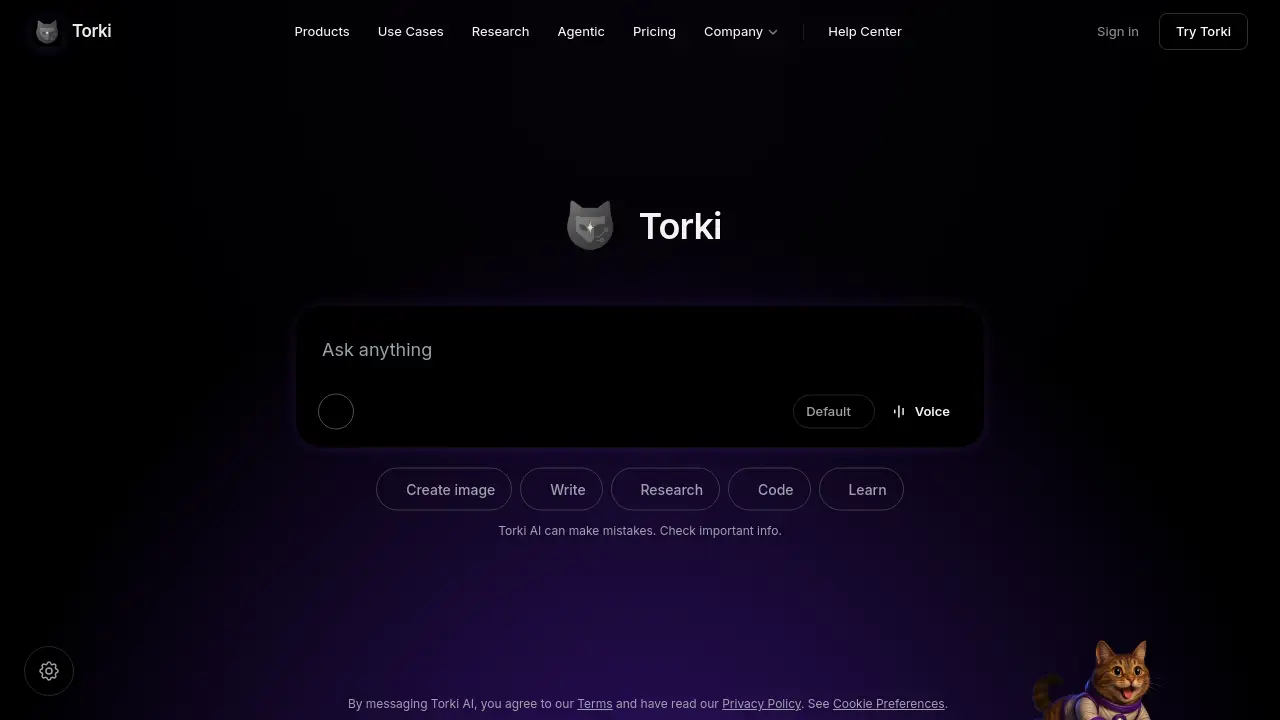
Torki AI is an all-in-one AI platform that combines chat, image creation, research, coding, and agent building in one tool. This Torki AI review explores how it simplifies digital work for users.
What is Torki AI?
Torki AI is a unified workspace designed to replace multiple standalone AI tools. Instead of switching between a chatbot, an image generator, and a research helper, users access everything from a single interface. The platform solves the problem of tool overload, offering a streamlined experience for tasks like writing, learning, and automating workflows. It suits professionals, students, creators, and developers who want an all-in-one AI platform without managing separate subscriptions. By centralizing AI chat, image editing, research assistance, and agent building, Torki AI aims to boost productivity and reduce context switching.
Key Features of Torki AI
Chat with AI
Engage in natural conversations with the core AI model. Ask questions, brainstorm ideas, or get quick explanations. The chat interface is the central hub for most interactions.
Image Generation and Editing
Create images from text prompts and edit them directly within the platform. Use the image generation tool for visual content, while editing capabilities allow adjustments without leaving the app.
Research Assistant
Leverage AI-powered research capabilities to gather information, summarize articles, or explore topics. The research feature helps users quickly find relevant data and insights.
Code Helper
Get coding assistance, from debugging snippets to writing full functions. The code tool supports multiple programming languages and integrates with the chat for contextual help.
Learning Tool
Use the AI as a tutor or study aid. Explain complex concepts, generate quizzes, or step through problems. This feature supports self-paced learning and skill development.
AI Agent Builder
Design and deploy custom AI agents that can perform tasks autonomously. Build agents for automation, customer support, or data processing without advanced programming.
Use Cases for Torki AI
Content Creation
Writers and marketers can generate blog posts, social media captions, and marketing copy. The image generator adds visuals, while the AI agent can schedule posts or manage content calendars.
Academic Research
Students and researchers use the research assistant to summarize papers, collect references, and explore related work. The chat feature answers questions about methodologies or findings.
Software Development
Developers write code, debug errors, and generate documentation using the code helper and AI chat. Agents can automate repetitive tasks like testing or deployment.
Education and Training
Teachers and learners rely on the learning tool for explanations, practice exercises, and interactive lessons. The agent builder can create personalized tutoring bots.
Business Automation
Teams build AI agents to handle customer inquiries, process orders, or manage data entry. The all-in-one AI platform reduces the need for external automation tools.
How to Use Torki AI
- Sign up – Create an account at torkiai.com. No credit card required for the free tier.
- Choose a mode – Select from chat, image, research, code, learn, or agent builder from the main interface.
- Interact – Type or upload content. For images, describe what you want. For agents, define tasks and triggers.
- Refine – Edit results, ask follow-ups, or save outputs. Torki AI remembers context within a session.
- Export or share – Download images, copy text, or share agent links with teammates.
Target Audience for Torki AI
- Content creators – Need quick text and image generation.
- Researchers – Require efficient summarization and data gathering.
- Developers – Want code assistance and automation.
- Students – Benefit from AI tutoring and study aids.
- Business owners – Seek automation and customer support agents.
- Freelancers – Prefer an all-in-one AI platform to manage multiple client tasks.
Is Torki AI Free?
Pricing details were not fully disclosed in the reference material, but Torki AI likely offers a free tier with basic features and paid plans for advanced capabilities. The table below reflects typical structures based on common SaaS models. For exact pricing, visit the official pricing page.
| Plan | Price | Features |
|---|---|---|
| Free | $0 | Limited chat, basic image generation, standard research |
| Pro | $X/month | Unlimited chat, advanced image editing, agent building, priority support |
| Team | $Y/month | Collaboration tools, shared agents, usage analytics |
Torki AI's Pros and Cons
| Aspect | Pros | Cons |
|---|---|---|
| Features | Comprehensive all-in-one AI platform with chat, images, agents, research, code, and learning. | Some features may be less polished than specialized tools. |
| Ease of Use | Single interface reduces context switching. | New users may need time to explore all modes. |
| Pricing | Free tier available for basic needs. | Advanced features likely require a paid subscription. |
| Innovation | Agent builder enables custom automation. | Agent functionality may have a learning curve. |
| Privacy | Uses only essential cookies and local storage; no advertising trackers. | Limited information on data retention policies. |
Frequently Asked Questions about Torki AI
What is Torki AI?
Torki AI is an all-in-one AI platform that combines chat, image generation and editing, research, coding assistance, learning tools, and AI agent building into a single workspace.
How can I use Torki AI for research?
Use the research mode to query topics, summarize texts, or explore related information. You can also chat with the AI to refine findings or generate citations.
Can Torki AI generate and edit images?
Yes. Describe an image to generate it, and use the editing tools to modify colors, add elements, or resize without leaving the platform.
Are there AI agents in Torki AI?
Yes, the agent builder lets you create custom AI agents for tasks like customer support, data processing, or workflow automation.
Is my data private when using Torki AI?
Torki AI uses essential cookies and local storage only, avoids third-party trackers, and operates with cookieless analytics. Check the Privacy Policy for full details.
What languages does Torki AI support?
The platform primarily supports English, but the AI model may handle multiple languages for chat and research tasks.
Torki AI Tags
Torki AI, all-in-one AI platform, AI chat, image generation, image editing, AI agents, research assistant, code helper, AI learning tool, AI productivity, AI automation, Torki review