Introduction
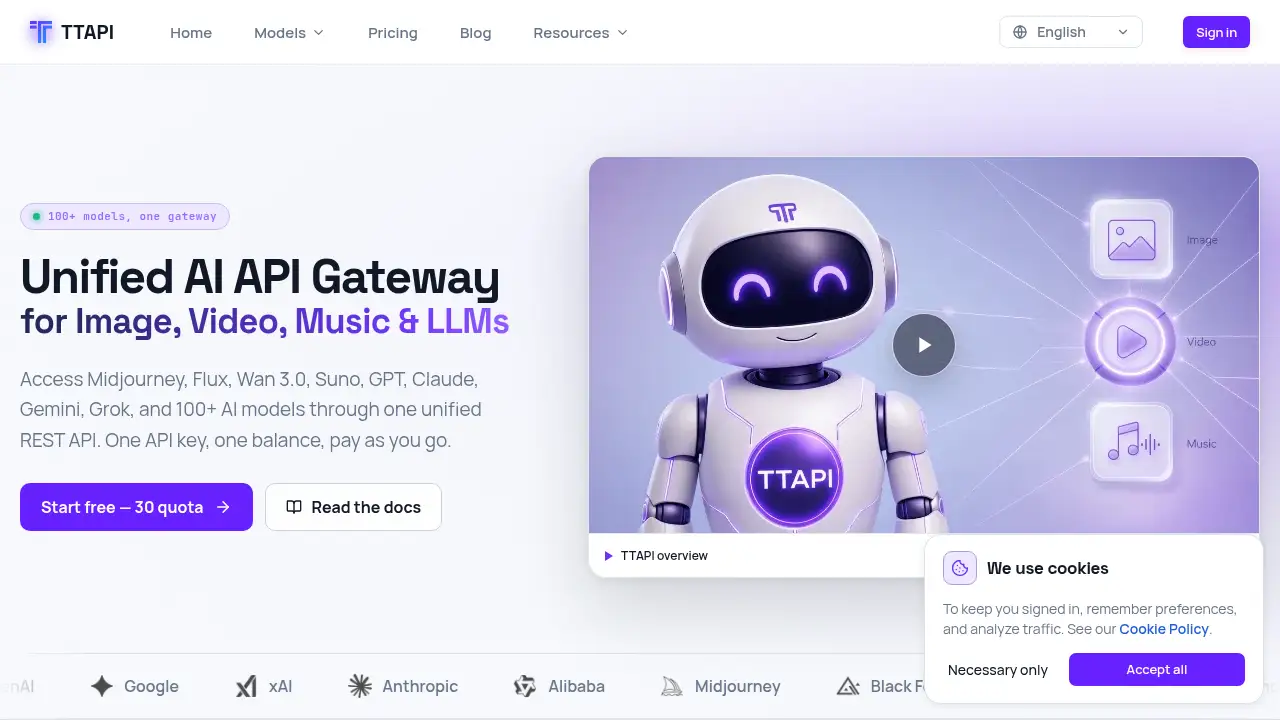
TTAPI is a unified AI API gateway for 100+ models.
What is TTAPI?
TTAPI is a unified AI API gateway that gives developers access to image, video, music, and language models through one REST API. Instead of managing separate vendor accounts, keys, and billing systems, teams can use one API key and one prepaid balance to call 100+ AI models. The AI API supports Midjourney, Flux, Wan 3.0, Suno, GPT, Claude, Gemini, Grok, and other model families listed in the documentation. It solves a common integration problem: adding multiple AI features usually means juggling different endpoints, request formats, currencies, and invoices. A unified AI API gateway reduces that overhead. It is suitable for developers, product teams, and agencies that need an AI API for production workflows. The platform also documents async jobs, webhooks, polling, queue limits, and error codes for the AI API, which matters when an AI API moves from a prototype to a live product.
Key Features of TTAPI
One unified AI API gateway
Access image, video, music, and text models through one AI API. The same documentation hub and dashboard cover endpoints, request formats, and model-specific details.
One API key and one balance
Top up once and use the balance across every supported AI API model. This replaces separate vendor accounts, cards, and currencies with a single invoice and dashboard balance.
Pay-as-you-go pricing
Use prepaid quota with pay-as-you-go billing, where 100 quota equals US$1. Pricing varies by model and operation, so teams can start small and scale based on actual AI API usage.
Async jobs and webhooks
Submit long-running generations as asynchronous jobs, then poll the fetch endpoint or receive webhook callbacks. This helps an AI API handle thousands of concurrent tasks without blocking application workflows.
Production-grade infrastructure
TTAPI describes a 99.9% uptime SLA, monitoring, error handling, and CDN delivery for generated files. These features support production AI API workloads that need predictable responses and clear status codes.
Broad model catalog
The platform lists models for image generation, video generation, music generation, and LLM use cases. Developers can choose the best AI API model for a task without rebuilding the integration layer.
Use Cases for TTAPI
AI image generation and editing
Use the AI API to generate, edit, and transform images for product visuals, ad creatives, avatars, and artwork. The AI API image generation endpoint supports models such as Midjourney, GPT Image, Flux, Nano Banana, and NovelAI.
AI music and audio workflows
Generate, extend, cover, and edit music through the AI API music generation endpoint. Teams can create original tracks, transform songs, replace vocals or instruments, and separate stems with models such as Suno and FlowMusic.
LLM and chatbot applications
Build chat, agent, and RAG applications with Claude, GPT, Gemini, and Grok through an LLM API gateway. The LLM API is part of the same AI API, so text and media workflows can share one integration and balance.
Text-to-video and image-to-video
Turn prompts and stills into short-form video for social posts, ads, and product demos. The AI API video generation endpoint can cover workflows using HappyHorse, Grok Video, Midjourney Video, and other listed models.
Content automation at scale
Drive high-volume pipelines with async jobs, webhooks, and a task queue. This is useful when an AI API must support thousands of concurrent generations in content automation workflows.
How to Use TTAPI
- Create a TTAPI account and collect the trial quota and ready-to-use TT-API-KEY. New accounts currently receive 30 trial quota for testing the AI API.
- Review the documentation and choose the AI API endpoint for your model, such as image generation, video generation, music generation, or LLM API.
- Submit a request with your API key and required parameters. For long-running generations, save the returned jobId for tracking.
- Poll the fetch endpoint or configure a webhook where supported. This lets your AI API integration handle async jobs without blocking users.
- Monitor AI API billing, queue limits, and status codes in the dashboard. Download generated files promptly because temporary URLs are not permanent storage links.
Target Audience for TTAPI
- Developers building products that need a single AI API for multiple model types.
- SaaS teams adding image, video, music, or text generation features without managing many vendors.
- Agencies and creative studios that need an AI API for high-volume content production.
- Startups that want pay-as-you-go AI API access instead of large upfront commitments.
- Enterprise teams evaluating a unified AI API gateway for production workflows and async job handling.
Is TTAPI Free?
TTAPI offers a free trial rather than a permanently free plan. New accounts currently receive 30 trial quota and a ready-to-use TT-API-KEY, so users can test the AI API before topping up. Paid usage uses prepaid quota, and 100 quota equals US$1. Pricing varies by model and operation; for example, Midjourney Image generation starts from 3 quota per image in relax mode. Purchased quota currently does not expire, and model- or channel-specific discounts appear on relevant pricing pages. The dashboard's live billing is the final source of truth.
| Plan | Price | Features |
|---|---|---|
| Free trial | $0 | 30 trial quota, ready-to-use API key, access to test the AI API |
| Pay as you go | Prepaid quota; 100 quota = US$1 | One balance across supported models, model-based pricing, purchased quota currently does not expire |
TTAPI's Pros and Cons
| Aspect | Pros | Cons |
|---|---|---|
| Pricing | Pay-as-you-go AI API access; purchased quota currently does not expire | Costs vary by model and operation, so high-volume use needs monitoring |
| Features | 100+ models, one API key, one balance, async jobs, webhooks | Model availability and versions can change, so documentation must be checked |
| Integration | Unified AI API gateway reduces vendor management | Teams still need to learn each model’s endpoint and request format |
| Production use | 99.9% uptime SLA, error handling, queue controls, status page | Temporary file URLs require prompt downloads and proper storage planning |
| Audience fit | Useful for developers, SaaS teams, agencies, and startups | Not ideal for non-technical users who need a no-code interface |
Frequently Asked Questions about TTAPI
What is TTAPI used for?
TTAPI is used to access multiple image, video, music, and text models through one AI API. Developers use it to add generative AI features without connecting to each provider separately.
Which AI models are available through TTAPI?
The platform lists Midjourney, Flux, Wan 3.0, Suno, GPT, Claude, Gemini, Grok, Nano Banana, NovelAI, FlowMusic, and other models. Because the AI API catalog changes frequently, the documentation is the current source of truth.
Can I try TTAPI for free?
Yes. New accounts currently receive 30 trial quota and a ready-to-use TT-API-KEY, which lets users make first calls to the AI API before topping up.
How does TTAPI pricing work?
TTAPI uses prepaid quota with pay-as-you-go pricing, and 100 quota equals US$1. Pricing depends on model and operation. Purchased quota currently does not expire, and the dashboard shows live AI API billing.
Does TTAPI support async jobs and webhooks?
Yes. Long-running generation endpoints return a jobId, and users can poll the fetch endpoint or provide a hookUrl for webhook delivery where supported. This makes the AI API better suited to production workflows.
Is TTAPI suitable for production workloads?
TTAPI supports production use with consistent JSON responses, async job tracking, webhooks, queue controls, and documented status codes. Teams should save jobIds, handle 429, 499, and 5xx responses, and monitor platform status when using the AI API.
TTAPI Tags
TTAPI, AI API, unified AI API gateway, one API key, pay as you go AI API, image generation API, video generation API, music generation API, LLM API, AI model API, async AI jobs, webhooks