Introduction
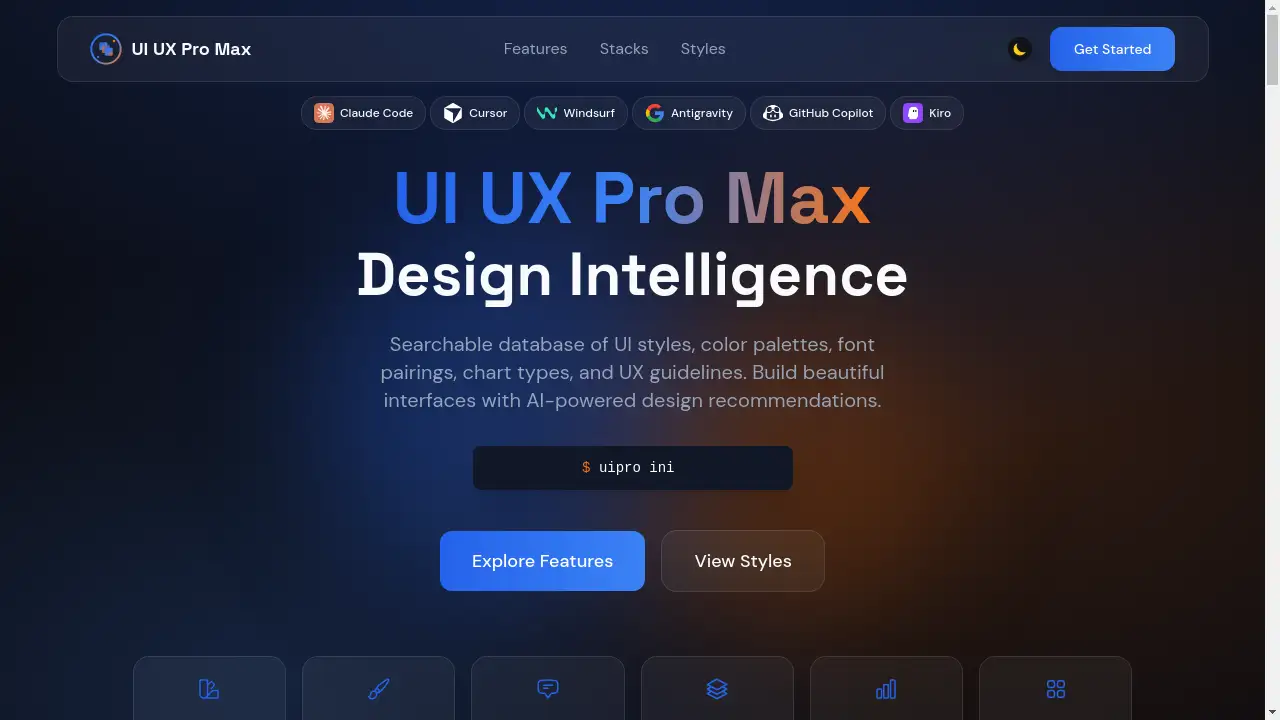
UI UX Pro Max is an AI-powered design intelligence database that helps developers build beautiful interfaces faster.
What is UI UX Pro Max?
UI UX Pro Max is a searchable database of professional design assets and guidelines, built specifically for AI coding tools like Claude Code. It tackles a common problem in modern development: the gap between having a functional idea and implementing a visually stunning, user-friendly interface. Instead of scouring the internet for UI styles, color palettes, or font combinations, developers can query this comprehensive library directly within their AI coding workflow. This product is ideal for front-end developers, full-stack engineers, and product builders who want to accelerate their design process without needing deep expertise in visual design. By providing AI-powered design recommendations, it ensures that the generated code is not only functional but also adheres to modern aesthetic and UX best practices, making it a valuable tool for creating production-ready applications.
Key Features of UI UX Pro Max
Searchable Design Database
The core of UI UX Pro Max is its vast, queryable library containing dozens of UI styles, color palettes, font pairings, and chart types, all accessible through natural language prompts.
AI-Powered Design Recommendations
When a user provides a prompt, the AI intelligently reasons about the project's needs—such as product type, desired style, and key actions—before searching the database to recommend cohesive design elements.
Framework-Specific Guidance
It offers tailored best practices, patterns, and code examples for eight popular tech stacks including React, Next.js, Vue, Svelte, SwiftUI, React Native, Flutter, and Tailwind CSS.
Comprehensive UX Guidelines
Beyond visual elements, the database includes actionable UX guidelines covering animation principles, accessibility (a11y), performance, loading states, and common anti-patterns to avoid.
Pre-Built Website Demos
Users can browse and explore a gallery of 39 real-world website demos built with the tool, providing concrete inspiration and examples across 20 different categories and modes.
Production-Ready Code Output
The tool generates clean, usable code snippets (like HTML with Tailwind CSS) that include essential quality checks for SVG icons, hover states, dark mode contrast, and responsive layouts.
Use Cases for UI UX Pro Max
Rapid Prototyping and MVPs
Developers can quickly generate the front-end for a minimum viable product or a prototype by describing the concept, receiving a complete set of styled, functional components in return.
Enhancing Existing Projects
When a project's interface feels dated or inconsistent, developers can use the tool to search for modern UI styles and color palettes that fit the brand, seamlessly upgrading the look and feel.
Learning Design Best Practices
Junior developers or backend-focused engineers can use the database and its UX guidelines as an educational resource to understand and implement professional design principles in their code.
Ensuring Design Consistency
Teams can leverage the tool to maintain a consistent visual language across different pages or features of an application by referencing the same recommended font pairings and color systems.
How to Use UI UX Pro Max
The process is integrated into the workflow of AI coding assistants like Claude Code.
- Initiate a Build Prompt: Start by giving your AI assistant a natural language command to build an interface, for example: "Build a landing page for a pet grooming service. Playful and friendly style, with a booking CTA."
- AI Reasoning and Search: The UI UX Pro Max skill activates. The AI analyzes your prompt for key parameters (product, style, page type) and then queries its internal database for matching design intelligence.
- Receive Cohesive Recommendations: The tool returns a unified set of recommendations, including a suitable color palette, font pairing, landing page structure, and relevant UX guidelines.
- Generate and Implement Code: The AI coding assistant then generates the actual code (e.g., HTML, JSX) incorporating these specific design choices, resulting in a styled, functional component.
Target Audience for UI UX Pro Max
- Front-end and Full-stack Developers who want to improve the visual quality of their applications.
- Solo Founders and Indie Hackers building products quickly without a dedicated designer.
- DevRel and Content Creators who build demo projects and need them to look professional.
- Product Managers and Technical Leads seeking to establish and enforce design consistency within their teams.
- Students and Learners exploring the intersection of code and modern interface design.
Is UI UX Pro Max Free?
Based on available information, UI UX Pro Max is presented as an open-source skill compatible with Claude Code. This typically indicates that there is no direct cost to use the core database and its AI integration features. The value proposition centers on saving development time and improving design quality rather than a subscription fee. Users should consult the official source for the most current information on licensing or premium offerings.
Frequently Asked Questions about UI UX Pro Max
What AI coding tools does UI UX Pro Max work with?
UI UX Pro Max is built as a skill specifically for Claude Code, meaning it is designed to integrate seamlessly within that AI coding assistant's environment to provide design intelligence.
Does it only work with Tailwind CSS?
While many examples use Tailwind CSS for utility-first styling, the tool provides framework-specific guidance for eight different tech stacks, including React, Vue, Svelte, and Flutter, making the design principles applicable across technologies.
Can I use the design assets in any project?
Yes, the color palettes, font pairings, UI styles, and UX guidelines provided are general design recommendations. You can apply the suggested colors, fonts, and patterns in any project, regardless of whether the initial code was generated by an AI.
How does it ensure good UX?
The database includes a dedicated section of UX guidelines that cover best practices for animation, accessibility (a11y), loading states, and more. The AI incorporates these rules into its reasoning to generate code that follows established usability principles.
Is there a way to see examples before using it?
Yes, the product website features a gallery of 39 real-world website demos built using UI UX Pro Max. These can be browsed by category and mode (light/dark) to see the tool's output in action.
Do I need design experience to use it?
No, that's a primary benefit. The tool is designed for developers. You describe your goal in plain language, and the AI handles the search and matching of appropriate design styles and components from its database.
UI UX Pro Max Tags
UI UX Pro Max, AI design tool, Claude Code skill, UI styles database, color palettes for developers, font pairings, UX guidelines, front-end development, design intelligence, rapid prototyping, Tailwind CSS, React design, website demos, tech stack guidance