Introduction
Free online tool to remove watermarks from images instantly.
What is AI Watermark Remover by VisualGPT?
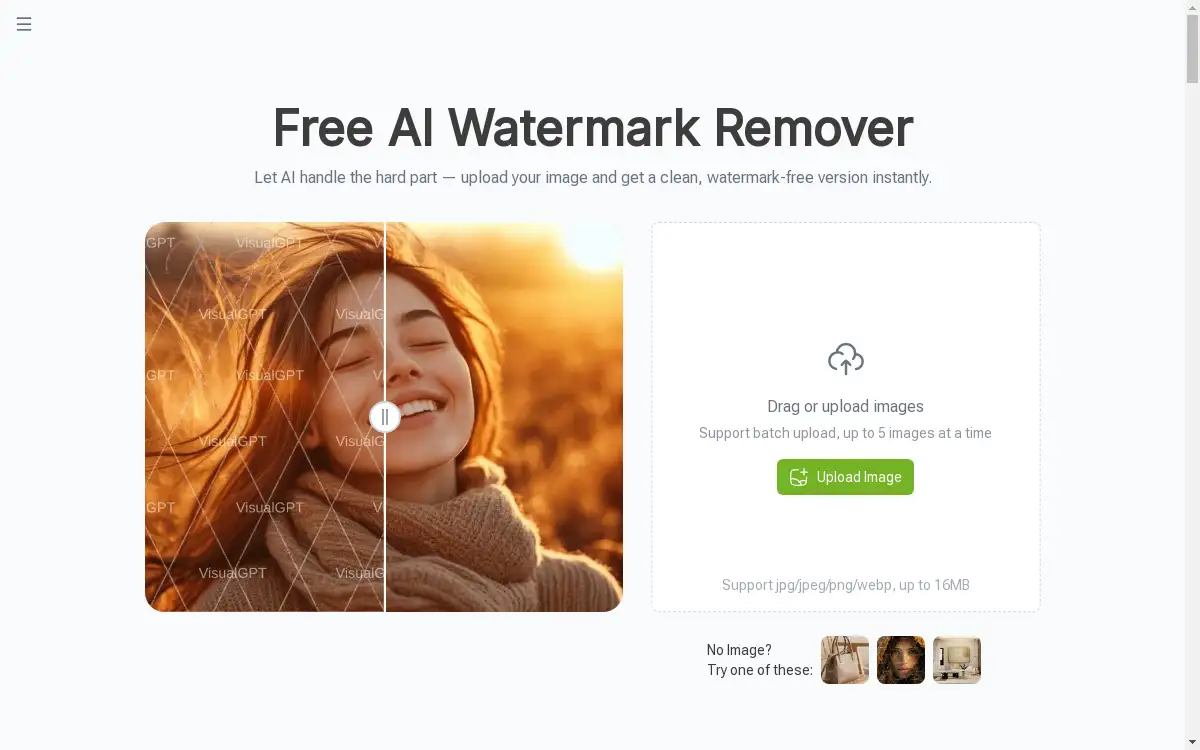
AI Watermark Remover by VisualGPT is an online tool designed to automatically erase watermarks from digital images. This product addresses the common problem of needing a clean, usable image but only having access to a version marked with distracting logos, text, or stamps. It leverages artificial intelligence to intelligently detect and remove these marks, reconstructing the background for a natural-looking result. This tool is suitable for a wide range of users, including designers, marketers, and e-commerce specialists, who require high-quality, watermark-free images for their projects without the need for complex photo editing software. The ability to get clean images quickly and efficiently makes it a valuable asset for anyone working with digital content.
Key Features of AI Watermark Remover by VisualGPT
Batch Watermark Removal
Upload and process multiple images simultaneously, saving significant time and effort for users who handle large volumes of photos.
AI Smart Detection and Background Repair
The AI automatically identifies watermark areas without manual input and seamlessly reconstructs the underlying background, preserving original textures and colors for a clear, natural result.
Support for Multiple Watermark Scenarios
This tool effectively handles various watermark types, including those from stock images, social media platforms, e-commerce sites, and official documents.
High-Quality Output
The removal process maintains the image's original resolution and details, ensuring the final watermark-free image remains sharp and professional.
User-Friendly Interface
With a simple drag-and-drop upload system, the tool is accessible to users of all skill levels, requiring no technical expertise.
Fast Processing
Images are processed online in a matter of seconds, providing a clean, high-quality result almost instantly after upload.
Use Cases for AI Watermark Remover by VisualGPT
Cleaning Stock Images
Remove watermarks from stock photo previews to obtain clean, high-quality images for use in presentations, mockups, and design comps.
Preparing Social Media Content
Eliminate platform-specific logos or photographer credits from images to create polished and brand-coherent content for social media campaigns.
Enhancing E-commerce Listings
Clean product photos of brand marks or photographer watermarks to create professional-looking listings that focus solely on the items for sale.
Refining Real Estate Photos
Remove agency logos and text overlays from property images to create clean, distraction-free portfolios and marketing materials for real estate presentations.
Polishing Professional Reports
Ensure reports and presentations look professional by removing distracting watermarks from charts, graphs, and reference images sourced online.
How to Use AI Watermark Remover by VisualGPT
Using the AI Watermark Remover is a straightforward, three-step process that requires no prior editing experience.
- Upload Your Watermarked Image: Navigate to the tool's webpage and drag your watermarked image into the upload area or click to select it from your device. For batch processing, you can upload up to five images at once.
- Let AI Process Your Image: The AI Watermark Remover will automatically detect the watermark areas and begin processing. This typically takes only a few seconds as the AI works to remove the mark and reconstruct the background.
- Download or Copy the Clean Image: Once processing is complete, you can immediately download the high-resolution, watermark-free image to your device or copy it for direct use in other applications.
Target Audience for AI Watermark Remover by VisualGPT
- Graphic Designers
- Social Media Managers
- E-commerce Specialists and Sellers
- Real Estate Agents
- Marketing Specialists
- Content Creators and Bloggers
- Analysts and Professionals preparing reports
Is AI Watermark Remover by VisualGPT Free?
Yes, the AI Watermark Remover by VisualGPT offers a generous free plan. Users can access the core watermark removal functionality online without any cost. This free plan supports batch uploads of up to five images and delivers clean, high-quality results. The product homepage promotes it as a free tool, making advanced AI image cleaning accessible to everyone without an initial financial commitment.
Frequently Asked Questions about AI Watermark Remover by VisualGPT
Is the AI Watermark Remover really free to use?
Yes, the tool is free. Users can upload images and remove watermarks without any payment required.
What image formats does the watermark remover support?
The tool supports common image formats including JPG, JPEG, PNG, and WEBP, catering to a wide range of digital image needs.
How many images can I process at one time?
The AI Watermark Remover supports batch processing, allowing users to upload and process up to five images simultaneously.
Does the tool work on all types of watermarks?
It is designed to handle multiple watermark scenarios, such as stock image watermarks, social media logos, and e-commerce brand marks, though the effectiveness may vary with complexity.
Will the image quality be affected after removal?
The AI is designed to maintain high-quality output by preserving original details and textures, ensuring the final image looks clear and natural.
Is there a file size limit for uploads?
Yes, each uploaded image must be 16MB or smaller to be processed by the tool.
AI Watermark Remover by VisualGPT Tags
AI watermark remover, remove watermark online, free watermark remover, batch watermark removal, visualgpt, clean images, image background repair, remove logo from image, watermark remover AI, online photo editor, delete watermark, high-quality image processing