Introduction
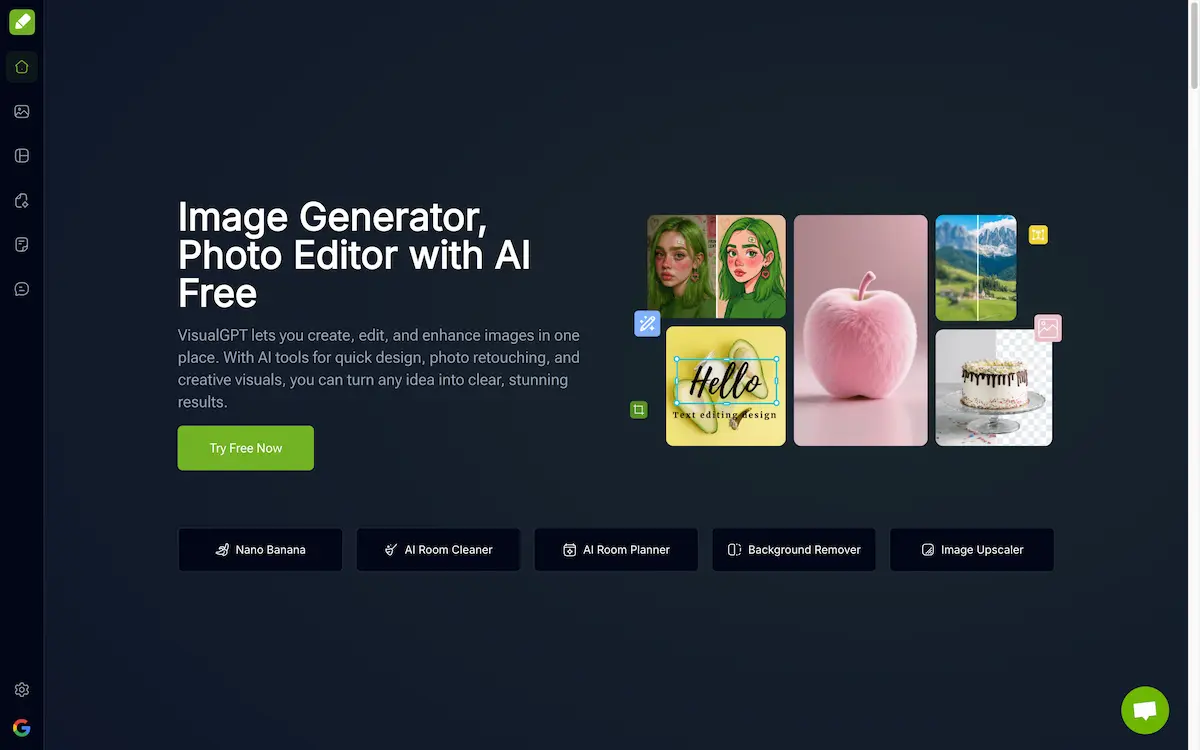
VisualGPT is an all-in-one AI image platform that revolutionizes how users create, edit, enhance, and transform images online with powerful artificial intelligence tools.
What is VisualGPT?
VisualGPT is a comprehensive AI image generator and editor that combines multiple artificial intelligence models into one powerful platform. This innovative tool solves the common problem of needing multiple applications for different image tasks by offering everything from photo editing and background removal to AI-powered image generation and enhancement in a single, user-friendly interface.
The platform addresses the growing demand for quick, professional-quality visual content creation without requiring technical expertise or expensive software. VisualGPT integrates advanced AI models like Nano Banana, Flux Kontext Pro, Ideogram, and Stable Diffusion to deliver high-quality results instantly. Whether you're a social media manager needing engaging content, a small business owner creating product visuals, or a hobbyist exploring creative possibilities, VisualGPT provides accessible AI-powered solutions.
What sets VisualGPT apart is its zero learning curve approach. Users can simply upload images or describe their ideas in plain language, and the AI handles the complex processing. With over 100,000 users worldwide, the platform has proven its effectiveness across various industries, from marketing and e-commerce to education and real estate.
Key Features of VisualGPT
AI Image Generator
VisualGPT's AI image generator creates stunning visuals from text descriptions using advanced models like Nano Banana and Flux. Users can generate original artwork, illustrations, and designs by simply describing their vision.
Background Remover
The AI background remover tool precisely removes backgrounds from images in bulk, maintaining sharp edges even around complex details like hair. This feature delivers professional-quality results for product photos and portraits.
Image Upscaler
VisualGPT's image upscaler enhances photo resolution and clarity without losing quality. The AI intelligently adds detail to improve image sharpness for professional use.
AI Room Planner
Transform empty or cluttered spaces with the AI room planner feature. Users can visualize different layouts and interior design styles for bedrooms, living rooms, and dining areas instantly.
AI Photo Editor
The comprehensive photo editor combines multiple AI models to refine images, boost clarity, and apply creative effects. Users can enhance photos with professional-grade tools without complex software.
Visual Design Tools
Create infographics, flowcharts, mind maps, and social media graphics with AI visualization tools. The platform generates editable visual content for presentations and marketing materials.
Use Cases for VisualGPT
Social Media Content Creation
Marketers and content creators use VisualGPT to generate engaging posts, stories, and advertisements quickly. The AI ensures consistent brand quality across multiple platforms while saving time on design work.
E-commerce Product Photography
Online retailers enhance product images by removing backgrounds, improving clarity, and creating promotional graphics. VisualGPT helps businesses present products professionally to increase customer trust and sales.
Educational Materials
Teachers and researchers create clear diagrams, infographics, and visual aids for presentations and reports. The platform transforms complex concepts into easily understandable visual content.
Real Estate Marketing
Real estate professionals enhance property photos, visualize interior design possibilities, and create attractive marketing brochures. VisualGPT helps showcase properties in their best light to attract potential buyers.
Creative Art Projects
Artists and designers experiment with new styles, generate unique artwork, and enhance existing creations. The platform provides inspiration and tools for creative exploration without technical barriers.
Business Presentations
Professionals create compelling visual presentations, charts, and graphics for meetings and reports. VisualGPT enables quick production of polished business visuals that communicate ideas effectively.
How to Use VisualGPT
Using VisualGPT is straightforward and requires no technical expertise:
-
Access the Platform: Visit the VisualGPT website directly in your browser - no downloads or installations required.
-
Choose Your Tool: Select from available AI tools like image generator, background remover, photo editor, or room planner based on your needs.
-
Upload or Describe: Either upload an existing image for editing or type a description of what you want to create in plain language.
-
Let AI Process: The artificial intelligence models automatically process your request, applying the most suitable algorithms for optimal results.
-
Download Results: Review the generated or edited image and download the high-quality result instantly for immediate use.
The platform's intuitive interface ensures that both beginners and professionals can achieve excellent results without complex settings or technical knowledge.
Target Audience for VisualGPT
- Social media managers and digital marketers creating engaging content
- Small business owners needing professional product visuals
- Graphic designers and creative artists exploring new styles
- E-commerce retailers enhancing product photography
- Educators and researchers creating visual learning materials
- Real estate agents showcasing properties effectively
- Content creators and bloggers needing regular visual content
- Students working on projects and presentations
- Hobbyist photographers enhancing personal photos
- Marketing agencies serving multiple clients
Is VisualGPT Free?
VisualGPT offers a generous free plan that allows users to explore the platform's capabilities without immediate cost. The free version includes access to basic AI image generation, editing tools, and several AI models, making it perfect for casual users and those wanting to test the platform's features.
For users requiring more advanced features, higher resolution outputs, or increased usage limits, VisualGPT provides affordable premium options. The pricing structure is designed to accommodate different user needs, from individual creators to business teams requiring extensive visual content production.
The free plan provides excellent value for beginners and occasional users, while premium plans offer enhanced capabilities for professional and commercial use. This flexible approach ensures that users can start free and upgrade only when their needs grow.
Frequently Asked Questions about VisualGPT
How does VisualGPT compare to other AI image generators?
VisualGPT stands out by combining multiple AI models in one platform, offering tools for generation, editing, and enhancement together. Unlike single-purpose tools, VisualGPT provides a complete visual creation workflow with consistently high-quality results across different tasks.
Can I use VisualGPT images for commercial purposes?
Yes, images created with VisualGPT can typically be used for commercial purposes, though users should review the specific terms of service for their use case. The platform is designed to support business and professional applications across various industries.
What image formats does VisualGPT support?
VisualGPT supports common image formats including JPEG, PNG, and other standard formats for both input and output. The platform automatically optimizes images for web use while maintaining high quality for print applications.
Do I need design experience to use VisualGPT effectively?
No design experience is required. VisualGPT is specifically designed for users of all skill levels, with an intuitive interface that responds to simple text descriptions. The AI handles complex technical aspects automatically, allowing anyone to create professional-quality visuals.
How accurate is the AI background remover feature?
VisualGPT's background remover uses advanced AI algorithms that maintain precision even around complex edges like hair and fur. The tool processes images quickly while preserving fine details, delivering professional-quality results suitable for commercial use.
Can VisualGPT handle bulk image processing?
Yes, VisualGPT supports bulk processing for tasks like background removal and image enhancement. This feature is particularly valuable for e-commerce businesses and content creators who need to process multiple images efficiently while maintaining consistent quality.
VisualGPT Tags
AI image generator, AI photo editor, background remover, image upscaler, AI room planner, visual design tools, artificial intelligence image creation, online photo editing, AI-powered graphics, digital image enhancement, automated background removal, AI visualization tools