Introduction
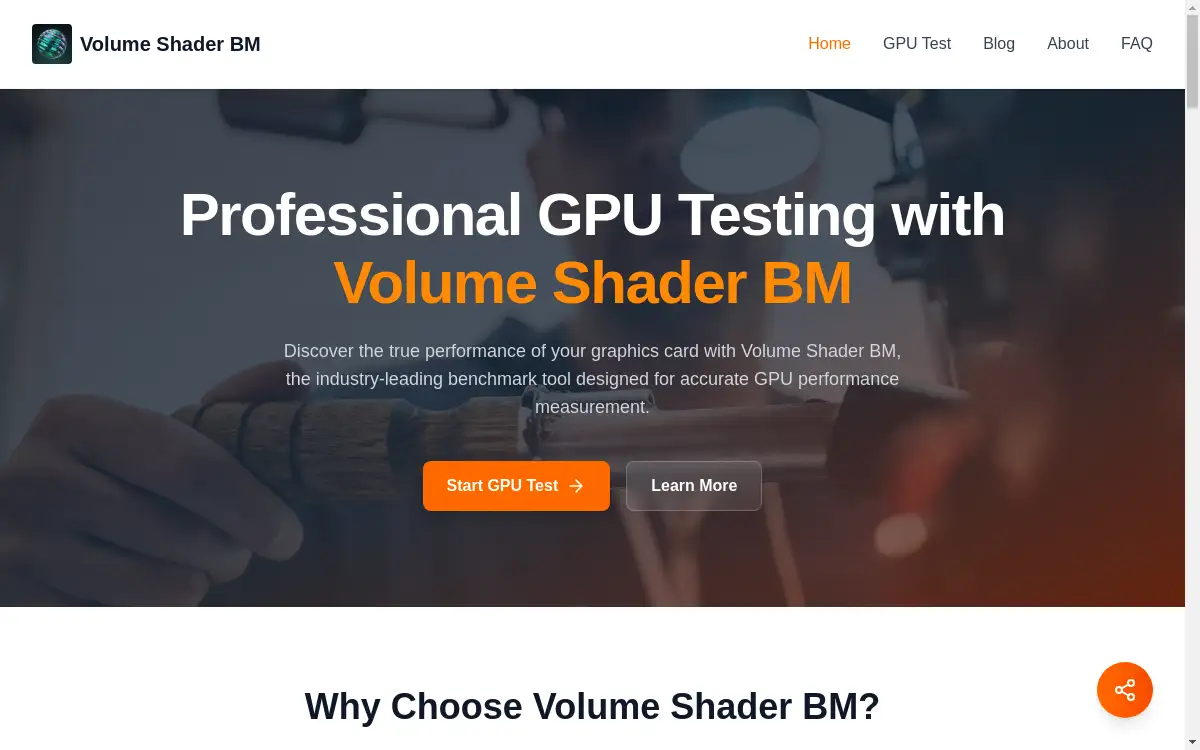
Professional GPU performance testing with Volume Shader BM.
What is volume shader bm?
Volume Shader BM is an advanced online benchmarking tool designed to accurately measure and analyze the performance of graphics processing units (GPUs). It solves the critical need for reliable GPU performance testing, allowing users to understand their graphics card's true capabilities beyond manufacturer specifications. This tool is particularly suitable for gamers looking to optimize their system settings, content creators ensuring their hardware can handle demanding software, IT professionals managing multiple workstations, and overclockers testing system stability. The Volume Shader BM test matters because it provides objective, reproducible data using sophisticated volume shader algorithms that simulate complex graphical workloads found in modern games and professional applications. By offering a standardized performance testing service, it enables meaningful graphics card comparison across different systems and configurations.
Key Features of volume shader bm
Lightning-Fast Testing
Volume Shader BM delivers rapid GPU performance analysis without compromising the accuracy of results, providing quick assessments for time-sensitive testing scenarios.
Reliable & Accurate Metrics
The benchmark maintains strict testing standards to ensure your GPU performance metrics are always precise and dependable, offering consistent and reproducible results across multiple test runs.
Detailed Performance Analytics
Get comprehensive insights into your GPU's capabilities with Volume Shader BM's detailed performance reports, including frame rates, shader performance, temperature monitoring, and memory usage statistics.
Multi-GPU Configuration Support
Volume Shader BM seamlessly handles both single and multi-GPU configurations, providing accurate benchmarks for SLI, CrossFire setups, and professional workstation environments with multiple graphics cards.
Real-Time Performance Monitoring
Monitor your GPU's vital statistics in real-time during Volume Shader BM testing, tracking clock speeds, memory usage, thermal performance, and utilization percentages throughout the benchmark process.
Advanced Stress Testing Capabilities
Safely push your GPU to its operational limits with Volume Shader BM's comprehensive stress testing features, perfect for overclockers and system builders verifying hardware stability under maximum load.
Use Cases for volume shader bm
Gaming Performance Optimization
Gamers use Volume Shader BM to test GPU performance before purchasing new games and to optimize in-game settings for maximum frame rates and visual quality.
Content Creation Workflow Verification
Video editors, 3D artists, and streamers utilize Volume Shader BM to verify their GPU can handle rendering workloads, live broadcasts, and complex 3D graphics software without performance issues.
Professional IT System Validation
IT professionals and system administrators employ Volume Shader BM to validate workstation GPU performance, benchmark multiple systems consistently, and diagnose performance bottlenecks efficiently.
Overclocking Stability Testing
Hardware enthusiasts and overclockers rely on Volume Shader BM to test system stability after applying overclocks, monitor temperatures during stress testing, and find optimal performance settings.
Hardware Purchase Decision Support
PC builders and upgraders use Volume Shader BM scores to compare different graphics cards objectively, helping them make informed purchasing decisions based on real performance data.
How to Use volume shader bm
Using Volume Shader BM for GPU performance testing involves a straightforward four-step process:
-
Access the Volume Shader BM Test: Navigate to the Volume Shader BM website using any modern web browser. The benchmark requires no downloads or installations as it runs directly through advanced WebGL technology.
-
Configure Your Test Parameters: Select your preferred testing mode. Volume Shader BM offers quick tests for rapid assessment or comprehensive benchmarks for detailed analysis. The system automatically adapts to your GPU's capabilities.
-
Execute the Benchmark: Initiate the Volume Shader BM test and observe as your GPU processes complex volumetric scenes. The benchmark typically completes within 3-5 minutes while providing real-time performance feedback.
-
Analyze Your Results: Review your Volume Shader BM score and detailed performance metrics. Compare your results with similar hardware configurations and identify potential optimization opportunities for your system.
Target Audience for volume shader bm
- Gaming enthusiasts seeking optimal performance and frame rates
- Content creators working with video editing and 3D graphics software
- IT professionals managing multiple workstations or fleets
- PC hardware reviewers and benchmarkers
- Overclockers and hardware modders
- System builders and PC enthusiasts
- Professionals requiring stable GPU performance for critical applications
Is volume shader bm Free?
Volume Shader BM offers a generous free plan that provides complete access to its core GPU benchmarking capabilities without any cost. The free version includes full performance testing with detailed analytics, real-time monitoring during tests, and comprehensive result reporting. This makes professional-grade GPU performance testing accessible to everyone, from casual users to professionals. While the product description mentions a GPU benchmark subscription, the primary service remains freely accessible, allowing users to perform accurate graphics card comparison and performance assessment without financial commitment. The availability of a robust free testing service makes Volume Shader BM an attractive option for regular GPU performance monitoring and optimization.
Frequently Asked Questions about volume shader bm
What exactly does Volume Shader BM test?
Volume Shader BM primarily tests your GPU's ability to process complex volume shaders and 3D graphical computations, measuring performance metrics like frame rates, rendering capabilities, thermal performance, and memory utilization under demanding workloads.
How does Volume Shader BM differ from other benchmarking tools?
Volume Shader BM specializes in volume shader testing, which provides a more specific assessment of how your GPU handles complex visual effects similar to those in modern games and professional 3D applications, offering unique insights beyond standard benchmarking.
Is Volume Shader BM safe for my graphics card?
Yes, Volume Shader BM is completely safe for your hardware and operates within normal GPU parameters. The benchmark includes built-in safeguards to prevent overheating or damage during testing, making it suitable for regular performance monitoring.
What browsers are compatible with Volume Shader BM?
Volume Shader BM works with any modern browser that supports WebGL, including Chrome, Firefox, Edge, and Safari. The benchmark automatically detects your system capabilities and adjusts test parameters accordingly.
Can I compare my Volume Shader BM results with others?
Yes, Volume Shader BM provides context for your results by allowing comparison with similar hardware configurations, helping you understand how your GPU performance stacks up against other systems and identifying potential optimization opportunities.
How often should I run Volume Shader BM tests?
Regular gamers and content creators might run Volume Shader BM monthly or when experiencing performance issues, while overclockers and system builders may test after hardware changes or overclocking adjustments to verify stability and performance improvements.
volume shader bm Tags
volume shader bm, GPU performance testing, GPU benchmark software, graphics card comparison, performance testing service, GPU benchmark subscription, GPU stress test, graphics card benchmark, WebGL benchmark, GPU performance analysis, graphics testing tool, hardware benchmarking, GPU monitoring, gaming performance test