Introduction
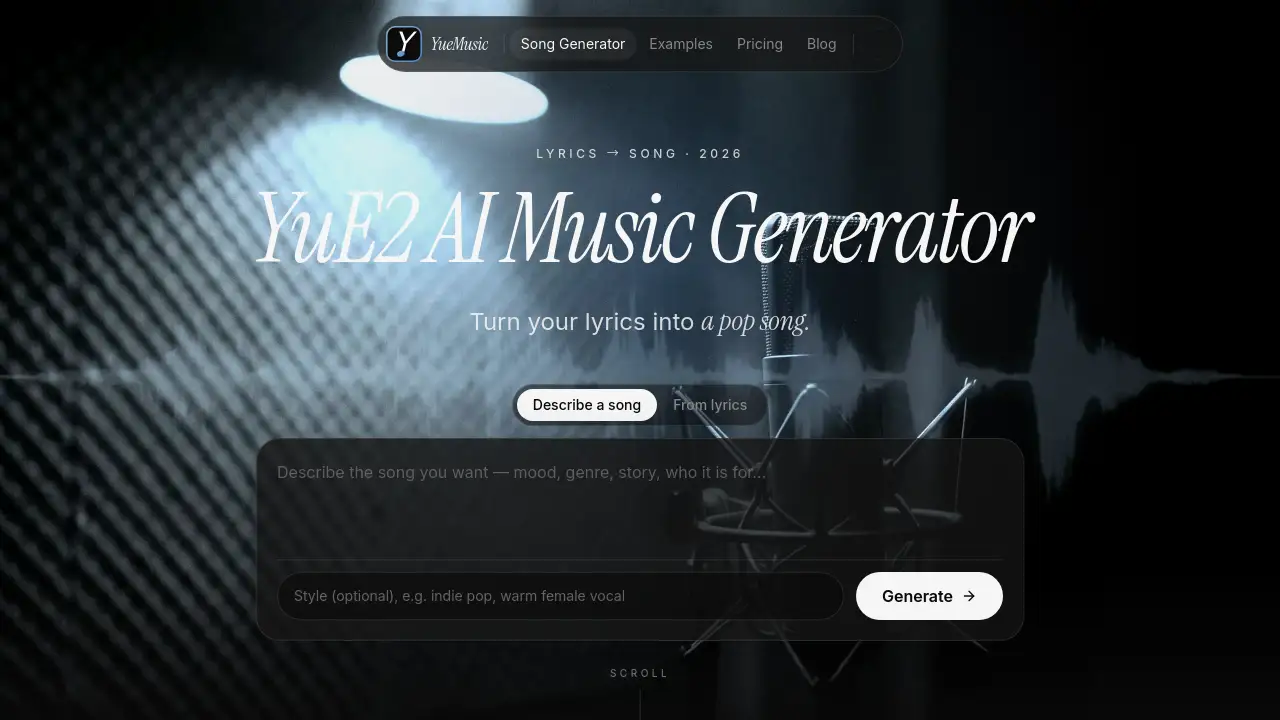
YueMusic is an online YuE2 AI music generator that turns a short idea or lyric sheet into complete songs with vocals and a full arrangement. It runs in a browser, so users can create lyrics-to-song demos without installing Python, downloading models, or owning a high-end GPU. This review covers its features, pricing, use cases, and limits.
What is YueMusic?
YueMusic is a browser-based AI music generator designed for people who want to turn words into a finished song quickly. The platform describes itself as a YuE2 AI music generator, but it is not the official YuE2 model and is not affiliated with M-A-P. Instead, songs on YueMusic are generated with Suno V6 through an API provider. The result is similar for everyday users: paste lyrics or describe a song in one sentence, choose a style, and receive two complete takes with vocals and arrangement in about one to two minutes.
The product solves a practical problem. Running open-source YuE2 locally requires Linux, an NVIDIA GPU with 24 GB of VRAM, Python setup, and model downloads. YueMusic replaces that setup with a browser form, making lyrics to song creation accessible to YouTubers, podcasters, marketers, songwriters, and hobbyists. It matters because fast music generation is useful for content production, demos, and creative testing.
Key Features of YueMusic
Two Complete Versions per Generation
YueMusic returns two full songs from the same lyrics and style line, and every take has its own melody, arrangement, and length. Users pay 10 credits for the pair, not per song, which makes comparing directions faster.
Built-In Lyrics Helper
YueMusic includes a helper that drafts verses and a chorus when users describe the song in one line up to 300 characters. The draft lands in the lyrics box, so any line can be rewritten before generating.
Style Prompt in Your Own Words
With YueMusic, users write genre, mood, tempo, instruments, and vocal feel in up to 200 characters, like briefing a session musician. Twelve presets and song templates provide editable style lines for common genres.
Vocal or Instrumental Output
YueMusic lets users choose Auto, Male, or Female as a vocal hint, or leave it on Auto and describe the voice in the style line. Turn on Instrumental for a backing track, podcast bed, or temp score.
Multilingual Lyrics Support
YueMusic supports lyrics in English, Chinese, Spanish, Japanese, and more, up to 3,000 characters per song. The vocal is sung in the language of the lyrics, while English style prompts generally give the most predictable results.
Browser Workflow with MP3 Download
YueMusic runs in a modern browser, and every song can be played for free from song history. With a subscription or credit pack, users can download either take as an MP3 named after the song title.
Use Cases for YueMusic
Content Creators and YouTubers
YueMusic helps creators make original background music for videos, shorts, and social clips without searching stock libraries. Generate two options, pick the take whose chorus fits the edit, and trim it in an editor.
Podcasters and Audio Producers
YueMusic can generate intros, outros, and transition stings that match a show's mood. Use instrumental mode for a music-only bed or write a short lyric that names the show.
Marketers and Advertisers
YueMusic lets marketers produce jingles and brand spots for campaign drafts or client pitches. Compare two versions side by side, test a hook, or use a real reference when briefing a composer.
Songwriters and Hobbyists
YueMusic turns notebook lyrics into full demos with vocals in minutes. Paste finished lyrics with [Verse] and [Chorus] tags, describe the sound, and hear whether a hook or verse works before rehearsal.
How to Use YueMusic
- Open YueMusic and sign in. New accounts get one free generation.
- Paste original lyrics or use the lyrics helper to draft them. Add section tags such as [Verse] and [Chorus] for structure.
- Describe the style in English, including genre, mood, tempo, instruments, and vocal feel. Choose a preset or template if helpful.
- Select Auto, Male, or Female for vocals, or switch on Instrumental for a music-only track.
- Press Generate. In about one to two minutes, this online AI music generator returns two complete songs. Listen, keep the best take, and download MP3 if the account has credits or a subscription.
Target Audience for YueMusic
- YouTubers and short-form video creators
- Podcasters and audio producers
- Marketers and advertisers
- Songwriters and indie musicians
- Hobbyists exploring AI song generator tools
- Small teams needing fast text to music drafts
Is YueMusic Free?
YueMusic offers a free entry point. New accounts get one free generation, and every song can be played in the browser for free from song history. Additional generations cost 10 credits per pair of songs, and downloads require a subscription or credit pack. Exact prices are not listed in the reference content, so users should check the official pricing page for current plans.
| Plan | Price | Features |
|---|---|---|
| Free trial | $0 | One free generation for new accounts; two songs; browser playback |
| Credit pack or subscription | Not specified in reference | 10 credits per generation; MP3 downloads; access depends on plan |
YueMusic's Pros and Cons
| Aspect | Pros | Cons |
|---|---|---|
| Pricing | Free first generation; 10 credits for two songs | Exact prices unclear; credits needed for more generations |
| Features | Browser-based; no GPU; two takes per prompt; multilingual; instrumental mode | No score editing, covers, agent edits, or ComfyUI workflows |
| Model | Songs generated with Suno V6 through API | Not the official YuE2 model; not affiliated with M-A-P |
| Access | Works on desktop and mobile browser | Downloads require subscription or credit pack |
| Use rights | Free listening and demo creation | Commercial terms for generated songs are still being finalized |
Frequently Asked Questions about YueMusic
What is YueMusic?
YueMusic is an online AI music generator that turns lyrics or a short description into complete songs with vocals and arrangement. It is designed for browser use and requires no GPU setup.
Is YueMusic the same as YuE2?
No. YueMusic describes itself as a YuE2 AI music generator, but it is not the official YuE2 model and is not affiliated with M-A-P. Songs on the platform are generated with Suno V6 through an API provider.
Do I need a powerful GPU to use YueMusic?
No. YueMusic runs in a modern browser on desktop or mobile. Users do not need to install Python, download model weights, or own an NVIDIA GPU.
How many songs do I get per generation?
Each generation returns two complete songs from the same lyrics and style line. The pair costs 10 credits, and each take can have a different melody, arrangement, and length.
Can I try YueMusic for free?
Yes. New accounts get one free generation, and songs can be played in the browser for free. Downloads require a subscription or credit pack.
Can I use YueMusic songs commercially?
Commercial terms for generated songs are still being finalized according to the reference content. Users should review the official terms and licensing details before using a song in paid promotion, client work, or monetized content.
YueMusic Tags
YueMusic, YuE2 AI music generator, AI music generator, lyrics to song, online AI music generator, AI song generator, text to music, generate songs online, Suno V6, instrumental music generator, free AI music generator, lyrics-to-song tool