Introduction
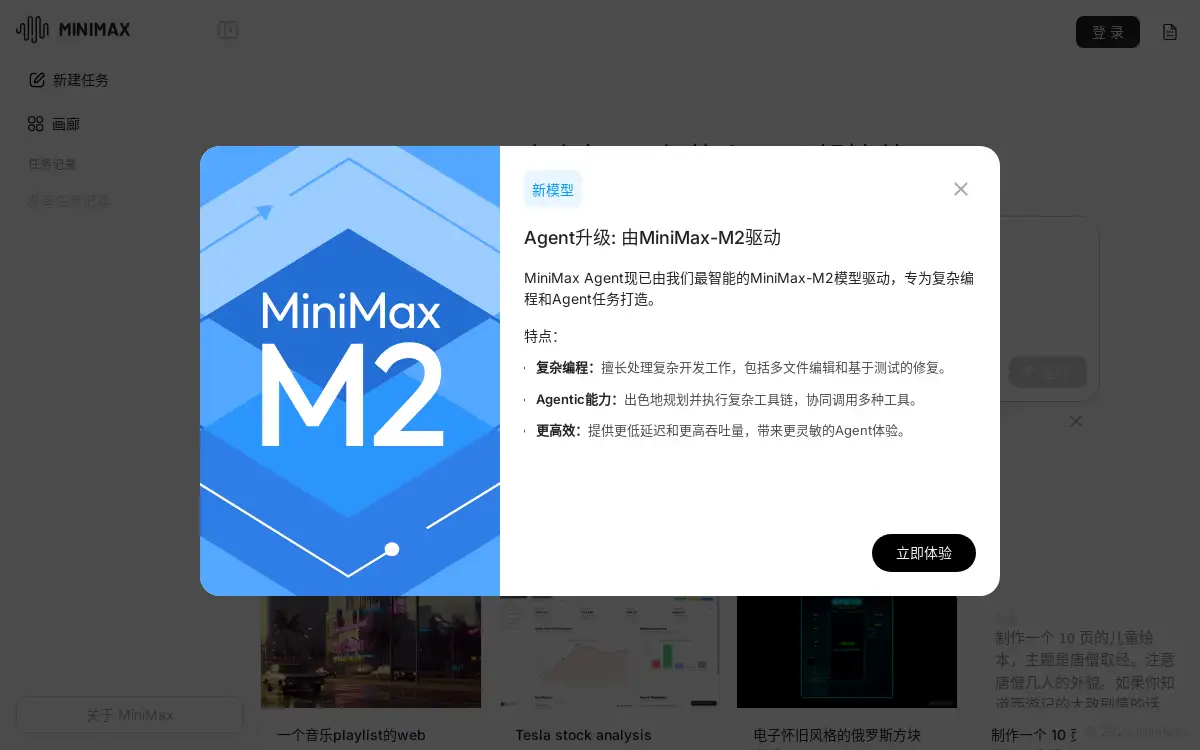
MiniMax Agent is a versatile AI assistant designed to enhance productivity and creativity.
What is MiniMax Agent?
MiniMax Agent is an intelligent AI companion built on a top-tier multimodal large language model. It aims to solve the problem of information overload and complex task management by providing a centralized platform for a wide range of activities. This AI tool is suitable for students, professionals, freelancers, and creators who seek to accelerate their workflow. The core value of the MiniMax Agent lies in its ability to offer precise search solutions, intuitive image recognition, immersive voice conversations, and professional creative writing, making it a comprehensive smart assistant for everyday and professional tasks. Its capability to parse documents rapidly and its exclusive floating ball feature simplify otherwise complicated processes, enabling users to get information and solve problems at an accelerated pace.
Key Features of MiniMax Agent
Precise Search and Q&A
This feature provides accurate answers to queries, helping users find information quickly without sifting through multiple sources.
Multimodal Image Recognition
The AI can identify and analyze images, offering clear and understandable descriptions and insights from visual content.
Immersive Voice Dialogue
Users can engage in natural, flowing conversations with the AI using voice commands, enabling a hands-free and intuitive interactive experience.
Professional Creative Writing
From drafting documents to generating creative content, this tool assists with various AI writing needs, ensuring high-quality output.
Rapid Document Parsing
The agent can quickly analyze and summarize uploaded documents, extracting key information and saving valuable time for the user.
Exclusive Floating Ball
A unique interface element that allows for easy access to the AI's capabilities from anywhere on the screen, streamlining complex task management.
MCP Multi-Agent Collaboration
This MCP multi-agent collaboration feature enables multiple AI agents to work together on intricate problems, enhancing overall efficiency and problem-solving capacity.
Use Cases for MiniMax Agent
Academic Research and Study Aid
Students can use the agent for searching solutions to homework problems, summarizing academic papers, and assisting with research projects.
Workplace Productivity Boost
Professionals can leverage the tool for office work automation, such as generating reports, preparing presentations, and managing emails efficiently.
Creative Content Generation
Writers and creators can utilize the AI writing and ideation features to overcome creative blocks and produce engaging content for various platforms.
Language Learning and Practice
The immersive voice dialogue feature serves as a practice partner for language learners, helping to improve pronunciation and conversational skills.
Quick Information Retrieval
Any user can perform instant document summarization or get quick answers to factual questions, significantly speeding up information gathering.
Programming Assistance
Developers can benefit from the agent's ability to help with coding tasks, debug scripts, and explain complex programming concepts.
How to Use MiniMax Agent
- Access the Platform: Navigate to the official MiniMax Agent website and sign in to your account.
- Choose Your Task: Select from the available task modules such as Code, Research, PPT, or use the general chat interface for open-ended queries.
- Interact with the AI: Input your request via text or voice. You can ask questions, upload documents for analysis, request creative content, or use the floating ball for quick access.
- Utilize Output: Review the generated response, document summary, or created content. The output can be copied, saved, or integrated into your workflow as needed.
Target Audience for MiniMax Agent
- Students
- Office Workers and Corporate Professionals
- Freelancers and Content Creators
- Developers and Programmers
- Language Learners
- Researchers and Analysts
Is MiniMax Agent Free?
MiniMax Agent offers a "Lightning Free" plan, providing a generous set of features at no cost. This makes the core functionalities of the AI assistant accessible to a broad audience for general use. The platform also has a "Pro" mode, which was noted as being temporarily free during the release of a specific model, indicating that affordable premium options with advanced capabilities may be available for power users requiring more extensive resources.
Frequently Asked Questions about MiniMax Agent
What can MiniMax Agent do?
MiniMax Agent can handle a wide array of tasks including AI writing, searching for answers, office work assistance, translation, programming help, content creation, document summarization, daily chatting, language learning, and interview preparation.
How does the multimodal feature work?
The multimodal capability allows the MiniMax Agent to process and understand different types of inputs, such as text and images. For example, you can upload a picture, and the AI will identify and describe its contents.
What is MCP multi-agent collaboration?
MCP multi-agent collaboration is a feature that allows multiple MiniMax AI agents to work together on a single, complex problem, effectively creating an AI team to tackle tasks that might be too large for a single agent.
Is there a mobile app for MiniMax Agent?
The provided reference information points to a web-based platform. Users should check the official website for announcements regarding the availability of dedicated mobile applications.
How accurate is the information provided by MiniMax Agent?
The agent is built on a sophisticated large language model designed for accuracy. However, as with any AI tool, it is advisable to verify critical information from primary sources, especially for highly technical or time-sensitive topics.
Can I use MiniMax Agent for professional document creation?
Yes, the professional creative writing and PPT generation features are well-suited for creating business documents, presentations, and reports, making it a valuable tool for professional settings.
MiniMax Agent Tags
MiniMax Agent, AI assistant, AI writing, multimodal AI, voice dialogue, document parsing, MCP multi-agent collaboration, floating ball, productivity tool, smart search, creative tool, office work AI