Introduction
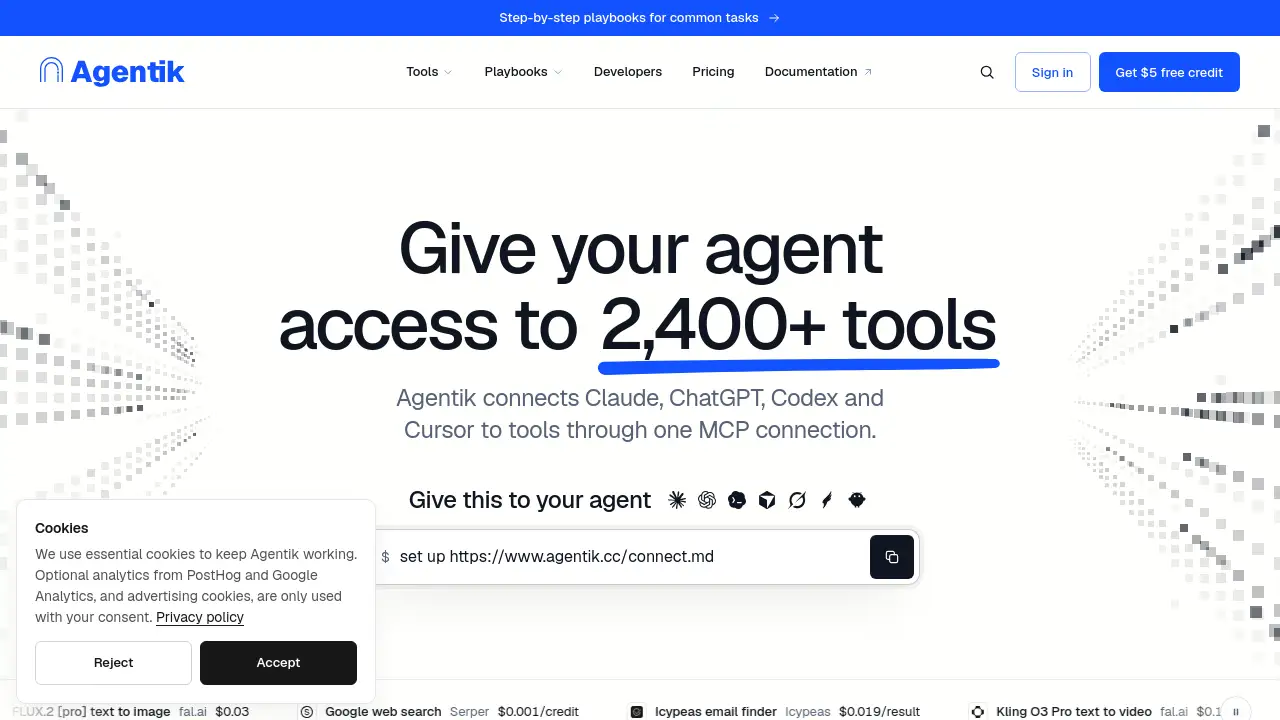
Agentik is an MCP connection platform that links Claude, ChatGPT, Codex, Cursor and other AI assistants to 2,400+ tools through one MCP connection. Instead of managing many API keys, accounts and invoices, users can access search engines, ad accounts, websites, AI models and public datasets from one prepaid balance. This Agentik review explains how it works, what it costs and who it suits.
What is Agentik?
Agentik is a tool-access layer for AI agents. It connects popular assistants such as Claude, ChatGPT, Codex, Cursor, Grok, Hermes Agent and OpenClaw to a large catalog of external services through one MCP server. The main problem it solves is fragmentation. Normally, each provider may require its own account, payment method, API key and sometimes a monthly plan. Agentik replaces that with one MCP connection, one prepaid balance and one place to see pricing before a tool call runs.
Agentik is designed for people who want AI agents to do real work, not just chat. It gives an assistant access to search engines, social platforms, ad accounts, company data, AI models and public datasets. According to the product homepage, the catalog includes 2,429 tools from 52 providers. The service emphasizes transparent pricing: each call is billed at the provider's price, failed calls are not billed, and tool calls carry 0% markup.
Key Features of Agentik
One MCP Connection
Agentik connects an AI assistant to many tools through one MCP connection. This reduces setup work and keeps provider accounts, API keys and billing details in one place.
Catalog of 2,400+ Tools
The platform offers access to 2,400+ tools from 52 providers. Users can search the catalog in plain language and let the assistant find the right tool for a task.
Transparent Per-Call Pricing
Agentik shows the price before each call. Calls are billed at the provider's price, and failed calls are not billed. This makes it easier to estimate costs before running a task.
Prepaid Balance and Spending Limits
Every call draws from one prepaid balance. API keys can carry limits per hour, per day, in total and per tool. If a call would cross a limit, it does not run.
No Separate Provider Accounts for Public Data and AI Models
For public data and AI models, Agentik holds the provider accounts, so users do not need separate API keys. Ad and analytics tools work on the user's own accounts, connected once per workspace.
Fast Setup with a Single Sentence
Users sign in with Google or GitHub, paste a setup sentence into their assistant, and approve the connection in a browser. No card is required to start, and the assistant then lists the tools it can use.
Use Cases for Agentik
Marketing and Ad Research
Teams can ask an AI assistant to pull ad insights, competitor data and campaign information. Agentik can connect to ad accounts and research tools through one MCP connection.
SEO and Content Research
SEO professionals can request rankings, search volumes, backlinks and web page data in one conversation. This reduces tab-switching between rank trackers, keyword tools and crawlers.
Product and Market Discovery
Product managers can use Agentik to gather reviews, social posts and competitor pages. The assistant can read tool inputs and prices before making calls, which helps keep research budgets under control.
AI Media Generation
Users can access AI models for image, video and speech generation. Examples in the catalog include FLUX.2 [pro], Kling O3 Pro and ElevenLabs Eleven v3 through fal.ai.
Data Enrichment and Lead Research
Agentik can connect to email finders, company data sources and public datasets. Tools like Icypeas email finder are billed only when a result is found, according to the pricing example.
How to Use Agentik
- Sign in with Google or GitHub. No card is required.
- Paste the setup sentence into an assistant that supports MCP:
set up https://www.agentik.cc/connect.md. - Approve the connection in the browser.
- Ask the assistant what tools it can use.
- Request a task in plain language, review the shown price, and confirm the call.
Agentik works with Claude, ChatGPT, Codex, Cursor, Hermes and other apps that support remote MCP. ChatGPT custom apps depend on the user's ChatGPT plan.
Target Audience for Agentik
- AI agent users who want access to external tools
- Marketers and ad account managers
- SEO specialists and content teams
- Product managers and market researchers
- Developers and technical teams using MCP
- Agencies and consultants managing client work
- Data and operations teams needing enrichment tools
Is Agentik Free?
Agentik does not require a card to start. Eligible new Google and GitHub accounts can receive $5 in promotional credit, subject to abuse checks and daily availability. The credit expires 14 days after it is granted and covers low-cost calls. Video and some higher-cost calls need paid credit.
After the promotional credit, Agentik uses a pay-as-you-go prepaid balance. Calls are billed per successful call at the provider's price, with 0% markup on tool calls. Nothing renews automatically. The first top-up of $10 or less has no platform fee.
| Plan | Price | Features |
|---|---|---|
| Free promotional credit | $5 credit | Eligible new Google/GitHub accounts; expires 14 days; low-cost calls; abuse checks and daily availability |
| Pay-as-you-go | Prepaid balance | One prepaid balance; provider's price per successful call; 0% markup; no monthly plans; spending limits per key and tool |
Agentik's Pros and Cons
| Aspect | Pros | Cons |
|---|---|---|
| Setup | One MCP connection and a simple setup sentence | Requires an assistant that supports MCP |
| Pricing | Transparent per-call prices, 0% markup, failed calls not billed | Requires a prepaid balance after promotional credit |
| Tool access | 2,400+ tools from 52 providers in one catalog | Ad and analytics tools still need the user's own accounts |
| Billing | One prepaid balance instead of many invoices | Some tools marked actual-cost may bill above the reservation |
| Control | Spending limits per hour, day, total and tool | Limits must be configured for stronger protection |
| Assistant support | Works with Claude, ChatGPT, Codex, Cursor, Hermes and remote MCP apps | ChatGPT custom apps depend on the ChatGPT plan |
Frequently Asked Questions about Agentik
How am I billed?
Agentik bills per successful call at the provider's price, from one prepaid balance. Tool calls carry 0% markup and nothing renews. Failed calls are not billed. The first top-up of $10 or less has no platform fee.
Do I need an account with each provider?
Not for public data and AI models. Agentik holds those provider accounts, and the agent spends from one Agentik balance. Ad and analytics tools work on the user's own accounts, connected once per workspace.
Which AI apps does Agentik work with?
Agentik works with Claude on desktop, web and Claude Code, ChatGPT through a custom app, Codex, Cursor, Hermes and any app that supports remote MCP. ChatGPT custom apps depend on the ChatGPT plan.
How does the $5 free credit work?
Eligible new Google and GitHub accounts can receive $5 in promotional credit, subject to abuse checks and daily availability. It expires 14 days after grant and covers low-cost calls. Video needs paid credit, and nothing renews afterward.
Can my AI overspend?
Most tools reserve a guaranteed maximum from the prepaid balance. Tools marked actual-cost reserve an estimate and bill the provider receipt, which may exceed the reservation or balance. Keys with hourly, daily, lifetime or per-tool caps cannot run uncapped tools.
Does Agentik store my prompts or results?
Agentik's run history stores billing and execution metadata, not the contents of tool inputs and outputs. The tool processes the information needed for the request under its own data policy.
Agentik Tags
Agentik, Agentik review, Agentik MCP, one MCP connection, AI agent tools, Claude MCP, ChatGPT MCP, Codex MCP, Cursor MCP, MCP server, 2,400+ tools, provider price AI calls, prepaid AI balance