Introduction
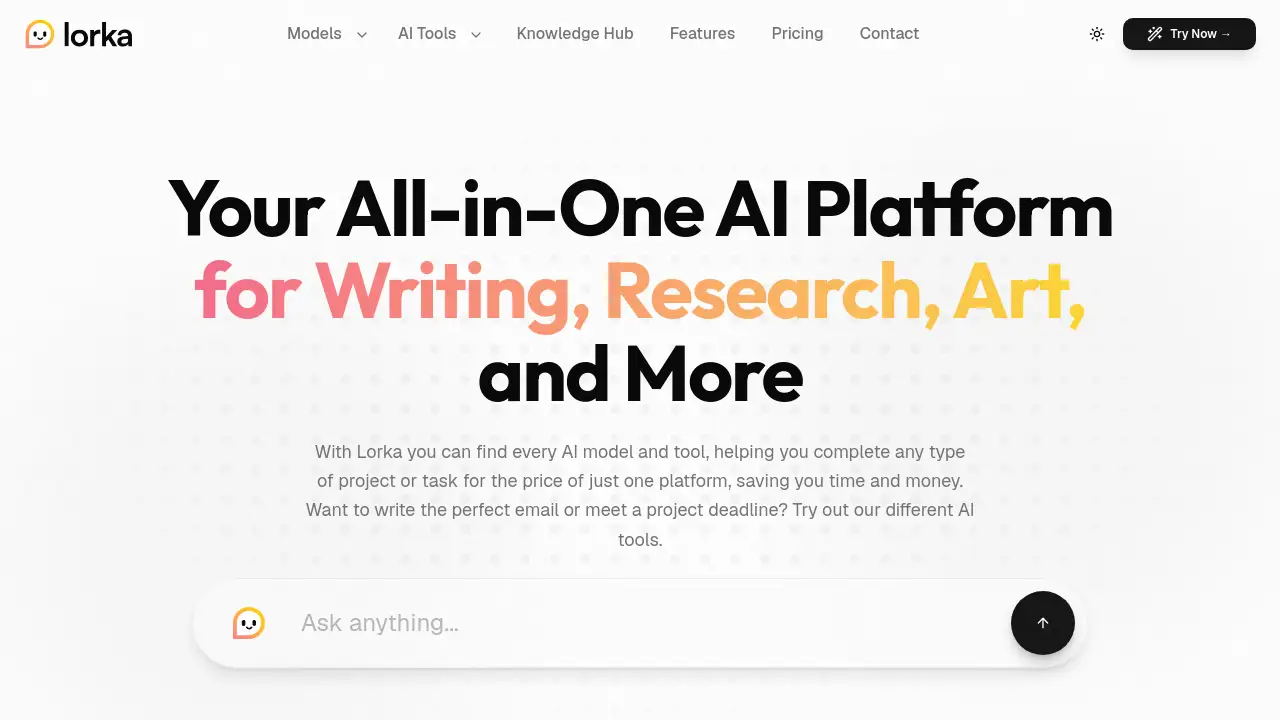
Lorka AI is a multi-AI tool that brings together top models like GPT, Gemini, and DeepSeek under one subscription. Designed for writing, research, art, and more, it aims to save time and money by replacing multiple separate AI services with a single platform.
What is Lorka?
Lorka is an all-in-one AI platform that aggregates multiple advanced AI models into one workspace. It solves the problem of juggling different subscriptions for each AI service by offering access to models such as Claude Sonnet, ChatGPT-5, Grok, Gemini, Qwen, and DeepSeek from a single interface. Users can chat, search the web, edit images, translate text, and even analyze PDFs without switching between tabs.
This multi-AI tool is suitable for students, researchers, creative professionals, small business owners, and software engineers who need flexible, fast AI capabilities. By consolidating many tools, Lorka makes AI more accessible and cost-effective for anyone who requires diverse AI functions regularly.
Key Features of Lorka
Multi-Model AI Chat
Access a range of AI chat models including GPT-5, Claude, Gemini, and DeepSeek in one conversation. This multi-AI tool allows cross-referencing answers and comparing reasoning from different models without leaving the platform.
AI Web Search
Get real-time, summarized search results powered by AI. Instead of browsing multiple pages, Lorka provides accurate information quickly, ideal for research or data verification.
AI Image Editor
Generate and edit images using text prompts. The tool can create visuals for presentations, social media, or client pitches without needing separate graphic design software.
AI Tools Aggregator
Use specialized tools like Chat with PDF, AI Translator, and AI Humanizer. The PDF tool extracts insights from documents, the translator handles multiple languages, and the humanizer rewrites AI text for a more natural tone.
Voice Mode
Interact with Lorka hands-free. Voice input lets users brainstorm ideas, take notes, or get answers while on the go, making it convenient for multitasking.
Advanced AI Tools
Includes tools for translating text with natural accuracy, analyzing spreadsheets, and solving math or finance problems step by step using models like DeepSeek.
Use Cases for Lorka
Research and Academic Writing
Students and researchers can use multiple AI models to break down complex topics, generate outlines, and summarize papers. The multi-AI tool allows comparing Claude’s reasoning with GPT’s knowledge in a single thread.
Content Creation and Marketing
Content strategists and small business owners can write social media posts, draft emails, and generate images. Lorka’s AI tools aggregator helps maintain a consistent brand voice across different platforms.
Software Development and Debugging
Engineers can paste code snippets and ask DeepSeek or Claude to refactor, debug, or explain edge cases. The ability to switch models quickly helps solve problems more efficiently.
Multilingual Communication
Translators and global teams can use the AI Translator and Qwen’s multilingual support to summarize documents, translate research, or write content in different languages with high accuracy.
Data Analysis and Problem Solving
Finance professionals and analysts can upload spreadsheets and use DeepSeek for step-by-step problem solving, data analysis, and report generation.
How to Use Lorka
- Sign up at lorka.ai and create an account. A free trial is available to start exploring.
- Choose a model from the list – Claude, GPT, Gemini, DeepSeek, and others – for your specific task.
- Use the tools by selecting AI Chat, Web Search, Image Editor, or any of the advanced tools like Chat with PDF or AI Translator.
- Switch models within a conversation to compare answers or get different perspectives without starting over.
- Save time by managing all your AI needs in one dashboard, reducing the need for multiple subscriptions.
Target Audience for Lorka
- Students and researchers who need fast explanations, study notes, and cross-referencing of ideas.
- Content creators and marketers who write articles, social captions, and generate visuals.
- Small business owners managing multiple tasks like customer emails, inventory, and social media.
- Software engineers looking for code debugging, refactoring, and technical analysis.
- Creative directors who need image generation and design variations for client work.
- Multilingual teams requiring translation and document summarization across languages.
Is Lorka Free?
Lorka offers a free trial for new users to test its features. Paid plans are available for ongoing access. For detailed pricing information, visit the official pricing page at lorka.ai/pricing. Based on user testimonials, the platform is considered affordable compared to paying for multiple separate AI subscriptions.
| Plan | Price | Features |
|---|---|---|
| Free Trial | $0 | Limited usage to explore tools. |
| Pro (estimated) | Not specified | Full access to all models and tools. |
Note: Specific pricing for Pro is not available in the provided reference. Check the official website for current rates.
Lorka's Pros and Cons
| Aspect | Pros | Cons |
|---|---|---|
| Model Access | Combines GPT, Claude, Gemini, DeepSeek, and more in one place. | Some models may have lower quality compared to standalone versions (user feedback suggests “not perfect”). |
| Cost | Replaces multiple subscriptions – users report saving money. | No clear free tier beyond trial; paid plans may still be expensive for very light users. |
| Ease of Use | Clean UI, easy to switch between models and tools. | Advanced features like AI Humanizer may require some learning. |
| Features | Wide range: chat, image editing, web search, PDF analysis, voice mode. | Voice mode and image editing might not match dedicated tools. |
| Performance | Fast responses, real-time web search. | Cross-model context switching can occasionally lose thread. |
Frequently Asked Questions about Lorka
What AI models are available on Lorka?
Lorka includes Claude Sonnet, ChatGPT-5, Grok, Gemini, Qwen, and DeepSeek, among others. The model list may expand over time.
Can I use multiple models in the same chat session?
Yes. You can switch between different AI chat models within a single conversation to compare answers or get diverse perspectives without resetting the thread.
Is there a free trial for Lorka?
Yes, Lorka offers a free trial that allows you to explore its features before committing to a paid plan. After the trial, you can subscribe.
Does Lorka have image generation capabilities?
Yes, Lorka includes an AI Image Editor that can generate and edit images based on text prompts, useful for presentations, social media, and creative projects.
Can I chat with PDF documents using Lorka?
Absolutely. The Chat with PDF tool lets you upload documents and ask questions to extract insights, summarize content, or find specific information.
Is web search included in Lorka?
Yes, Lorka has an AI-powered web search feature that retrieves accurate, summarized information in seconds, ideal for research and fact-checking.
Lorka Tags
Lorka AI, multi-AI tool, all-in-one AI platform, GPT and Gemini combined, DeepSeek integration, AI chat models, AI tools aggregator, AI image editor, PDF chat AI, AI web search, AI voice mode, affordable AI subscription