Introduction
Looking for a quick way to remove unwanted objects from your photos? AI Object Remover is a free online photo tool that erases people, text, and clutter in seconds without forcing you to sign up or pay. This AI Object Remover runs in any desktop or mobile browser, accepts JPG, PNG, and WEBP files up to 20MB, and downloads the cleaned result in full resolution with no watermark. Instead of cloning pixels by hand, the AI Object Remover studies the surrounding texture, light, and shadow, then rebuilds the marked area so it blends into the original scene. For photographers, online sellers, real estate agents, or travelers who need a dependable AI object remover without installing software, this is one of the simplest options available today.
What is AI Object Remover?
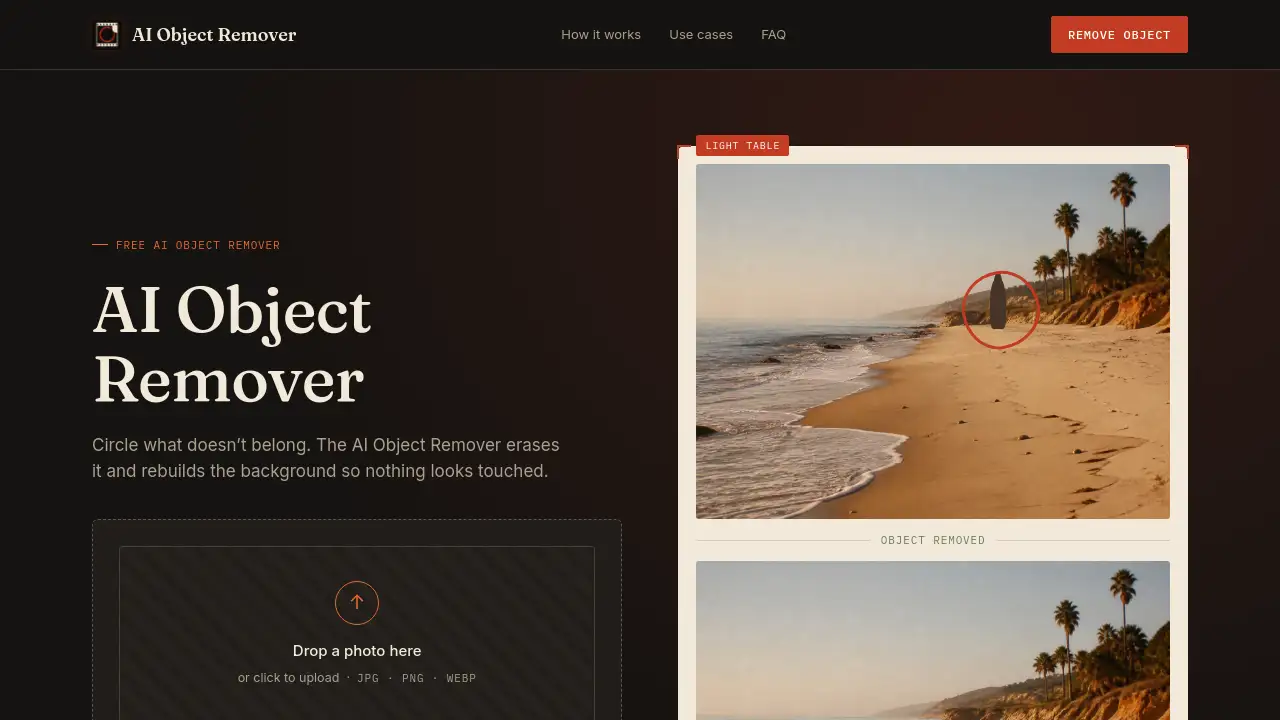
AI Object Remover is a specialized AI photo editor designed to delete unwanted elements from images automatically. A stranger in a travel photo, a power line across a roof, a fingerprint on a product shot — the AI Object Remover clears these distractions and reconstructs the background with matching detail. Traditional editors require clone stamping and masks; this AI object remover does the same work in three steps: upload, mark, remove. It is suitable for anyone — from beginners to professionals — who needs fast object removal without learning complicated software. Because photos are processed for the session only and removed after you close the tab, privacy is a built-in feature rather than an afterthought.
Key Features of AI Object Remover
Background-aware object removal
AI Object Remover reconstructs texture, light, and perspective around the marked area, so a patch of sand stays sandy rather than turning into a blurry smudge. This object removal tool avoids the smear effect common with basic free erasers.
No sign-up and no watermark
Upload a photo, circle what you don't want, and download the clean file. AI Object Remover never asks for an account and never places a logo on the exported image, making it a genuinely free AI photo editor for quick cleanups.
Full-resolution export
The tool keeps the original resolution when you download. AI Object Remover does not downscale images to push users toward a paid plan, so the cleaned photo stays sharp and useful.
Multiple object removal in one pass
Circle a person, a bag, and a shadow in the same photo. AI Object Remover processes all marks together, saving time on busy scenes without multiple editing rounds.
Mobile-friendly photo editor
AI Object Remover runs directly in a phone browser, which means you can tidy a listing photo or a travel shot on the spot. No app download or desktop session is required for this AI object remover.
Private by default
Uploads are used for the session only. AI Object Remover does not keep a library of your photos once you close the tab, which matters when you need to remove unwanted objects from personal or client images.
Use Cases for AI Object Remover
Travel photography
Tourists use AI Object Remover to erase strangers, street vendors, or vehicles from landmark shots without cropping the frame. Background-aware AI reconstruction keeps the destination looking clean and natural.
Real estate listings
Agents remove cars, trash bins, or hoses from driveway and exterior photos. AI Object Remover clears the frame quickly, so a listing can go live the same evening without rescheduling a photographer.
Product photography
Online sellers remove fingerprints, reflections, and stray props from glossy packaging or studio shots. AI Object Remover cleans up these details without an expensive reshoot.
Social media content
Creators fix photobombs, busy backgrounds, and misplaced signs before posting. AI Object Remover makes photo cleanup as fast as applying a filter.
How to Use AI Object Remover
Using this tool requires no editing experience. Follow these steps:
- Upload a JPG, PNG, or WEBP photo up to 20MB from your camera roll.
- Brush or circle every unwanted object you want gone. You do not need to be precise — just include the whole object and its shadow.
- Let the tool process the file, then preview the result.
- Download the cleaned image at full resolution with no watermark.
The whole workflow takes seconds, and every session is private by design.
Target Audience for AI Object Remover
- Real estate agents who need to clean listing photos between showings
- Online sellers preparing product images for marketplace pages
- Travelers who want to remove unwanted objects from vacation shots
- Social media managers tidying backgrounds before posts go live
- Small business owners who need a quick free AI photo editor
- Casual users who dislike complicated desktop editing software
Is AI Object Remover Free?
Yes, AI Object Remover is completely free to use. Uploading, marking, and downloading cost nothing, and users can clean an unlimited number of photos without an account or credit card. The tool does not require a paid tier for full-resolution exports or watermark-free downloads.
| Plan | Price | Features |
|---|---|---|
| Free | $0 | Unlimited object removal, no sign-up, no watermark, HD download, JPG/PNG/WEBP support up to 20MB |
AI Object Remover's Pros and Cons
| Aspect | Pros | Cons |
|---|---|---|
| Pricing | Completely free with unlimited use | No advanced premium features mentioned |
| Ease of use | Three-step workflow, no learning curve | Requires a stable internet connection |
| Output quality | Full-resolution export, no watermark | Results depend on the amount of surrounding context |
| Privacy | Session-only processing, no image library | No offline mode available |
| Compatibility | Works on phones and desktops via browser | Limited to JPG, PNG, and WEBP formats |
Frequently Asked Questions about AI Object Remover
Is AI Object Remover really free?
Yes, the tool costs nothing. There is no sign-up, no credit card requirement, and no limit on the number of photos you can process in this AI object remover.
Will removing an object leave marks or blurry patches?
No. AI Object Remover reads the texture, light, and shadow around the selected area and rebuilds matching details, so the result looks untouched. The tool works best when the marked object is not larger than half the frame.
What image formats does AI Object Remover support?
AI Object Remover accepts JPG, PNG, and WEBP files up to 20MB. The cleaned image can be downloaded in the same high resolution as the original upload.
Can I remove multiple objects from one photo?
Yes. Circle each unwanted object before processing, and AI Object Remover clears all of them in a single pass, making this object removal tool efficient for busy scenes.
Does AI Object Remover work on mobile phones?
Yes, AI Object Remover runs directly in a mobile browser, so you can upload, mark, and download from a phone without opening a laptop or installing an app.
Are uploaded photos stored anywhere?
No. Processing happens during the session only, and AI Object Remover does not keep a library of uploads after you close the tab. This private photo editor is safe for personal and client images.
AI Object Remover Tags
AI Object Remover, free AI photo editor, remove objects from photos, remove unwanted objects, object removal tool, background removal AI, no watermark photo editor, online photo cleanup, delete people from photos, AI background reconstruction, photo object remover, HD image editing