Introduction
Muse Image offers a practical AI image generator for turning text prompts and reference images into polished visuals ready for creative review.
What is Muse Image?
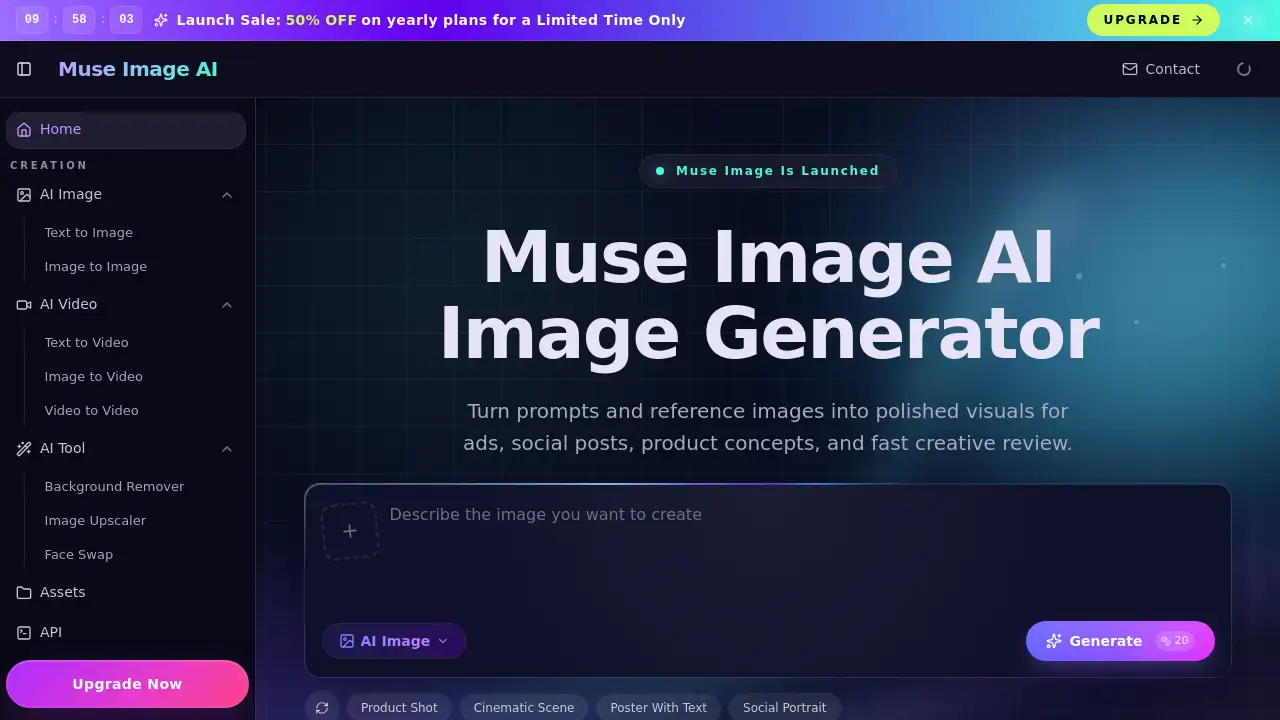
Muse Image is a browser-based platform that helps creators generate visuals from text descriptions or reference images. It solves the common problem of moving from a rough idea to a usable concept without needing complex design software. The tool is suitable for marketers, designers, social media managers, ecommerce sellers, and anyone who needs fast image creation for campaigns, social posts, product mockups, or storyboards. What makes this AI image generator stand out is its focus on a practical workflow — combining prompt-led generation, reference guidance, editing controls, and downloadable 1K results in one clean workspace. Instead of juggling multiple tools, users can describe an image, set parameters, and download a polished output in minutes.
Key Features of Muse Image
Prompt-Led Image Generation
Users write a short description and the AI image generator produces a polished concept for product shots, campaign visuals, or story ideas without manual design work.
Reference-Image Guidance
Upload a reference image to guide the subject, style, or composition of the output, helping maintain character consistency across repeated image tests.
Clear In-Image Text
The platform supports prompts that generate readable text within images, making it useful for poster-style compositions, ad headlines, and layout directions.
Editing Controls
Adjust an existing image directly in the workflow — modify aspects of a generated visual without starting from scratch, saving time during iteration.
Aspect Ratio and Style Settings
Choose from multiple aspect ratios and style presets to match the output to specific platforms like social media, banners, or print layouts.
1K Output Resolution
Download finished images at 1K resolution, providing web-ready quality for campaign visuals, social content, and ecommerce mockups.
Use Cases for Muse Image
Marketing Image Variants
Marketers can create ad variants, launch visuals, and product banners quickly using this AI image generator, testing different directions before committing to production.
Social Content Creation
Social creators turn text prompts into vertical posts, thumbnails, and scroll-stopping graphics that feel deliberate from the first pass, saving hours of manual design work.
Ecommerce Mockups and Try-Ons
Ecommerce sellers use the platform to generate product mockups, catalog concepts, and reference-led visual tests that help stakeholders understand a product direction fast.
Storyboard and Concept Art
Game developers, illustrators, and creative producers explore environments, character art, and cinematic frames with useful lighting and composition using text prompts.
Brand and Campaign Brainstorming
Brand strategists and visual designers compare multiple image directions in one sitting, refining the campaign mood before any production budget is spent.
How to Use Muse Image
Using this AI image generator takes three simple steps:
- Describe your image — Write a text prompt explaining what you want. Optionally upload a reference image to guide the result toward a specific subject or style.
- Choose parameters — Set the aspect ratio, style preset, and output resolution to match your intended use case, such as social posts or banners.
- Generate and download — Click generate, review the result, and download your finished image at 1K resolution for immediate use in campaigns, decks, or mockups.
This straightforward process makes Muse Image accessible to both experienced creators and those new to AI image generation.
Target Audience for Muse Image
- Marketers needing fast ad variants and campaign visuals
- Social media managers planning weekly content calendars
- Ecommerce sellers creating product mockups and catalog concepts
- Visual designers iterating on layout ideas and brand directions
- Game developers exploring environment and character art
- Content creators producing vertical posts and thumbnails
- Brand strategists testing campaign moods and visual directions
- Creative producers building hero images for decks and mood boards
Is Muse Image Free?
| Plan | Price | Features |
|---|---|---|
| Free Trial | $0 | Try text-to-image generation with basic parameters, download 1K results |
| Paid Plans | Varies | Full access to reference-image guidance, editing controls, advanced styles, and higher usage limits |
The platform offers a free trial so users can test the AI image generator before committing to a paid plan. For detailed pricing, visiting the official website is recommended.
Muse Image's Pros and Cons
| Aspect | Pros | Cons |
|---|---|---|
| Ease of Use | Simple three-step workflow makes image generation accessible to beginners | Limited advanced controls for power users who want fine-grained editing |
| Features | Combines text-to-image, reference guidance, and editing in one tool | Output resolution is capped at 1K, which may not suit high-res print needs |
| Speed | Generates usable concepts quickly, ideal for fast iteration | Free trial may have usage limits that restrict heavy testing |
| Audience Fit | Caters to a wide range of creators from marketers to designers | No dedicated offline mode or desktop app; browser-based only |
| Value | Practical workflow reduces time spent jumping between multiple tools | Pricing details are not fully transparent without visiting the site |
Frequently Asked Questions about Muse Image
What is Muse Image exactly?
Muse Image is an independent browser-based AI image generator that creates visuals from text prompts, reference images, or existing edits. It focuses on a practical creator workflow rather than official model claims.
Can I use Muse Image without a reference image?
Yes. A text prompt alone is enough to generate an image. Uploading a reference image is optional and used to guide subject consistency or style.
Is Muse Image the same as Meta Muse?
No. Muse Image is an independent platform and does not claim to be Meta or any official model owner. The term "muse" here refers to the product name, not a research project.
What can Muse Image generate?
This AI image generator supports ads, social posts, storyboards, ecommerce mockups, product concepts, cinematic scenes, and visuals with in-image text. It is designed for web-ready and campaign-use imagery.
Can I edit images after generating them?
Yes. The platform includes editing controls that let you modify an existing generated image within the same workflow, making iteration faster.
Is Muse Image free to use?
A free trial is available, allowing users to generate and download 1K images with basic parameters. Paid plans unlock additional features, higher usage limits, and advanced controls.
Muse Image Tags
Muse Image, AI image generator, text-to-image, reference image, image editing, 1K image download, marketing visuals, social content creation, ecommerce mockups, character consistency, prompt-led generation, creative iteration