Introduction
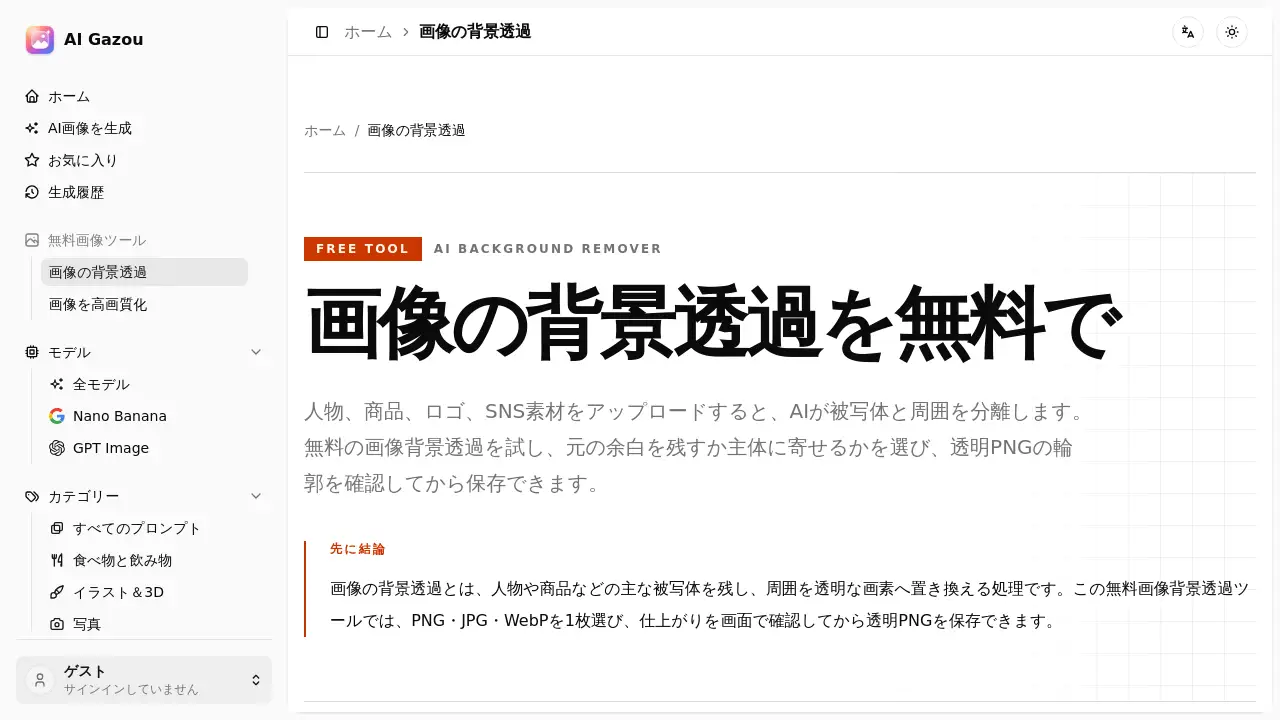
This review explores the AI Gazou Free Background Remover, a free online tool that uses artificial intelligence to quickly separate subjects from their backgrounds and create transparent PNG images.
What is AI Gazou Free Background Remover?
The AI Gazou Free Background Remover is an online tool designed to perform image background removal without requiring any login or payment. Users upload a photo, and the AI analyzes the image to distinguish the main subject from the background. The result is a clean, transparent PNG that can be downloaded and used in various projects. This tool solves the common problem of needing quick, free background removal for product photos, portraits, logos, and social media graphics. It is suitable for anyone from e-commerce sellers and content creators to designers and marketers who need a simple, browser-based solution for image background removal without installing software.
Key Features of AI Gazou Free Background Remover
AI-Powered Background Separation
The tool uses advanced AI to identify the subject and remove the background automatically. It handles complex edges like hair, clothing, and product outlines to produce a clean cutout.
Transparent PNG Output
Results are saved as transparent PNG files. This format is essential for image background removal because it preserves the transparent area, allowing the subject to be placed on any background without a white square.
Adjustable Margin Settings
Users can choose whether to keep the original canvas margins or crop tightly around the subject. This feature is useful for maintaining consistent compositions across product listings or reducing empty space for design elements.
Preview and Comparison Tool
After processing, users can toggle between the original and the transparent image to inspect the edges. This allows for a detailed check of the outline before downloading the final file.
Supports Multiple Input Formats
The tool accepts PNG, JPG, and WebP files up to 8 MB. No registration or credit card is required.
Use Cases for AI Gazou Free Background Remover
E-commerce Product Photos
Online sellers can use the free background remover to create clean, transparent product images. This helps maintain a uniform look across listings and allows for easy placement on different colored backgrounds for seasonal promotions.
Portrait and Profile Pictures
For personal or professional profiles, the tool can remove the background from photos. Careful inspection of hair and shoulder outlines ensures a natural-looking result for use on websites, resumes, or social media.
Social Media Graphics and Thumbnails
Content creators can isolate subjects from their backgrounds for use in banners, video thumbnails, or social media posts. The transparent image can be easily combined with text or other design elements.
Design Materials and Stickers
Designers can use the AI background remover to create cutouts for presentations, stickers, or composite images. The transparent PNG format allows these assets to be reused across multiple projects and backgrounds.
How to Use AI Gazou Free Background Remover
- Select an Image: Choose a PNG, JPG, or WebP file from your device where the subject is clearly visible against the background. Ensure the file is under 8 MB.
- Set Your Margins: Decide whether to keep the original canvas or crop the output tightly around the subject.
- Run the AI: Click the processing button. The tool sends the image to the AI for background removal. Wait for the result to appear.
- Inspect the Outline: Use the toggle to switch between the original image and the transparent result. Check the edges, especially around hair or fine details.
- Download the PNG: If the outline looks natural, download the transparent PNG file.
Target Audience for AI Gazou Free Background Remover
- E-commerce sellers and online retailers needing product image removal
- Graphic designers and digital artists creating composite images
- Social media managers and content creators
- Marketers preparing materials for banners and ads
- Individuals looking for quick and easy profile photo editing
Is AI Gazou Free Background Remover Free?
The AI Gazou Free Background Remover is completely free to use. There are no login requirements, no credit card needed, and no hidden charges. Users can process images without any subscription. The tool is available directly on the website.
AI Gazou Free Background Remover's Pros and Cons
| Aspect | Pros | Cons |
|---|---|---|
| Pricing | Completely free to use with no sign-up | None |
| Ease of Use | Simple, three-step process | No batch processing for multiple images |
| Features | AI-powered, adjustable margins, transparent PNG | Limited to 8 MB file size; no raw file support |
| Output Quality | Good for most subjects with clear edges | Struggles with complex edges like fine hair, transparent objects, and images with low contrast |
| Educational Value | Provides helpful tips for selecting images and checking outlines | No advanced editing tools for manual refinement |
Frequently Asked Questions about AI Gazou Free Background Remover
Is the image background removal tool really free?
Yes, the AI Gazou Free Background Remover is completely free to use. No login or payment is required to process images.
What file formats can I use?
The tool supports PNG, JPG, and WebP files. The maximum file size is 8 MB. Animated images, PDFs, SVGs, and HEIC files are not supported.
Can I use the transparent images for commercial purposes?
The use of the tool itself does not grant any new rights to the original image. The commercial usability depends on the copyright and licensing terms of the original photo. Users should only upload images they have permission to use.
Is the background removal perfect for hair and fur?
The AI estimates hair and fur outlines, but fine strands or areas where the background color is similar to the subject may have imperfections. It is always recommended to zoom in and check the edges before downloading.
How do I check the quality of the transparent result?
Use the preview tool to switch between the original and processed images. Also, view the transparent image against both a light and dark background to spot any remaining background color or unnatural edges.
Is there a limit to how many images I can process?
The tool processes one image at a time. There is no mention of a daily limit, but for bulk work, users should process each image individually.
AI Gazou Free Background Remover Tags
free background remover, AI background removal, image background removal, remove image background, transparent PNG maker, free photo editor, online background tool, AI image tool, product photo editor, remove background online, transparent background tool, background eraser