Introduction
Finding a reliable free image upscaler that delivers quality results can be challenging. AI Gazou Free Image Upscaler offers a simple, no-login solution for enhancing small or blurry photos online.
What is AI Gazou Free Image Upscaler?
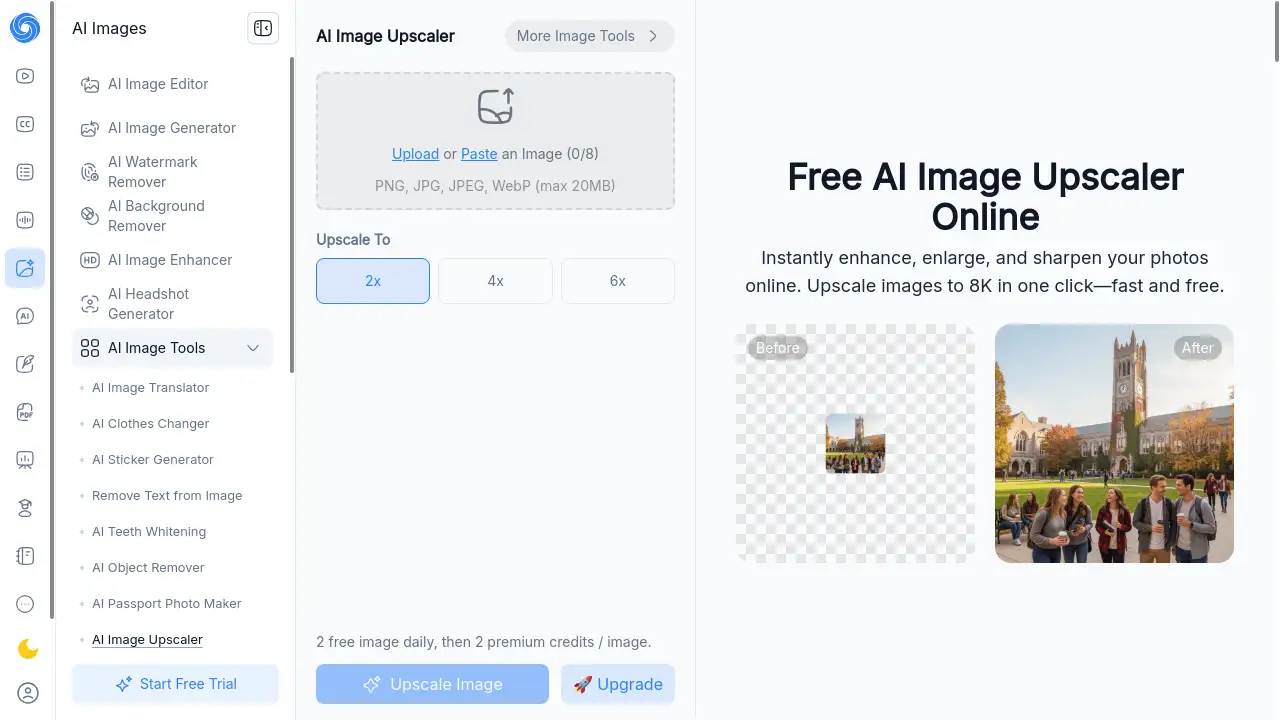
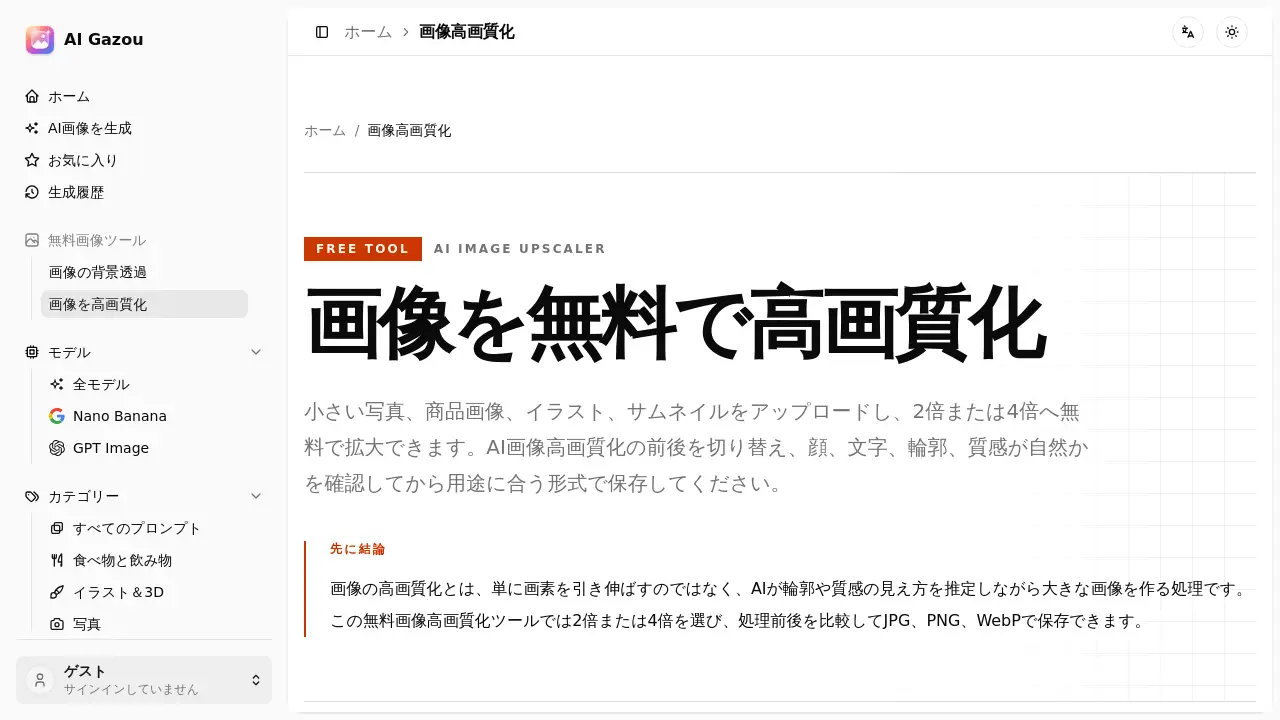
AI Gazou Free Image Upscaler is a web-based tool designed to increase the resolution and clarity of images using artificial intelligence. Its primary function is to take small, pixelated, or blurry images and produce larger, sharper versions without requiring software installation or user registration. The tool addresses a common problem: low-resolution images that look poor on modern high-resolution screens or when printed. It is suitable for anyone who needs to enhance image quality quickly, including e-commerce sellers, social media managers, students, and content creators. The tool matters because it provides accessible AI-driven upscaling to improve visuals for digital use, though it is important to remember that AI estimation can introduce artifacts, so users should always inspect results closely.
Key Features of AI Gazou Free Image Upscaler
AI-Powered Image Upscaling
The core feature uses an AI model to analyze the shapes and textures in the original image and predict new pixel information. This process helps to sharpen edges, enhance details like fabric or skin, and produce a natural-looking result at 2x or 4x the original size.
One-Click Upscale with Comparison View
Users can upload a single image, select the desired scale factor (2x or 4x), and let the AI process it. A built-in comparison tool allows switching between the original and the upscaled version at 100% zoom to evaluate improvements in detail and texture.
Multiple Output Formats
The tool outputs images in JPG, PNG, or WebP format. This flexibility allows users to choose the best format for their specific use case, such as PNG for transparency, WebP for web performance, or JPG for general photography.
Free and No Registration Required
The service is completely free to use without requiring an account, login, or credit card. Users can upload images up to 8 MB in size and process them immediately, making it a convenient tool for quick, one-off image enhancement tasks.
Detailed Inspection Workbench
Before processing, users can inspect the original image to diagnose issues like pixelation, compression artifacts, or blur. After upscaling, the workbench provides a side-by-side comparison at 100% zoom to check for unnatural details, double lines, or text distortion.
Use Cases for AI Gazou Free Image Upscaler
E-commerce Product Photos
Online sellers often have small product images from suppliers. This tool can upscale those photos to make them suitable for the product page's main image and zoom view, helping customers see details like stitching, labels, and material texture more clearly.
Social Media and Video Thumbnails
Platforms like YouTube and Instagram display thumbnails and posts on small mobile screens. Using the 2x upscale option can sharpen faces and key text, making the content more engaging and easier to read at a glance.
Presentations and Educational Materials
Presentation slides and educational articles sometimes use screenshots or scanned images that appear soft when projected or printed at larger sizes. The upscaler can improve the clarity of diagrams and photos, but text should be re-entered as editable words to ensure readability.
Cropped Photos and AI-Generated Images
Cropping an image reduces its pixel count. This tool can help restore usable resolution to a tightly cropped photo. For AI-generated images, it can attempt to refine details like fingers, eyes, and repeating patterns, though it cannot fix fundamental generation errors.
How to Use AI Gazou Free Image Upscaler
- Prepare the Image: Check the original image at 100% zoom to identify the main problem (e.g., small size, blur, compression noise). Ensure the file is under 8 MB and in PNG, JPG, or WebP format.
- Select the Scale Factor: Choose 2x for general web and social media use, or 4x for creating a larger canvas for further cropping or large-format display. Avoid selecting the maximum scale if a lower factor meets the target display size.
- Choose Output Format: Select JPG for standard photos, PNG if transparency is needed, or WebP for smaller file sizes on the web. Be aware that PNG output does not guarantee perfect preservation of the original image's transparency.
- Download and Inspect: After processing, use the comparison tool to inspect details at 100% zoom. Check faces, text, labels, and patterns for any unnatural changes or artifacts. Download the final version if the quality meets the requirements.
Target Audience for AI Gazou Free Image Upscaler
- E-commerce sellers who need to improve small product images.
- Social media managers creating thumbnails and post visuals.
- Content creators and bloggers who use images on their websites.
- Students and educators preparing presentations and materials.
- Casual users with old or small personal photos who want a quick quality boost.
Is AI Gazou Free Image Upscaler Free?
AI Gazou Free Image Upscaler is entirely free to use. There are no paid plans or hidden fees for the standard upscaling service.
| Plan | Price | Features |
|---|---|---|
| Free | $0 | Upscale images up to 8 MB, 2x or 4x zoom, output in JPG/PNG/WebP, compare original and result. |
Users should check the official website for any changes to the pricing policy in the future.
AI Gazou Free Image Upscaler's Pros and Cons
| Aspect | Pros | Cons |
|---|---|---|
| Pricing | Completely free, no registration needed. | Does not offer advanced paid plans with batch processing or watermark removal. |
| Ease of Use | Simple 4-step workflow, intuitive interface. | Limited to single image processing per session. |
| Output Quality | AI upscaling can significantly sharpen edges and textures. | May introduce artifacts or distort text, faces, and fine patterns; not a perfect restoration. |
| Compatibility | Supports JPG, PNG, WebP input and output. | Does not support HEIC, SVG, PDF, or animated images; file size limited to 8 MB. |
| Privacy | No user account required; images are not saved to a public gallery. | Images are sent to a third-party AI processing service; sensitive data should not be uploaded. |
Frequently Asked Questions about AI Gazou Free Image Upscaler
Is the AI image upscaler really free?
Yes, the tool is completely free to use without any login or credit card. It processes images up to 8 MB. However, there is no guarantee that every result will be perfect, so keeping the original image for comparison is recommended.
What file formats are supported?
The tool accepts PNG, JPG, and WebP input files. Output formats are also limited to JPG, PNG, and WebP. Images in HEIC, SVG, PDF, or animated formats cannot be processed.
How do I choose between 2x and 4x upscaling?
For most web, social media, and presentation uses, 2x is a good starting point. Choose 4x when working with very small original images or when you need extra resolution for further cropping. Selecting the highest magnification is not always necessary to achieve a good result.
How does this differ from simply enlarging an image in photo editing software?
Standard enlargement just adds pixels between existing ones, often resulting in a blurry image. An AI-based upscaler analyzes the image content to predict and create new details, which can produce a sharper and more natural appearance but may also create artificial-looking elements.
Can it fix blurred or out-of-focus photos?
It can make mild blur or compression artifacts less noticeable, but it cannot restore precise details lost from strong motion blur, out-of-focus shots, or clipped highlights and shadows. The AI estimates, not restores, the missing information.
Can this tool upscale images with text or illustrations?
Yes, but special care is needed. The AI may change small text into a different character or distort fine lines and patterns. For important text, it is safer to re-create it as editable text rather than relying solely on the upscaled image. Always check text and faces at 100% zoom.
AI Gazou Free Image Upscaler Tags
free image upscaler, AI image upscaler, upscale image quality, image quality enhancer, free online image upscaler, enlarge image online, AI image enhancer, photo upscaler tool, enhance image resolution, free AI tool, upscale image online free, image upscaler no login