Introduction
Ideogram AI Review: The Ultimate AI Image Generator with Dense Text Rendering
What is Ideogram AI?
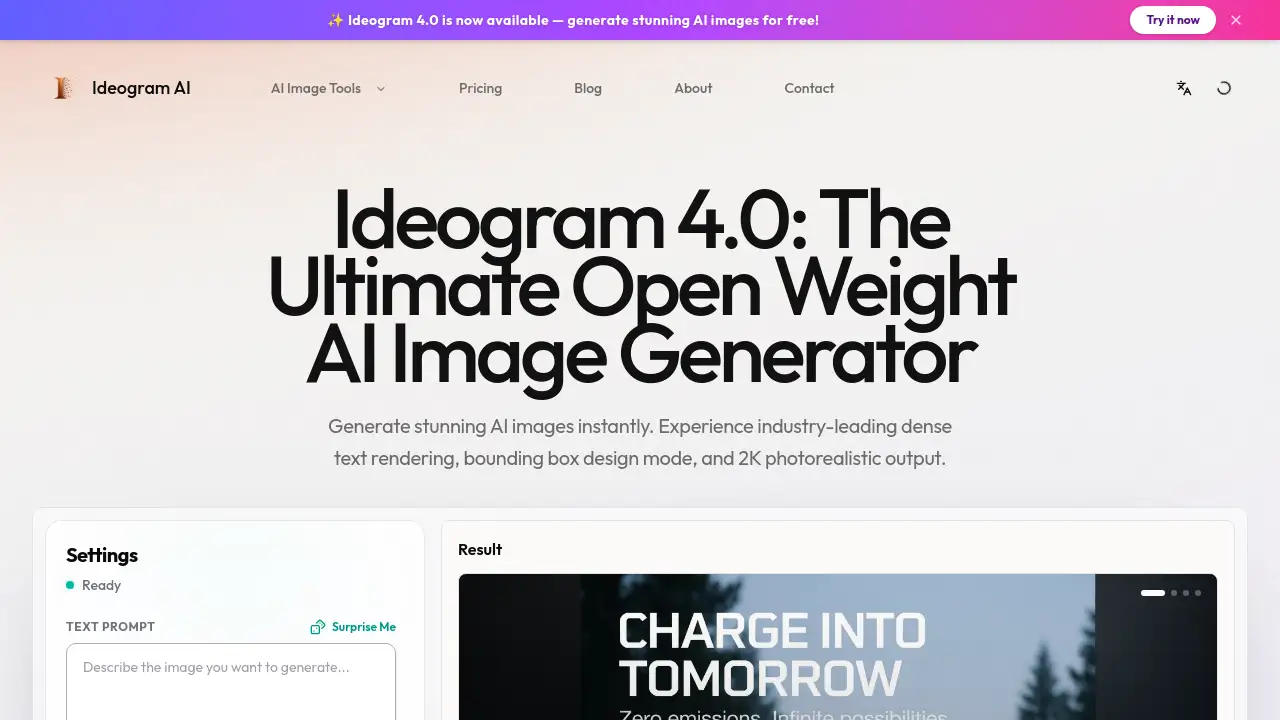
Ideogram AI is a next-generation AI image generator that lets users create high-quality visuals from text prompts. Built around version 4.0, it stands out for its ability to render dense text accurately, place objects precisely using bounding boxes, and produce photorealistic 2K images. Unlike many other tools, Ideogram AI avoids common AI artifacts, giving results that look natural and professional. The platform is designed for anyone who needs fast, reliable image creation—marketers, designers, print-on-demand sellers, and content creators. By combining open-weight customization with user-friendly controls, this AI image generator solves the persistent problems of garbled text, awkward compositions, and that "AI plastic" look.
Key Features of Ideogram AI
Dense Text Rendering
The tool handles long sentences and complex multilingual layouts without spelling errors. Users can include specific words or headlines in prompts, and Ideogram AI places them correctly within the image.
Bounding Box Control
Design Mode allows users to draw rectangular areas on a canvas, telling the AI where to place subjects or text. This gives precise layout control for compositions, ads, and marketing materials.
2K Photorealistic Output
Images are generated at ultra-high resolution with realistic lighting, skin textures, and material details. The output avoids the typical "AI look," making it suitable for print and high-end visuals.
Editable Layers & Native Alpha
Ideogram AI outputs transparent PNG images directly, removing the need for manual masking. Users can drop assets into design software without extra steps.
Open Weights & Customization
Advanced users can fine-tune the model on their own datasets. This allows brands to maintain a consistent aesthetic across generations, aligning colors, typography, and style.
Character Consistency & Styles
The model keeps the same character appearance across multiple prompts. It supports diverse styles including illustration, 3D rendering, and print-on-demand graphics.
Instant Background Remover
No need for external tools. The AI can separate the subject from the background, delivering clean cutouts ready for new backdrops.
Use Cases for Ideogram AI
Advertising & Marketing
Quickly generate ad creatives with perfect copy and striking visuals. Test variations to improve conversion rates without waiting for design teams.
Apparel & Print on Demand (POD)
Design unique graphics for t-shirts, hoodies, and merch. High-resolution transparent assets go straight to print production.
Branding & Identity
Fine-tune the model to produce images that match brand colors, typography, and overall aesthetic. Consistent quality for logos, mockups, and promotional materials.
Social Media & Illustration
Create eye-catching posts or editorial illustrations with consistent style. The tool handles everything from realistic photography to stylized artwork.
How to Use Ideogram AI
- Describe Your Idea – Enter a detailed text prompt specifying any words you want to appear in the image. Be clear about the scene, style, and layout.
- Draw Bounding Boxes – Enable Design Mode and drag rectangles to define where objects or text should sit. This gives you exact placement.
- Generate & Share – Click the generate button. In seconds, you receive a 2K image. Download it with or without background, then share directly to social platforms.
Target Audience for Ideogram AI
- Graphic designers and typographers
- E-commerce visual directors
- Advertising and marketing teams
- Print-on-demand entrepreneurs
- Social media content creators
- Brand managers and art directors
- Illustrators and digital artists
- Anyone needing AI image generation with text accuracy
Is Ideogram AI Free?
Yes, Ideogram AI offers a free tier that allows users to generate images with limited credits. Paid plans provide more generation capacity, higher resolution, and priority access. For the latest pricing details, visit the official pricing page.
| Plan | Price | Features |
|---|---|---|
| Free | $0 | Basic generation, watermark, limited credits |
| Pro | Starting at $?/month | More credits, 2K output, no watermark, faster generation |
Check the official site for current subscription options and feature breakdowns.
Ideogram AI's Pros and Cons
| Aspect | Pros | Cons |
|---|---|---|
| Text Rendering | Industry-leading accuracy for dense text | May occasionally miss rare characters |
| Output Quality | Photorealistic 2K, no AI artifacts | Requires good prompts to maximize detail |
| Layout Control | Bounding box feature gives exact placement | Slight learning curve for new users |
| Customization | Open weights allow fine-tuning | Not necessary for casual users |
| Pricing | Free tier available | Pro plans may be costly for individuals |
| Workflow Integration | Native alpha output speeds up design | Limited batch processing on free plan |
Frequently Asked Questions about Ideogram AI
Is Ideogram AI safe to use?
Yes, the platform includes copyright detection that blocks known copyrighted content. Users can safely generate original images for commercial or personal use.
Can Ideogram AI generate images with long text accurately?
Absolutely. The dense text rendering feature is a standout capability, handling multiple lines and complex layouts in various languages with very few errors.
What are bounding boxes in Ideogram AI?
Bounding boxes are rectangular areas you draw on a canvas. The AI then places the requested subject or text exactly within those areas, giving you precise control over composition.
Does Ideogram AI support transparent backgrounds?
Yes. The native alpha output allows you to download images with transparent backgrounds, ready to be layered into designs without masking.
Can I use Ideogram AI for commercial projects?
Yes. Generated images can be used for commercial purposes, but you should verify the specific license terms of your plan. The free tier may have usage restrictions.
How does Ideogram AI compare to other AI image generators?
Its main advantages are accurate text rendering, bounding box layout control, and 2K photorealistic quality. These features make it particularly strong for advertising, branding, and print-on-demand work.
Ideogram AI Tags
Ideogram AI, AI image generator, dense text rendering, bounding box design mode, 2K photorealistic output, open weight AI image generator, AI text on images, AI image generation free, AI design tool, product mockup generator, AI advertising tool, Ideogram 4.0 review