Introduction
AI Image Editor: Transform Images with Natural Language
What is ai image editor?
AI image editor is an innovative photo editing platform that uses artificial intelligence to transform images based on natural language descriptions. This tool solves the problem of complex photo editing software that requires technical skills and training. Instead of learning complicated tools and menus, users simply describe what they want to change in plain English, and the AI handles the technical execution. This AI image editor is suitable for professionals, content creators, social media managers, and casual users who want professional-quality edits without the learning curve. The platform matters because it democratizes professional image editing, making advanced capabilities accessible to everyone regardless of their technical background or design experience.
Key Features of ai image editor
Natural Language Editing
Describe your desired edits in plain English and watch the AI transform your images instantly using advanced prompt technology.
Context-Aware Processing
The AI comprehends context and intent from your descriptions, ensuring edits match your creative vision with smart understanding capabilities.
Multiple Style Transfer
Apply various artistic styles instantly including watercolor, oil painting, cartoon effects, and more through simple text commands.
Fast Processing Speed
Get professional editing results in just 5-10 seconds with the platform's optimized AI processing technology.
Background Modification
Replace, blur, or modify backgrounds with simple one-click commands and natural language descriptions for quick transformations.
High Quality Output
Maintain professional-grade results with full HD+ resolution preservation and pixel-perfect editing precision.
Privacy-First Approach
Enjoy secure processing with automatic image deletion within 24 hours, ensuring your content remains private and protected.
Unlimited Edit Chaining
Apply multiple modifications and chain edits together without limitations for complex creative projects.
Use Cases for ai image editor
Social Media Content Creation
Quickly enhance photos for Instagram, Facebook, and other platforms by describing desired improvements like "make colors more vibrant" or "remove background distractions."
Professional Photography Editing
Photographers can perform complex edits by describing technical adjustments like "increase exposure" or "soften shadows" without manual tool manipulation.
E-commerce Product Images
Online sellers can quickly edit product photos by requesting changes like "remove background" or "enhance product details" for consistent catalog imagery.
Creative Art Projects
Artists and designers can experiment with different styles by simply describing artistic effects like "make it look like watercolor" or "apply vintage film effect."
Personal Photo Enhancement
Everyday users can improve personal photos with simple requests like "remove red eye" or "brighten the image" without technical knowledge.
How to Use ai image editor
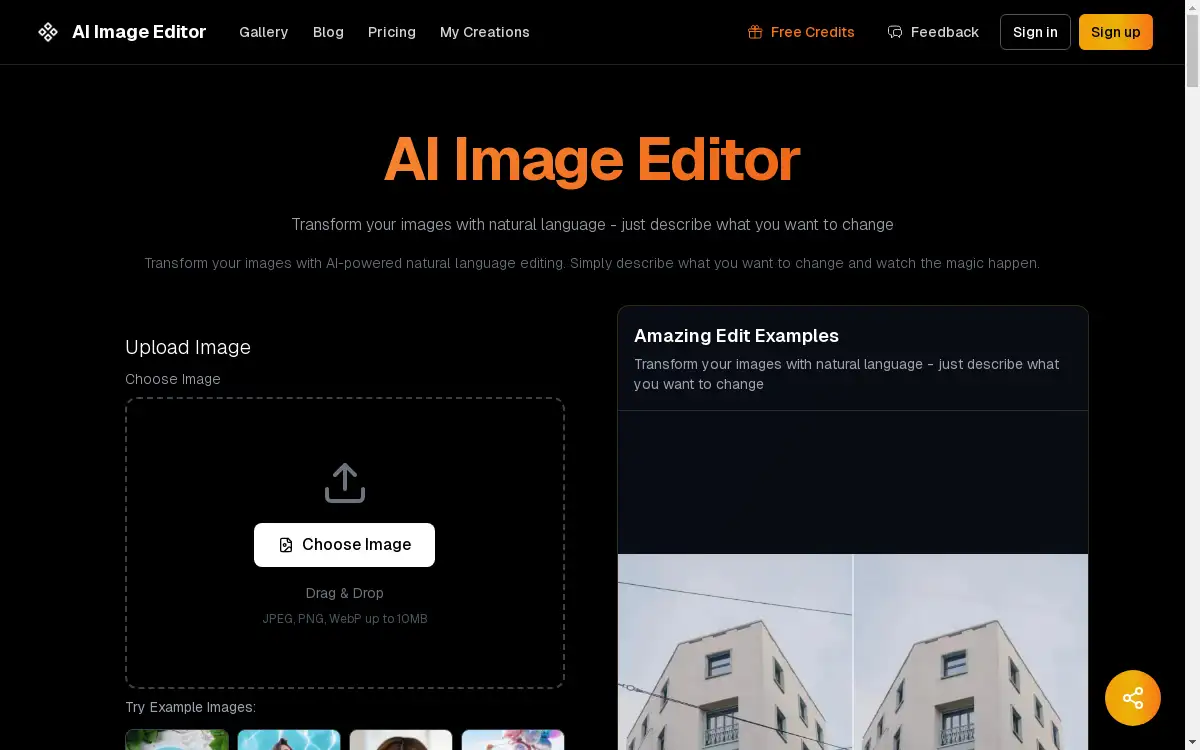
Using the AI image editor is straightforward and requires no technical expertise. The process begins by uploading your image to the platform through drag-and-drop functionality or file selection, supporting JPEG, PNG, and WebP formats up to 10MB. Next, describe your desired edits in the text box using natural language - be specific about what you want to change, add, or remove. The AI then processes your request, applying intelligent edits based on your description while maintaining image quality. Finally, download your edited image instantly, ready for use across various platforms and purposes.
Target Audience for ai image editor
- Social media managers and content creators
- Professional photographers and graphic designers
- E-commerce business owners and product managers
- Marketing professionals and advertising agencies
- Bloggers and digital influencers
- Casual users wanting to enhance personal photos
- Artists and creative professionals exploring new styles
- Small business owners handling their own visual content
Is ai image editor Free?
The platform offers a generous free plan that allows users to experience the core AI image editing capabilities without financial commitment. This free tier provides access to the natural language editing technology with basic functionality. For users requiring advanced features, higher resolution output, or commercial usage rights, affordable premium options are available. The pricing structure is designed to accommodate different user needs while maintaining accessibility for casual users and providing value for professionals.
Frequently Asked Questions about ai image editor
What image formats does AI image editor support?
The platform supports common image formats including JPEG, PNG, and WebP files up to 10MB in size, covering most digital photography and web image requirements.
How long does the AI image editing process take?
Most edits process within 5-10 seconds, providing near-instant results for standard editing requests while maintaining high-quality output and precision.
Is there a limit to how many edits I can make?
The platform allows unlimited modifications and edit chaining, enabling users to apply multiple changes and experiment with different creative directions.
Are my images stored permanently on your servers?
No, the service operates with a privacy-first approach, automatically deleting all processed images within 24 hours to ensure user privacy and data security.
Can I use AI image editor for commercial purposes?
Commercial usage rights are included with paid plans, while free plan images are intended for personal use only, providing flexibility for different user needs.
What types of edits can I perform with natural language commands?
You can perform various edits including object removal, background changes, style transfers, color corrections, and detail enhancements using descriptive language.
ai image editor Tags
AI image editor, natural language photo editing, AI photo editor, image editing with AI, smart image editing, prompt-based editing, AI picture editor, background removal AI, style transfer AI, context-aware editing, professional photo editing, simple image editor