Introduction
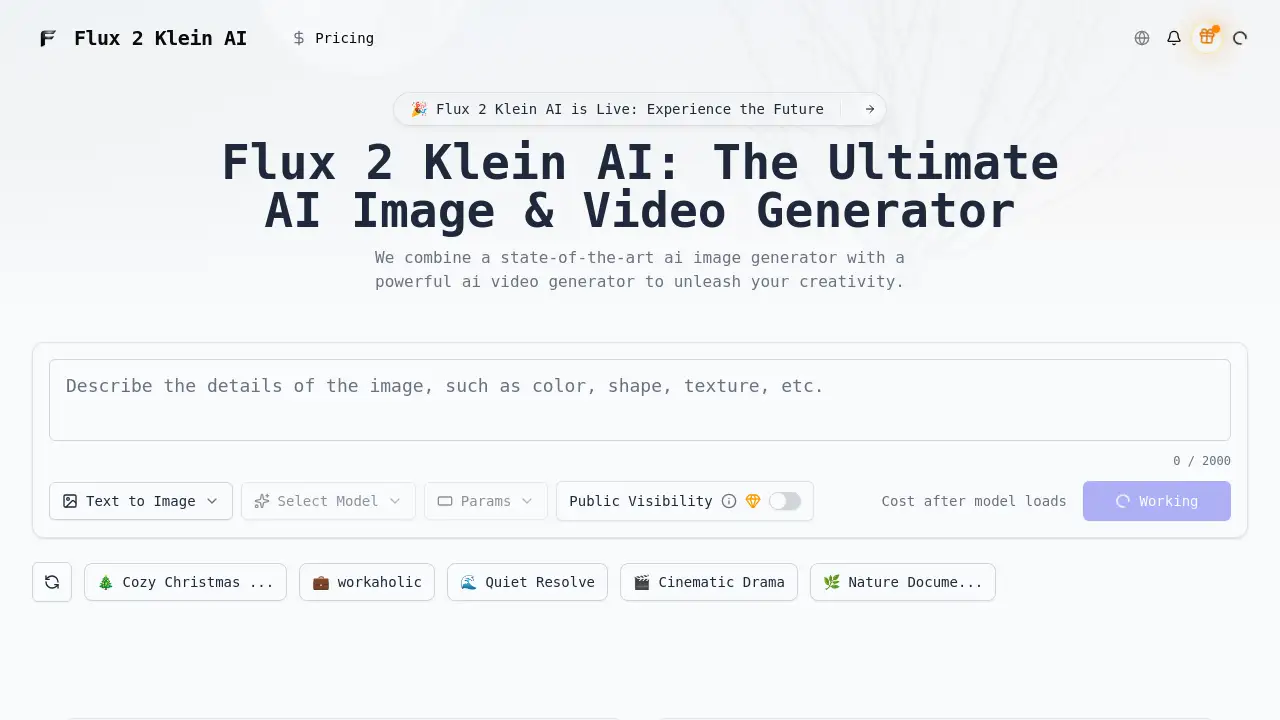
Flux 2 Klein AI is a fast open-source platform for AI image and video generation.
What is Flux 2 Klein AI?
Flux 2 Klein AI is an advanced AI generation platform that empowers users to create high-quality images and videos from simple text descriptions. It solves the common problem of slow and expensive AI media creation by offering a solution that is both incredibly fast—generating images in under a second—and accessible, running on standard consumer-grade GPUs. Licensed under Apache 2.0, it provides transparency and freedom for developers and creators. This platform is suitable for a wide range of users, from artists and marketers to filmmakers and social media content creators, who need to produce professional-quality visual assets quickly and efficiently. Its significance lies in democratizing powerful AI video generator and AI image generator technology, making it available to a broader audience without requiring enterprise-level hardware.
Key Features of Flux 2 Klein AI
Text-to-Image Synthesis
The core AI image generator feature instantly transforms detailed text prompts into stunning, high-resolution artwork, offering precise control over style and composition.
Text-to-Video Creation
This AI video generator capability allows users to script cinematic scenes with text, bringing dynamic narratives and concepts to life as full video clips.
Image-to-Video Animation
Users can animate static photographs or artwork, adding motion and life to their images using the platform's advanced AI video generator technology.
Smart Upscaling
Enhance the resolution and detail of generated or uploaded images with built-in upscaling tools within the AI image generator suite.
Artistic Style Application
Apply a variety of filters and artistic presets instantly through the AI image generator to match any desired aesthetic, from vintage to modern.
High-Speed Processing
Leveraging Flux 2 Klein technology, the platform delivers results from both its AI image generator and AI video generator at remarkable speeds, significantly reducing wait times.
Use Cases for Flux 2 Klein AI
Concept Art and Illustration
Artists and designers can rapidly visualize ideas and iterate on concepts using the fast and versatile AI image generator.
Social Media Content Creation
Content creators and marketers can produce eye-catching images and short promotional videos efficiently with the AI video generator and image tools.
Storyboarding and Pre-Visualization
Filmmakers and animators can use the AI video generator to create quick animatics and storyboards from text scripts, streamlining the pre-production process.
Educational and Presentation Material
Educators and presenters can generate custom visuals, infographics, and explanatory videos to enhance learning materials and presentations.
Personal Art Projects
Hobbyists and journaling enthusiasts can create unique stickers, artwork, and animated clips for personal projects using the detailed AI image generator.
How to Use Flux 2 Klein AI
Using Flux 2 Klein AI is a straightforward process designed for user accessibility:
- Enter Your Prompt: Describe your vision in the text box. For images, detail visual elements; for videos, describe the scene and action.
- Configure Settings: Select your desired model, aspect ratio, resolution, and output format. Choose from available artistic style presets.
- Generate: Click the generate button. The Flux 2 Klein AI platform will process your request, utilizing either its AI image generator or AI video generator engine.
- Download & Share: Once generation is complete, download your high-quality image or video file and use it in your projects.
Target Audience for Flux 2 Klein AI
- Digital Artists and Graphic Designers
- Video Content Creators and YouTubers
- Marketing Professionals and Social Media Managers
- Indie Filmmakers and Animators
- Game Developers and Concept Artists
- Hobbyists and DIY Creators
Is Flux 2 Klein AI Free?
The reference information indicates a credit-based system is in place. A public trial is available with an initial allocation of credits. For sustained use, users likely need to purchase credit packs or subscribe to a plan. For the most accurate and current pricing details, users should visit the official Flux 2 Klein AI website.
Flux 2 Klein AI's Pros and Cons
| Aspect | Pros | Cons |
|---|---|---|
| Speed & Performance | Exceptionally fast generation times; runs on consumer GPUs. | Performance may vary based on the user's specific hardware. |
| Quality & Control | Delivers professional-quality output; offers style and configuration controls. | May require precise prompting for optimal results, typical of AI tools. |
| Accessibility & Licensing | Open-source under Apache 2.0; transparent and developer-friendly. | A credit system implies costs for high-volume usage after free trial. |
| Features | Combines both a powerful AI image generator and AI video generator in one platform. | Advanced features may have a learning curve for complete beginners. |
Frequently Asked Questions about Flux 2 Klein AI
What kind of computer do I need to run Flux 2 Klein AI?
Flux 2 Klein AI is designed to run on consumer-grade GPUs, meaning many modern gaming or creative workstation laptops and desktops will be sufficient. Specific requirements are best checked on the official website.
How fast is the AI image generator?
The platform advertises the ability to generate stunning images in under one second using its Flux 2 Klein technology, making it one of the fastest solutions available.
Can I use the images and videos I create for commercial projects?
As the tool is open-source under Apache 2.0, users should review the license terms for commercial use. Typically, output created by AI tools belongs to the user, but it's important to verify this on the official site.
Does the AI video generator support image-to-video?
Yes, one of the core features is the ability to animate existing photos or images, turning them into video clips using the AI video generator technology.
Is there a free trial available?
Yes, the platform offers a public trial that provides users with a starting amount of credits to test both the AI image generator and AI video generator features.
What file formats does the AI image generator support?
The configuration settings allow users to select their desired output format for images, though the specific formats supported (like PNG, JPEG) should be confirmed on the product interface.
Flux 2 Klein AI Tags
Flux 2 Klein AI, AI image generator, AI video generator, open-source AI, fast image generation, text-to-video, image-to-video, AI art generator, cinematic video creator, creative AI tool, AI for creators, real-time AI generation