Introduction
A completely free online AI image editor that transforms photos using simple text prompts.
What is AI Image Editor?
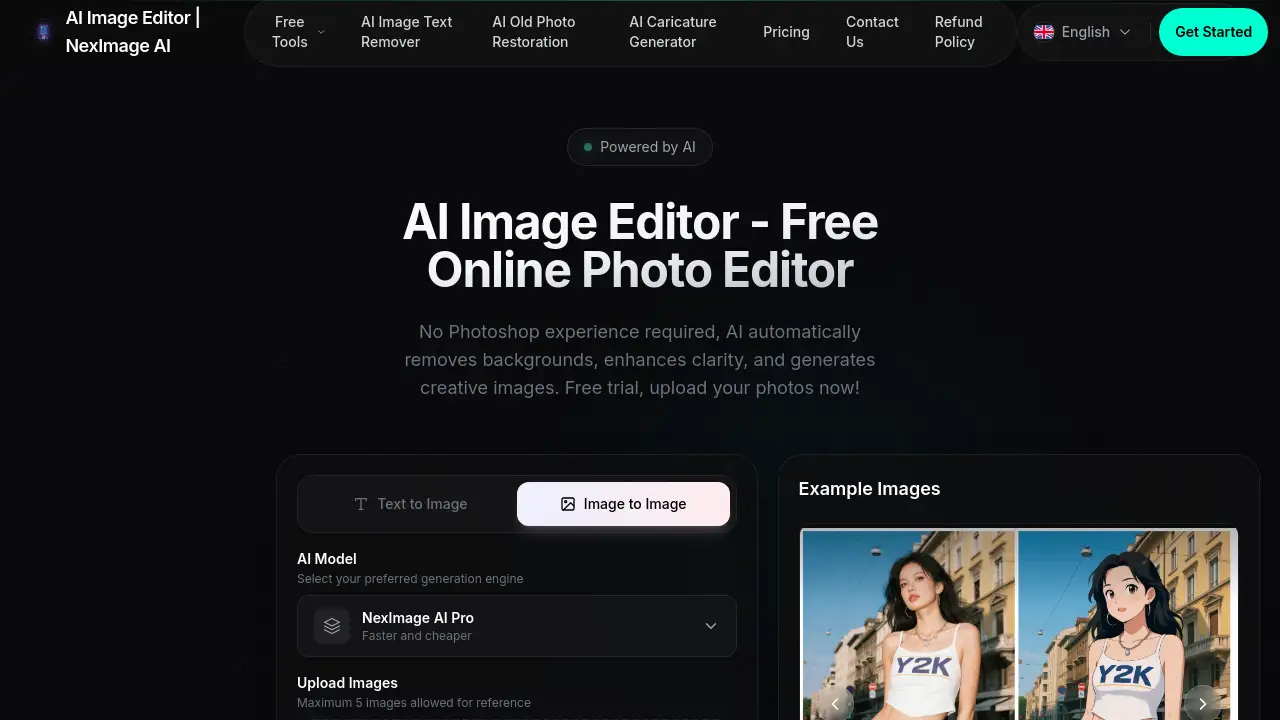
AI Image Editor is an online photo editor powered by artificial intelligence. It allows users to edit photos free online by simply describing the changes they want in natural language. This tool is designed for anyone who needs to modify images quickly and professionally without the complexity of traditional software like Photoshop. It is suitable for social media managers, content creators, small business owners, and hobbyists. The platform stands out as a best free AI image editor because it requires no sign up, offers an AI image editor with prompt free functionality, and delivers high-quality, context-aware edits instantly.
Key Features of AI Image Editor
Natural Language Editing
Users can modify images using simple text instructions, eliminating the need for manual tools, masking, or complex layering.
Context-Aware AI Understanding
The AI accurately interprets scene structure and object semantics to produce realistic and coherent edits every time.
Style and Tone Preservation
The tool maintains the original image's lighting, shadows, and texture consistency while seamlessly applying requested changes.
Multiple Image Reference Input
Users can upload up to five images as references to edit together with a single prompt for combined or composite edits.
Creative Versatility
This free AI image editor online supports a wide range of needs, from photo restoration and colorization to creating new concept art and advertising visuals.
Use Cases for AI Image Editor
Social Media Content Creation
Quickly enhance photos, create engaging visuals, or adapt images to fit different platform styles without design skills.
Professional Photo Restoration
Restore old, damaged family photos by removing scratches, reducing noise, and recovering lost details with simple prompts.
E-commerce Product Photography
Edit product images by removing backgrounds, changing colors, or adjusting settings to create a consistent and professional catalog.
Marketing and Advertising Design
Generate creative concepts, apply brand colors, or create composite images for campaigns using text-based instructions.
Personal Photo Enhancement
Easily improve everyday photos by adjusting lighting, adding effects, or creatively altering elements for personal projects.
How to Use AI Image Editor
Using this AI photo editor online free tool is straightforward. The entire process is conducted online with no software to download.
- Visit and Upload: Navigate to the AI Image Editor website. Click to upload your image file. The platform supports JPG, PNG, and WEBP formats.
- Describe Your Edit: In the prompt box, type a clear, descriptive instruction for the change you want, such as "add a sunset in the background" or "make the subject smile."
- Configure Settings (Optional): Select your preferred AI model and the desired output aspect ratio for your image.
- Generate and Download: Click the "Generate" button. The AI will process your request and display the edited image. You can then preview and download the final result.
Target Audience for AI Image Editor
- Social media managers and influencers
- Bloggers and content creators
- Small business owners and marketers
- Photographers and hobbyists
- Graphic designers seeking rapid prototyping tools
- Individuals with no prior photo editing experience
Is AI Image Editor Free?
Yes. According to the official website, the AI Image Editor operates on a free model. There is no mention of paid tiers or subscription plans on the homepage, which prominently states it is a "free online photo editor" with "no sign up required." Users can access all core editing features without cost. For the most current and detailed information, visitors can check the dedicated Pricing page.
AI Image Editor's Pros and Cons
| Aspect | Pros | Cons |
|---|---|---|
| Accessibility | Completely free with no sign-up required; entirely web-based. | Requires a stable internet connection to function. |
| Ease of Use | Intuitive natural language interface; no professional editing skills needed. | Output quality depends on the specificity and clarity of the user's text prompt. |
| Features | Powerful AI capabilities for complex edits like restoration and style transfer. | May lack the granular, manual control tools found in advanced desktop software like Photoshop. |
| Speed | Delivers edited images in seconds, streamlining the workflow. | Processing time may vary with server load and complexity of the request. |
Frequently Asked Questions about AI Image Editor
What is AI Image Editor?
AI Image Editor is a free online photo editor that uses artificial intelligence to let users edit images by typing text prompts. It's designed to make professional-level photo editing accessible to everyone without cost or complexity.
How does the AI Image Editor work?
The tool uses advanced AI models to understand the content of your uploaded image and the intent behind your text prompt. It then automatically applies the described changes—such as object removal, style transfer, or enhancement—generating a new, edited version of the image.
Is there a limit to how many images I can edit?
The platform allows users to upload a maximum of five images at once as reference inputs for combined editing. There is no clear information on daily or monthly usage limits for the free version, suggesting generous accessibility.
What kind of edits can I make with this AI image editor?
You can perform a wide variety of edits, including but not limited to: removing objects or text, changing colors, restoring old photos, upscaling resolution, applying artistic styles, altering backgrounds, and modifying specific elements within the image.
Do I own the images I create with the AI Image Editor?
Based on the information provided, users can employ the edited images for commercial projects. It is always advisable to review the website's terms of service for the most accurate and detailed copyright and usage policies.
What image formats are supported?
The AI Image Editor supports common image formats including JPG, PNG, and WEBP. Uploaded images can be up to 10MB in size, as indicated in the interface.
AI Image Editor Tags
AI image editor, free online photo editor, AI photo editor online free, edit photos free online, best free AI image editor, AI image editor with prompt free, free AI image editor online, AI image editor generator, AI photo editor, online image editor, AI photo editing, text to image editor, AI background remover, photo restoration AI