Introduction
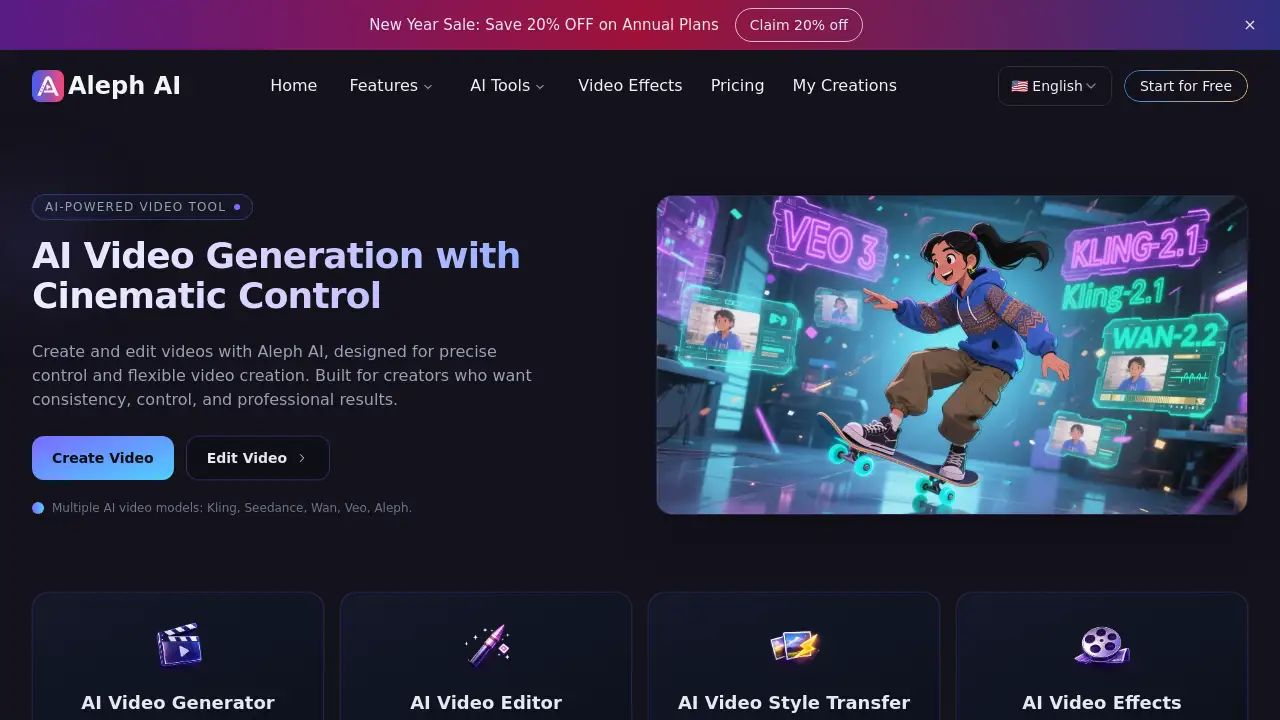
Aleph AI is a free AI video generator and editor offering cinematic control.
What is Aleph AI?
Aleph AI is an advanced AI video generator and AI video editor designed to democratize professional video creation. It solves the problem of traditional video editing, which often requires extensive technical skills and time-consuming manual labor. By leveraging multiple state-of-the-art AI models, Aleph AI allows users to create and edit videos through simple text prompts and natural language commands. This tool is suitable for content creators, marketers, educators, and anyone looking to produce high-quality videos without a steep learning curve. It matters because it provides unprecedented creative control, enabling complex visual transformations like camera movement, object editing, and style transfer in seconds, making advanced video editing accessible to a wider audience.
Key Features of Aleph AI
AI-Powered Video Generation
Generate high-quality videos directly from text prompts using advanced AI video generation technology, including models like Kling, Seedance, and Veo.
Cinematic Camera Control
Create new camera angles and perspectives from existing footage, allowing for smooth transitions and professional-looking videos with enhanced visual consistency.
Intelligent Object Editing
Easily add, remove, or transform objects within videos; the AI video editor understands spatial context and lighting to ensure elements look natural.
Advanced Style Transfer
Apply new artistic styles, change lighting, and adjust the overall aesthetic of your video while preserving motion and structural integrity.
Dynamic Environment Transformation
Instantly change backgrounds, modify settings, or build entirely new environments without the need to reshoot original footage.
Professional-Grade Adjustments
Fine-tune lighting, shadows, colors, and textures with precision through simple AI prompts, achieving high-end video editing results.
Use Cases for Aleph AI
Social Media Content Creation
Quickly produce engaging, stylized video clips for platforms like TikTok, Instagram, and YouTube using AI video generation to stand out.
Marketing and Ad Production
Create professional promotional videos and advertisements with customized objects and environments, streamlining the video editing workflow for campaigns.
Educational Video Production
Enhance instructional videos by adding explanatory graphics, changing backgrounds, or creating different camera angles to improve clarity and engagement.
Creative Storytelling and Film
Experiment with cinematic styles, generate unique scenes, and edit complex sequences for short films or artistic projects with advanced control.
Product Demonstrations
Showcase products in various settings or add/remove elements to highlight features, all through intuitive AI video editor commands.
How to Use Aleph AI
Using Aleph AI is a straightforward process designed for ease of use:
- Upload Your Video: Drag and drop your video file onto the Aleph AI platform. It supports popular formats and prepares your video instantly.
- Describe Your Vision: In the provided text box, type a plain language description of the changes you want. This could be adding an object, changing the camera angle, applying a new style, or altering the environment.
- Let the AI Process: Aleph AI analyzes your video and prompt, then intelligently applies your requested edits while maintaining the scene's realism and flow.
- Download and Share: Once processing is complete, download your enhanced video in high-quality MP4 format, ready for immediate use or sharing on any platform.
Target Audience for Aleph AI
- Content Creators and Influencers
- Digital Marketers and Advertising Professionals
- Educators and Trainers
- Independent Filmmakers and Video Artists
- Small Business Owners
- Social Media Managers
Is Aleph AI Free?
Based on the reference information, Aleph AI offers a free tier for AI video generation. The homepage indicates that generating a video costs "8 credits," suggesting a credit-based system may be in place for the free plan. For the most accurate and detailed information on current pricing plans, credits, and premium features, users should visit the official Aleph AI website.
Aleph AI's Pros and Cons
| Aspect | Pros | Cons |
|---|---|---|
| Accessibility | Makes professional-grade video editing accessible to non-experts through simple prompts. | Advanced creative control may still have a learning curve for complete beginners. |
| Efficiency | Dramatically speeds up the video editing workflow, transforming scenes in seconds. | Output quality and accuracy can depend on the specificity of the user's text prompt. |
| Features | Offers a wide range of powerful features like object editing, style transfer, and environment changes. | As an AI-powered tool, it may not offer the granular manual control of traditional professional software. |
| Cost | Provides a free tier for AI video generation, lowering the barrier to entry. | The credit system for generations on the free plan may limit extensive project work. |
Frequently Asked Questions about Aleph AI
Is Aleph AI really free to use?
Yes, Aleph AI offers a free tier that allows users to access its core AI video generator and AI video editor functionalities. Usage is typically governed by a credit system for video generations.
What video formats does Aleph AI support?
Aleph AI supports popular video formats for upload. The platform prepares your video instantly for editing, and the final output is provided as a high-quality MP4 file, compatible with most platforms.
Can I use videos created with Aleph AI for commercial purposes?
According to the reference material, Aleph AI offers "commercial-use permissions." This generally means videos created on the platform can be used for commercial projects, but users should review the specific terms of service on the official website for detailed licensing information.
How does the AI video editor handle complex edits like adding objects?
The AI video editor in Aleph AI is designed to understand spatial context and lighting. When you prompt it to add an object, it analyzes the scene to place the new element naturally, matching shadows and perspective for a realistic result.
What AI models power Aleph AI's video generation?
Aleph AI utilizes multiple advanced AI video generation models, including Kling, Seedance, Wan, Veo, and its own Aleph model, to provide users with options for creating diverse and high-quality video content.
Do I need any video editing experience to use Aleph AI?
No, Aleph AI is built specifically to democratize video editing. Its intuitive interface and natural language command system mean that no prior video editing experience is necessary to start creating and modifying videos.
Aleph AI Tags
AI video generator, AI video editor, free video editor, cinematic video editing, AI video creation, text to video, object removal, style transfer, video background change, AI video tools, online video editor, creative video editing