Introduction
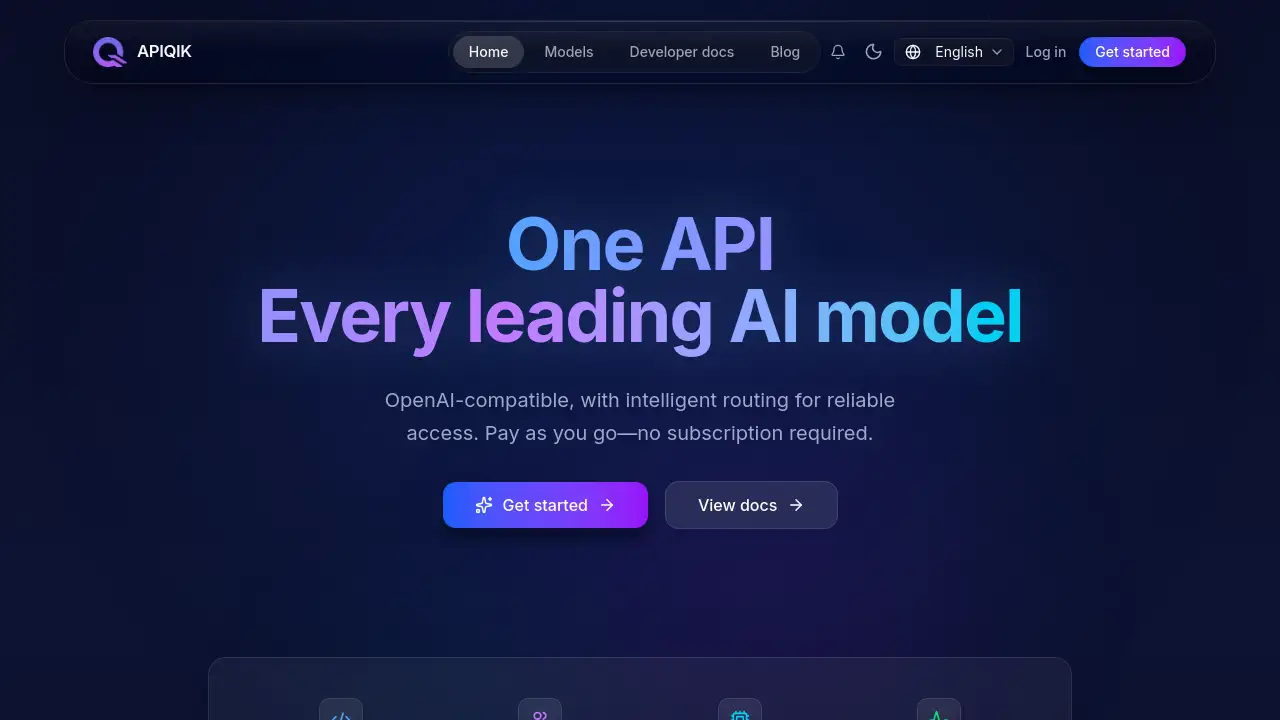
APIQIK unified AI model API platform for developers.
What is APIQIK?
APIQIK is a DIMLEAP model cloud service that provides OpenAI-compatible APIs for open-source large models, including DeepSeek, Qwen, and GLM. It is operated by Shenzhen DIMLEAP Technology Co., Ltd. and served from its own inference clusters. The platform is designed to give developers a single way to access multiple AI models without managing separate accounts, SDKs, or billing systems.
The main problem APIQIK solves is fragmentation. Teams that use several AI models often need different API keys, different pricing models, and different monitoring tools. APIQIK offers a unified AI model API with one balance, one endpoint, and one place to review usage. It is suitable for developers, startups, product teams, and enterprises that want reliable access to open-source large models through an OpenAI-compatible API.
Because the platform supports intelligent routing and automatic failover, it can help reduce integration complexity and improve access reliability. The homepage lists 406+ models and reports high daily API call volume. For teams already using OpenAI-style integrations, APIQIK may be a practical option to test and compare models from one interface.
Key Features of APIQIK
Unified API Access
Use one OpenAI-compatible API endpoint to call multiple AI models, including DeepSeek, Qwen, and GLM. This reduces the need to maintain separate SDKs and API configurations for each provider.
Intelligent Routing and Failover
Route requests across available inference nodes and retry failed calls automatically. Overloaded nodes can be temporarily removed and rejoined when healthy, which can support more reliable AI model API access.
One Balance for Every Model
Manage spending through a single shared balance and pricing model. This simplifies cost tracking for teams that use several open-source large models in the same product.
End-to-End Request Tracing
Trace each request through the nodes it actually used and review usage and error logs in one place. This supports debugging and helps teams understand how an OpenAI-compatible API request is handled.
Pay-as-You-Go Pricing
Use the API without a subscription and pay based on usage. This model can fit teams that need flexible access to AI model APIs without a long-term commitment.
Use Cases for APIQIK
Prototyping and Model Comparison
Test DeepSeek, Qwen, GLM, and other models through one unified AI model API. Developers can compare outputs and costs before choosing a model for production.
AI Chatbot and Assistant Products
Build chatbots, writing tools, and support assistants using OpenAI-compatible API calls. The platform’s routing and failover features can help maintain access during traffic changes.
Multi-Model Applications
Power applications that need different models for different tasks, such as coding help, summarization, or multilingual chat. A single balance and usage log can simplify operations.
Cost and Reliability Monitoring
Track API usage, model requests, and errors from one dashboard. Teams can review spending and debug issues without switching between multiple provider consoles.
How to Use APIQIK
- Visit the APIQIK website and review the available models and developer documentation.
- Create an account and obtain an API key from the console.
- Set the base URL to
https://api.apiqik.comin an OpenAI-compatible client. - Add the API key to the client configuration and send a test request to a supported model.
- Review usage, errors, and costs in the dashboard, then adjust model selection or routing as needed.
The setup is similar to many OpenAI-compatible API workflows, so existing applications may require only small configuration changes. Developers should check the official documentation for model names, limits, and current integration details.
Target Audience for APIQIK
- Individual developers testing open-source large models
- Startups building AI features with predictable usage-based costs
- Product teams that need one API for multiple AI models
- Engineering teams replacing or extending OpenAI-compatible integrations
- Enterprises that want centralized usage and error tracing
- Agencies managing AI model access for several client projects
Is APIQIK Free?
APIQIK uses a pay-as-you-go model and does not require a subscription, according to the product homepage. The site also shows a “Start Free” option, but exact free credits or trial limits are not specified in the reference content. Users should check the official console or pricing page for current terms.
| Plan | Price | Features |
|---|---|---|
| Pay-as-you-go | Usage-based | No subscription required; one shared balance across models; no hidden fees stated by the vendor |
| Start Free | Not specified | Entry option shown on the site; exact limits and credits should be confirmed on the official page |
For current pricing, model rates, and any free-tier conditions, users should refer to the APIQIK console and developer documentation.
APIQIK's Pros and Cons
| Aspect | Pros | Cons |
|---|---|---|
| Pricing | Pay-as-you-go model with no subscription requirement | Costs depend on model choice and usage volume |
| Integration | OpenAI-compatible API can reduce code changes | Some model-specific details still require documentation review |
| Reliability | Intelligent routing and automatic failover are built in | Users depend on the platform’s routing layer and node availability |
| Model Access | One unified AI model API for DeepSeek, Qwen, GLM, and other models | Model availability and limits should be checked before production use |
| Management | Single balance, usage logs, and request tracing in one place | Pricing and free-tier details are not fully public in the reference content |
Frequently Asked Questions about APIQIK
How does APIQIK billing work?
APIQIK uses pay-as-you-go billing with a single balance shared across models. There is no subscription requirement according to the homepage. Users should confirm current rates and any minimum charges in the official console.
Can APIQIK replace an existing OpenAI-compatible integration?
In many cases, yes. APIQIK provides an OpenAI-compatible API, so developers may only need to change the base URL, API key, and model name. Testing is recommended before switching production traffic.
Which models are available on APIQIK?
The platform focuses on open-source large models such as DeepSeek, Qwen, and GLM. The homepage lists 406+ models, and the model catalog should be checked for current availability.
How long does integration take?
Basic integration can be quick for teams already using OpenAI-style clients. A simple test request may take minutes, while production migration depends on model selection, error handling, and usage monitoring.
Is there a free trial?
The site displays a “Start Free” option, but the reference content does not specify exact free credits or trial limits. Users should check the APIQIK console for current offers.
What teams is APIQIK suitable for?
APIQIK is suitable for developers, startups, product teams, and enterprises that need a unified AI model API, centralized billing, and OpenAI-compatible access to open-source large models.
APIQIK Tags
APIQIK, unified AI model API, OpenAI-compatible API, AI model API platform, DeepSeek API, Qwen API, GLM API, open-source large models, pay-as-you-go AI API, intelligent routing, automatic failover, DIMLEAP cloud service