Introduction
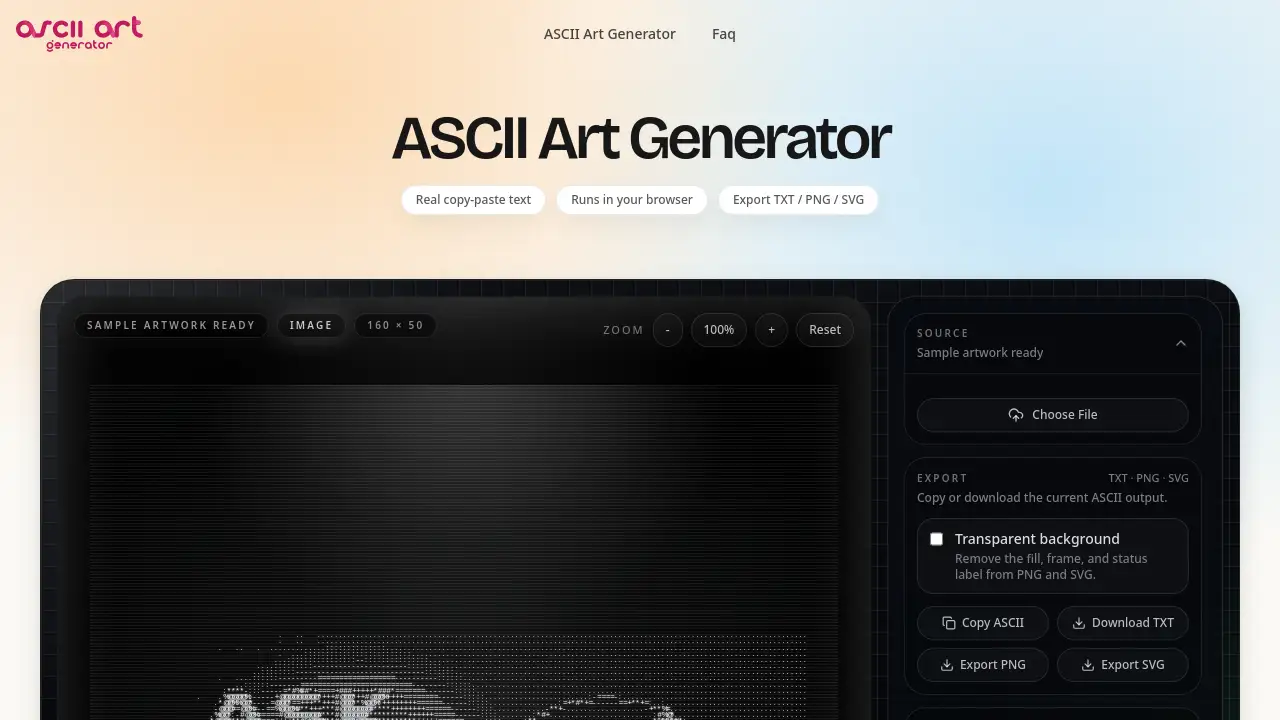
ASCII Art Generator is a free online tool that turns images and text into real, copy-paste ASCII art in your browser. This ASCII art generator online helps developers and designers convert image to ASCII art without uploads or signups. It produces plain text, PNG, and SVG output for READMEs, terminals, and design canvases.
What is ASCII Art Generator?
ASCII Art Generator is a browser-based tool that converts images or typed text into art made of characters. It solves a common problem: many image to ASCII converter tools output a picture of text or require uploading files to a server. This ASCII art generator keeps the source file on the device and produces real copy-paste text. It is suitable for developers, designers, students, and anyone who needs monospaced art for a README, terminal, social post, or design project. The tool matters because real text output can be pasted into any monospaced surface, while PNG and SVG exports support visual workflows. Users searching for a free ASCII art generator online can adjust character sets, width, color, and cleanup settings with a live preview.
Key Features of ASCII Art Generator
Real Copy-and-Paste Text Output
Every result from this ASCII art generator is made of real characters, not an image of characters. Copy the output into a README, terminal, Discord message, or code comment and keep the layout.
Browser-Based, No Upload
The image to ASCII converter runs locally in the browser using Canvas and a Web Worker. Source images stay on the device, which helps with private or unreleased artwork.
Flexible Character Sets
Choose Standard, Dense, Blocks, or Dots to change the look of the ASCII art. Custom character sets are also supported for specific visual styles.
Color Modes and ANSI-Safe Output
Switch between mono, grayscale, and full color. The ANSI-safe palette helps terminal output render correctly in developer environments.
Width Presets for README and Terminal
Use 80-column and 120-column presets to match common terminal and README layouts. This makes the ASCII art generator image to text workflow faster for developers.
Export TXT, PNG, SVG, and HTML
Copy plain text or export PNG, SVG, or HTML snippets. The export matches the live preview, so designers can move ASCII art into Figma or Illustrator.
Text Banner Mode
Switch to text mode and pick a FIGlet-style font to create ASCII banners. This text to ASCII art feature is useful for headers, splash screens, and code comments.
Live Preview and Save Scene
Tune brightness, contrast, density, and color with a live preview. Users can save the scene and reopen the exact look later.
Use Cases for ASCII Art Generator
GitHub README Headers
Replace a plain H1 with a monospaced banner generated by this ASCII art generator online. Because the output is real text, it renders in any Markdown viewer.
Terminal Splash Screens
Print an ASCII logo when a CLI boots. This free ASCII art generator works with Node, Go, Rust, Python, and any environment that renders monospaced fonts.
Figma and Illustrator Design Projects
Export SVG from the image to ASCII art generator and place it in a design canvas. Vectors stay sharp at any size and can be layered with color or effects.
Social Posts and Retro Avatars
Create PNG exports for Discord, Reddit, or developer forums. Copy plain text to stand out in feeds without relying on AI image tools.
Text Banners for Documentation
Use the ASCII text generator to create FIGlet-style banners for docs, comments, or terminal menus. Type a message, choose a font, and copy the result.
How to Use ASCII Art Generator
- Open the ASCII Art Generator website in a browser. No signup or installation is required for core tools.
- Upload a JPG, PNG, WEBP, or GIF, or switch to text mode for banners. The image to ASCII converter decodes the file locally.
- Adjust the character set, width preset, brightness, contrast, and color mode. Watch the live preview update in real time.
- Copy the plain text output or export PNG, SVG, or HTML. Paste the result into a README, terminal, design canvas, or social post.
Target Audience for ASCII Art Generator
- Developers who need README banners, terminal splash screens, and code comments
- Designers who want SVG ASCII art for Figma or Illustrator
- Students learning about character-based image conversion
- Content creators making retro avatars and social posts
- Technical writers who need monospaced headers for documentation
- Privacy-conscious users who prefer a browser-based ASCII art generator with no uploads
Is ASCII Art Generator Free?
The core ASCII art generator and text banner tools are free to use. No signup is required, and outputs do not have a watermark. Optional Pro features may be offered in the future, such as higher resolutions, batch processing, and AI-assisted generation. Pricing for those optional features has not been announced. Check the official website for current details.
| Plan | Price | Features |
|---|---|---|
| Free | $0 | Core image to ASCII converter, text to ASCII art, copy-paste text, PNG/SVG/TXT/HTML export, no signup |
| Pro (planned) | Not announced | Possible higher resolutions, batch processing, and AI-assisted features |
ASCII Art Generator's Pros and Cons
| Aspect | Pros | Cons |
|---|---|---|
| Pricing | Core tools are free with no signup | Advanced Pro features may cost money in the future |
| Privacy | Images stay in the browser; no upload | Local browser rendering may depend on device performance |
| Output | Real copy-paste text, plus PNG/SVG/HTML exports | ASCII art still needs a monospaced font to align correctly |
| Features | Character sets, color modes, width presets, text banners | Not a full image editor; controls focus on ASCII conversion |
| Workflow | Live preview and fast iteration | Very large images may be limited to around 4000 px on the longest side |
Frequently Asked Questions about ASCII Art Generator
What is an ASCII art generator?
An ASCII art generator turns an image or text into art made of letters, numbers, and symbols. This tool outputs real copy-paste characters, so the result works in a README, terminal, or code comment.
Is this ASCII art generator free?
Yes. The core image to ASCII converter and text banner tools are free, with no signup and no watermark. Optional Pro features may be added later, but the core tools remain free.
Does the tool upload my images?
No. This browser-based ASCII art generator decodes images locally with Canvas and maps pixels to characters in a Web Worker. Source files do not leave the device.
Can I convert image to ASCII art for a GitHub README?
Yes. Upload an image, adjust the width to 120 columns, and copy the plain text output. Because it is real text, the ASCII art renders inside Markdown viewers that use a monospaced font.
Why does my ASCII art look broken after pasting?
The destination probably uses a proportional font. Switch to a monospaced font such as Courier New, Consolas, JetBrains Mono, or Menlo, and the ASCII art generator output will align correctly.
Can I use the output commercially?
Yes. Generated ASCII art belongs to the user, and attribution is not required. The core tools stay free.
ASCII Art Generator Tags
ASCII art generator, image to ASCII converter, convert image to ASCII art, free ASCII art generator, ASCII art generator online, text to ASCII art, ASCII text generator, browser-based ASCII art generator, image to ASCII art, ASCII art generator from image, ASCII banner generator, copy-paste ASCII art