Introduction
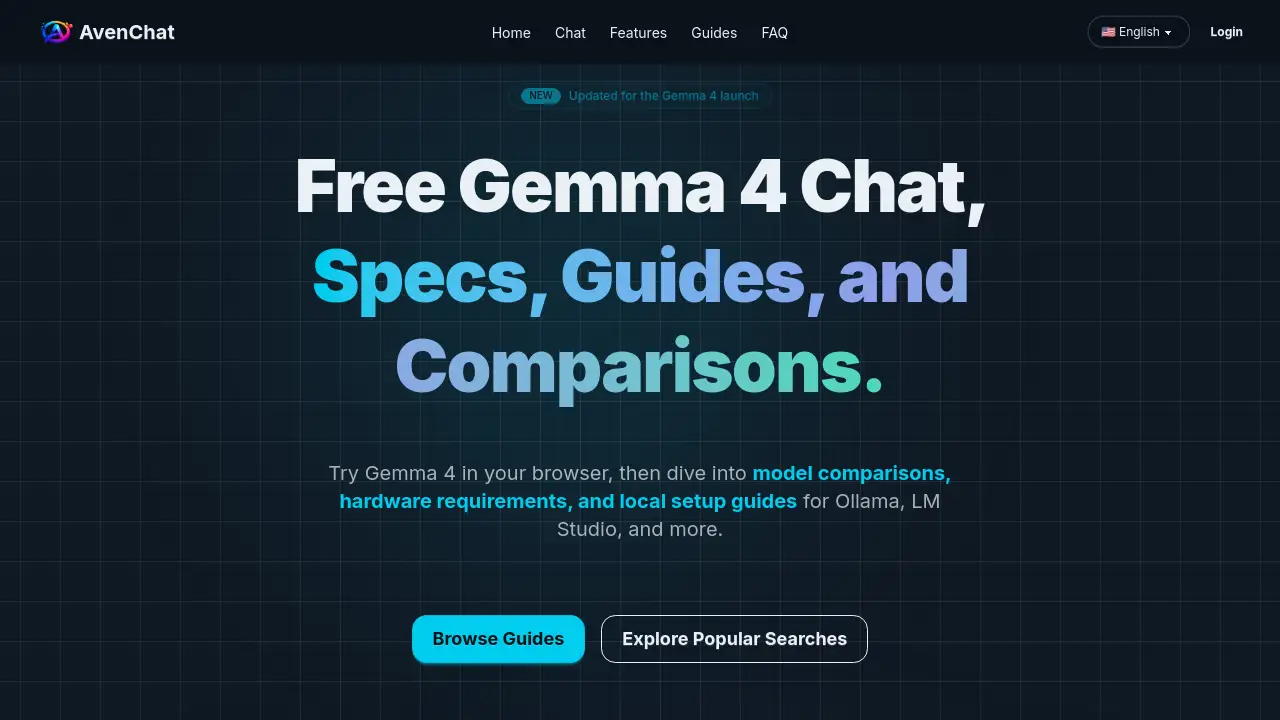
AvenChat is a free web platform for exploring and testing Google's Gemma 4 family of open AI models before local deployment.
What is AvenChat?
AvenChat is an informational hub and testing platform designed for developers, researchers, and AI enthusiasts interested in Google's Gemma 4 model family. It solves a common problem: the difficulty of evaluating and comparing different AI models before committing to a complex local setup. The platform provides immediate, free access to Gemma 4 in a browser-based chat interface, alongside practical guides for local setup with tools like Ollama and LM Studio. It is suitable for anyone from beginners wanting to try a powerful AI model to professionals needing detailed hardware requirements and model comparisons to plan their deployments. AvenChat matters because it lowers the barrier to entry for state-of-the-art AI, offering a risk-free way to assess model performance and fit for specific workflows.
Key Features of AvenChat
Free Gemma 4 Web Chat
This feature provides instant, no-cost access to Google's Gemma 4 models directly in a web browser, allowing users to test prompts, summarize documents, and evaluate outputs without any installation.
In-Depth Model Comparisons
AvenChat offers detailed guides that break down the differences between the Gemma 4 variants, such as the 31B, 26B A4B, E4B, and E2B models, helping users choose based on quality, efficiency, and hardware constraints.
Practical Hardware Requirement Tables
The platform provides clear tables outlining the approximate RAM and VRAM needed for different Gemma 4 model sizes and quantizations, which is crucial for planning a successful local setup.
Step-by-Step Local Setup Guides
AvenChat features comprehensive tutorials for running Gemma 4 locally using popular tools, with dedicated walkthroughs for Ollama and LM Studio, aiming to simplify what can often be a complex process.
Ecosystem and Alternative Analysis
Beyond just Gemma 4, the platform includes comparative analysis with other model families like Qwen, helping users decide which ecosystem best fits their existing stack and deployment preferences.
Use Cases for AvenChat
Preliminary Model Evaluation
Developers can use the free chat to quickly test if Gemma 4's capabilities, such as reasoning or multimodal support, meet their application's needs before investing in infrastructure.
Local Deployment Planning
Teams planning to run Gemma 4 locally can use the hardware guides and Ollama setup tutorials to accurately estimate resource needs and understand the implementation steps.
Educational Exploration
Students and AI hobbyists can interact with a cutting-edge open model family in a guided environment, using the comparison articles to learn about model architectures like MoE versus dense models.
Workflow Integration Research
Professionals comparing AI stacks can utilize the Gemma 4 vs Qwen and tooling analyses to determine which model family aligns better with their team's existing workflows and cloud preferences.
How to Use AvenChat
Using AvenChat is straightforward and requires no account creation for its core features.
- Visit the Website: Navigate to the AvenChat homepage.
- Test the Model: Immediately use the free web chat interface on the page to start conversing with a Gemma 4 model and evaluate its responses.
- Explore Guides: If interested in deeper use, click on the provided links to access detailed articles on model comparisons, hardware requirements, or specific local setup guides for Ollama or LM Studio.
- Plan Your Deployment: Use the information gathered from testing and the guides to make an informed decision about downloading and running the models on your own hardware.
Target Audience for AvenChat
- AI Developers and Engineers evaluating new models for applications.
- ML Researchers and Students exploring open-weight model capabilities.
- Tech Hobbyists and Enthusiasts interested in running AI locally.
- Product and Technical Teams comparing AI model ecosystems for project integration.
Is AvenChat Free?
Yes, the core functionality of AvenChat is completely free. The platform operates on a freemium model where access to the Gemma 4 web chat and all informational guides, including model comparisons and hardware requirement tables, is available at no cost. There is no mention of paid plans or subscriptions on the provided homepage content, indicating the service is currently free to use for all visitors.
| Plan | Price | Features |
|---|---|---|
| Free | $0 | Access to the Gemma 4 web chat, all model comparison guides, hardware requirement tables, and local setup tutorials (e.g., for Ollama, LM Studio). |
AvenChat's Pros and Cons
| Aspect | Pros | Cons |
|---|---|---|
| Access & Cost | Provides completely free access to test and evaluate Gemma 4 models. | Primarily an informational hub; does not host a permanent, customizable API for integration. |
| Usability | Extremely low barrier to entry with instant web chat; guides are practical and focused on setup intent. | The value is in guidance; users must go elsewhere for actual hosting and scaling of models. |
| Content Depth | Covers critical decision points like model selection, hardware, and setup with clear, actionable data. | Content is specifically focused on the Gemma 4 ecosystem, not a broad AI model review site. |
| Objective | Offers neutral comparisons (e.g., Gemma 4 vs Qwen) to help users choose based on their own stack. | As a third-party site, it may not have the latest real-time updates direct from Google's official channels. |
Frequently Asked Questions about AvenChat
What is Gemma 4?
Gemma 4 is Google's family of open-weight AI models, notable for its combination of strong performance, open licensing, and flexible deployment options. It includes several variants like the 31B (dense), 26B A4B (MoE), E4B, and E2B models, catering to different needs from high-quality reasoning to efficient, lightweight inference.
Is Gemma 4 free to use on AvenChat?
Yes. AvenChat provides a free, browser-based chat interface for Gemma 4, allowing anyone to test and evaluate the models without any cost or account registration.
Can I run Gemma 4 locally using AvenChat's guides?
Absolutely. While AvenChat itself is a web platform, its detailed guides provide step-by-step instructions for local setup using popular runtimes. You can follow its tutorials to run Gemma 4 locally with tools like Ollama, LM Studio, or llama.cpp.
What hardware do I need to run Gemma 4 locally?
The hardware requirements vary significantly by model. Based on AvenChat's guidance, needs range from approximately 3.2 GB of memory for a quantized E2B model to around 17.4 GB for a quantized 31B model. Consulting the platform's hardware tables is recommended before downloading.
What's the difference between Gemma 4 31B and 26B A4B?
The 31B model is a dense, quality-first option designed for tasks where output excellence is paramount. The 26B A4B is a Mixture-of-Experts (MoE) model optimized for efficiency and throughput, keeping the number of active parameters low during inference.
How does Gemma 4 compare to Qwen?
There is no single "better" model. Gemma 4 may be preferable for those invested in the Google ecosystem, Apache 2.0 licensing, and clear variant selection. Qwen might fit better for teams already using the Qwen toolchain or integrated with Alibaba Cloud services. AvenChat's comparisons can help decide based on your specific workflow.
AvenChat Tags
Gemma 4, Gemma 4 web chat, run Gemma 4 locally, Ollama setup, LM Studio, local AI setup, Gemma 4 hardware requirements, Gemma 4 vs Qwen, model comparison, open weight AI, free AI chat, AI deployment guide, Gemma 4 31B