Introduction
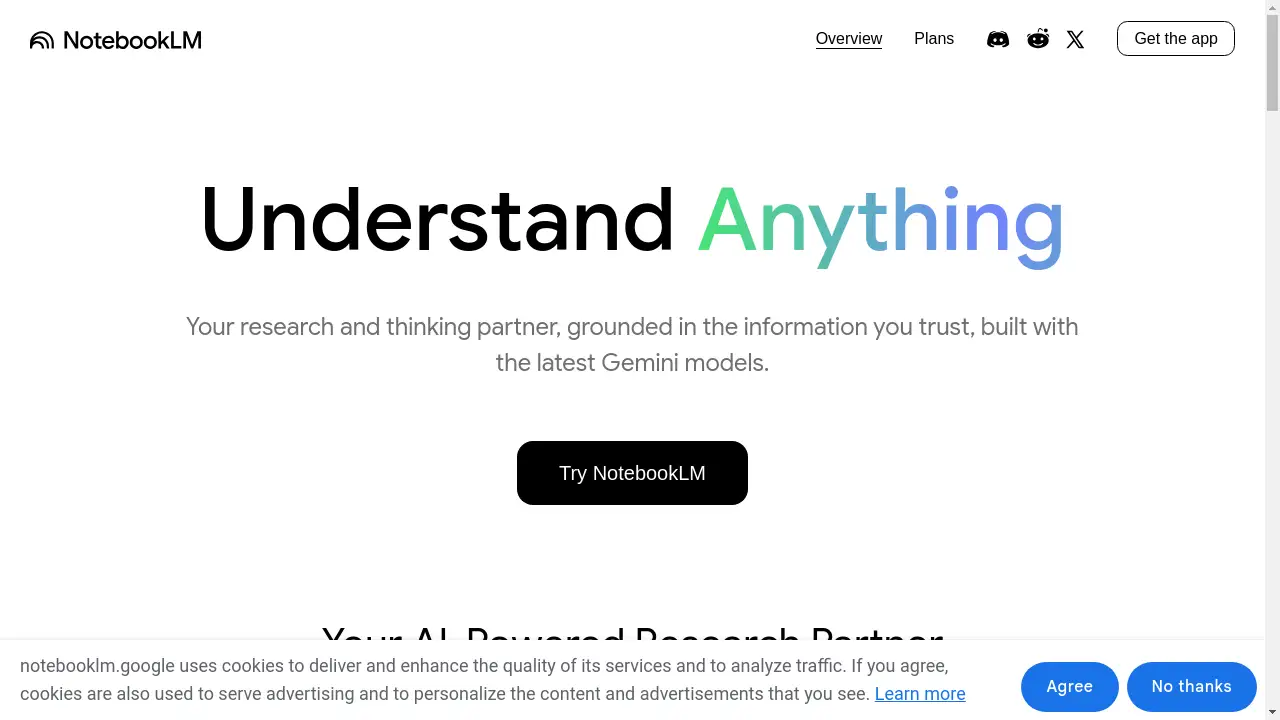
NotebookLM is an AI research tool and thinking partner designed to turn complexity into clarity.
What is NotebookLM?
NotebookLM is an AI-powered research tool developed by Google that acts as a personalized thinking partner. The core problem it addresses is the overwhelming nature of information overload. By grounding its responses in the specific sources a user provides, NotebookLM helps students, researchers, and professionals analyze documents, extract key insights, and generate new ideas with greater confidence and efficiency. This approach makes it more than just a chatbot; it becomes a specialized AI expert tailored to the user's own material, transforming how individuals interact with and understand complex content.
Key Features of NotebookLM
Multi-Source Upload
Users can upload a wide variety of source materials, including PDFs, websites, YouTube videos, audio files, Google Docs, and Google Slides, providing a comprehensive base for the AI to analyze.
Instant Insights and Summarization
After sources are uploaded, NotebookLM quickly summarizes the content and identifies interesting connections between topics, delivering personalized insights powered by Google's latest Gemini models.
Source-Grounded Citations
Every response generated by NotebookLM includes clear citations, showing the exact quotes from your uploaded sources, which helps build trust and verify the information provided by this AI research tool.
Audio Overview Feature
This feature can transform your source material into engaging "Deep Dive" audio discussions with a single click, facilitating learning on the go and offering an alternative way to consume information.
Privacy-Focused Operation
NotebookLM does not use personal data, including source uploads, queries, or model responses, for training its AI, ensuring user privacy and data security.
Use Cases for NotebookLM
Power Studying
Students can upload lecture recordings, textbook chapters, and research papers, then ask NotebookLM to explain complex concepts in simple terms and provide real-world examples to reinforce their understanding and learn more effectively.
Organizing Thoughts for Presentations
Professionals can upload their source material and use NotebookLM to create polished presentation outlines, complete with key talking points and supporting evidence, helping them present with greater confidence.
Sparking Creative Ideas
Entrepreneurs and creators can upload brainstorming notes, market research, and competitor analysis, then leverage NotebookLM to identify trends, generate new product ideas, and uncover hidden opportunities to unlock their creative potential.
Academic Research Analysis
Researchers and academics can use the tool to analyze multiple papers and documents simultaneously, allowing the AI to draw connections and provide summaries that accelerate the literature review process.
How to Use NotebookLM
Using NotebookLM is a straightforward process designed to get you from source material to insights quickly.
- Upload Your Sources: Start by creating a new "notebook" and uploading your chosen sources. These can be PDFs, web links, Google Docs, or even audio files.
- Let the AI Analyze: Once uploaded, NotebookLM automatically gets to work, summarizing your documents and preparing to answer your questions based on the provided content.
- Ask Questions and Interact: Begin a conversation with your AI research partner. You can ask for summaries, request explanations of complex points, or ask it to connect ideas from different sources.
- Review Citations and Generate Outputs: Check the citations provided with each answer to verify information. You can also use features like the Audio Overview to create audio summaries or generate outlines for your projects.
Target Audience for NotebookLM
- Students and academics conducting research for papers or studying for exams.
- Professionals and business analysts who need to synthesize reports, market data, and competitive intelligence.
- Writers, journalists, and content creators looking to organize information and generate new ideas.
- Anyone regularly dealing with large amounts of information from multiple sources who needs a thinking partner to help manage the complexity.
Is NotebookLM Free?
NotebookLM offers a generous free plan that provides access to its core features, making it an accessible AI research tool for a wide range of users. The free tier includes the ability to upload sources, interact with the AI, and receive cited responses. For users with higher-volume needs, Google also offers affordable premium options through its "Plans" page, which may include increased capabilities and usage limits. This freemium model allows individuals to explore the tool's value before committing to a paid subscription.
Frequently Asked Questions about NotebookLM
What types of files can I upload to NotebookLM?
NotebookLM supports a wide range of source formats, including PDFs, websites (via URL), YouTube videos, audio files, Google Docs, and Google Slides. This flexibility allows you to bring diverse information into one centralized AI research tool.
How does NotebookLM ensure the accuracy of its answers?
NotebookLM grounds its responses solely in the sources you provide. It then supplies citations for its answers, pointing you to the exact passages in your uploaded documents that support its conclusions, allowing for easy fact-checking.
Is my data private and secure with NotebookLM?
According to Google, NotebookLM is designed with privacy in mind. The company states that it does not use your personal data, including your source uploads, queries, or the AI's responses, to train its models.
Can I use NotebookLM to help me study?
Absolutely. The Power Study use case is a primary function. You can upload lecture notes, textbooks, and other materials, and use NotebookLM as a study partner to explain difficult topics, create study guides, and test your understanding.
What is the Audio Overview feature?
The Audio Overview feature can instantly transform the key information from your sources into an audio summary or a "Deep Dive" discussion. This allows for learning on the go and provides an alternative, more conversational way to engage with your material.
Is there a mobile app for NotebookLM?
Yes, NotebookLM offers a dedicated mobile application. You can download "Get the app" from the relevant app store, enabling you to access your notebooks and interact with your AI thinking partner from your smartphone.
NotebookLM Tags
NotebookLM, AI research tool, thinking partner, Google AI, source analysis, study assistant, document summarization, AI note-taking, research assistant, content analysis, Google Gemini, AI for students, AI for professionals