Introduction
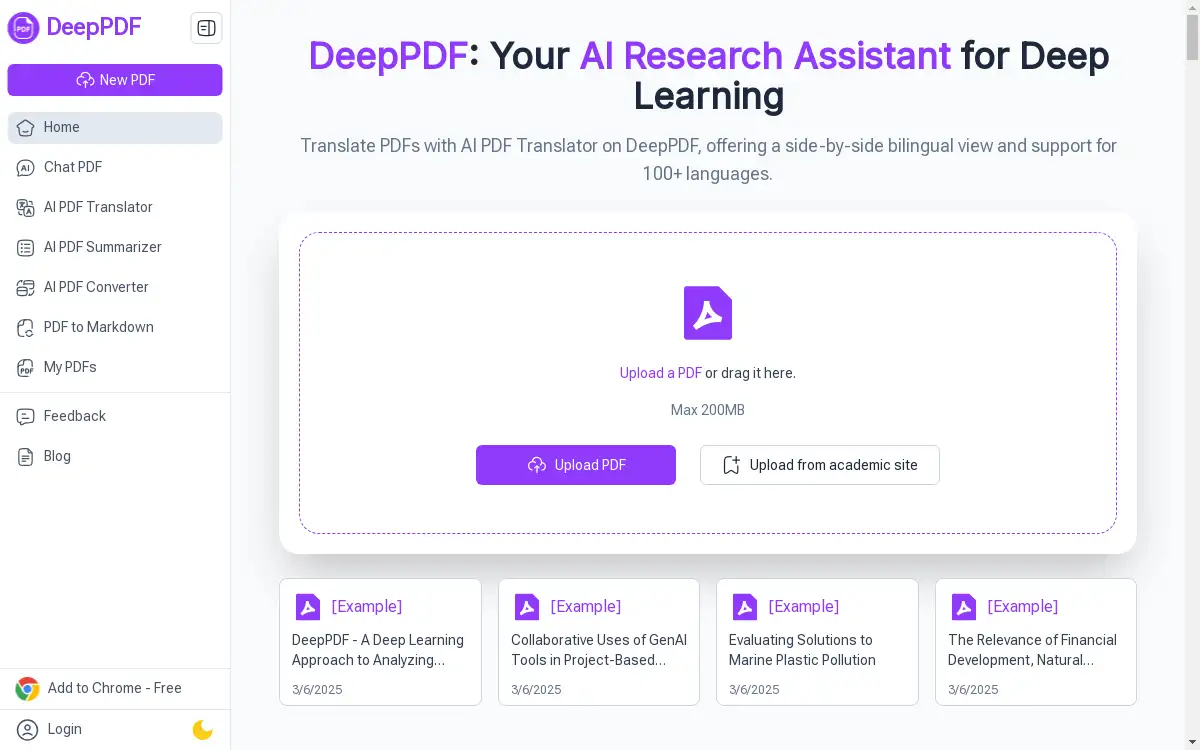
An AI research assistant for deep learning with PDFs.
What is DeepPDF: Your AI Research Assistant?
DeepPDF: Your AI Research Assistant is a specialized tool designed to transform how individuals and professionals interact with PDF documents. This AI assistant tackles the common problem of information overload and time-consuming analysis associated with lengthy PDFs, such as academic papers, business reports, and legal contracts. By leveraging artificial intelligence for deep learning with PDFs, it enables users to quickly extract meaning, summarize content, and find specific information through a conversational interface. It is suitable for a wide range of users, from students and researchers to business professionals and legal teams, who need to manage and understand complex documents efficiently. The significance of DeepPDF lies in its ability to save time and enhance productivity, turning static documents into interactive sources of knowledge.
Key Features of DeepPDF: Your AI Research Assistant
Chat with PDFs
Users can engage in a conversational dialogue with their documents, asking specific questions and receiving immediate, context-aware answers directly from the PDF's content.
Instant Summarization
This feature quickly generates concise summaries of entire documents or specific sections, allowing users to grasp the main points without reading every word.
Translation and Comparison
DeepPDF assists with multilingual documents by providing translation capabilities and comparisons, helping to bridge language barriers in research and analysis.
Key Term Extraction
The AI can identify and extract important terminology, names, and concepts from the document, streamlining the process of data collection and study.
Image and Formula Analysis
Beyond text, this AI research assistant can analyze and interpret images, charts, and mathematical formulas embedded within the PDF for a comprehensive understanding.
Use Cases for DeepPDF: Your AI Research Assistant
Academic Research
Researchers and students can use DeepPDF to rapidly analyze and summarize academic papers, making literature reviews and study sessions more efficient.
Business Document Review
Professionals can upload reports, proposals, and contracts to quickly understand key clauses, financial data, and executive summaries, accelerating decision-making.
Legal Document Analysis
Legal teams can employ the tool to sift through lengthy legal documents, identifying specific clauses and terms in a fraction of the usual time.
Educational Material Preparation
Educators can simplify complex textbook chapters and academic papers to create more accessible lesson plans and study guides for their students.
Content Creation and Editing
Writers and content creators can use DeepPDF to review their own drafts, check for clarity, and ensure their written content is coherent and well-structured.
How to Use DeepPDF: Your AI Research Assistant
Using DeepPDF is a straightforward process designed for maximum efficiency.
- Upload Your PDF: Begin by uploading your PDF file to the DeepPDF platform from your computer or cloud storage.
- Ask Your Question: Once the document is processed, type your question into the chat interface. You can ask for a summary, a definition, a specific data point, or an explanation of a concept.
- Receive the Analysis: DeepPDF will then analyze the document using its AI capabilities and provide a detailed, precise response based on the content of your PDF.
Target Audience for DeepPDF: Your AI Research Assistant
- Researchers & Academics
- Students and College Students
- Business Professionals
- Legal Teams & Lawyers
- Educators & Teachers
- Content Creators & Writers
Is DeepPDF: Your AI Research Assistant Free?
DeepPDF offers a generous free plan that allows users to experience its core functionalities, such as chatting with PDFs and getting summaries. This provides an excellent opportunity to test its capabilities for deep learning with PDFs. For users with higher volume needs or who require access to more advanced features, affordable premium options are available, offering greater value and expanded usage limits.
Frequently Asked Questions about DeepPDF: Your AI Research Assistant
What types of PDFs can I upload to DeepPDF?
DeepPDF is designed to work with a wide variety of PDFs, including text-based documents like research papers, business reports, and books. It can also process documents containing images and formulas.
How does the "chat with PDF" feature work?
The chat feature allows you to ask questions in natural language about the content of your uploaded PDF. The AI research assistant then scans the document and provides answers sourced directly from the text, much like having a conversation with an expert about the document.
Can DeepPDF translate documents?
Yes, one of the key features of this AI assistant is its ability to assist with translation, helping users understand and compare content across different languages within their PDFs.
Is my data secure when using DeepPDF?
The platform is designed with user privacy in mind. It is advisable to review the specific privacy policy on the DeepPDF website for detailed information on data handling and security measures.
What is the main benefit of using an AI research assistant for PDFs?
The primary benefit is a massive reduction in the time spent manually searching through documents. It enhances productivity by delivering precise information, summaries, and analysis on demand.
Do I need to install any software to use DeepPDF?
DeepPDF is a web-based application, so no software installation is required. You can access all its features directly through your web browser.
DeepPDF: Your AI Research Assistant Tags
AI research assistant, DeepPDF, chat with PDF, PDF summarization, AI document analysis, deep learning with PDFs, academic research tool, business PDF tool, legal document analysis, translate PDF, key term extraction, AI for students, PDF question answering