Introduction
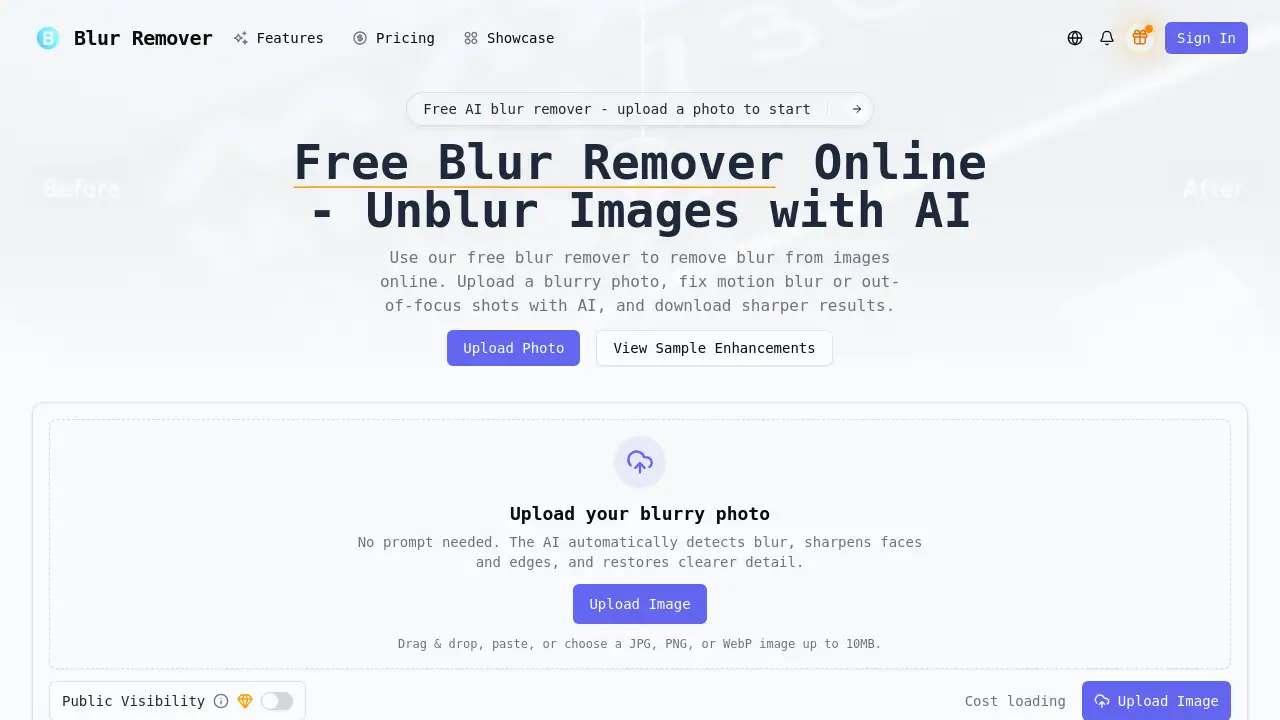
Blur Remover is a free online AI tool designed to quickly remove blur and enhance sharpness from blurry photos.
What is Blur Remover?
Blur Remover is an online AI image enhancement service that addresses a common photography problem: blurry images. It automatically removes blur caused by camera shake, motion, or poor focus, restoring clarity and sharpness to photographs. This tool is ideal for anyone who has ever taken a photo that turned out blurry but still holds sentimental or professional value. By leveraging advanced machine learning, the platform offers a straightforward solution to enhance image quality without requiring complex manual editing skills or software. The ability to remove blur and improve focus online makes it a valuable resource for preserving memories and improving visual content.
Key Features of Blur Remover
AI-Powered Deblurring
The service uses advanced machine learning algorithms to automatically detect and remove blur from images with high precision, enhancing sharpness and restoring lost details.
Automatic Blur Detection
Users simply upload their photo; the AI instantly analyzes the image to determine the type and extent of blur, requiring no manual prompts or technical input from the user.
Motion Blur Correction
The tool specializes in correcting common issues like motion blur and camera shake, effectively stabilizing images that were captured during movement or in low-light conditions.
Sharpness Enhancement
Beyond just removing blur, the algorithms work to enhance overall image sharpness and improve focus, bringing clarity back to important subjects and details.
Fast Processing
Optimized for speed, the AI processes images significantly faster than traditional manual editing methods, delivering enhanced results in seconds rather than hours.
Original Character Preservation
The technology is designed to maintain the authentic feel and original character of the photograph while dramatically improving its clarity and visual quality.
Use Cases for Blur Remover
Fixing Family and Event Photos
Restore precious memories from weddings, birthdays, or vacations where camera shake or movement resulted in blurry pictures, making them suitable for printing and sharing.
Enhancing Professional Photography
Professional photographers can salvage important shots affected by motion blur or slight focus issues, recovering details for client deliverables or portfolio work.
Improving Content Creation Assets
Bloggers, social media managers, and content creators can enhance blurry product shots, lifestyle images, or action photos to maintain a high-quality visual standard.
Preparing Reference Images
Artists, designers, and architects can clarify blurry reference photos or scanned sketches, making them more useful for digital artwork or project planning.
Refurbishing Old Photographs
Bring new life to older scanned photographs that have degraded over time or suffered from the limitations of older camera technology.
How to Use Blur Remover
Using the Blur Remover tool is a simple, three-step process:
- Upload Your Blurry Photo: Visit the website and upload your JPG, PNG, or WebP image (up to 10MB) by dragging and dropping, pasting, or selecting it from your device.
- Let AI Process the Image: The AI will automatically analyze the photo, detect the blur, and apply enhancements to remove blur, correct focus, and improve sharpness.
- Download the Enhanced Result: Once processing is complete, download the newly sharpened, high-resolution image, ready for use.
Target Audience for Blur Remover
- Everyday Users & Photography Enthusiasts: Individuals looking to improve personal photos for albums, social media, or gifts.
- Professional Photographers: Wedding, portrait, sports, and event photographers needing to correct occasional blurry shots.
- Content Creators & Marketers: Bloggers, influencers, and digital marketers requiring clear, high-quality images for online content.
- Artists and Designers: Professionals who use reference photos and need clear, detailed images for their creative work.
- Businesses: Small businesses or e-commerce shops that need to enhance product photos or marketing materials.
Is Blur Remover Free?
The primary offering is a free tier. According to the homepage, users receive 25 Deblur Credits to start. This indicates a credit-based system for processing images. For specific details on ongoing free usage limits or premium plans, users should refer to the official pricing page on the website for the most current information.
| Plan | Price | Key Features |
|---|---|---|
| Free Tier | $0 | Includes an initial allocation of deblur credits for trying the service. |
Blur Remover's Pros and Cons
| Aspect | Pros | Cons |
|---|---|---|
| Ease of Use | Extremely simple, no technical skills or prompts required. | Limited manual control over the enhancement process. |
| Speed & Performance | Very fast AI processing compared to manual editing. | Performance may depend on image quality and blur severity. |
| Accessibility | Free to start and accessible online from any device. | Free usage is limited by a credit system. |
| Output Quality | Aims to preserve the original character while enhancing clarity. | Results may vary and might not perfectly restore every severely blurred image. |
Frequently Asked Questions about Blur Remover
Is Blur Remover really free to use?
Yes, the service offers a free tier. Users start with a number of deblur credits to process images at no cost, making it accessible for initial use and testing.
What types of blur can this AI tool fix?
The AI blur remover is designed to handle common issues like motion blur from camera shake or moving subjects, as well as general out-of-focus blur, effectively enhancing image sharpness.
What image formats are supported?
The platform supports popular image formats including JPG, PNG, and WebP, with a maximum file size of 10MB per upload.
How long does it take to process an image?
Processing is very fast, typically completing in a matter of seconds due to the optimized AI algorithms, much quicker than traditional manual editing methods.
Does the tool work on faces and portraits?
Yes, the AI automatically detects and sharpens faces and edges, making it particularly effective for enhancing portrait photos and recovering details in people's features.
Will using the blur remover alter the original feel of my photo?
The technology is designed to preserve the authentic character and emotion of the original photograph while removing blur and improving clarity and focus.
Blur Remover Tags
blur remover, remove blur from image, online blur remover, AI deblur, fix blurry photos, enhance image sharpness, motion blur correction, free image enhancer, sharpen photo online, improve focus, camera shake fix, photo clarity tool